
XUANZIT XZT74-CW
XUANZIT LED Digital Wall Clock User Manual
Model: XZT74-CW
Einführung
This manual provides comprehensive instructions for the setup, operation, and maintenance of your XUANZIT LED Digital Wall Clock. Please read this manual thoroughly before use to ensure proper functionality and longevity of your device.
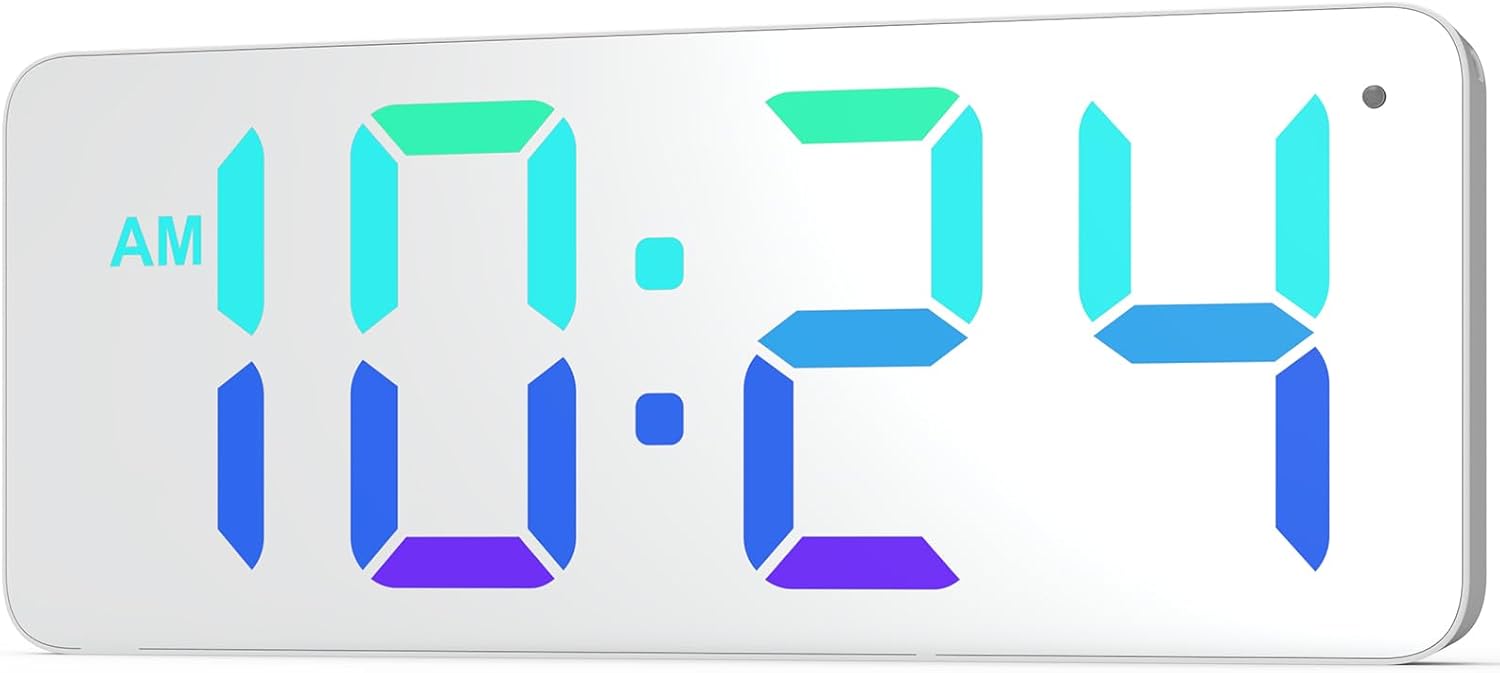
Bild: Vorderseite view of the XUANZIT LED Digital Wall Clock, showing its large, clear digital display with time 10:24 AM in vibrant RGB colors.
Packungsinhalt
Bitte überprüfen Sie, ob alle unten aufgeführten Artikel in Ihrem Paket enthalten sind:
- XUANZIT LED Digital Wall Clock
- USB-Stromkabel (10 m)
- USB Power Adapter (Output: DC 5V/1A)
- Plastic Anchors & Screws
- Adhesive Hooks (2)
- Bedienungsanleitung

Image: All components included in the product package, laid out on a surface. This includes the clock, USB cable, power adapter, mounting screws, and adhesive hooks.
Produkteigenschaften
- Dynamische RGB-Anzeige: Features a unique dynamic RGB color-changing display.
- Modern Mirror Surface: Enhances aesthetic appeal and blends with modern decor.
- Große Ziffern: 2.8-inch digits for clear visibility from a distance.
- Proper Font Spacing: Für optimale Lesbarkeit entwickelt.
- 3-Level Auto-Brightness: Adjusts brightness automatically based on ambient light (High, Medium, Low).
- Einfach aufzuhängendes Design: Two positioning pins on the back for simple installation.
- 10-Ft Long USB Power Cable: Bietet Flexibilität bei der Platzierung.
- 12/24-Stunden-Zeitformat: Easily switch between formats.

Image: Diagram illustrating the clock's ability to display time in various static and dynamic RGB colors, including red, emerald-green, white, sky-blue, and flowing RGB patterns.

Bild: Nahaufnahme view of the clock highlighting the 2.8-inch digit size and the overall 9-inch screen size, along with the ambient light sensor.

Image: Three panels showing the clock in different brightness levels (high, medium, low) to illustrate the 3-level auto-brightness feature in varying room light conditions.
Aufstellen
Stromanschluss
- Connect the small end of the USB power cable to the concealed power jack on the back of the clock.
- Plug the large end of the USB power cable into the provided USB power adapter.
- Insert the USB power adapter into a standard electrical outlet.
- The clock will power on and display the time.
Note: This is a plug-in digital wall clock and is not battery-operated for primary function. A CR2032 battery (included) is for backup only to retain settings during power outages.
Montageanleitung
The clock features an easy-hanging design with two positioning pins on the back to assist with installation.
- Press the entire clock against the desired wall location to mark where the nails or screws should go. The positioning pins will leave small indentations.
- For drywall, hammer the nails directly into the marked spots. For plaster or concrete, drill a small pilot hole and insert the plastic anchors before screwing in the screws.
- Hang the wall clock onto the installed nails or screws using the hanging holes on the back.

Bild: Rückseite view of the XUANZIT clock, detailing the location of the hanging hole, positioning pins, easy-setting buttons, concealed power jack, and backup battery compartment.
Bedienungsanleitung
The clock has easy-setting buttons located on the back for time and display adjustments.
Einstellen der Uhrzeit
- Locate the "SET" button on the back of the clock.
- Halten Sie die Taste „SET“ gedrückt, bis die Stundenziffern zu blinken beginnen.
- Verwenden Sie die Tasten "+" und "-", um die Stunde einzustellen.
- Press "SET" again to move to the minute digits.
- Verwenden Sie die Tasten "+" und "-", um die Minuten einzustellen.
- Press "SET" one more time to confirm and exit time setting mode.
Umschaltung zwischen 12- und 24-Stunden-Format
So wechseln Sie zwischen 12-Stunden- und 24-Stunden-Zeitformat:
- While in normal time display mode, press the "SET" button once briefly.
- The display will toggle between 12-hour (with AM/PM indicator) and 24-hour formats.
Image: Comparison of the clock displaying time in 12-hour format (10:24 PM) and 24-hour format (22:24), demonstrating the easy switching capability.
Adjusting Display Colors/Modes
The clock offers various RGB display options. Use the "MODE" button (or similar, if available, otherwise assume "+" or "-" button cycles through modes after a specific press of SET/MODE) to cycle through them.
- Press the "+" button (or designated color/mode button) briefly to cycle through available static colors (e.g., Red, Emerald-Green, White, Sky-Blue).
- Continue pressing the "+" button to cycle through dynamic color modes (e.g., RGB Flowing, RGB Changing, Random Color).
- The clock will automatically save the last selected display mode.
Auto-Brightness Feature
The clock is equipped with a built-in light sensor that automatically adjusts the display brightness to one of three levels (High, Medium, Low) based on ambient light conditions. No manual adjustment is required for this feature.
Wartung
To ensure the longevity and optimal performance of your XUANZIT LED Digital Wall Clock, follow these maintenance guidelines:
- Reinigung: Gently wipe the mirror surface and body with a soft, dry, lint-free cloth. Do not use abrasive cleaners, solvents, or chemical sprays, as these can damage the finish.
- Leistung: Always use the provided USB power adapter and cable. Do not expose the clock to excessive moisture or extreme temperatures.
- Backup-Batterie: The CR2032 backup battery is designed to retain time settings during brief power interruptions. If the clock frequently loses time after power outages, consider replacing the CR2032 battery.
Fehlerbehebung
| Problem | Mögliche Ursache | Lösung |
|---|---|---|
| Die Uhr lässt sich nicht einschalten. | Keine Stromversorgung; lose Verbindung. | Ensure the USB cable is securely connected to the clock and the adapter. Verify the adapter is plugged into a working electrical outlet. |
| Die Uhrzeit ist falsch. | Time not set; power interruption. | Follow "Setting the Time" instructions. If power was interrupted, the backup battery might be low or depleted. |
| Das Display ist zu hell/zu dunkel. | Auto-brightness adjustment. | The clock features auto-brightness. Ensure the light sensor (small dot on the top right of the display) is not obstructed. The brightness adjusts automatically based on ambient light. |
| Cannot change display colors. | Falsche Tastenbelegung. | Ensure you are pressing the correct button (e.g., "+" or "MODE") to cycle through color options. Refer to "Adjusting Display Colors/Modes" section. |
Technische Daten
- Marke: XUANZIT
- Modellnummer: XZT74-CW
- Farbe: RGB
- Produktabmessungen: 8.89 x 3.81 x 2.9 cm (3.5 x 1.5 x 1.14 Zoll)
- Artikelgewicht: 249 g (0.55 Pfund)
- Material: Plastik
- Anzeigetyp: Digitale LED
- Leistungsaufnahme: Gleichstrom 5V/1A (USB-Stromversorgung)
- Besondere Merkmale: 10Ft Long USB Cable, Built-in Light Sensor for Auto-Dimming, Dynamic RGB Display, Large Display
Garantie und Support
For warranty information or technical support, please contact XUANZIT customer service through the retailer where the product was purchased or visit the official XUANZIT website. Please have your model number (XZT74-CW) and purchase details ready when contacting support.
For further assistance, you may refer to the product page on Amazon.ca: XUANZIT LED Digital Wall Clock on Amazon.ca
Ask a question about this manual
Ask about setup, troubleshooting, compatibility, parts, safety, or missing instructions. Manuals+ will review the question and use this page’s manual context to help answer it.