
Einführung
This manual provides comprehensive instructions for the INNOTALK Wireless Headset, model EHSFNV-W780x1. This professional telephone wireless headset is designed for use with specific Fanvil and ESI desk phone models, offering remote call answering capabilities and enhanced mobility. It features DECT 6.0 wireless technology for stable and clear communication, a noise-canceling microphone, and a long-lasting battery.
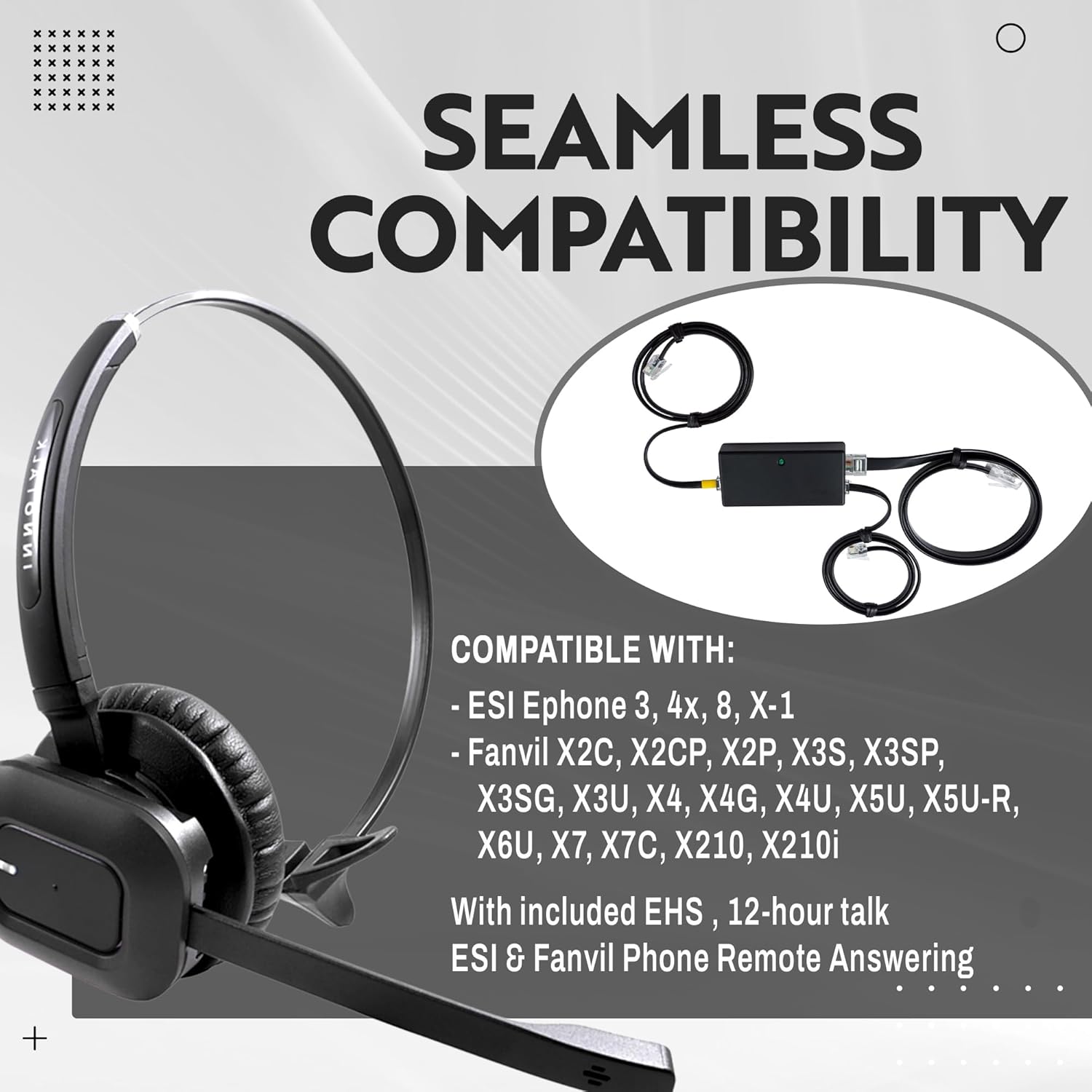
Compatible with Fanvil X1S, X1SP, X1SG, X2C, X2CP, X2P, X3S, X3SP, X3SG, X3U, X4, X4G, X4U, X5U, X5U-R, X6U, X7, X7C, X210, X210i, and ESI Ephone 3, 4x, 8, X-1 models.
Lieferumfang
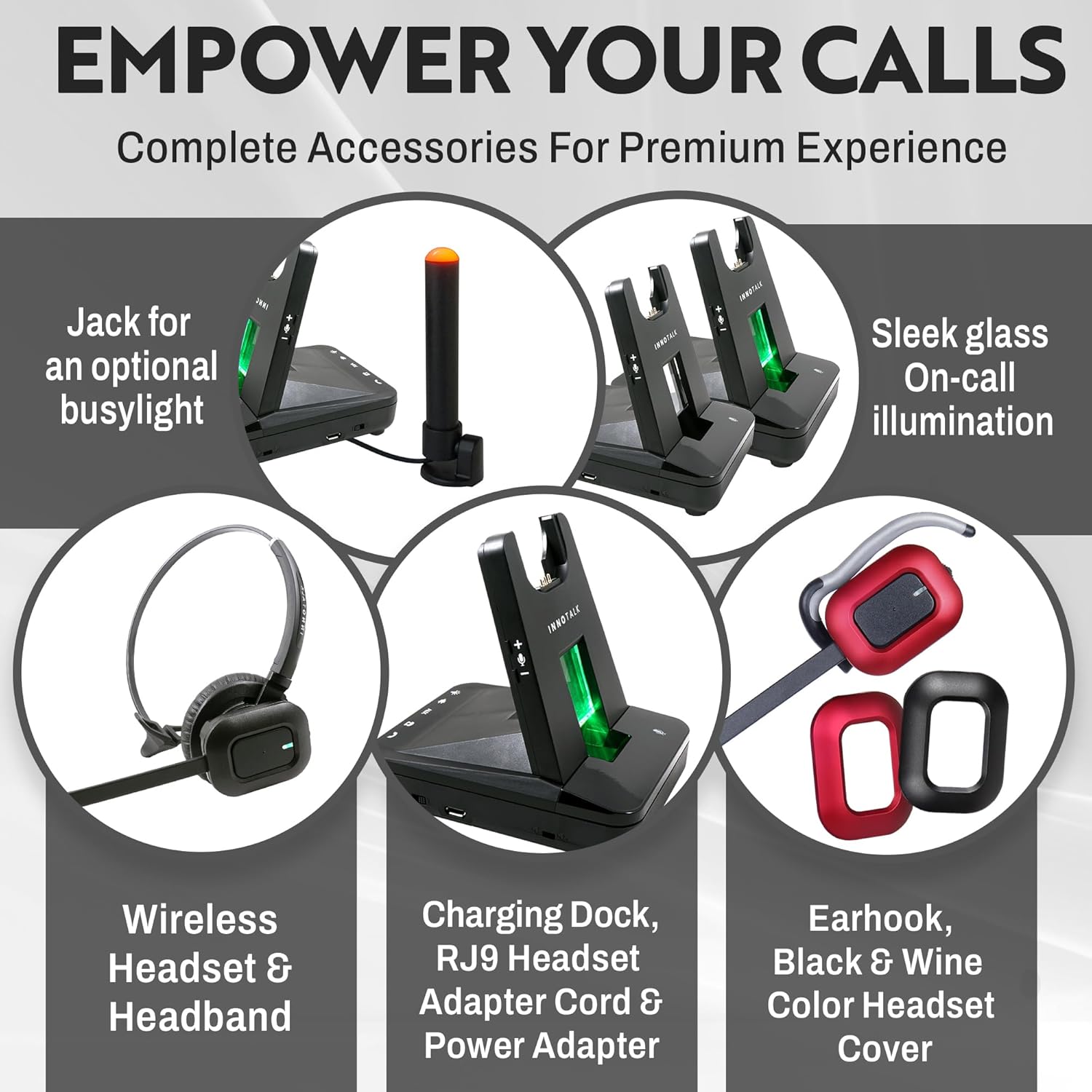
The INNOTALK Wireless Headset package includes the following components:
- Drahtloses Headset
- Ladestation
- Remote Answering Cable for Fanvil (EHS cable)
- Telefonkabel
- Stirnband
- Ohrhaken
- Netzteil
- Quick Setup Guide
- Bedienungsanleitung
- Black and Wine color Headset Cover (changeable)
Produkteigenschaften
The INNOTALK Wireless Headset is engineered with features to enhance your communication experience:
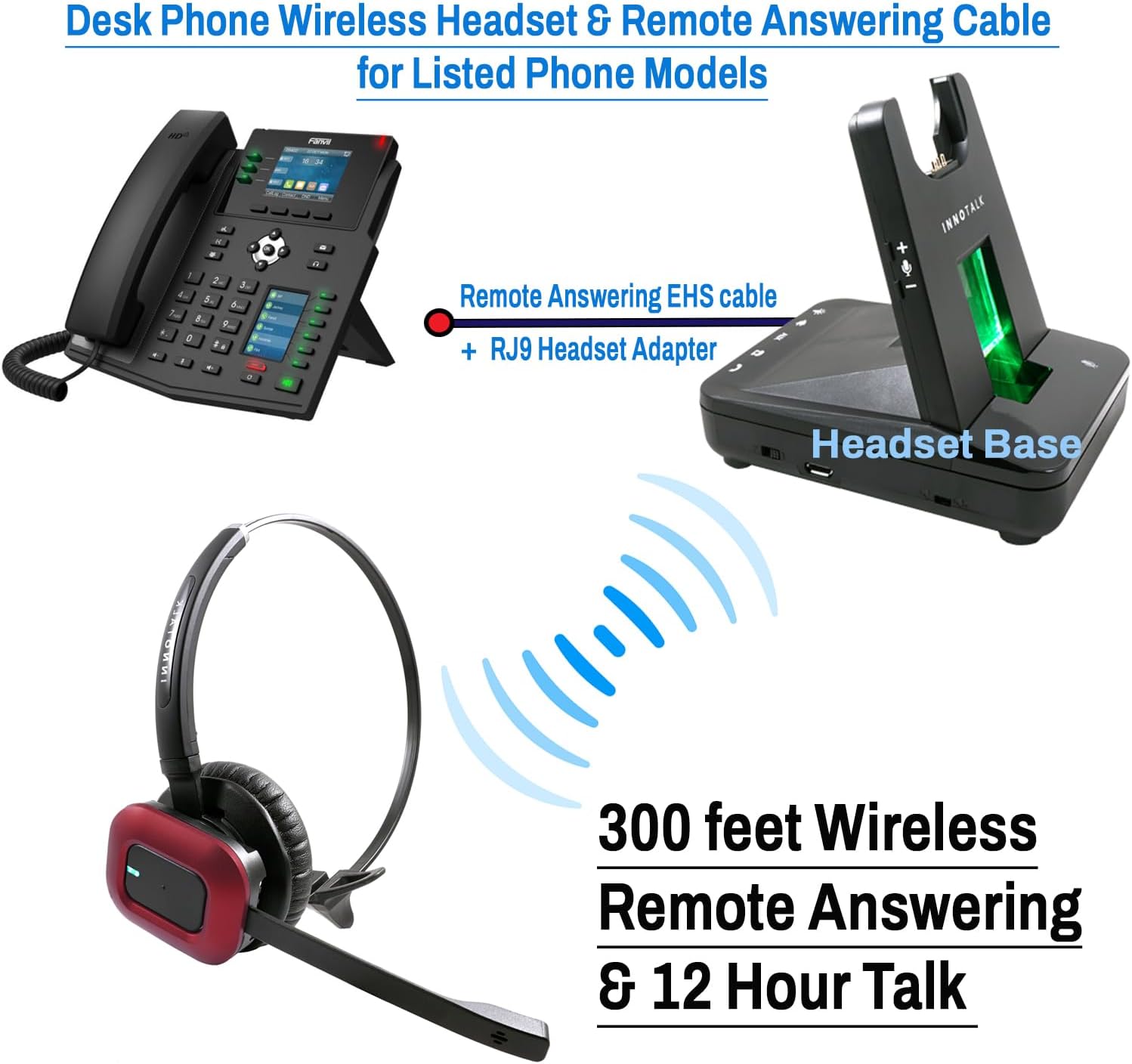
- DECT 6.0 Wireless Technology: Provides up to 300 feet of wireless range for increased mobility within your office environment.
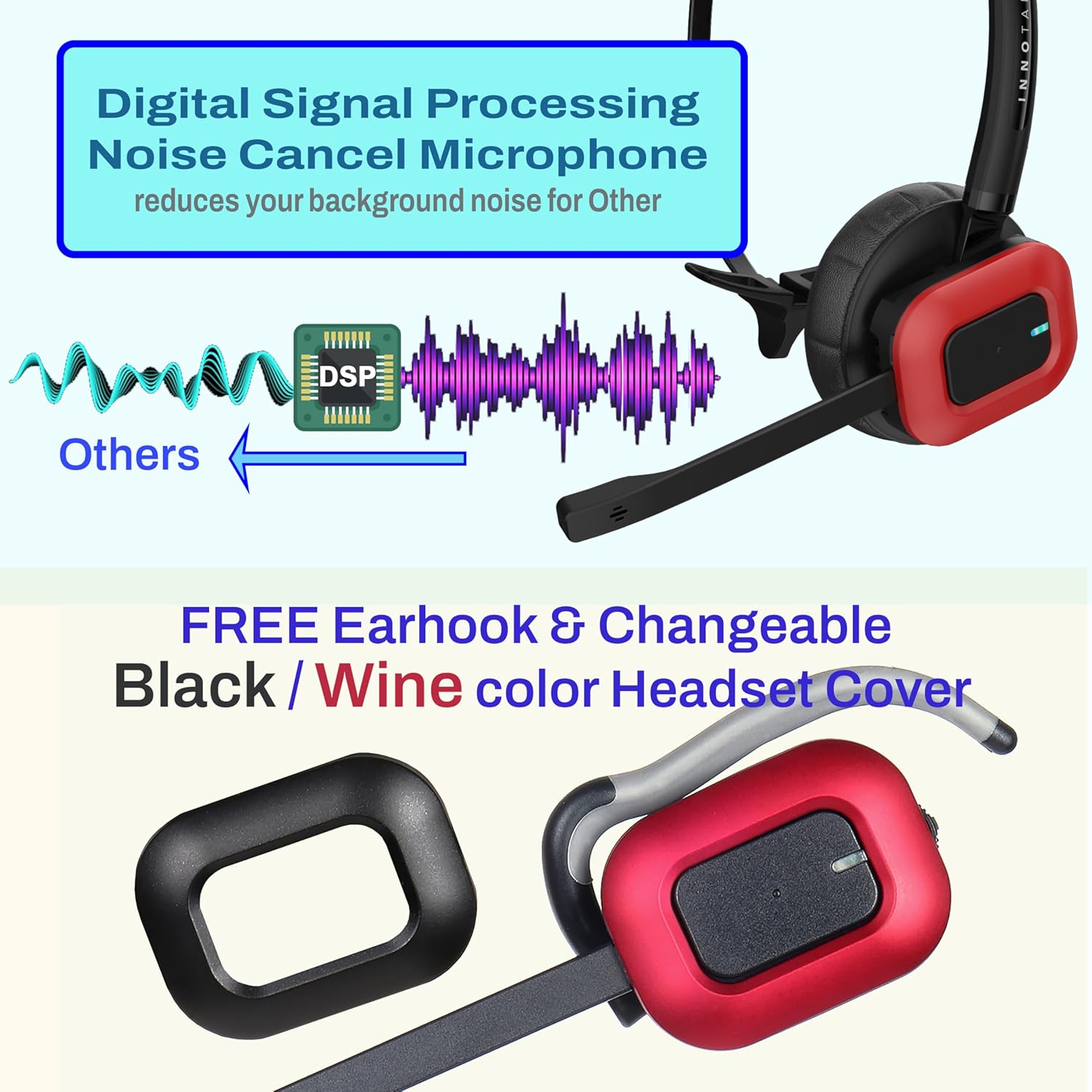
- Mikrofon mit Geräuschunterdrückung: Filters out ambient background noise, ensuring clear voice transmission for the listener.
- Crystal Clear Digital Sound: Digital Signal Processing (DSP) ensures outstanding sound quality and eliminates Wi-Fi interference.
- Remote Hook On and Off: Electronic Hook Switch (EHS) cable allows you to answer and end calls remotely from the headset.
- Lange Akkulaufzeit: Offers up to 12 hours of talk time and 50 hours of standby time.
- Komfortables Design: Features large earpads, a 180° rotatable speaker, and soft, breathable memory-protein ear pads for extended wear.
- Visuelle Indikatoren: Includes a visual glass call indicator on the charging base and a jack for an optional busy light indicator.
- Schlankes und elegantes Design: Modern aesthetic with finger-touch buttons for easy control.
- Changeable Headset Cover: Customize your headset with included black and wine-colored covers.

Produkt überview Video
Video: Ein überview of the INNOTALK Wireless Office Phone Headset (Explorer) features and design.
Installationsanweisungen
Follow these steps to set up your INNOTALK Wireless Headset with your compatible Fanvil or ESI desk phone:
- Schließen Sie das Netzteil an: Plug the power adapter into the charging base and then into a power outlet.
- Connect the Telephone Cord:
- Disconnect the handset cord from your desk phone.
- Connect one end of the provided telephone cord to the handset port on your desk phone.
- Connect the other end of the telephone cord to the designated port on the charging base (usually labeled "Phone" or with a phone icon).
- Connect your desk phone's handset to the handset port on the charging base.
- Connect the EHS Cable:
- Locate the EHS port on your Fanvil or ESI desk phone. This port may be labeled "EHS" or "Headset".
- Connect the appropriate end of the Remote Answering Cable (EHS cable) to the EHS port on your desk phone.
- Connect the other end of the EHS cable to the designated EHS port on the charging base.
- Laden Sie das Headset auf: Place the wireless headset onto the charging base. The indicator light on the headset or base should show that it is charging. Allow the headset to fully charge before first use (approximately 2 hours).
- Paarung (falls erforderlich): The headset and base are usually pre-paired. If pairing is required, refer to the Quick Setup Guide for specific instructions. Generally, this involves pressing a pairing button on both the headset and the base until they connect.
- Configure Phone Settings: Ensure your desk phone's settings are configured to use a headset and EHS functionality. Consult your phone's manual for specific instructions on enabling EHS.
Bedienungsanleitung
Once your headset is set up, you can begin using it for calls:
- Anrufe entgegennehmen / beenden: Press the Call Answer/End button on the headset to answer an incoming call or end an active call. The EHS cable enables this function remotely.
- Anrufe tätigen: Dial the number on your desk phone. Once the call connects, audio will automatically transfer to your headset.
- Lautstärkeregelung: Verwenden Sie die Lautstärketasten (+) und Lautstärke (-) am Headset, um die Lautstärke anzupassen.
- Mikrofon stumm schalten: Press the Mute button on the headset to temporarily disable your microphone. Press it again to unmute.
- wandernd: With DECT 6.0 technology, you can roam up to 300 feet from the charging base while maintaining your call.
- Benachrichtigung über eingehende Anrufe: The charging base features a visual glass call indicator that illuminates to notify you of incoming calls.

Wartung
To ensure the longevity and optimal performance of your INNOTALK Wireless Headset, follow these maintenance guidelines:
- Reinigung: Verwenden Sie ein weiches, trockenes Tuch, um das Headset und die Ladestation zu reinigen. Vermeiden Sie die Verwendung von scharfen Chemikalien oder scheuernden Materialien.
- Batteriepflege:
- Always return the headset to the charging base when not in use to ensure it is ready for your next call.
- Vermeiden Sie es, die Batterie häufig vollständig zu entladen, da dies ihre Lebensdauer verkürzen kann.
- Store the headset in a cool, dry place if not used for an extended period.
- Ohrpolsterwechsel: The earpads are designed for comfort and can be replaced if they show signs of wear. Refer to the Quick Setup Guide for instructions on changing earpads and headset covers.
- Lagerung: When not in use, store the headset on its charging base or in a safe place to prevent damage.
Fehlerbehebung
If you encounter issues with your INNOTALK Wireless Headset, try the following solutions:
| Problem | Mögliche Ursache | Lösung |
|---|---|---|
| No dial tone or sound in headset. |
|
|
| Cannot answer/end calls remotely. |
|
|
| Short wireless range or intermittent connection. |
|
|
| Poor microphone quality (others cannot hear me clearly). |
|
|
Technische Daten
| Besonderheit | Detail |
|---|---|
| Marke | INNOTALK |
| Modellnummer | EHSFNV-W780x1 |
| Farbe | Black (with changeable Wine color cover) |
| Platzierung des Ohrs | Am Ohr |
| Formfaktor | Am Ohr |
| Impedanz | 8 Ohm |
| Kopfhöreranschluss | RJ9 Modular and EHS cable for Fanvil |
| Konnektivitätstechnologie | Remote Answering Electronic Hook Switch |
| Wireless-Technologie | DECT 6.0 |
| Drahtlose Reichweite | Bis zu 300 Fuß |
| Akkuladezeit | 2 Stunden |
| Battery Average Life (Talk Time) | 12 Stunden |
| Lärmschutz | Aktive Geräuschunterdrückung (Mikrofon) |
| Frequenzgang | 1.9 GHz |
| Empfindlichkeit | 100 dB |
| Größe des Audiotreibers | 30 Millimeter |
| Kompatible Geräte | Fanvil X1S, X1SP, X1SG, X2C, X2CP, X2P, X3S, X3SP, X3SG, X3U, X4, X4G, X4U, X5U, X5U-R, X6U, X7, X7C, X210, X210i; ESI Ephone 3, 4x, 8, X-1 |
| Artikelgewicht | 17.3 Unzen |
Garantie und Support
The INNOTALK Wireless Headset comes with a 2 Jahr Garantie covering main parts and labor. A $10 administration fee plus shipping may apply for warranty claims.
For technical support or warranty inquiries, please contact your retailer or the manufacturer directly. Refer to the contact information provided in your product packaging or on the official INNOTALK webWebsite.
Wichtige Sicherheitsinformationen
WARNUNG: Dieses Produkt enthält Chemikalien, von denen der Staat Kalifornien weiß, dass sie Krebs und Geburtsfehler oder andere Fortpflanzungsschäden verursachen.
Always handle electronic devices with care and dispose of them responsibly according to local regulations.