
Einführung
This manual provides detailed instructions for the EKSA H1 Plus Bluetooth Trucker Headset. Please read thoroughly to ensure proper setup, operation, and maintenance of your device. This headset is designed for clear communication in various environments, featuring advanced noise-cancelling technology and versatile connectivity options.
Packungsinhalt
- H1 Plus Headset
- Schutzhülle
- Replacement Ear Pad (Mesh breathable)
- Typ C Ladekabel
- USB Dongle (PC Adapter)
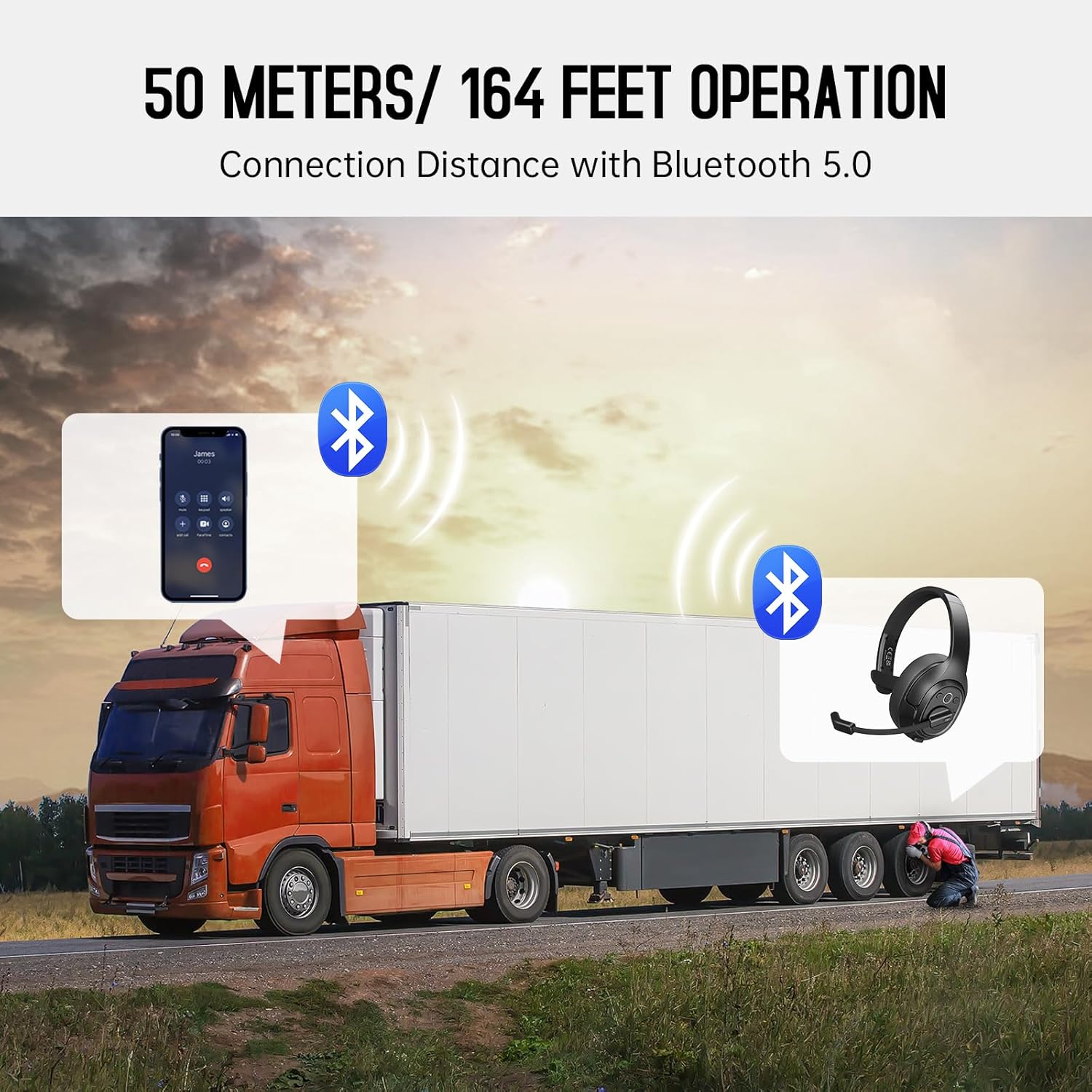
Image: The EKSA H1 Plus headset, USB dongle, and charging cable as typically found in the product packaging.
Aufstellen
1. Laden des Headsets
Before first use, fully charge the headset. Connect the provided Type-C charging cable to the headset's charging port and the other end to a USB power source. The charging indicator will show the charging status. A full charge takes approximately 1.5 hours.

Image: Visual representation of the headset's battery life and charging duration.
2. Ein-/Ausschalten
Press and hold the Multi-Function Button (MFB) for 3 seconds to power on or off the headset. A voice prompt will indicate the status.
3. Bluetooth Pairing (for Mobile Devices)
- Stellen Sie sicher, dass das Headset ausgeschaltet ist.
- Press and hold the MFB for 5-7 seconds until the LED indicator flashes blue and red alternately, indicating pairing mode.
- On your mobile device, enable Bluetooth and search for "EKSA-H1PLUS".
- Select "EKSA-H1PLUS" to connect. The LED will turn solid blue once connected.
4. Connecting with USB Dongle (for PC/Mac without Bluetooth)
- Stecken Sie den USB-Dongle in einen freien USB-Anschluss Ihres Computers.
- Schalten Sie das Headset ein. Es versucht automatisch, eine Verbindung zum Dongle herzustellen.
- The LED on the dongle and headset will turn solid blue when connected.
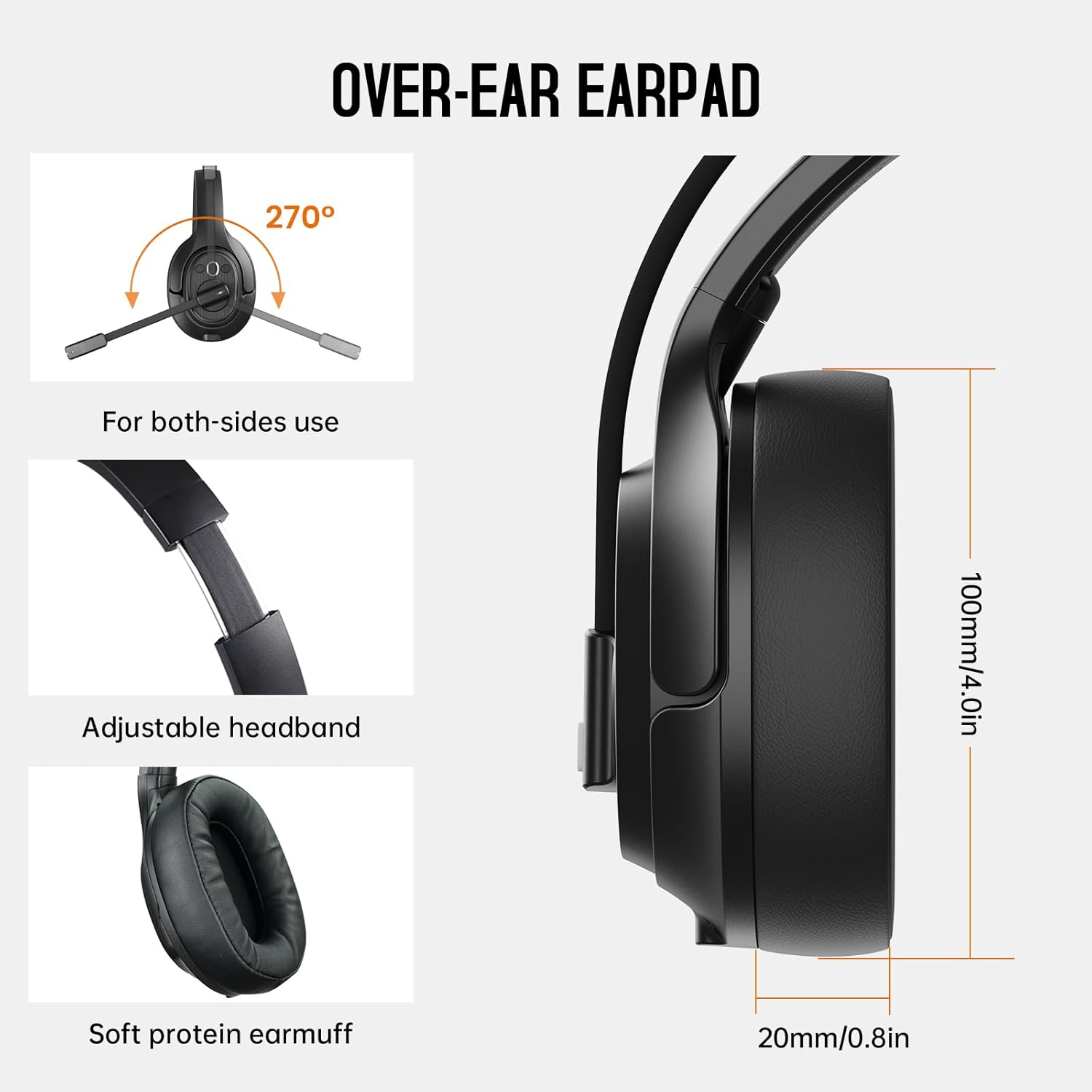
Image: The headset demonstrating simultaneous connection to a phone via Bluetooth and a laptop via USB dongle.
Bedienungsanleitung
1. Kontrollen überview
Das Headset verfügt über intuitive Bedienelemente an der Ohrmuschel:
- Multifunktionstaste (MFB): Power on/off, play/pause music, answer/end calls.
- Lauter (+): Lautstärke erhöhen.
- Lautstärke runter (-): Lautstärke verringern.
- Stummschaltfläche: Schalten Sie das Mikrofon während eines Anrufs stumm bzw. heben Sie die Stummschaltung auf.
- AI Assistant Button: Aktivieren Sie den Sprachassistenten Ihres Geräts.

Bild: Nahaufnahme view of the headset's control buttons and ports.
2. Anrufe tätigen und entgegennehmen
- Anruf annehmen/beenden: Drücken Sie kurz die MFB.
- Anruf ablehnen: Halten Sie die MFB 2 Sekunden lang gedrückt.
- Wahlwiederholung letzte Nummer: Drücken Sie die MFB zweimal.
- Mikrofon stummschalten/Stummschaltung aufheben: Short press the dedicated mute button on the microphone arm.
3. Microphone and Wearing Adjustments
The headset is designed for comfort and versatility:
- Verstellbares Kopfband: Das Kopfband lässt sich verlängern oder verkürzen, um eine bequeme Passform zu gewährleisten.
- Drehbares Mikrofon: The microphone arm can rotate 270 degrees, allowing it to be worn on either the left or right ear. Position the microphone close to your mouth for optimal voice pickup.
- Bequeme Ohrmuscheln: The over-ear design with soft ear pads ensures comfort during extended use.

Image: Features illustrating the ergonomic design of the headset, including adjustable headband and rotatable microphone.
4. Environmental Noise Cancelling (ENC) Microphone
The AI-Powered ENC microphone filters out up to 99.8% of ambient noise, ensuring your voice is transmitted clearly even in noisy environments like call centers, construction sites, or trucks.

Image: A visual explanation of the ENC microphone's function, demonstrating noise reduction.
5. Verbindung mehrerer Geräte
The headset supports simultaneous connection to two different devices, such as a smartphone and a computer, allowing seamless switching between calls and other audio sources.

Image: Illustration of the headset's ability to connect to two devices concurrently.
6. Extended Wireless Range
Utilizing Bluetooth 5.0 technology, the headset offers a stable wireless connection up to 30 meters (99 feet). In unobstructed environments, the range can extend up to 50 meters (164 feet).

Image: Visualizing the headset's long-range wireless capabilities in an outdoor setting.
Wartung
- Reinigung: Reinigen Sie das Headset mit einem weichen, trockenen Tuch. Vermeiden Sie die Verwendung von scharfen Chemikalien oder scheuernden Materialien.
- Austausch der Ohrpolster: The headset comes with a replacement mesh breathable ear pad. To replace, gently twist and pull off the existing ear pad, then align and press the new ear pad into place.
- Lagerung: Store the headset in its protective case when not in use to prevent damage.

Image: Demonstrating the detachable ear pads and the two types included for different comfort levels.
Fehlerbehebung
| Problem | Lösung |
|---|---|
| Das Headset lässt sich nicht einschalten. | Ensure the headset is fully charged. Press and hold the MFB for 3 seconds. |
| Kopplung via Bluetooth nicht möglich. | Stellen Sie sicher, dass sich das Headset im Kopplungsmodus befindet (blinkende blaue/rote LED). Schalten Sie Bluetooth auf Ihrem Gerät aus und wieder ein. Gehen Sie näher an das Gerät heran. |
| Kein Ton oder schlechte Audioqualität. | Check volume levels on both the headset and connected device. Ensure the headset is selected as the audio output device. Re-pair the headset. |
| Mikrofon funktioniert nicht. | Ensure the microphone is not muted. Check microphone settings on your connected device. Adjust microphone position. |
| USB-Dongle verbindet sich nicht. | Ensure the dongle is fully inserted. Try a different USB port. Restart your computer. |
Technische Daten
| Besonderheit | Detail |
|---|---|
| Modellname | EKSA-H1PLUS |
| Konnektivitätstechnologie | Kabellos (Bluetooth 5.0) |
| Bluetooth-Version | 5.0 |
| Bluetooth-Reichweite | 30 Meters (99 feet), up to 50 Meters (164 feet) unobstructed |
| Mikrofon | AI-Powered Environmental Noise Cancelling (ENC) |
| Akkulaufzeit (Sprechzeit) | Bis zu 30 Stunden |
| Akkulaufzeit (Musikzeit) | Bis zu 57 Stunden |
| Ladezeit | Ca. 1.5 Stunden |
| Form der Hörmuschel | Über dem Ohr |
| Steuerungstyp | Volume Control, Mute, AI Assistant |
| Gewicht | 1.01 Pfund (ca. 458 g) |
Offizielle Produktvideos
EKSA H1 Plus Wireless Bluetooth Headset Overview
Video: Ein Beamter überview of the EKSA H1 Plus Wireless Bluetooth Headset, highlighting its key features and design.
EKSA H1Plus Bluetooth Trucker Headset Features
Video: A detailed look at the features and benefits of the EKSA H1Plus Bluetooth Trucker Headset.
Garantie und Support
EKSA products are designed for durability and performance. For warranty information and customer support, please refer to the official EKSA website or contact their customer service directly. Optional protection plans are available for extended coverage.
Weitere Hilfe erhalten Sie unter: www.eksa.net