
Einführung
The Kiddieware Ear and Forehead Baby Thermometer is designed for accurate and rapid temperature measurement for individuals of all ages, from infants to adults. This device offers both ear and forehead measurement modes, along with an object temperature function, providing versatility for various needs. Its user-friendly design includes a clear display, silent mode, and memory storage for tracking temperature trends.

Image: The Kiddieware Ear and Forehead Baby Thermometer shown with its packaging, highlighting its dual measurement capabilities.
Sicherheitshinweise
- This thermometer is intended for household use only. Consult a physician for medical advice.
- Versuchen Sie nicht, das Gerät zu zerlegen oder zu reparieren.
- Bewahren Sie das Thermometer außerhalb der Reichweite von Kindern und Haustieren auf.
- Vermeiden Sie direkte Sonneneinstrahlung und extreme Temperaturen.
- Ensure the probe lens is clean before each use to maintain accuracy.
- Do not use the thermometer if the probe or device is damaged.
Packungsinhalt
Überprüfen Sie, ob alle Artikel im Paket vorhanden sind:
- Kiddieware Ear and Forehead Thermometer
- Aufbewahrungstasche
- Benutzerhandbuch (dieses Dokument)
- Kurzanleitung
- 2 x AAA-Batterien
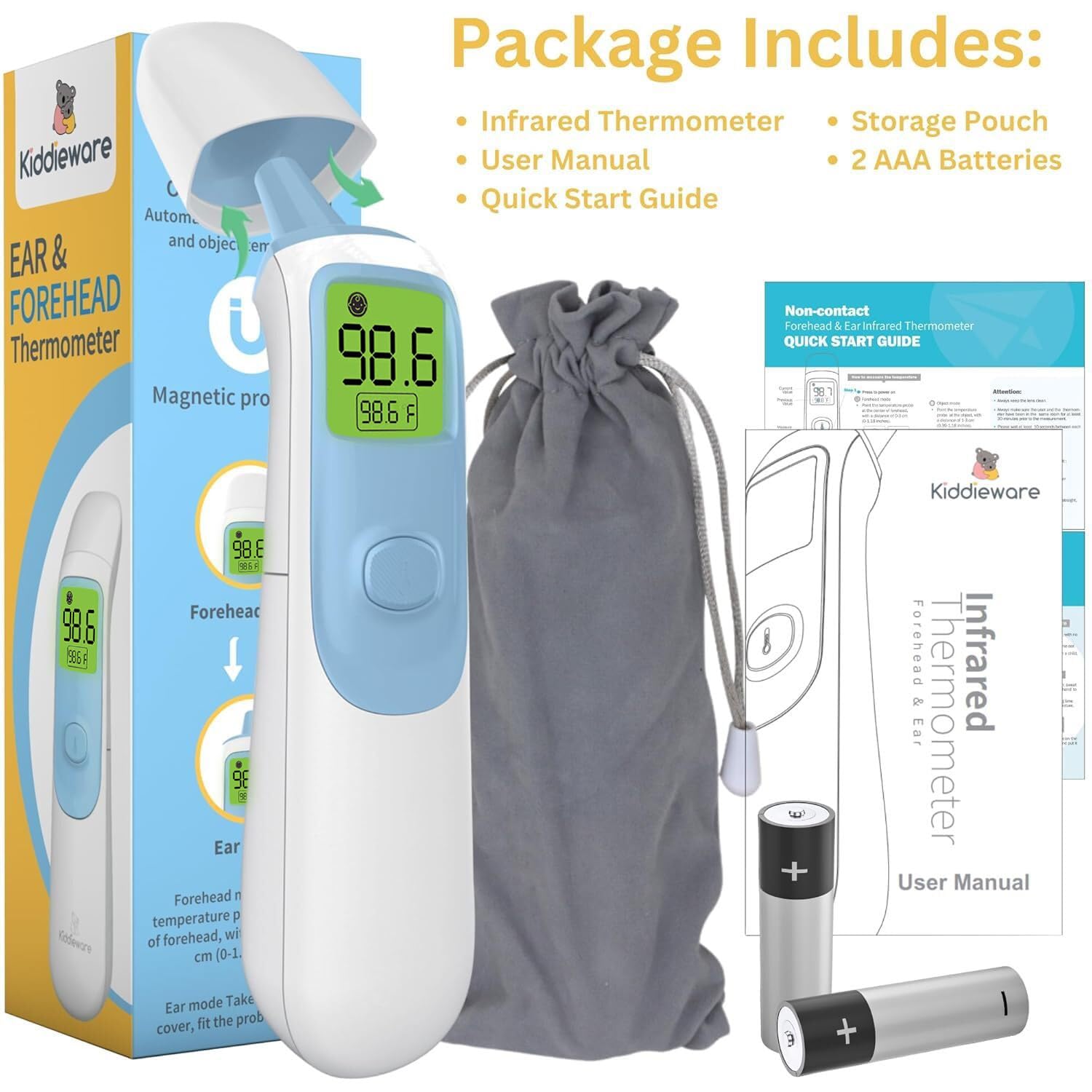
Image: The complete package contents, including the thermometer, storage pouch, user manual, quick start guide, and two AAA batteries.
Produkteigenschaften
- Zwei Messmodi: Easily switch between ear and forehead temperature readings.
- Sofort lesen: Provides accurate results in approximately 1 second.
- Speicher: Speichert bis zu 20 vorherige Temperaturmesswerte zur Nachverfolgung.
- Fieberindikator: Large backlit display changes color (Green, Yellow, Red) to indicate temperature status.
- Lautloser Modus: Allows temperature measurement without beeps, ideal for sleeping individuals.
- Object Temperature Mode: Capable of measuring the temperature of surfaces or liquids, such as baby bottles.
- Einheitenwechsel: Einfacher Wechsel zwischen Fahrenheit (°F) und Celsius (°C).
- Automatische Abschaltung: Conserves battery life by turning off after a period of inactivity.
- Ergonomisches Design: Bequemer Griff für einfache Handhabung.
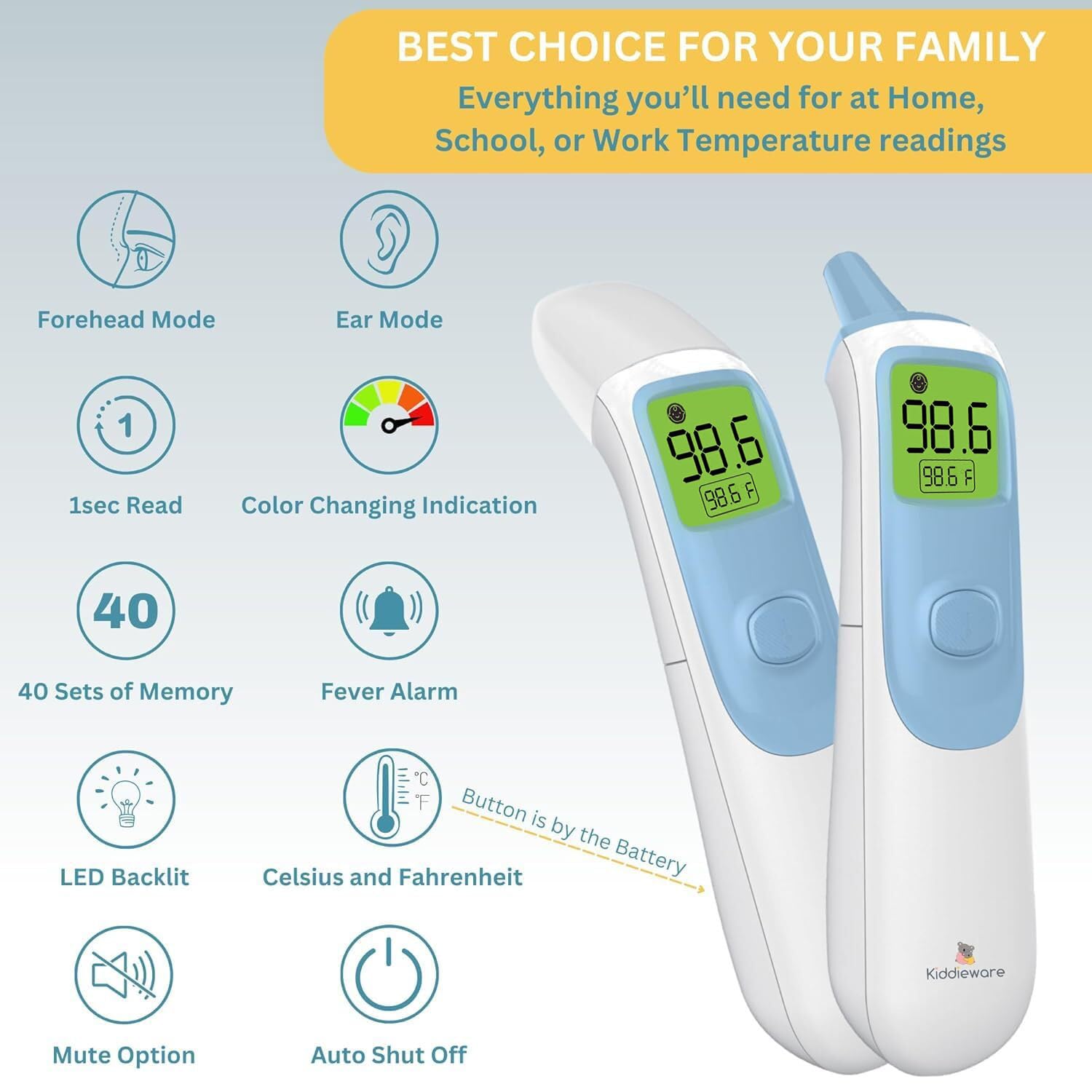
Image: An illustration detailing the various features of the thermometer, such as its dual modes, quick reading, and display options.
Aufstellen
Einlegen der Batterie
- Suchen Sie den Batteriefachdeckel auf der Rückseite des Thermometers.
- Schieben Sie die Abdeckung auf.
- Legen Sie die beiden AAA-Batterien ein und achten Sie dabei auf die richtige Polarität (+ und -).
- Schließen Sie den Batteriefachdeckel fest.
The thermometer will emit a short beep and the display will briefly show all segments before entering standby mode.
Bedienungsanleitung
1. Forehead Measurement Mode
- Ensure the probe cover is attached.
- Press the power button once to turn on the thermometer.
- Richten Sie das Thermometer auf die Mitte der Stirn und halten Sie einen Abstand von 0 bis 3 cm ein.
- Press the measurement button. The reading will appear on the display in approximately 1 second.

Image: Visual guide for taking temperature readings using both the ear and forehead modes.
2. Ear Measurement Mode
- Gently remove the magnetic probe cover.
- Press the power button once to turn on the thermometer.
- Carefully insert the probe into the ear canal.
- Press the measurement button. The reading will appear on the display in approximately 1 second.
Notiz: Ear temperature is generally considered more accurate for infants and young children. Ensure the ear canal is clear of obstructions.
3. Object Temperature Mode
- Ensure the probe cover is attached.
- Press the power button once to turn on the thermometer.
- Point the thermometer at the object or liquid you wish to measure, maintaining a distance of 0 to 1.18 inches (0-3 cm).
- Press the measurement button. The reading will appear on the display.

Image: The thermometer being used to measure the temperature of a baby bottle, demonstrating its object temperature function.
4. Umschalten der Temperatureinheiten (°F/°C)
With the thermometer turned off, press and hold the measurement button for approximately 3-5 seconds until the unit changes on the display. Release the button, and the new unit will be set.
5. Lautlos-Modus
To activate or deactivate silent mode, press and hold the power button for approximately 3-5 seconds while the thermometer is on. A speaker icon will appear or disappear on the display to indicate the mode change.

Image: The thermometer's display indicating the mute mode, LED backlight, and fever alarm features.
6. Speicherabruf
When the thermometer is off, briefly press the measurement button to view the last 20 readings. Each press will cycle through the stored temperatures.
7. Fever Indicator (Color-Coded Display)
- Grün: Normal temperature (e.g., 32°C to < 37.5°C / 89.6°F to < 99.5°F)
- Orange: Slight fever (e.g., 37.6°C to 38.0°C / 99.7°F to 100.4°F)
- Rot: High fever (e.g., > 38.0°C / > 100.4°F)
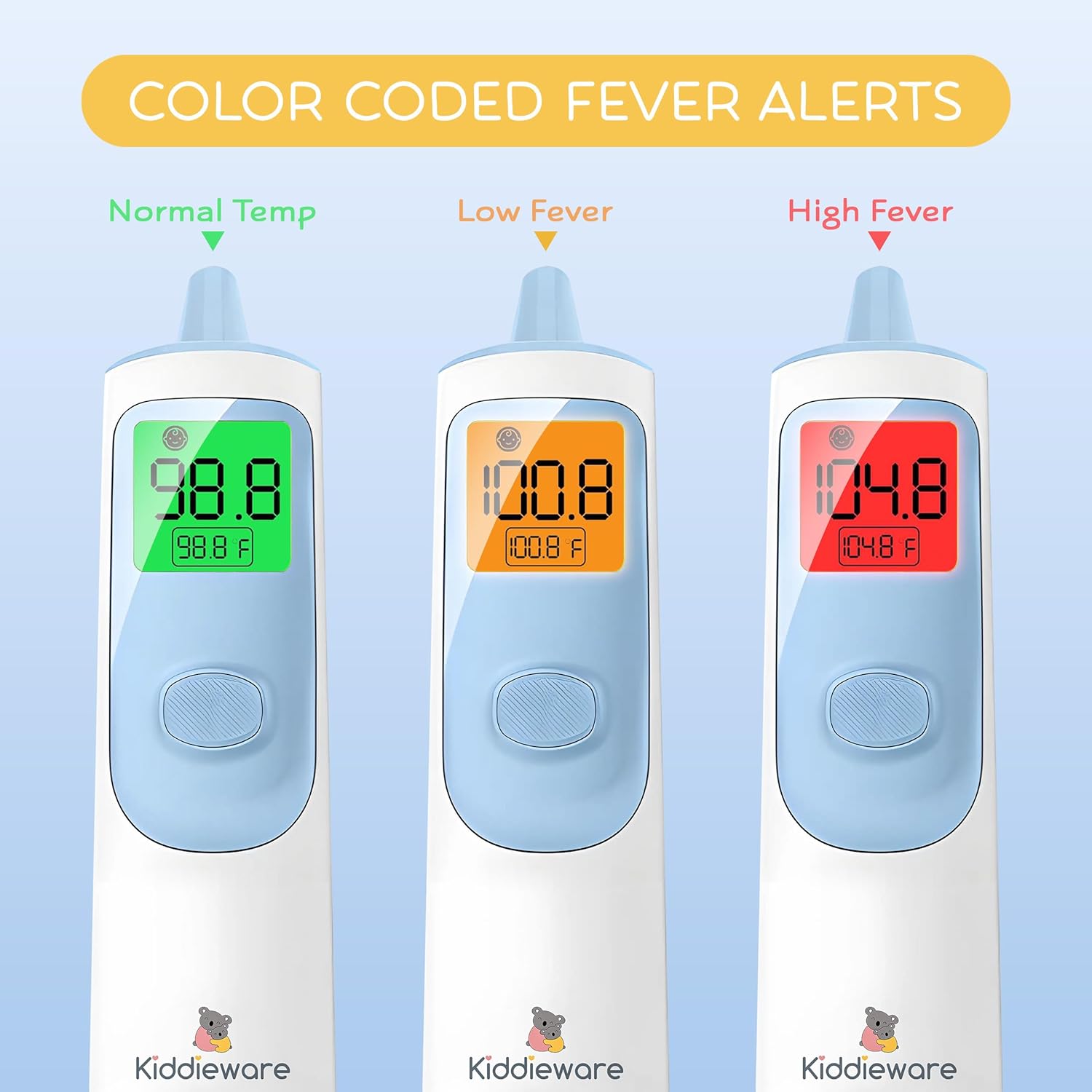
Image: The thermometer's display showing color changes (green, orange, red) to indicate different temperature ranges, from normal to high fever.
Wartung
Reinigung
- Wipe the thermometer body with a soft, damp Tuch.
- For the probe lens, use a cotton swab lightly moistened with alcohol. Allow it to dry completely before use.
- Das Thermometer darf nicht in Wasser oder Reinigungslösungen eingetaucht werden.
- Vermeiden Sie Scheuermittel oder aggressive Chemikalien.
Lagerung
- Store the thermometer in its protective storage pouch when not in use.
- Kühl und trocken lagern, vor direkter Sonneneinstrahlung und extremen Temperaturen schützen.
- Wenn das Gerät längere Zeit nicht verwendet wird, entfernen Sie die Batterien, um ein Auslaufen zu verhindern.
Fehlerbehebung
| Problem | Mögliche Ursache | Lösung |
|---|---|---|
| Kein Display/Gerät lässt sich nicht einschalten | Defekte oder falsch eingesetzte Batterien. | Ersetzen Sie die Batterien durch neue AAA-Batterien und achten Sie dabei auf die richtige Polarität. |
| Ungenaue Messwerte | Dirty probe lens, incorrect measurement technique, or device not acclimatized. | Clean the probe lens. Ensure proper distance for forehead mode or correct insertion for ear mode. Allow thermometer to sit in the measurement environment for 30 minutes. |
| "LO" or "HI" displayed | Die Temperatur liegt außerhalb des Messbereichs. | Stellen Sie sicher, dass die Messung innerhalb des angegebenen Betriebstemperaturbereichs durchgeführt wird. |
| Fehlermeldung (z. B. „Err“) | Device malfunction or environmental conditions. | Turn off the thermometer, wait a few minutes, and restart. If the error persists, contact customer support. |
Technische Daten
| Besonderheit | Detail |
|---|---|
| Modellname | Kiddieware Ear and Forehead Baby Thermometer |
| Messmodi | Stirn, Ohr, Objekt |
| Messzeit | Ungefähr 1 Sekunde |
| Speicherkapazität | Bis zu 20 Messwerte |
| Anzeigetyp | Digital, Backlit with Color-Coded Fever Indicator |
| Temperatureinheiten | Celsius (°C) / Fahrenheit (°F) |
| Stromquelle | 2 x AAA-Batterien |
| Außenmaterial | Plastik |
| Besonderheit | Schnelles Lesesystem |
| Spezifikation erfüllt | FDA |
| Hinweise zur Produktpflege | Sauber wischen |
| Verpackungsabmessungen | 6.73 x 1.89 x 1.85 Zoll |
| Gewicht | 4.16 Unzen (ohne Batterien) |
Garantie und Support
For warranty information or technical support, please refer to the contact details provided on the product packaging or visit the official Kiddieware webBewahren Sie Ihren Kaufbeleg als Kaufnachweis auf.