
1. Einleitung
Thank you for choosing the SIMOLIO SM-829D2 Dual Wireless Headphones for TV. This system is designed to provide an enhanced audio experience for television viewing, offering clear dialogue, adjustable volume, and the convenience of wireless listening. The 2-in-1 transmitter and charging stand ensures your headphones are always ready for use. This manual will guide you through the setup, operation, and maintenance of your new headphones.
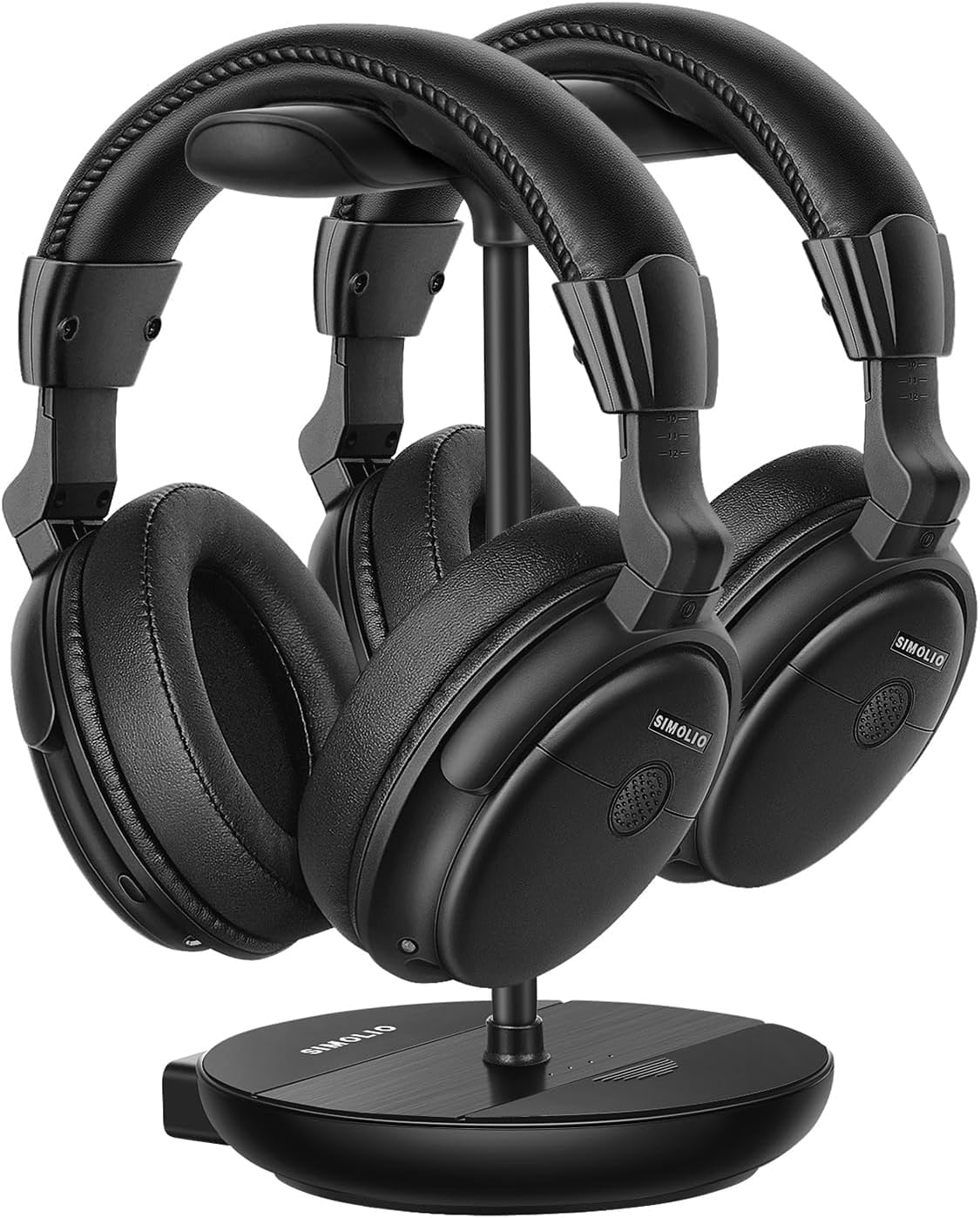
Image 1.1: The SIMOLIO SM-829D2 Dual Wireless Headphones with their charging stand.
2. Packungsinhalt
Bitte überprüfen Sie, ob alle Artikel in Ihrem Paket vorhanden sind:
- 2 x SIMOLIO SM-829D2 Wireless Headphones
- 1 x Transmitter / Charging Stand
- 1 x Optical Audio Cable
- 1 x Cinch-Audiokabel.
- 1 x 3.5-mm-Audiokabel.
- 2 x USB-Ladekabel
- 1 x Netzteil
- 1 x Spare Rechargeable Battery
- 1 x Benutzerhandbuch (dieses Dokument)

Image 2.1: All components included in the SIMOLIO SM-829D2 package.
3. Ersteinrichtung
3.1. Aufladen der Kopfhörer
Before first use, fully charge both headphones and the spare battery. Place the headphones on the charging posts of the transmitter stand. Insert the spare battery into the designated slot on the stand. The charging indicator lights will show charging status.

Image 3.1: Headphones and spare battery charging on the 2-in-1 stand.
3.2. Anschließen des Senders an Ihren Fernseher
The SIMOLIO SM-829D2 transmitter supports Optical, RCA, and 3.5mm AUX audio inputs. Choose the connection method compatible with your TV.
- Optischer Anschluss (empfohlen für digitale Audioübertragung):
- Connect one end of the Optical cable to the OPTISCH AUS Anschluss an Ihrem Fernseher.
- Verbinden Sie das andere Ende mit dem OPTISCH IN port on the SIMOLIO transmitter.
- On your TV's audio settings, set the Digital Audio Output format to PCM. (Refer to your TV manual for specific instructions).
- RCA-Anschluss (Analog-Audio):
- Connect the red and white plugs of the RCA cable to the corresponding AUDIOAUSGANG (L/R) Anschlüsse an Ihrem Fernseher.
- Verbinden Sie das andere Ende mit dem Cinch-EINGANG ports on the SIMOLIO transmitter.
- 3.5-mm-AUX-Anschluss (analoges Audio):
- Verbinden Sie ein Ende des 3.5-mm-Audiokabels mit dem KOPFHÖRER AUS or AUDIO OUT Anschluss an Ihrem Fernseher.
- Verbinden Sie das andere Ende mit dem AUX IN port on the SIMOLIO transmitter.

Image 3.2: Connection options for the SIMOLIO transmitter.
3.3. By-Pass Feature (Simultaneous Audio Output)
The transmitter includes a by-pass feature, allowing audio to be sent to both the headphones and an external sound system (soundbar or AV receiver) simultaneously. Connect your soundbar or AV receiver to the AUSGANG ZUM LAUTSPRECHER ports on the transmitter using the appropriate cable (Optical, RCA, or AUX).

Image 3.3: Using the by-pass feature to output audio to both headphones and a soundbar.
3.4. Powering On and Automatic Connection
Once the transmitter is connected to your TV and powered on, turn on the headphones. The headphones and transmitter will automatically connect. No complex pairing process is required. The system operates on a 2.4GHz radio frequency, providing a working range of up to 30 meters (100 feet).

Image 3.4: Plug & Play functionality with a 30-meter working range.
4. Bedienungsanleitung
4.1. Lautstärke und Ton einstellen
Each headphone features independent volume controls. Use the volume buttons on the headphones to adjust the listening level to your preference. The transmitter also has a TONE adjustment switch with three presets (D+, D, S) to enhance dialogue clarity or provide a balanced sound experience.
- D+ (Dialogue+): Maximizes dialogue clarity, ideal for speech-heavy content.
- D (Dialogue): Enhances dialogue while maintaining a balanced sound.
- S (Standard): Bietet einen ausgewogenen Audio-Profi-Soundfile zum allgemeinen Hörverstehen.

Image 4.1: Personalize your TV sound with tone presets and individual volume control.
4.2. Balance-Steuerung
For users with different hearing levels in their left and right ears, the headphones offer a balance control feature. This allows you to adjust the audio output balance between the left and right earcups for a more comfortable and clear listening experience.
4.3. Umgebungsgeräusche Amplifier (MIC Button)
The MIC button on the headphones allows you to temporarily amplify ambient sounds, enabling you to hear your surroundings without removing the headphones. Press the MIC button to activate this feature and press it again to return to TV audio.
4.4. Dual Headset Usage
The SIMOLIO SM-829D2 system includes two headphones that can be used simultaneously with a single transmitter. This allows two individuals to enjoy TV audio at their preferred volume levels without disturbing others. The system ensures no lip-sync delay, providing synchronized audio with on-screen video.

Image 4.2: Enjoying TV with dual headphones and no lip-sync delay.
5. Pflege und Wartung
- Reinigung: Wipe the headphones and transmitter with a soft, dry cloth. Do not use abrasive cleaners or solvents.
- Lagerung: Bewahren Sie die Kopfhörer bei Nichtgebrauch auf der Ladestation auf, damit sie geladen und ordentlich aufbewahrt werden. Lagern Sie sie an einem kühlen, trockenen Ort und schützen Sie sie vor direkter Sonneneinstrahlung.
- Batteriepflege: The built-in rechargeable batteries provide up to 12 hours of use. For optimal battery life, avoid fully discharging the batteries frequently. Always keep the spare battery charged in the stand.
- Wasserbeständigkeit: Die Kopfhörer sind nicht wasserfest. Vermeiden Sie den Kontakt mit Flüssigkeiten.
6. Fehlerbehebung
If you encounter issues with your SIMOLIO SM-829D2 headphones, please refer to the following table for common problems and solutions:
| Problem | Mögliche Ursache | Lösung |
|---|---|---|
| Kein Ton über Kopfhörer |
|
|
| Der Ton ist verzerrt oder setzt aus. |
|
|
| Kopfhörer werden nicht aufgeladen |
|
|
| Lip-sync delay |
|
|
7. Produktspezifikationen
| Besonderheit | Spezifikation |
|---|---|
| Modellname | SM-829D2 Kabellose Kopfhörer für Fernseher |
| Konnektivitätstechnologie | Kabellos (RF 2.4 GHz) |
| Kopfhöreranschluss | 3.5 mm Jack (for wired option, if applicable) |
| Kompatible Geräte | TVs, Soundbars |
| Steuerungstyp | Volume Control, Tone Control, Balance Control, Ambient Sound Ampschwerer |
| Ladezeit | Approximately 12 Hours (for full charge) |
| Durchschnittliche Batterielebensdauer | Bis zu 12 Stunden |
| Akku-Typ | Lithium-Polymer (wiederaufladbar) |
| Material | Plastik |
| Platzierung des Ohrs | Über dem Ohr |
| Lärmschutz | Passive Schalldämmung |
| Besondere Merkmale | Adjustable Headband, Multipoint Pairing (multiple headphones to one transmitter) |
| Mikrofonformat | Built-In (for ambient sound amplifizierung) |
| Arbeitsbereich | Bis zu 30 Meter (100 Fuß) |
8. Garantie und Kundendienst
8.1. Garantieinformationen
SIMOLIO products are manufactured with high-quality materials and undergo rigorous quality control. This product is covered by a manufacturer's warranty against defects in materials and workmanship. Please refer to the warranty card included in your package or visit the official SIMOLIO webAuf der Webseite finden Sie die detaillierten Garantiebedingungen.
8.2. Kundendienst
If you have any questions, require technical assistance, or experience issues not covered in this manual, please contact SIMOLIO customer support. Contact information can typically be found on the SIMOLIO website or on the product packaging. Please have your model number (SM-829D2) and purchase details ready when contacting support.