
1. Einleitung
Thank you for choosing the ieGeek 5MP Solar WiFi Outdoor PTZ Security Camera. This manual provides essential information for the proper installation, operation, and maintenance of your device. Please read it thoroughly before use and retain it for future reference.
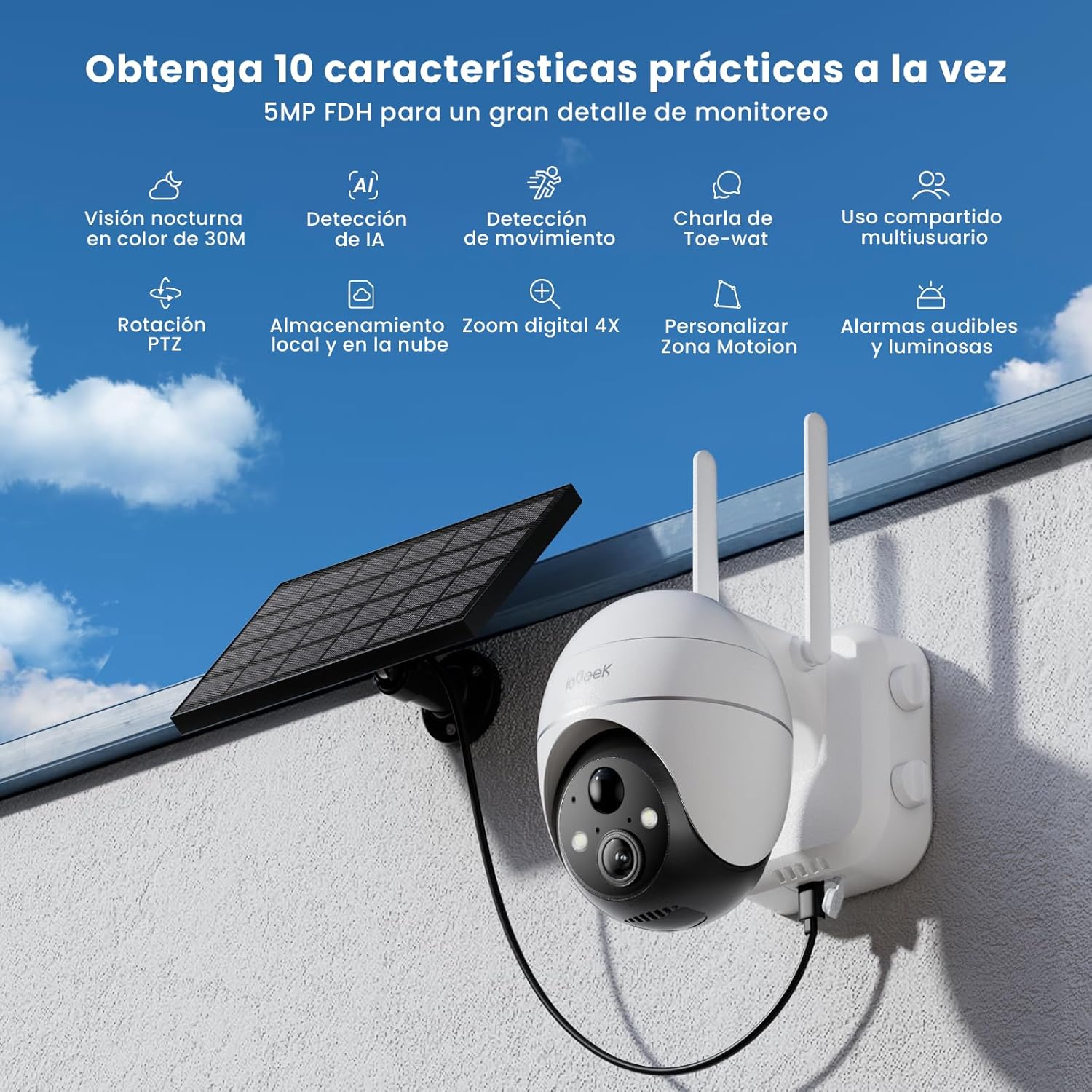
Figure 1: ieGeek 5MP Solar WiFi Outdoor PTZ Security Camera with solar panel, highlighting key features.
2. Produktüberschreitungview
2.1 Hauptmerkmale
- 5MP Ultra-Clear Resolution: Provides superior visual images with 4x digital zoom for detailed viewing.
- Solar Power & Long-Lasting Battery: Operates using solar panels, eliminating power cables. The rechargeable battery lasts up to 60 days on a single charge.
- 355°-Schwenk- und 120°-Neigefunktion: Bietet ein breites Spektrum an view, ensuring comprehensive surveillance without blind spots.
- PIR Human Detection & Instant Alarms: Detects human shapes and sends alarm notifications within 2 seconds.
- Farbnachtsicht: Equipped with motion-activated spotlights for full-color details day and night.
- Zweiwege-Audio: Enables real-time listening and speaking through the camera via the app.
- Lokaler und Cloud-Speicher: Supports up to 128GB Micro SD card and offers 7 days of free cloud service.
- Alexa Smart Function: Control the camera and view footage using Alexa Smart Voice.
- IP65 Wetterfest: Designed for outdoor use, resistant to rain, snow, and varying temperatures (-20°C to 50°C).
2.2 Packungsinhalt

Abbildung 2: Produktabmessungen und Packungsinhalt.
- ieGeek 5MP PTZ Security Camera x 1
- Solar Panel with Bracket x 1
- Benutzerhandbuch x 1
- Solar Panel User Manual x 1
- Mounting Screws and Expansion Screws x 7 sets
3. Installationsanleitung
3.1 Laden des Akkus
Before initial use, fully charge the camera's internal battery using the provided USB cable. The solar panel will maintain the charge during outdoor operation.
3.2 App-Download und Kontoerstellung
Download the 'ieGeek Cam' app from the Google Play Store or Apple App Store. Follow the in-app instructions to create an account and log in.

Figure 3: Download the 'ieGeek Cam' app.
3.3 Kamerakopplung
- Schalten Sie die Kamera ein.
- Open the 'ieGeek Cam' app and tap 'Add Device'.
- Follow the on-screen prompts to connect the camera to your 2.4GHz Wi-Fi network.
- Scannen Sie den auf Ihrem Smartphone angezeigten QR-Code mit der Kameralinse.
- Sobald die Verbindung hergestellt ist, benennen Sie Ihre Kamera und schließen Sie die Einrichtung ab.
3.4 Installation
Choose a location with good Wi-Fi signal and direct sunlight exposure for the solar panel. Use the provided screws and bracket to securely mount the camera and solar panel.

Figure 4: Flexible disassembly and easy installation.

Figure 5: Wireless setup with solar panel connection.
4. Bedienungsanleitung
4.1 Live View und PTZ-Steuerung
Access the live feed through the 'ieGeek Cam' app. Use the on-screen controls to pan 355° horizontally and tilt 120° vertically, adjusting the camera's view nach Bedarf.

Figure 6: Remote PTZ control via smartphone app.
4.2 Bewegungserkennung und Benachrichtigungen
The camera features PIR human detection. When motion is detected, you will receive an instant alarm notification on your smartphone. Customize motion detection zones and sensitivity settings within the app to reduce false alerts.

Abbildung 7: Anpassbare Bewegungserkennungszonen.
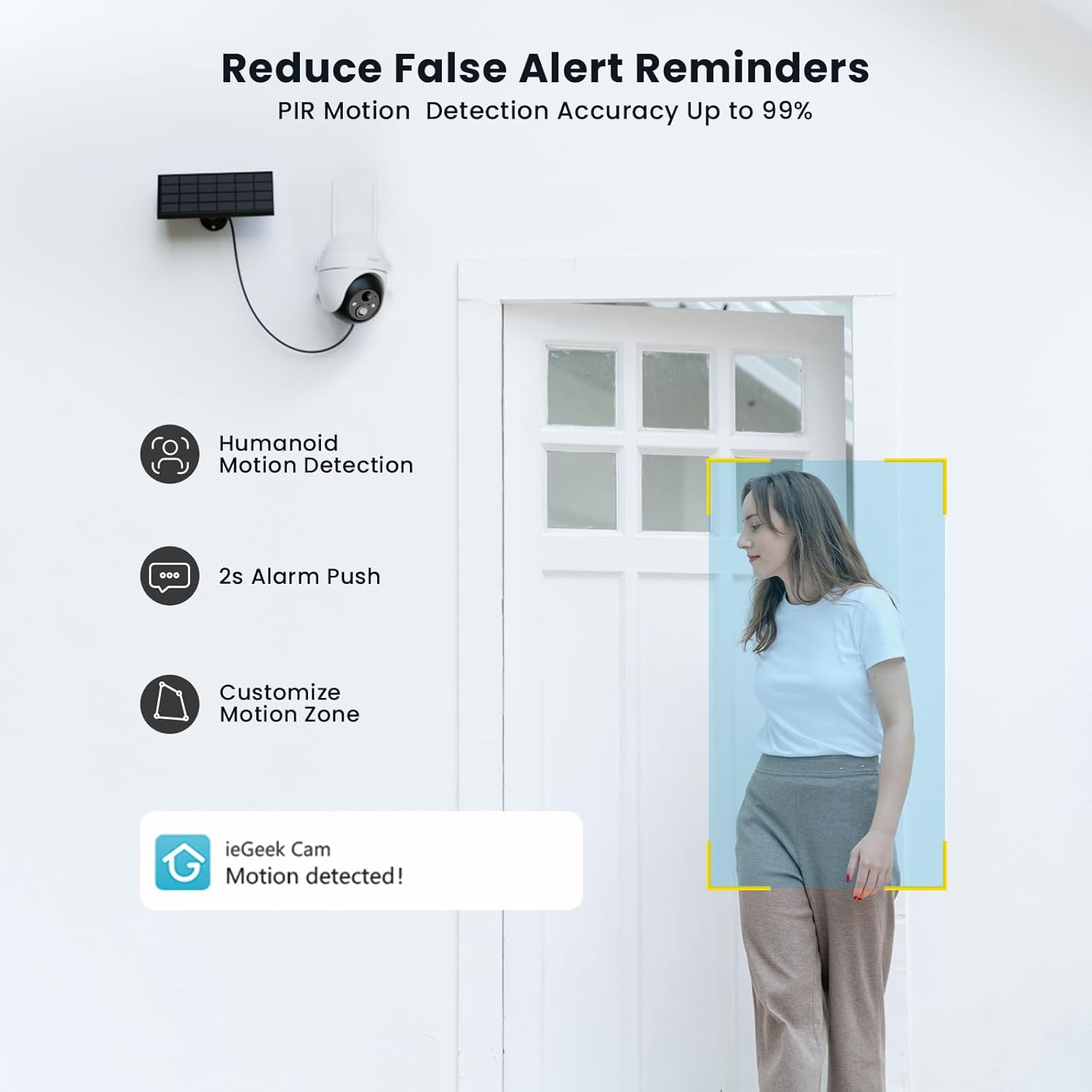
Figure 8: PIR Humanoid Motion Detection.
4.3 Zwei-Wege-Audio
Utilize the two-way audio feature to communicate with visitors or deter intruders. Tap the microphone icon in the app to speak, and listen through the camera's speaker.

Abbildung 9: Zwei-Wege-Audiokommunikation.
4.4 Speichermöglichkeiten
The camera supports local storage via a Micro SD card (up to 128GB, purchased separately) and offers 7 days of free cloud storage. Recorded events can be accessed and reviewüber die App.

Figure 10: Micro SD card slot for local storage.

Figure 11: Cloud storage options.
5. Wartung
- Reinigen Sie die Linse: Um eine klare Bildqualität zu gewährleisten, wischen Sie die Kameralinse regelmäßig mit einem weichen, trockenen Tuch ab.
- Solarpanel reinigen: Um die Ladeeffizienz zu maximieren, sollte das Solarpanel frei von Staub, Schmutz und Ablagerungen sein.
- Batteriestand prüfen: Monitor the battery status via the app and ensure the solar panel receives adequate sunlight.
- Firmware-Updates: Keep the camera firmware updated through the app for optimal performance and security.
6. Fehlerbehebung
| Problem | Mögliche Ursache | Lösung |
|---|---|---|
| Kamera stellt keine Verbindung zum WLAN her | Falsches WLAN-Passwort; Kamera zu weit vom Router entfernt; Unterstützt nur 2.4-GHz-WLAN. | Verify password; Move camera closer to router or use a Wi-Fi extender; Ensure your router is set to 2.4GHz. |
| Schlechte Bildqualität | Dirty lens; Low light conditions; Network issues. | Reinigen Sie die Linse; Sorgen Sie für ausreichende Beleuchtung oder verlassen Sie sich auf die Farbnachtsicht; Überprüfen Sie die WLAN-Signalstärke. |
| Akku wird nicht geladen | Solar panel obstructed or dirty; Insufficient sunlight; Faulty cable. | Clear obstructions and clean solar panel; Relocate panel to receive more direct sunlight; Check cable connections. |
| Keine Bewegungserkennungswarnungen | Bewegungserkennung deaktiviert; Falsche Empfindlichkeitseinstellungen; App-Benachrichtigungen blockiert. | Enable motion detection in app; Adjust sensitivity; Check phone notification settings for the 'ieGeek Cam' app. |
7. Spezifikationen
| Besonderheit | Detail |
|---|---|
| Modellname | ieGeek ZS-GX4S |
| Auflösung | 5 Megapixel |
| Konnektivität | Drahtlos (Wi-Fi 2.4 GHz) |
| Stromquelle | Batterie, Solarenergie |
| Batteriekapazität | 2000 mAh |
| Schwenk-/Neigebereich | 355° Schwenken, 120° Neigen |
| Digital Zoom | 4x |
| Nachtsicht | Farbnachtsicht (Infrarot) |
| Bewegungserkennung | PIR-Personenerkennung |
| Audio | Zwei-Wege-Audio |
| Lagerung | Micro-SD-Karte (bis zu 128 GB), Cloud-Speicher |
| Wetterfeste Bewertung | IP65 |
| Betriebstemperatur | -20°C bis 50°C |
| Maße | 18 x 17 x 12 Zentimeter |
| Material | Plastik |
| Kompatibel mit | Amazon Alexa |
8. Garantie und Support
ieGeek hat sich der Bereitstellung zuverlässiger Produkte und exzellentem Kundenservice verschrieben.
- 2 Jahr Garantie: Your ieGeek camera is covered by a 2-year warranty from the date of purchase.
- 30 Tage Geld-zurück-Garantie: Wenn Sie mit Ihrem Kauf nicht zufrieden sind, können Sie ihn innerhalb von 30 Tagen zurückgeben und erhalten den vollen Kaufpreis zurückerstattet.
- Lebenslanger technischer Support: ieGeek offers lifetime technical assistance for all its products.
For support, please contact us via email. Our customer service team is available 24/7 to assist you.

Figure 12: ieGeek Customer Support.