
Einführung
This manual provides detailed instructions for the operation and maintenance of your Cuifati Portable Cassette Player with Auto Reverse. Please read this manual thoroughly before using the device to ensure proper functionality and to maximize your listening experience.
Packungsinhalt
Bitte überprüfen Sie, ob alle unten aufgeführten Artikel in Ihrem Paket enthalten sind:
- 1 x Cuifati Portable Cassette Player
- 1 x Kopfhörer
- 1 x USB-Stromkabel
- 1 x Benutzerhandbuch
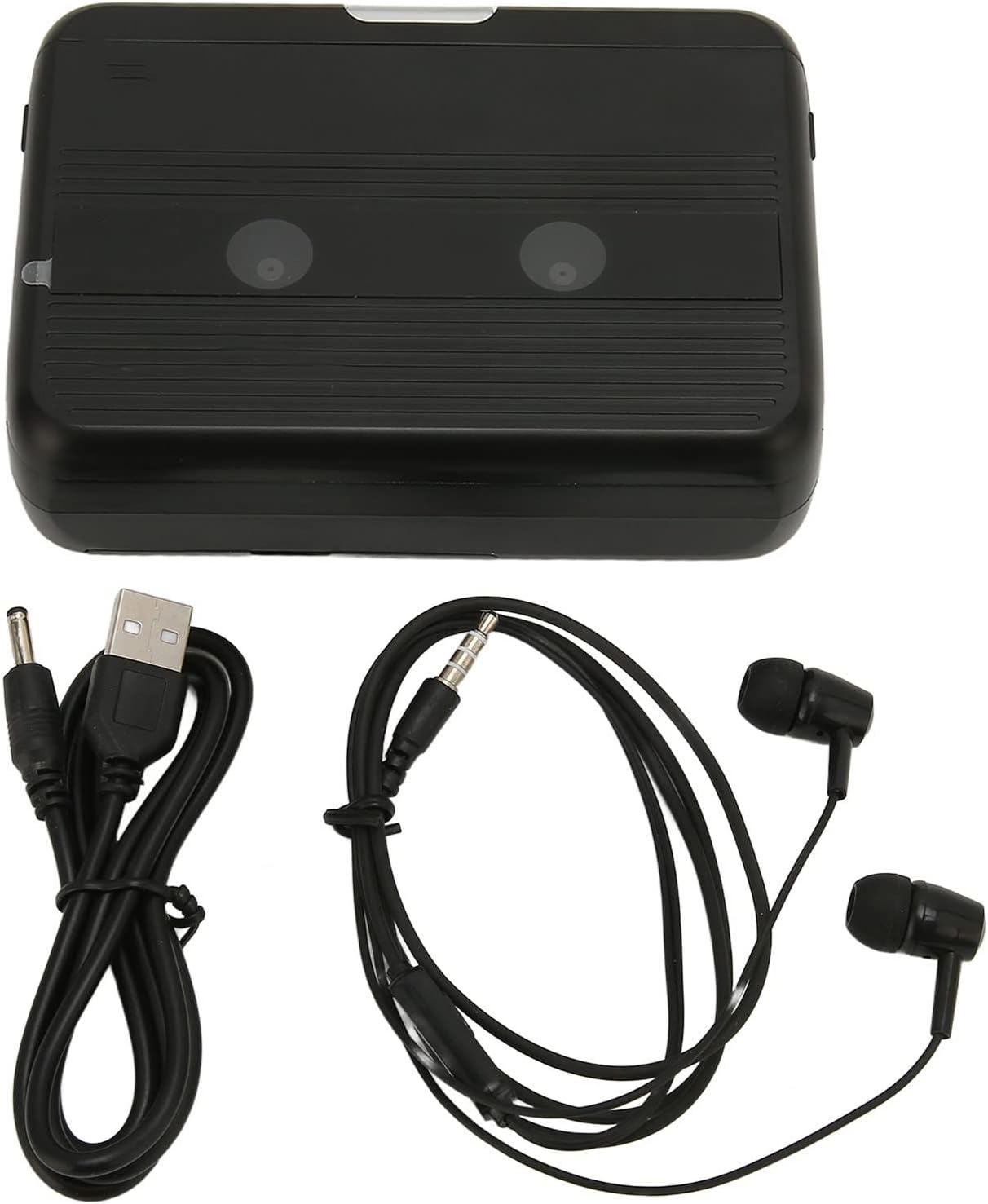
The Cuifati Portable Cassette Player shown alongside its included USB power cord and wired headphones.
Produkt überview
Familiarize yourself with the various parts and controls of your cassette player.
Front View (Offen)
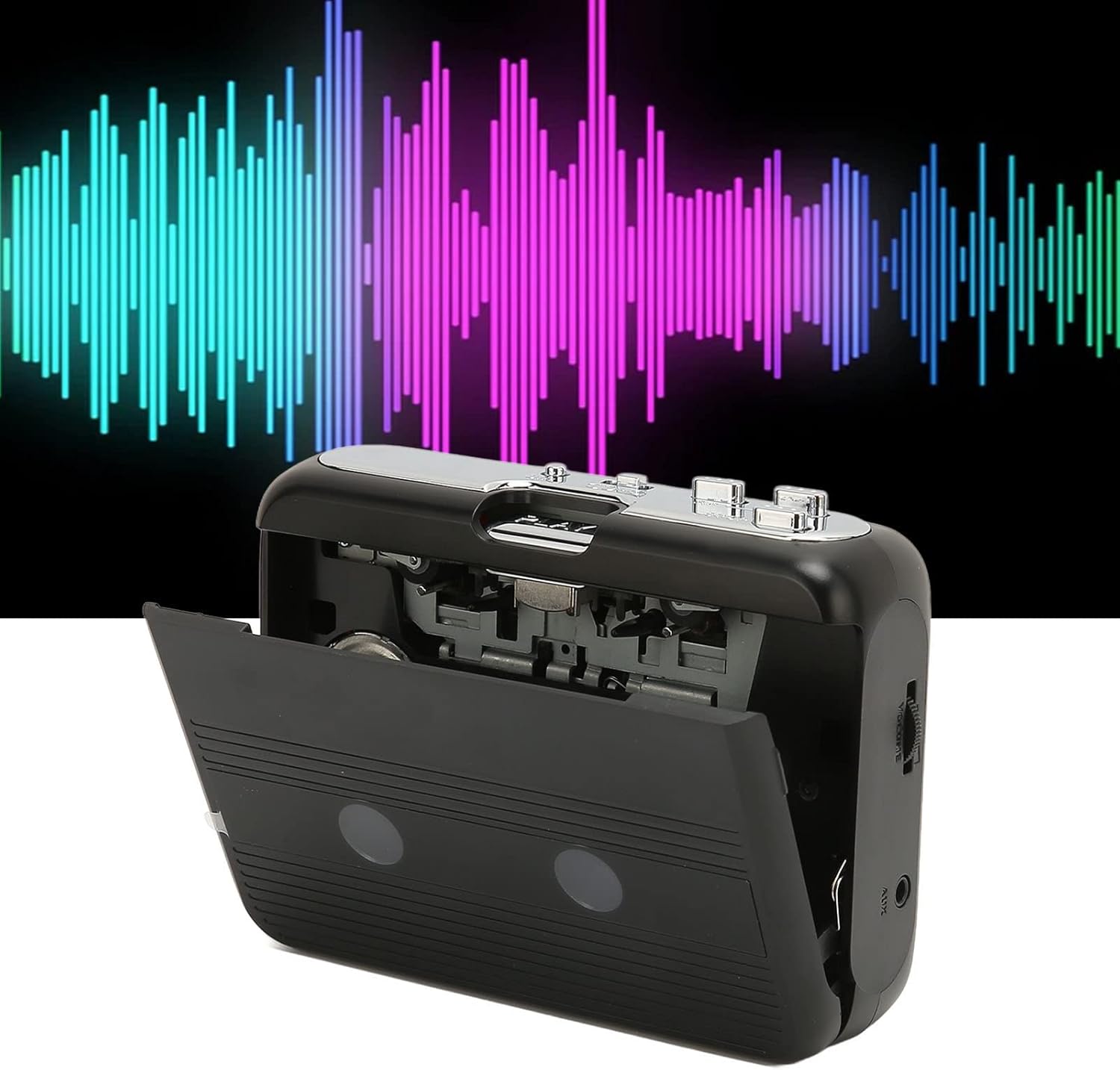
Front view of the Cuifati Portable Cassette Player with the cassette compartment door open, revealing the tape mechanism.
Front View (Geschlossen)
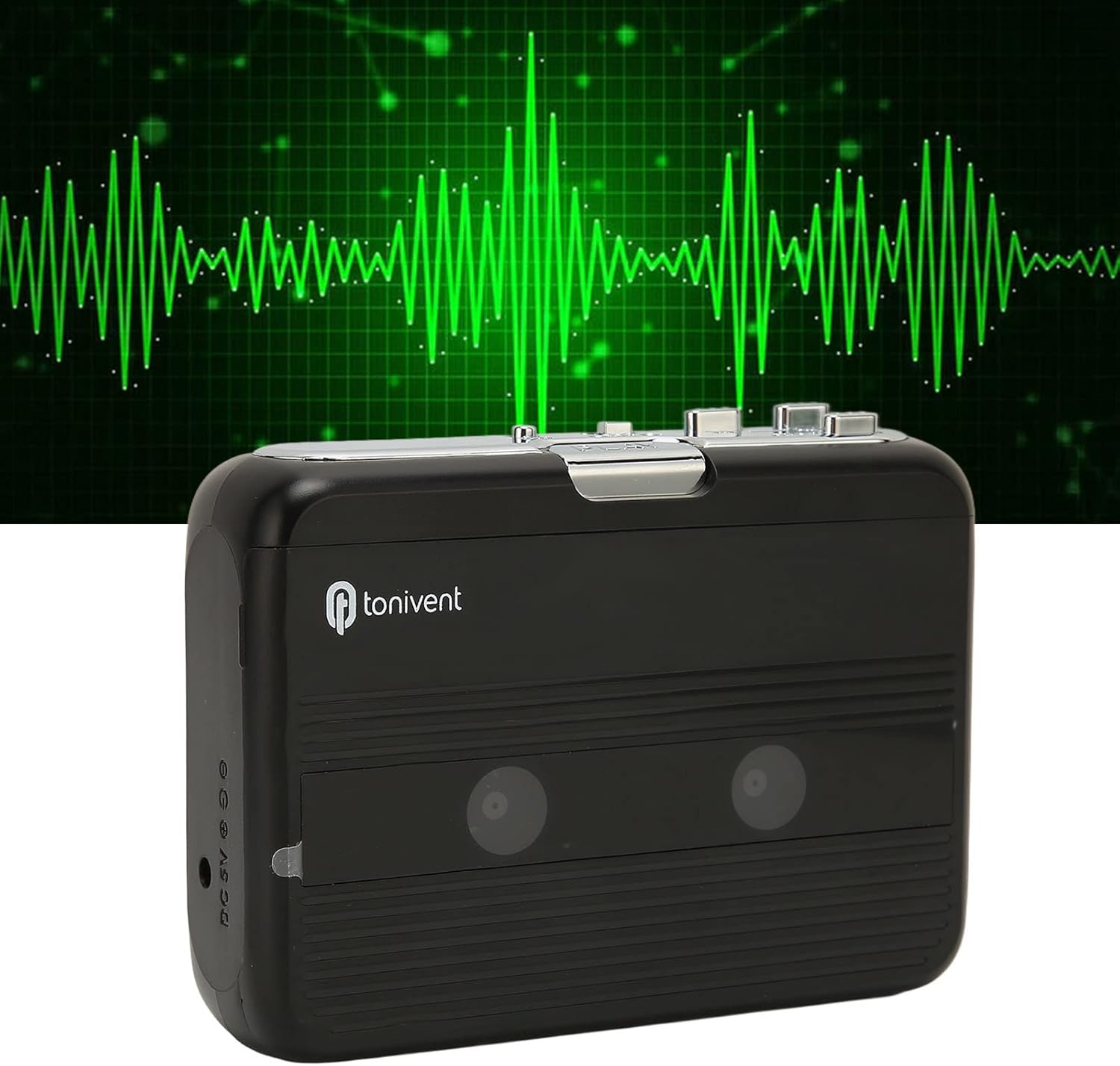
Front view of the Cuifati Portable Cassette Player with the cassette compartment door closed.
Cassette Mechanism

Nahaufnahme view of the cassette player's internal mechanism, showing the tape heads and rollers.
Seite View (Controls and Ports)

Seite view of the cassette player, highlighting the volume control wheel and the AUX output port.
Hauptsteuerungselemente:
- Play-Button: Startet die Kassettenwiedergabe.
- Stopptaste: Die Wiedergabe wird angehalten.
- Schnellvorlauftaste (FF): Spult das Band schnell weiter.
- Zurückspulen-Taste (REW): Spult das Band schnell zurück.
- Auto Reverse Button: Changes tape direction during playback.
- Lautstärkeregler: Regelt den Audioausgangspegel.
- FM/Tape Switch: Selects between FM radio and cassette playback mode.
- Headphone/AUX Output Jack: Anschluss von Kopfhörern oder externen Audiogeräten.
- DC-5-V-Eingang: Für USB-Stromversorgung.
Aufstellen
Stromversorgung
The cassette player can be powered by two (2) AA batteries or via a USB power supply.
- Einlegen der Batterie:
- Öffnen Sie die Abdeckung des Batteriefachs auf der Rückseite des Geräts.
- Legen Sie zwei AA-Batterien ein und achten Sie dabei auf die richtige Polarität (+/-), wie im Batteriefach angegeben.
- Schließen Sie den Batteriefachdeckel fest.
- USB-Stromanschluss:
- Connect the small end of the included USB power cord to the DC 5V input port on the cassette player.
- Verbinden Sie das Standard-USB-Ende mit einem USB-Netzteil (nicht im Lieferumfang enthalten) oder einem USB-Anschluss Ihres Computers.
Einlegen einer Musikkassette
- Öffnen Sie vorsichtig die Klappe des Kassettenfachs.
- Insert a cassette tape with the exposed tape facing upwards and the side you wish to play facing the front.
- Schließen Sie die Klappe des Kassettenfachs, bis sie sicher einrastet.
Bedienungsanleitung
Kassetten spielen
- Stellen Sie sicher, dass die Musikkassette richtig eingelegt ist.
- Set the FM/Tape switch to the "Tape" position.
- Drücken Sie die Spielen , um die Wiedergabe zu starten.
- Passen Sie die Lautstärkeregler auf Ihre gewünschte Lautstärke einstellen.
- Um die Wiedergabe zu stoppen, drücken Sie die Taste Stoppen Taste.
- Zum schnellen Vorspulen drücken Sie die FF Taste drücken. Zum Zurückspulen die Taste drücken. REW Taste. Drücken Sie Stoppen to disengage.
Automatische Rückwärtsfunktion
The player features an auto-reverse function, allowing the tape to play in both directions without needing to manually flip the cassette.
- Drücken Sie während der Wiedergabe die Automatische Rückwärtsfahrt button to switch the tape direction. The player will automatically reverse and continue playing the other side of the tape.
Verwenden des UKW-Radios
- Set the FM/Tape switch to the "FM" position.
- Use the tuning dial (if present, otherwise the FF/REW buttons might serve as tuning) to scan for FM radio stations.
- Passen Sie die Lautstärkeregler auf Ihre gewünschte Lautstärke einstellen.
Verwendung des eingebauten Lautsprechers
The device includes a built-in speaker for direct audio output. No special action is required; audio will play through the speaker unless headphones are connected.
Connecting Headphones or External Audio Devices
For private listening or connecting to external speakers, use the 3.5mm headphone/AUX output jack.
- Plug the included headphones or your own 3.5mm audio cable into the Headphone/AUX Output Jack.
- When headphones are connected, audio will automatically switch from the built-in speaker to the headphones.

A person listening to music with headphones, illustrating the headphone usage.
Wartung
Proper care ensures the longevity and optimal performance of your cassette player.
- Reinigung: Reinigen Sie die Außenseite des Geräts mit einem weichen, trockenen Tuch. Verwenden Sie keine flüssigen Reinigungsmittel oder Scheuermittel.
- Tonköpfe: Periodically clean the tape heads with a specialized cassette head cleaner to maintain sound quality.
- Lagerung: Bei längerer Nichtbenutzung sollten die Batterien entfernt werden, um ein Auslaufen zu verhindern. Das Gerät sollte an einem kühlen, trockenen Ort, geschützt vor direkter Sonneneinstrahlung und extremen Temperaturen, aufbewahrt werden.
- Staub vermeiden: Keep the cassette compartment closed when not in use to prevent dust accumulation.
Fehlerbehebung
If you encounter issues with your cassette player, refer to the following common problems and solutions:
| Problem | Mögliche Ursache | Lösung |
|---|---|---|
| Kein Strom | Dead batteries; USB cable not connected; faulty power source. | Replace batteries; ensure USB cable is securely connected to a working power source. |
| Kein Ton aus Lautsprecher/Kopfhörern | Volume too low; headphones not fully plugged in; FM/Tape switch in wrong position; dirty tape heads. | Increase volume; ensure headphones are fully inserted; set switch to correct mode (Tape/FM); clean tape heads. |
| Poor sound quality (cassette) | Dirty tape heads; worn-out tape; incorrect tape insertion. | Clean tape heads; try a different tape; re-insert tape correctly. |
| FM-Radio: Rauschen/schlechter Empfang | Schwaches Signal; Störungen. | Relocate the player to an area with better reception; try adjusting the player's orientation. |
| Tape not playing/moving | Tape jammed; mechanism issue; tape not inserted correctly. | Check for tape jams; ensure tape is inserted correctly; if issue persists, contact support. |
Technische Daten
| Besonderheit | Detail |
|---|---|
| Marke | Cuifati |
| Modellnummer | Cuifatibi73wk0z4p |
| ASIN | B0CDD42V9J |
| Stromversorgung | 2 x AA Batteries or USB DC 5V |
| Funktionen | Cassette Playback, Auto Reverse, FM Radio, Built-in Speaker, Headphone Output |
| Audioausgang | 3.5mm Headphone/AUX Jack |
| Artikelgewicht | 10.3 Unzen |
Wichtige Sicherheitsinformationen
- Das Gerät darf weder Wasser, Feuchtigkeit noch extremen Temperaturen ausgesetzt werden.
- Lassen Sie das Gerät nicht fallen und setzen Sie es keinen starken Stößen aus.
- Versuchen Sie nicht, das Gerät selbst zu zerlegen oder zu reparieren. Überlassen Sie alle Wartungsarbeiten qualifiziertem Fachpersonal.
- Batterien sind gemäß den örtlichen Vorschriften verantwortungsvoll zu entsorgen.
- Längeres Hören bei hoher Lautstärke kann zu Gehörschäden führen. Stellen Sie die Lautstärke auf ein sicheres Niveau ein.
Garantie und Support
Informationen zur Garantie und zum technischen Support finden Sie in der Ihnen beim Kauf ausgehändigten Dokumentation oder wenden Sie sich an Ihren Händler. Bewahren Sie Ihren Kaufbeleg als Kaufnachweis auf.