
1. Einrichtung
This section provides instructions for the initial setup of your TCL 55S41 television, including unpacking, stand installation, wall mounting, and connecting external devices.
1.1 Auspacken
- Nehmen Sie den Fernseher vorsichtig aus der Verpackung.
- Ensure all accessories are present: remote control, AAA batteries, power cord, and stand components.
- Bewahren Sie die Verpackungsmaterialien für zukünftige Transport- oder Servicezwecke auf.
1.2 Standinstallation
If you are not wall-mounting the television, install the included stand according to these steps:
- Place the television face-down on a soft, clean surface to prevent screen damage.
- Align the stand legs with the screw holes on the bottom of the television. The stand separation distance is approximately 41.5 inches.
- Secure each stand leg using the provided M4 x 25 screws (4 screws total). Tighten securely with a screwdriver.
- Carefully lift the television to an upright position on a stable, level surface.
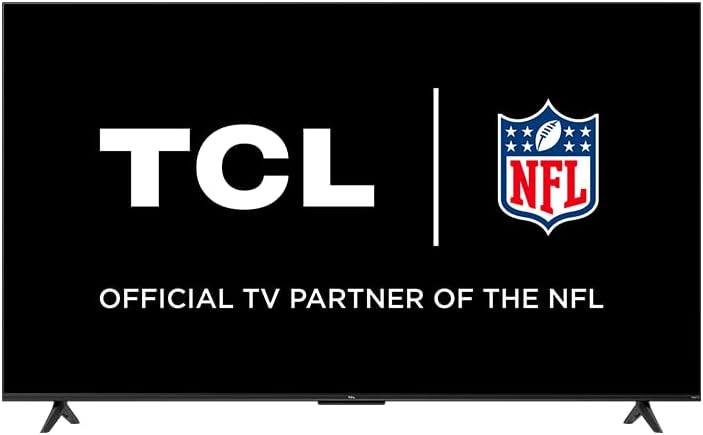
Image: The TCL 55S41 television with its stand attached, illustrating the typical appearance after stand installation. The stand provides stable support for the television on a flat surface.
1.3 Wandmontage
If you plan to wall-mount your television, ensure you use a VESA-compatible wall mount (sold separately) that supports the television's weight and size.
- The VESA wall mount pattern for this model is 200mm x 200mm.
- Use M6 x 12 screws for attaching the wall mount bracket to the television.
- Follow the instructions provided with your specific wall mount for safe and secure installation.
- Remove the stand legs before wall mounting.
1.4 Geräte anschließen
Connect your external devices to the appropriate ports on the back of the television.
- HDMI-Eingänge: The TV features 4 HDMI inputs, including 1 eARC port for enhanced audio return channel functionality. Use these for connecting Blu-ray players, game consoles, cable boxes, etc.
- Composite-Audio-/Videoeingang: 1 input for older devices using RCA cables.
- Digitaler optischer Audioausgang: 1 output for connecting to soundbars or audio receivers.
- Kopfhöreranschluss: 1 output for private listening with headphones.
- HF-Antenneneingang: 1 input for connecting an antenna for over-the-air broadcasts.
- USB 2.0-Anschluss: 1 port for connecting USB storage devices to play media.
- Ethernet Anschluss: Für eine kabelgebundene Internetverbindung.
- Drahtlose Verbindung: Supports 802.11ac 2x2 Dual Band (2.4GHz & 5GHz) Wi-Fi for wireless internet access.
Bild: Ein allgemeines view of the TCL 55S41 television, indicating the typical location of various input and output ports on the rear panel for connecting external devices.
1.5 Erstes Einschalten und Roku-Einrichtung
- Connect the power cord to the television and then to a power outlet.
- Drücken Sie den Ein-/Ausschalter auf der Fernbedienung oder am Fernseher.
- Follow the on-screen instructions to complete the Roku guided setup, which includes selecting your language, connecting to a network, and activating your Roku account.
2. Bedienung des Fernsehers
This section details the basic operation of your TCL Roku TV, including remote control functions, smart features, and input selection.
2.1-Fernbedienung
The included remote control (model RC280) requires two "AAA" batteries. It provides intuitive control over your television and Roku OS.
- Netzschalter: Schaltet den Fernseher ein oder aus.
- Steuerkreuz: Navigiert durch Menüs und wählt Elemente aus.
- Home "Button: Kehrt zum Roku-Startbildschirm zurück.
- Zurück-Schaltfläche: Kehrt zum vorherigen Bildschirm zurück.
- Lautstärketasten: Regelt die Lautstärke des Fernsehers.
- Stummschaltfläche: Schaltet den Ton stumm oder hebt die Stummschaltung auf.
- Tastenkombinationen: Dedicated buttons for popular streaming channels.
2.2 Smart Features (Roku TV)
Your TCL TV is powered by Roku OS, offering a wide range of smart features:
- Streaming-Kanäle: Access thousands of streaming channels for movies, TV shows, news, sports, and more.
- Sprachsteuerung: The TV works with Siri, Alexa, and Hey Google for voice commands to search for content, launch apps, or switch inputs.
- AirPlay: Share videos, photos, and music directly from your Apple devices.
- Anpassbarer Startbildschirm: Organize your favorite channels and inputs for quick access.
- Roku Mobile App: Use the free Roku mobile app for private listening via headphones, voice control, and as an alternative remote.
2.3 Eingangsauswahl
To switch between connected devices or the antenna input:
- From the Roku home screen, navigate to the desired input tile (e.g., HDMI 1, Antenna TV).
- Drücken Sie die OK button on your remote to select the input.
2.4 Audiofunktionen
- Dolby Digital Plus: Enhanced audio quality for compatible content.
- Privates Hören: Use the Roku mobile app with headphones for personal audio.
2.5 Live TV Pause
If you have an antenna connected, you can pause live TV for up to 30 minutes. A USB drive (sold separately) is required for this feature.
3. Wartung
Durch sachgemäße Wartung wird die Langlebigkeit und optimale Leistung Ihres Fernsehers gewährleistet.
3.1 Reinigung
- Bildschirm: Gently wipe the screen with a soft, lint-free cloth. For stubborn marks, use a screen cleaner specifically designed for televisions, applied to the cloth, not directly to the screen.
- Kabinett: Wischen Sie den Fernsehschrank mit einem weichen, trockenen Tuch ab. Vermeiden Sie die Verwendung von Scheuermitteln oder Lösungsmitteln.
- Vor der Reinigung immer den Netzstecker des Fernsehers ziehen.
3.2 Softwareaktualisierungen
Your TCL Roku TV receives automatic software updates to improve performance and add new features. Ensure your TV is connected to the internet for these updates.
4. Fehlerbehebung
This section provides solutions to common issues you might encounter with your TCL 55S41 television.
4.1 Kein Strom
- Prüfen Sie, ob das Netzkabel sowohl am Fernseher als auch an der Steckdose fest eingesteckt ist.
- Überprüfen Sie die Funktionsfähigkeit der Steckdose, indem Sie ein anderes Gerät anschließen.
- Versuchen Sie, den Ein-/Ausschalter am Fernseher selbst zu drücken, nicht nur auf der Fernbedienung.
4.2 Kein Bild / Schlechte Bildqualität
- Stellen Sie sicher, dass die richtige Eingangsquelle ausgewählt ist.
- Check all cable connections (HDMI, composite) to external devices.
- If using an antenna, check antenna connection and try rescanning for channels.
- Adjust picture settings (brightness, contrast, etc.) in the TV menu.
4.3 Kein Ton / Schlechte Tonqualität
- Überprüfen Sie die Lautstärke und stellen Sie sicher, dass der Fernseher nicht stummgeschaltet ist.
- If using external audio equipment (soundbar, receiver), ensure it is powered on and correctly connected.
- Überprüfen Sie die Audioausgabeeinstellungen im TV-Menü.
4.4 Fernbedienung reagiert nicht
- Replace the batteries with fresh "AAA" batteries.
- Stellen Sie sicher, dass sich keine Hindernisse zwischen der Fernbedienung und dem Infrarotsensor des Fernsehers befinden.
- Try pairing the remote again if it's a voice remote (refer to Roku TV settings).
4.5 Probleme mit der Netzwerkverbindung
- Prüfen Sie, ob Ihr WLAN-Router und Ihr Modem eingeschaltet sind und funktionieren.
- Starten Sie Ihren Router und Ihr Modem neu.
- Rufen Sie die Netzwerkeinstellungen Ihres Fernsehers auf und versuchen Sie, die Verbindung zu Ihrem WLAN-Netzwerk wiederherzustellen.
- Bei Verwendung einer kabelgebundenen Verbindung stellen Sie sicher, dass das Ethernet-Kabel fest angeschlossen ist.
5. Spezifikationen
Detailed technical specifications for the TCL 55S41 55-inch 4-Series 4K UHD HDR LED Smart Roku TV.
| Besonderheit | Spezifikation |
|---|---|
| Modellname | 55S41 |
| Bildschirmgröße | 55 inches (54.6" Viewfähig) |
| Panel-Auflösung | 3840 x 2160 (4K UHD) |
| Bildwiederholrate | 60 Hz |
| Display-Technologie | LED-LCD |
| HDR-Format unterstützt | HDR10, HLG |
| Intelligente Plattform | Roku-Fernseher |
| Audio-Ausgangsleistung | 10W + 10W |
| Premium-Audio | Dolby Digital Plus |
| HDMI-Eingänge | 4 (1 eARC) |
| USB 2.0-Anschlüsse | 1 |
| Kabellose Konnektivität | 802.11ac 2x2 Dualband (2.4 GHz & 5 GHz) |
| Ethernet-Anschluss | 1 |
| Produktgröße (B x H x T) mit Ständer | 48.3" x 29.8" x 10.1" |
| Produktabmessungen (BxHxT) ohne Ständer | 48.3" x 28" x 3.2" |
| Produktgewicht mit Ständer | 22.5 Pfund |
| Produktgewicht ohne Ständer | 22 Pfund |
| VESA-Wandhalterungsmuster | 200mm x 200mm |
| VESA-Schraubengröße | M6 x 12 |
| Inklusive Fernbedienung | RC280 |
| Batterietyp der Fernbedienung | Two "AAA" |
| UPC | 846042065061 |
6. Garantie und Support
Information regarding the product warranty and how to obtain support.
6.1 Garantieinformationen
This TCL television comes with a 1 Jahr eingeschränkte Garantie. This warranty covers manufacturing defects and issues arising from normal use. Please refer to the warranty card included with your product or visit the official TCL webWebsite für die vollständigen Geschäftsbedingungen.
6.2 Kundendienst
For technical assistance, troubleshooting beyond this manual, or warranty claims, please contact TCL Customer Support. You can typically find support contact information (phone, email, or live chat) on the official TCL website. When contacting support, have your TV model number (55S41) and serial number ready.