
Wedinard KFI-GT-5.2lk-36824
Wedinard Dpofirs 1080P WiFi Security Camera User Manual
Marke: Wedinard
Modell: KFI-GT-5.2lk-36824 (A3)
1. Einleitung
This manual provides comprehensive instructions for the setup, operation, and maintenance of your Wedinard Dpofirs 1080P WiFi Security Camera. Please read this manual carefully before using the product to ensure proper functionality and safety.
Packungsinhalt
Bitte überprüfen Sie nach dem Auspacken, ob alle unten aufgeführten Artikel vorhanden und in gutem Zustand sind:
- 1 x Wedinard Dpofirs 1080P WiFi Security Camera
- 1 x Ladekabel (Typ-C)
- 1 x Camera Base
- 1 x Benutzerhandbuch
- 1 x Double-Sided Adhesive

Image: The Wedinard Dpofirs 1080P WiFi Security Camera, showing its compact design and the included base.
2. Installationsanleitung
Follow these steps to set up your security camera for the first time:
- Download and Install the Application: Suchen nach the official camera application on your mobile device's app store (e.g., Google Play Store for Android). Download and install the application.
- Schalten Sie die Kamera ein: Connect the camera to a power source using the provided Type-C charging cable. The camera will power on automatically.
- Check the Network Environment: Ensure your Wi-Fi network is stable and within range of the camera. The camera supports Wi-Fi connectivity.
- Network Access Settings:
- Öffnen Sie die installierte Anwendung auf Ihrem Mobilgerät.
- Follow the on-screen instructions to add a new device. This typically involves scanning a QR code on the camera or manually entering its device ID.
- Wählen Sie Ihr WLAN-Netzwerk aus und geben Sie das Passwort ein, wenn Sie dazu aufgefordert werden.
- Wait for the camera to connect to the network. A confirmation message or indicator light will signal a successful connection.
- Montage der Kamera: Use the included camera base and double-sided adhesive to mount the camera on a flat surface or wall. The swivel base allows for flexible positioning.

Image: The Wedinard Dpofirs camera positioned on a surface, illustrating its readiness for setup and use.
3. Bedienung der Kamera
Your Wedinard Dpofirs security camera offers several advanced features for enhanced monitoring:
3.1. 1080p Full HD Bildqualität
The camera is equipped with premium lenses, providing 1080P Full HD resolution. This ensures clear, vivid, and realistic image effects for detailed monitoring.

Image: A visual comparison demonstrating the superior clarity and detail of 1080P Full HD image quality provided by the camera.
3.2. Mobile Detection and Push Notifications
When the camera detects abnormal movement within its shooting area, it immediately triggers an alarm message. This message is sent as a push notification to your mobile phone application, allowing for real-time viewing and immediate response.

Image: An illustration of the camera's mobile detection feature, showing an alert being sent to a smartphone when motion is detected.
3.3. Infrared Night Vision with Automatic Switching
The camera features an infrared night vision mode that automatically activates in low-light conditions. This mode provides clear visibility up to 5-10 meters, ensuring monitoring even in complete darkness.

Image: A split image demonstrating the automatic switching of the camera's infrared night vision, showing a scene in both illuminated and dark conditions.
3.4. Gegensprechanlage
With a built-in microphone, the camera supports two-way voice real-time calls. This allows you to communicate with individuals or pets near the camera as if you were face-to-face, providing interactive monitoring.

Image: An illustration of the two-way intercom feature, showing a user interacting with a pet through the camera's audio capabilities.
3.5. Autarker AP-Hotspot
The camera features its own AP (Access Point) hotspot. This allows the camera to continue recording even when your main Wi-Fi network is disconnected, ensuring continuous security and convenient data transmission.
3.6. Zusätzliche Funktionen
- Drahtlose Verbindung: Seamless integration with your home Wi-Fi network.
- Video-Wiedergabe: Review aufgenommenes footage directly from the application.
- Drehsockel: Flexible positioning for optimal viewwinkeln.
- Typ-C-Schnittstelle: Modern and convenient charging/power interface.
- Lagerung: Supports up to 128GB Micro Memory Card (not included) for local storage.
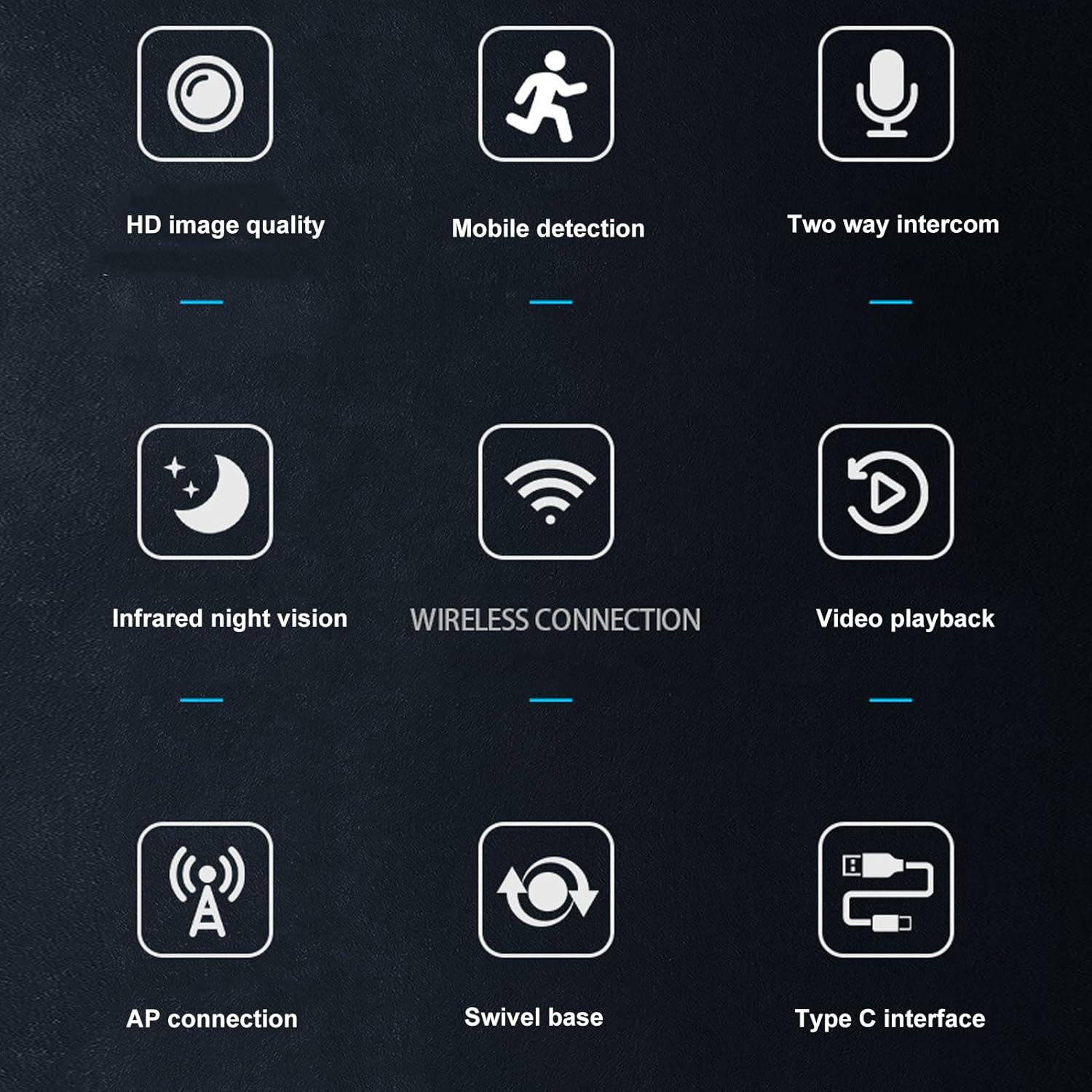
Image: A visual summary of the camera's key features, depicted through illustrative icons.
4. Wartung
Durch sachgemäße Wartung wird die Langlebigkeit und optimale Leistung Ihrer Kamera gewährleistet:
- Reinigung: Use a soft, dry cloth to clean the camera lens and body. Avoid using liquid cleaners or abrasive materials that could damage the surface or lens.
- Platzierung: While suitable for indoor and outdoor use, avoid placing the camera in direct sunlight for extended periods or in areas with extreme temperatures or humidity.
- Firmware-Updates: Regularly check the mobile application for available firmware updates to ensure your camera has the latest features and security enhancements.
- Storage Card Management: If using a memory card, periodically review und gespeicherte Lebensmittel verwaltentage to prevent the card from becoming full, which could stop recording.
5. Fehlerbehebung
Sollten Sie Probleme mit Ihrer Kamera haben, beachten Sie bitte die folgenden gängigen Lösungsansätze:
- Kamera stellt keine Verbindung zum WLAN her:
- Stellen Sie sicher, dass das WLAN-Passwort richtig eingegeben wurde.
- Prüfen Sie, ob sich die Kamera in Reichweite Ihres WLAN-Routers befindet.
- Starten Sie Ihren WLAN-Router und die Kamera neu.
- Verify that your Wi-Fi network is 2.4GHz, as most security cameras do not support 5GHz networks.
- Schlechte Bildqualität:
- Reinigen Sie das Kameraobjektiv mit einem weichen, trockenen Tuch.
- Ensure there is adequate lighting in the monitored area, especially for non-night vision footage.
- Prüfen Sie Ihre Internetverbindungsgeschwindigkeit, da eine langsame Verbindung die Streaming-Qualität beeinträchtigen kann.
- Keine Bewegungserkennungsalarme:
- Verify that motion detection is enabled in the camera's app settings.
- Check the sensitivity settings for motion detection; adjust if necessary.
- Ensure the app has permission to send notifications on your mobile device.
- Zwei-Wege-Audio funktioniert nicht:
- Check the volume settings on your mobile device and within the camera app.
- Stellen Sie sicher, dass Mikrofon und Lautsprecher der Kamera nicht verdeckt sind.
- Verify that the app has microphone permissions on your mobile device.
- Kamera zeichnet nicht auf:
- If using a memory card, ensure it is inserted correctly and not full.
- Check the recording settings in the app (e.g., continuous recording, motion-activated recording).
- If using cloud storage, verify your subscription status and internet connection.
6. Spezifikationen
Detailed technical specifications for the Wedinard Dpofirs 1080P WiFi Security Camera:
| Besonderheit | Detail |
|---|---|
| Produktmodell | KFI-GT-5.2lk-36824 (A3) |
| Artikeltyp | Smart Camera |
| Produktmaterial | ABS |
| Videoauflösung | 1080P Full HD |
| Konnektivitätstechnologie | Kabellos (Wi-Fi) |
| Infrarot-Nachtsicht | Automatic Switching (5-10 meters range) |
| Zwei-Wege-Stimme | Unterstützt (eingebautes Mikrofon) |
| Ladeschnittstelle | Typ-C-Schnittstelle |
| Speichermodus | Supports up to 128GB Micro Memory Card (Not Included) |
| Gewicht | Ca. 92 g |
| Produktgröße | Approx. 45x85mm / 1.8x3.3in |
| Verwendung im Innen- und Außenbereich | Draußen, Drinnen |
| Stromquelle | Kabelgebundene Elektrik |
| Controllertyp | Android (via APP) |
| Montagetyp | Oberflächenmontage |

Image: Diagram showing the approximate dimensions of the camera: 45mm (1.8 inches) in width and 85mm (3.3 inches) in height.
7. Garantie und Support
For information regarding warranty coverage and technical support, please refer to the warranty card included in your product packaging or visit the official Wedinard website. You may also contact customer service through the contact information provided on the product packaging or within the mobile application.
Bitte bewahren Sie Ihren Kaufbeleg als Kaufnachweis für eventuelle Garantieansprüche auf.
Ask a question about this manual
Ask about setup, troubleshooting, compatibility, parts, safety, or missing instructions. Manuals+ will review the question and use this page’s manual context to help answer it.