
Einführung
Thank you for choosing the Strex Universal AA/AAA Rechargeable Battery Charger. This device is designed to efficiently and safely charge your rechargeable batteries, ensuring they are always ready for use. This manual provides essential information for the proper setup, operation, and maintenance of your charger.
Sicherheitshinweise
To ensure safe operation and prolong the life of your charger and batteries, please observe the following safety guidelines:
- Versuchen Sie nicht, nicht wiederaufladbare Batterien aufzuladen. Dies kann zu Auslaufen, Bersten oder Explosionen führen.
- Use only compatible battery types: NiMH, NiCD, and Lithium-Ion.
- Vermeiden Sie es, das Ladegerät Wasser oder übermäßiger Feuchtigkeit auszusetzen.
- Zerlegen oder modifizieren Sie das Ladegerät nicht.
- Keep the charger away from direct sunlight and high temperatures.
- Sorgen Sie während des Ladevorgangs für ausreichende Belüftung.
- The charger features a smart chip that prevents overheating, overcharging, short circuits, and overvoltage. However, always monitor the charging process.

Image: The Strex charger highlights its comprehensive safety features, including protection against overcharging, overcurrent, flame, voltage fluctuations, and short circuits.
Produkteigenschaften
The Strex SP282 charger offers a range of features designed for convenience and safety:
- Universelle Kompatibilität: Charges AA and AAA size rechargeable batteries.
- Laden mehrerer Akkus: Capable of charging up to four batteries simultaneously.
- LCD Anzeige: A practical LCD screen provides real-time charging status for each battery, indicating 'CHG' for charging and an error symbol if charging is not possible.
- Mehrere Eingangsanschlüsse: Connects via Micro USB or USB Type-C (cable included).
- Intelligenter Ladevorgang: Automatically detects battery type and optimizes charging for speed and safety, including trickle charging once full.
- Erweiterte Sicherheitsvorkehrungen: Built-in smart chip prevents overheating, overcharging, overcurrent, short circuits, and overvoltage.
- Unterstützte Batterietypen: Compatible with NiMH, NiCD, and Lithium-Ion rechargeable batteries.

Bild: Ein überview of the Strex charger, highlighting its key features such as the LCD display, multiple charging slots, and dual USB input options.
Aufstellen
Follow these steps to set up your Strex battery charger:
- Strom anschließen: Use the provided USB Type-C cable or a Micro USB cable to connect the charger to a 5V-2A USB power adapter (not included) or a compatible USB port.
- Batterien einlegen: Open the battery slots and insert up to four AA or AAA rechargeable batteries. Ensure the positive (+) and negative (-) terminals of the batteries match the markings inside the charger slots. You can mix AA and AAA batteries.
- Verbindung überprüfen: Once batteries are inserted and power is connected, the LCD screen will activate.
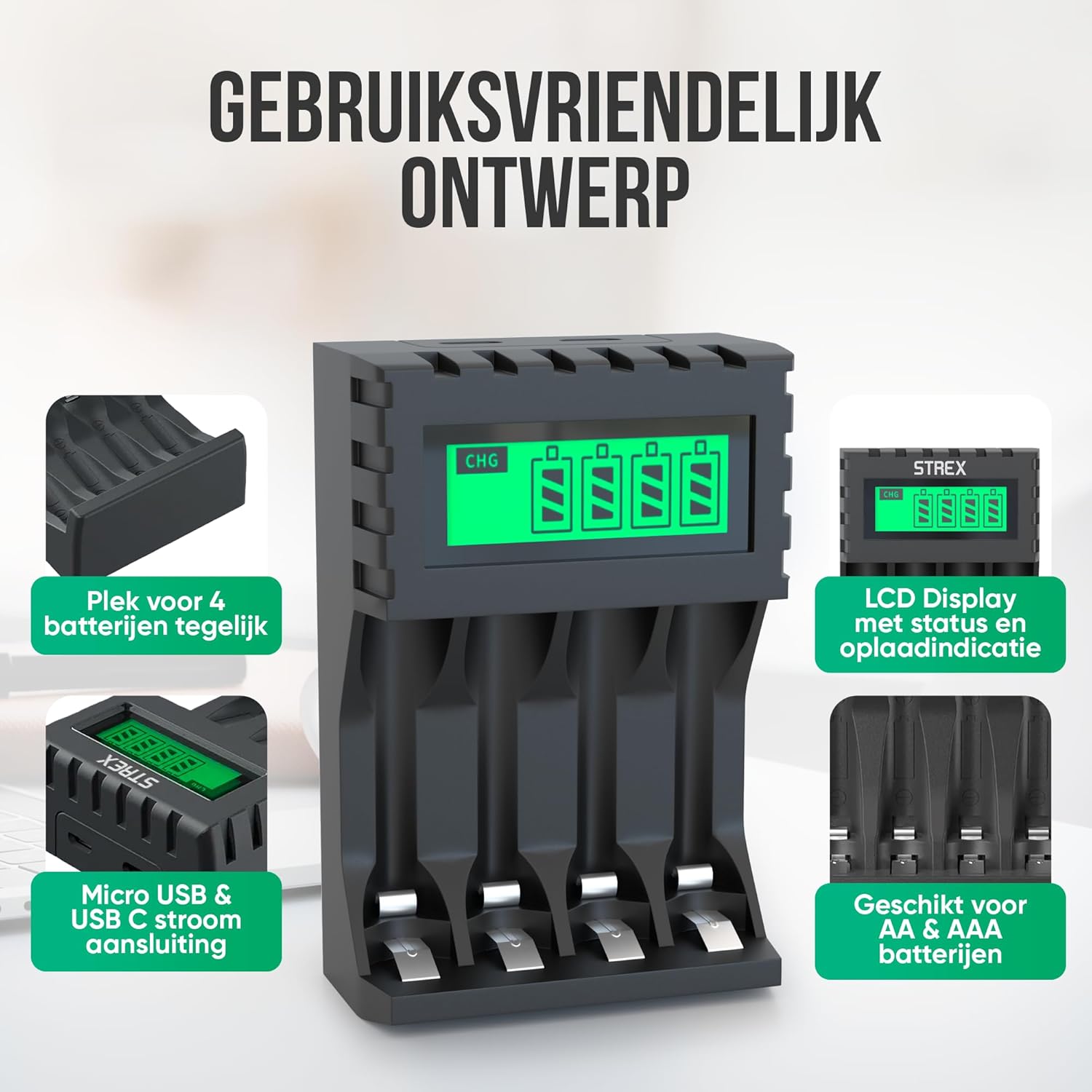
Image: The charger's user-friendly design, illustrating the four battery slots and the Micro USB and USB-C input ports for power connection.
Bedienungsanleitung
The Strex battery charger is designed for simple and efficient operation:
- Automatische Erkennung: Upon inserting batteries and connecting power, the charger automatically detects the battery type and begins the charging process.
- Überwachung des Ladestatus: The LCD screen will display the charging status for each individual battery. A flashing 'CHG' symbol indicates that charging is in progress. The screen also shows the approximate charge level (e.g., 30%, 60%, 100%).
- Completion of Charging: When a battery is fully charged, the 'CHG' symbol will stop flashing or indicate 100%. The charger will then switch to a trickle charging mode to maintain optimal battery health.
- Ladezeiten:
- Approximately 4 hours for four AA batteries.
- Approximately 3 hours for four AAA batteries.
- Batterien entfernen: Once charging is complete, disconnect the power and remove the batteries from the charger.

Image: The LCD display of the Strex charger, illustrating how it shows charging status ('CHG' flashing) and error indications (error symbol) for each battery.

Image: The smart charging process, showing how each charging port is independently managed and charged, with both Micro USB and USB-C input options visible.
Wartung
Durch sachgemäße Wartung wird die Langlebigkeit und optimale Leistung Ihres Ladegeräts gewährleistet:
- Reinigung: Trennen Sie das Ladegerät vor der Reinigung vom Stromnetz. Wischen Sie die Außenseite mit einem weichen, trockenen Tuch ab. Verwenden Sie keine flüssigen Reiniger oder Lösungsmittel.
- Lagerung: Bewahren Sie das Ladegerät bei Nichtgebrauch an einem kühlen, trockenen Ort fern von direkter Sonneneinstrahlung und extremen Temperaturen auf.
- Batteriepflege: Always use high-quality rechargeable batteries. Avoid mixing old and new batteries or different types of batteries in the same charging cycle if possible, although the charger supports mixed types.
Fehlerbehebung
Sollten Sie Probleme mit Ihrem Ladegerät haben, beachten Sie bitte die folgenden häufig auftretenden Probleme und Lösungen:
- Ladegerät schaltet sich nicht ein: Ensure the USB cable is securely connected to both the charger and a working power source. Verify the power source is active (e.g., wall adapter is plugged in).
- Batteries not charging / Error symbol on LCD:
- Prüfen Sie, ob die Batterien korrekt mit der richtigen Polarität (+/-) eingelegt sind.
- Ensure the batteries are rechargeable (NiMH, NiCD, or Li-ion). Non-rechargeable batteries will cause an error.
- The battery might be faulty or severely discharged. Try a different battery.
- Clean the battery contacts and charger terminals with a dry cloth.
- Langsames Laden: Ensure your USB power adapter provides sufficient output (recommended 5V-2A). Lower current adapters may result in slower charging.
Technische Daten
| Marke | Strex |
| Modellnummer | SP282 |
| Technische Daten | 15.1 x 6.8 x 3 cm |
| Artikelgewicht | 85 Gramm |
| Farbe | Schwarz |
| Eingangslautstärketage | 5V |
| Eingangsstrom | 2A |
| Ausgangsvolumentage | 1.2 V Gleichstrom |
| Max Ausgangsstrom | 1800 mAh |
| Unterstützte Batteriegrößen | AA, AAA |
| Unterstützte Batterietypen | NiMH, NiCD, Lithium-Ion |
| Ladeports | 4 unabhängige Steckplätze |
| Eingangs-Schnittstelle | Micro-USB, USB Typ-C |
| Materialien | Heat-resistant ABS, Stainless Steel |
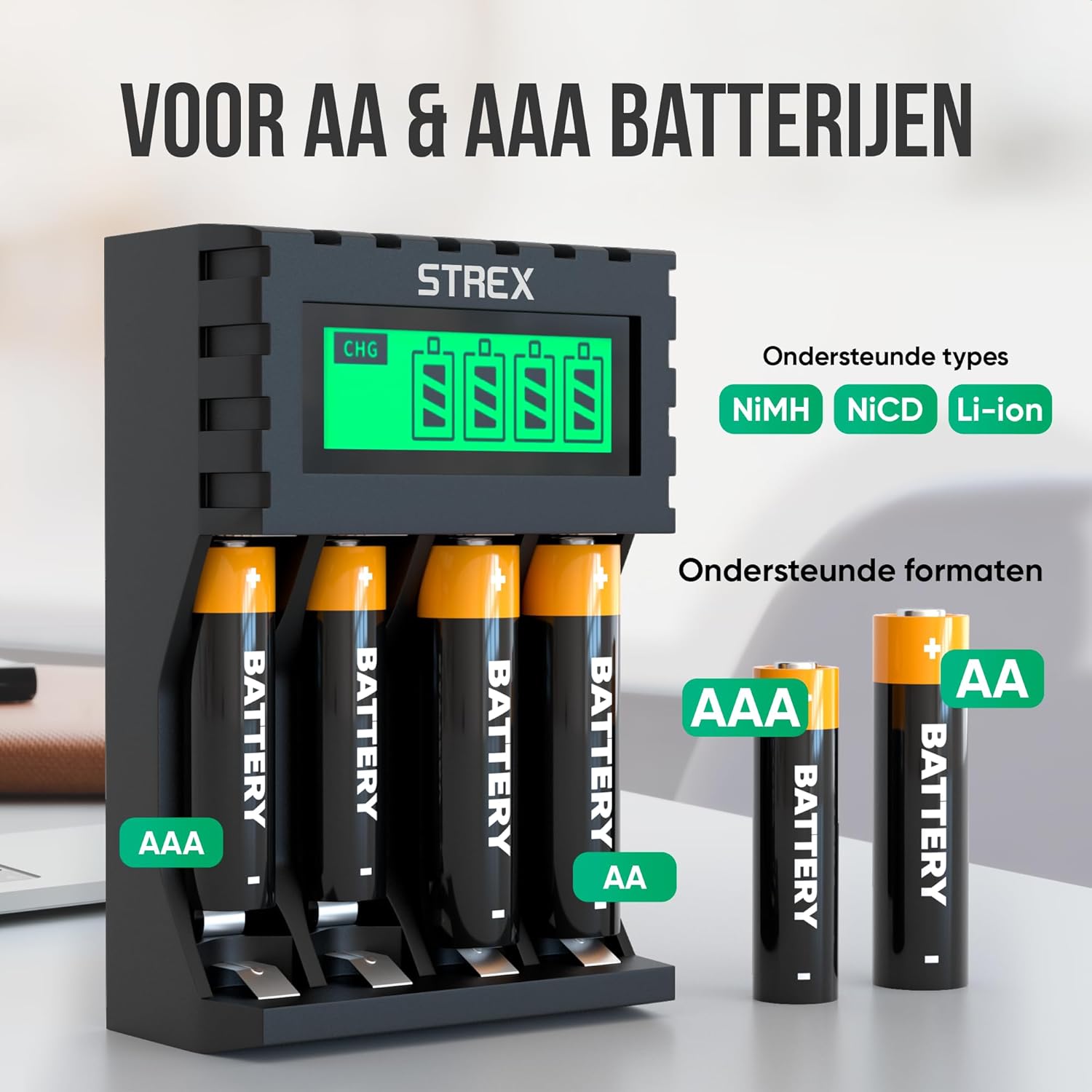
Image: The charger's compatibility with both AA and AAA battery sizes, and a list of supported battery types (NiMH, NiCD, Li-ion).
Garantie und Support
Informationen zur Garantie oder zum technischen Support finden Sie in den mit Ihrem Kauf gelieferten Kontaktdaten oder auf der offiziellen Strex-Website. webBewahren Sie Ihren Kaufbeleg für eventuelle Garantieansprüche auf.
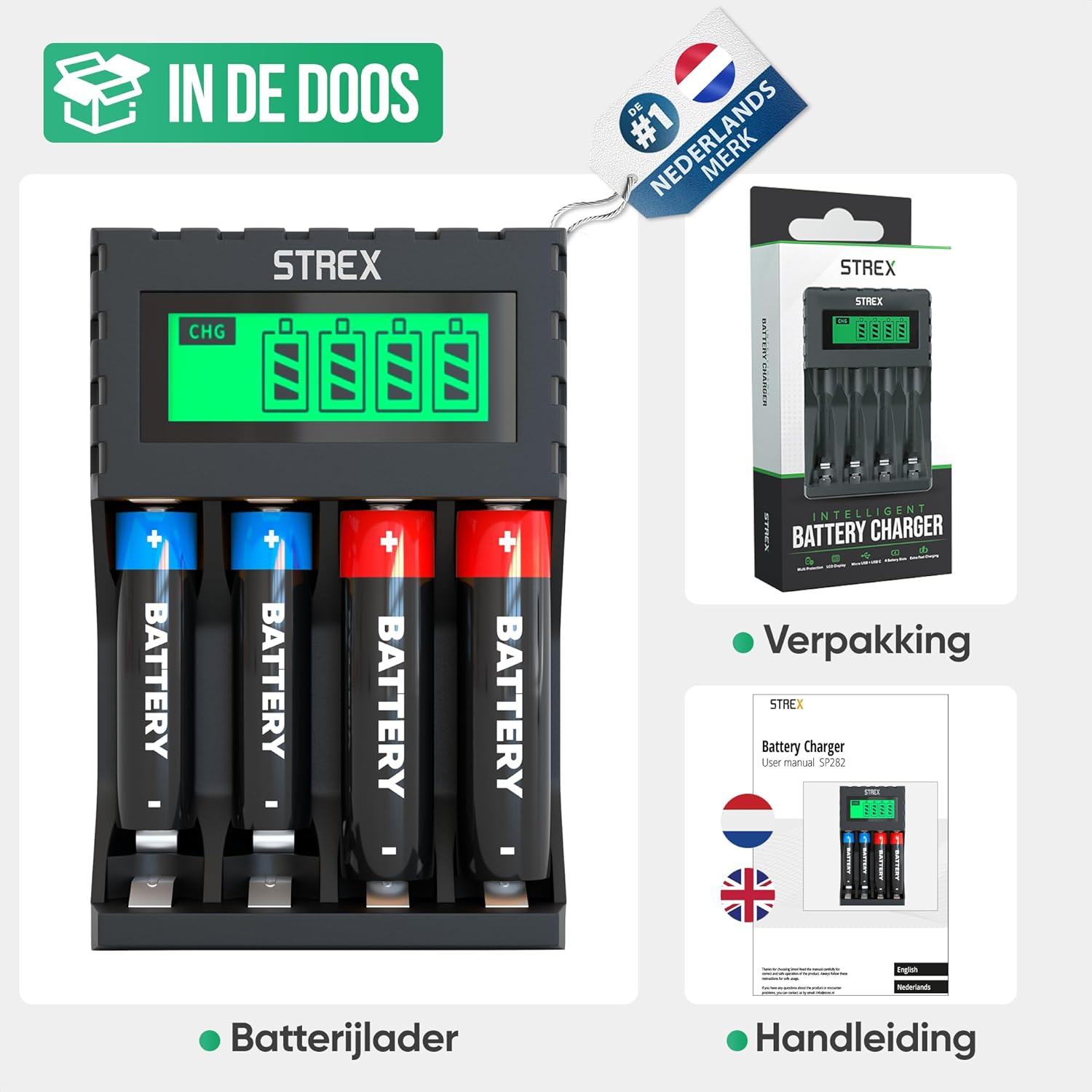
Image: What's included in the box: the battery charger, a user manual, and the product packaging.