
Einführung
Thank you for choosing the Coby Pro Fitness True Wireless Earbuds. These earbuds are designed to provide a high-quality audio experience with features tailored for an active lifestyle. They offer a secure fit, sweat resistance, noise isolation, HD audio, and seamless connectivity with Bluetooth 5.3. This manual will guide you through the setup, operation, and maintenance of your new earbuds.
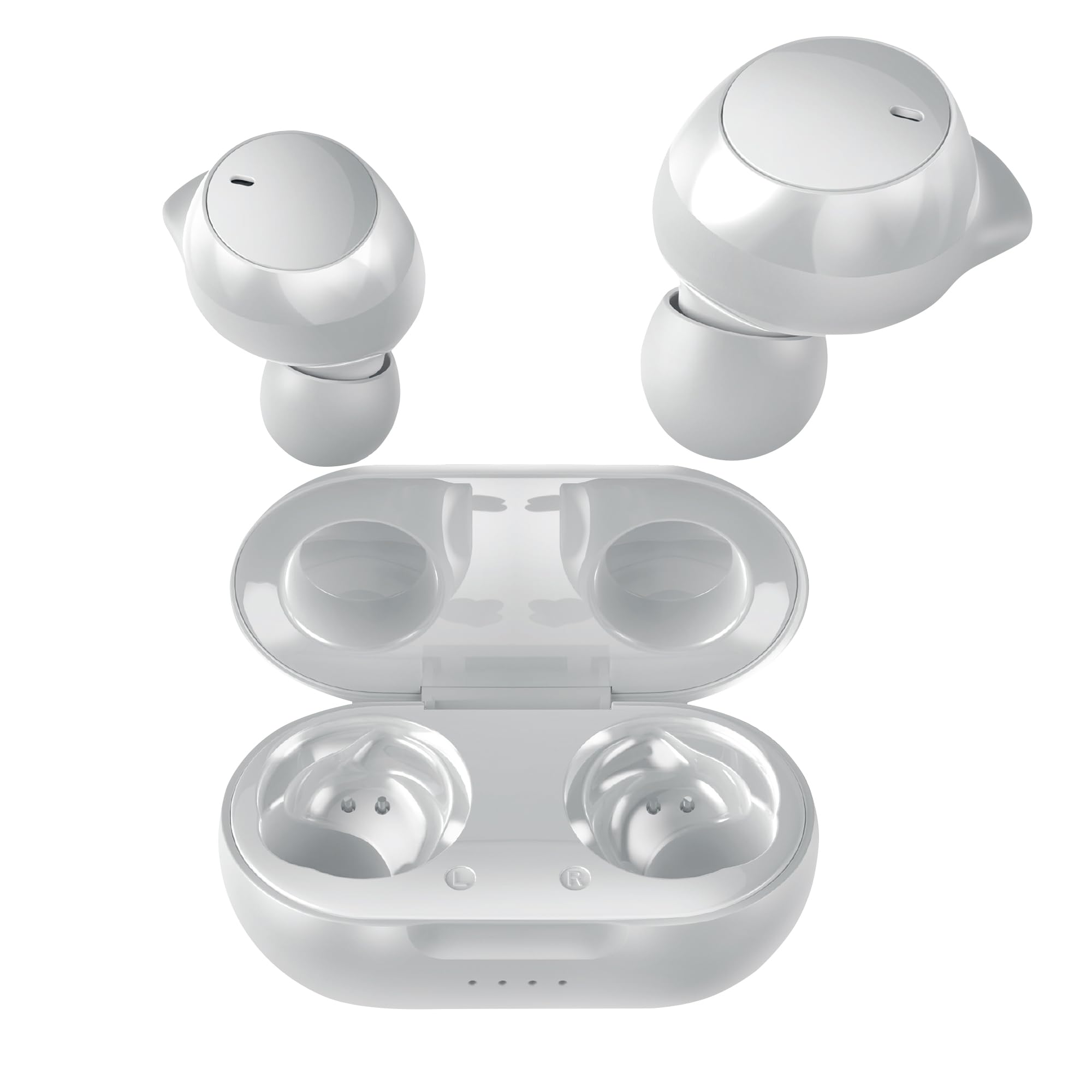
Image: Coby Pro Fitness True Wireless Earbuds and their charging case.
Aufstellen
Packungsinhalt
- Coby Pro Fitness True Wireless Earbuds (Left and Right)
- Ladeetui
- USB-Ladekabel
- Silikon-Ohrstöpsel in mehreren Größen
- Bedienungsanleitung
Aufladen der Ohrhörer und des Gehäuses
- Legen Sie die Ohrhörer in das Ladecase und achten Sie darauf, dass sie korrekt in ihren jeweiligen Schlitzen sitzen.
- Verbinden Sie das USB-Ladekabel mit dem Ladeanschluss am Gehäuse und stecken Sie das andere Ende in eine USB-Stromquelle (z. B. Netzteil, USB-Anschluss am Computer).
- The indicator lights on the charging case will illuminate to show charging status. A full charge typically takes approximately 1-2 hours for the earbuds and 2-3 hours for the case.
- Once fully charged, the indicator lights will change or turn off. Disconnect the charging cable.
Erstes Koppeln
Follow these steps to pair your earbuds with your device for the first time:
- Ensure the earbuds are charged. Open the charging case. The earbuds will automatically enter pairing mode, indicated by a flashing LED light on one or both earbuds.
- Gehen Sie auf Ihrem Smartphone, Tablet oder einem anderen Bluetooth-fähigen Gerät zu den Bluetooth-Einstellungen.
- Suchen nach available devices. You should see "Coby CETW553" or a similar name appear in the list.
- Select "Coby CETW553" to connect. Once connected, you will hear an audio prompt, and the earbud LED lights will stop flashing.

Image: Illustration of earbuds automatically pairing with a smartphone.
Tragen der Ohrhörer
For optimal sound quality and a secure fit, choose the correct size ear tips and insert the earbuds properly:
- Experiment with the different sizes of silicone ear tips provided to find the pair that creates a comfortable and snug seal in your ear canal. A good seal is crucial for noise isolation and bass response.
- Gently insert each earbud into your ear, twisting slightly until it feels secure and comfortable. The earbuds are ergonomically designed to stay in place during physical activity.

Image: A woman demonstrating the snug and secure fit of the ear tips.
Bedienung der Ohrhörer
Ein-/Ausschalten
- Einschalten: Öffnen Sie das Ladecase, die Ohrhörer schalten sich automatisch ein. Alternativ können Sie die Touch-Bedienelemente an beiden Ohrhörern 3 Sekunden lang gedrückt halten.
- Ausschalten: Legen Sie die Ohrhörer zurück in das Ladecase und schließen Sie den Deckel. Sie schalten sich automatisch aus. Alternativ können Sie die Touch-Bedienelemente an beiden Ohrhörern 5 Sekunden lang gedrückt halten.
Musikwiedergabe
- Abspielen/Pause: Tippen Sie einmal auf den Touch-Bedienbereich eines der Ohrhörer.
- Nächster Titel: Tippen Sie zweimal auf den Touch-Bedienbereich am rechten Ohrhörer.
- Vorheriges Lied: Tippen Sie zweimal auf den Touch-Bedienbereich am linken Ohrhörer.
- Lautstärke erhöhen: Tippen Sie dreimal auf den Touch-Bedienbereich am rechten Ohrhörer.
- Lautstärke runter: Tippen Sie dreimal auf den Touch-Bedienbereich am linken Ohrhörer.
Anruf-Management
- Anruf annehmen/beenden: Tippen Sie einmal auf den Touch-Bedienbereich eines der Ohrhörer.
- Anruf ablehnen: Halten Sie den Touch-Bedienbereich an einem der Ohrhörer 2 Sekunden lang gedrückt.
Sprachassistent
The earbuds are compatible with Siri and Google Assistant. To activate your device's voice assistant:
- Sprachassistenten aktivieren: Drücken und halten Sie den Touch-Bedienbereich an einem der Ohrhörer 2 Sekunden lang (wenn Sie nicht telefonieren).

Image: Earbuds shown with compatibility logos for Siri and Google Assistant.
Wartung
Reinigung
- Reinigen Sie die Ohrhörer und das Ladecase regelmäßig, um optimale Leistung und Hygiene zu gewährleisten.
- Use a soft, dry, lint-free cloth to wipe the exterior surfaces of the earbuds and case.
- For ear tips, remove them from the earbuds and wash with mild soap and water. Rinse thoroughly and allow them to dry completely before reattaching.
- Gently remove any earwax or debris from the earbud mesh using a clean, dry cotton swab or a small, soft brush. Avoid using sharp objects.
Lagerung
- Bewahren Sie die Ohrhörer bei Nichtgebrauch stets im Ladecase auf, um sie vor Beschädigungen zu schützen und geladen zu halten.
- Store the charging case and earbuds in a cool, dry place, away from extreme temperatures, humidity, and direct sunlight.
Fehlerbehebung
| Ausgabe | Lösung |
|---|---|
| Ohrhörer lassen sich nicht mit dem Gerät koppeln |
|
| Nur ein Ohrhörer funktioniert |
|
| Kein Ton oder geringe Lautstärke |
|
| Ladeetui lädt nicht |
|
Technische Daten
| Besonderheit | Detail |
|---|---|
| Modellnummer | COBY-CETW553 |
| Konnektivitätstechnologie | Kabellos (Bluetooth) |
| Bluetooth-Version | 5.3 |
| Platzierung des Ohrs | Im Ohr |
| Lärmschutz | Schallisolierung |
| Wasserbeständigkeit | Wasserabweisend (schweißfest) |
| Durchschnittliche Akkulaufzeit (Ohrhörer) | 5 Stunden (pro Ladung) |
| Frequenzbereich | 20 Hz – 20,000 Hz |
| Audiotreibertyp | Dynamischer Treiber |
| Kontrollmethode | Stimme, Berührung |
| Kompatible Geräte | Smartphones, Tablets, Smart Speakers, Laptops, Desktops |
| Material | Silikon (Ohrstöpsel) |
| Artikelgewicht | 1.4 Unzen |
Garantieinformationen
The Coby Pro Fitness True Wireless Earbuds (Model CETW553) come with a 90-tägige Herstellergarantie. This warranty covers defects in materials and workmanship under normal use. Please retain your proof of purchase for warranty claims. For specific terms and conditions, or to initiate a warranty claim, please refer to the official Coby webWebsite oder wenden Sie sich an den Kundendienst.
Unterstützung
If you encounter any issues not covered in this manual or require further assistance, please visit the official Coby website for FAQs, support resources, and contact information. You can typically find support details on the product page or in the 'Support' section of the Coby brand webWebsite.