
1. Einleitung
Welcome to the user manual for your JKZTJOF K-1028E Universal Air Conditioner Remote Control. This manual provides detailed instructions on how to set up, operate, and troubleshoot your new remote control. Please read this manual carefully before use to ensure optimal performance and longevity of your device.
The K-1028E is designed to be compatible with over 99% of air conditioner brands, offering a convenient 1000-in-1 solution. Bitte beachten Sie: This universal remote control is not compatible with WINDOW and PORTABLE air conditioner units.

Image: The K-1028E universal A/C remote control with text highlighting its compatibility with over 1000 air conditioner brands and a note about incompatibility with window and portable units.
2. Produktüberschreitungview
Hauptmerkmale
- Breite Kompatibilität: Controls over 1000 different air conditioner brands.
- Praktische Funktionen: Includes clock, timer (ON/OFF), factory default reset, fast cooling, and fast heating functions.
- Einfach zu bedienen: Simple programming methods for quick setup.
- Großbildanzeige: Clear LCD screen for easy viewEinstellung der Einstellungen.
- LED-Licht: Integrated light for use in dark environments.
- Ergonomisches Design: Liegt gut in der Hand und ist einfach zu bedienen.
Layout der Fernbedienung

Image: A detailed diagram of the K-1028E universal A/C remote control, labeling each button and display element such as temperature display, wind strength, mode key, timer keys, and set key.
The remote control features a clear LCD screen at the top, displaying temperature, mode, fan speed, and other indicators. Below the screen are various function buttons:
- LICHT-Taste: Activates the backlight for the LCD screen.
- EIN/AUS-Taste: Schaltet die Klimaanlage ein oder aus.
- TEMP +/- Keys: Passt die Temperatureinstellung an.
- Modus-Taste: Durchläuft verschiedene Betriebsmodi (z. B. Kühlen, Heizen, Lüfter, Entfeuchten, Automatik).
- F.SPEED Key: Passt die Lüftergeschwindigkeit an.
- M.SWING / A.SWING Keys: Controls manual or automatic swing of the air deflector.
- TIME ON / TIME OFF Keys: Stellt den Timer für das automatische Ein- oder Ausschalten ein.
- F.COOL / F.HEAT Keys: Activates fast cooling or fast heating modes.
- SET-Taste: Used for programming and setting functions.
- UHR-Taste: Legt die aktuelle Uhrzeit fest.
- OK-Taste: Confirms selections during programming or setting.
3. Einrichtung und Programmierung
Einlegen der Batterie
Before using the remote control, you need to install two AAA batteries (not included). Ensure correct polarity (+/-) when inserting the batteries.
- Öffnen Sie den Batteriefachdeckel auf der Rückseite der Fernbedienung.
- Insert two AAA batteries, matching the polarity indicators inside the compartment.
- Schließen Sie den Batteriefachdeckel fest.

Abbildung: Vorder- und Rückseite view of the K-1028E universal A/C remote control, showing the LCD screen, buttons, and battery compartment with manual code input instructions.
Programming Your Air Conditioner
Some air conditioners may work directly with the K-1028E remote without programming. If your air conditioner does not respond, follow one of the programming methods below. It is recommended to try the Manual Code Input method first if you know your AC brand.
Method 1: Manual Code Input
This method requires you to find the specific code for your air conditioner brand from the provided code list (usually found in the remote's packaging or on the back of the remote itself).
- Manually power on your air conditioner unit.
- Halten Sie die SATZ button on the remote control for approximately 3 seconds until the code on the LCD screen starts flashing.
- Verwenden Sie die TEMP + or TEMP - buttons to input the 3-digit code for your air conditioner brand.
- Point the remote at your air conditioner and press the EIN/AUS button repeatedly. If the air conditioner responds (e.g., turns on/off, changes mode), you have found the correct code.
- Drücken Sie die OK button to confirm and save the code. The code will stop flashing.
Method 2: Automatic Search
This method allows the remote to automatically search for a compatible code.
- Manually power on your air conditioner unit.
- Halten Sie die SATZ button for approximately 6 seconds. The code on the LCD screen will start flashing and automatically increase. The remote is now in automatic search mode.
- Point the remote at your air conditioner. The remote will send out codes one by one.
- When your air conditioner responds (e.g., turns on/off, beeps), immediately press the OK button to confirm and save the code.
Method 3: Manual Code Search
This method is similar to automatic search but allows for manual incrementing of codes.
- Manually power on your air conditioner unit.
- Halten Sie die SATZ button for approximately 3 seconds until the code on the LCD screen starts flashing.
- Drücken Sie die SATZ button repeatedly to manually cycle through the codes.
- Point the remote at your air conditioner. When your air conditioner responds, immediately press the OK button to confirm and save the code.
4. Bedienungsanleitung
Grundlegende Bedienung
- Ein-/Ausschalten: Drücken Sie die EIN/AUS Knopf zum Ein- und Ausschalten der Klimaanlage.
- Modusauswahl: Drücken Sie die MODUS button to cycle through available modes (e.g., Cool, Heat, Fan, Dry, Auto). The current mode will be displayed on the LCD screen.
- Temperatureinstellung: Verwenden Sie die TEMP + or TEMP - Tasten, um die gewünschte Temperatur zu erhöhen oder zu verringern.
- Einstellung der Lüftergeschwindigkeit: Drücken Sie die F.SPEED Taste zum Durchschalten verschiedener Lüftergeschwindigkeiten (z. B. Auto, Niedrig, Mittel, Hoch).
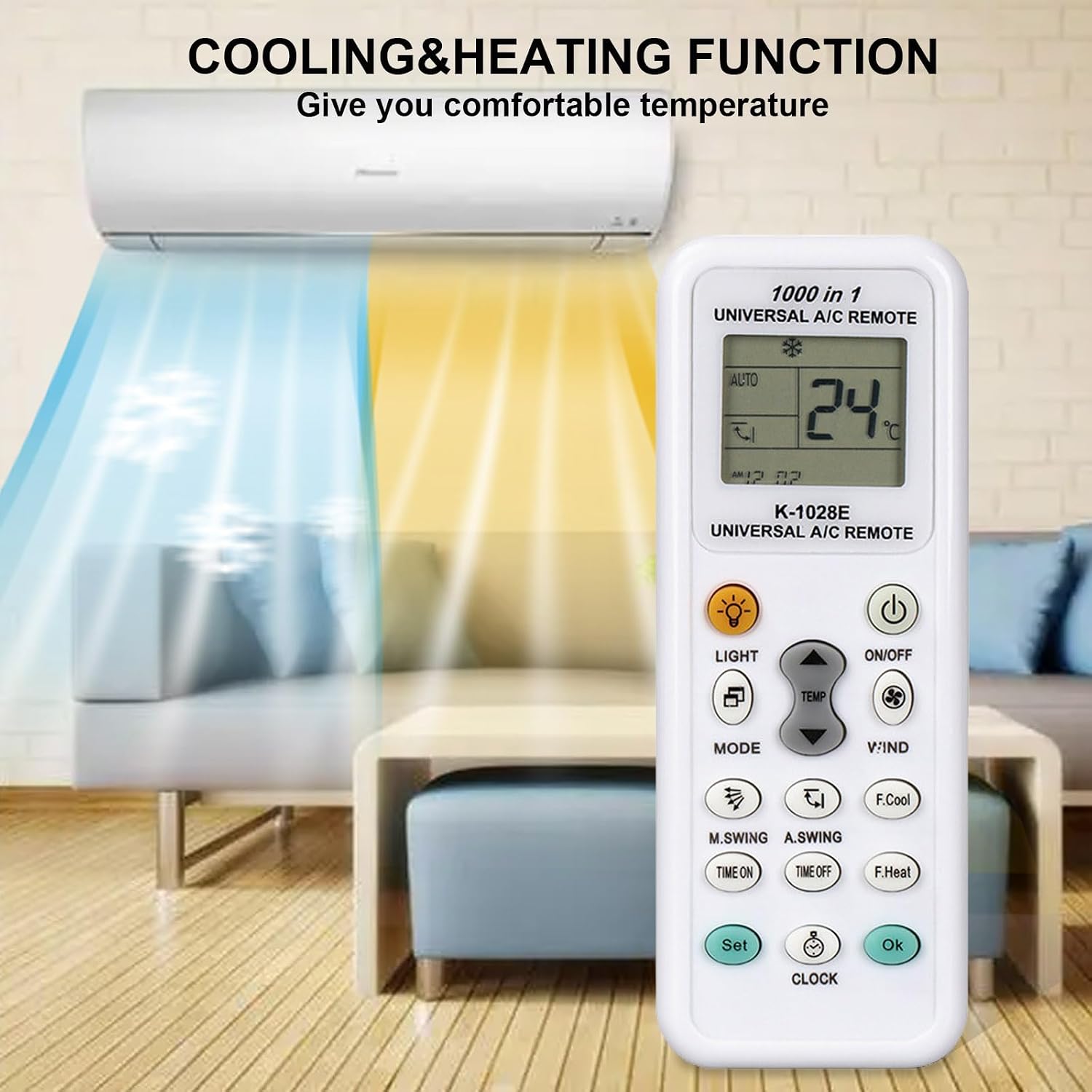
Image: The K-1028E remote control in a living room setting, illustrating its cooling and heating functions with blue and orange airflows from an air conditioner unit.
Erweiterte Funktionen
- Timer ON/OFF: Drücken ZEIT LÄUFT or AUSZEIT to set a specific time for the air conditioner to turn on or off automatically. Use TEMP + or TEMP - to adjust the time, then press OK zur Bestätigung.
- Uhreinstellung: Drücken Sie die UHR Taste, dann verwenden TEMP + or TEMP - um die aktuelle Uhrzeit einzustellen. Drücken Sie UHR wieder oder OK zur Bestätigung.
- Lichtfunktion: Drücken Sie die LICHT button to illuminate the remote's LCD screen for better visibility in low light conditions.
- Swing-Steuerung: Verwenden Sie die M.SWING (Manual Swing) or A.SWING (Automatic Swing) buttons to adjust the direction of the air deflector.
- Fast Cooling/Heating: Drücken F.COOL for rapid cooling or F.HEAT for rapid heating.

Image: The K-1028E remote control being used in a bedroom, demonstrating its long-distance control capability (up to 26 feet) and fast response time (0.2 seconds).
5. Wartung
Reinigung und Lagerung
- Reinigen Sie die Fernbedienung mit einem weichen, trockenen Tuch. Verwenden Sie keine flüssigen Reinigungsmittel oder Scheuermittel.
- Wenn die Fernbedienung längere Zeit nicht benutzt wird, sollten die Batterien entfernt werden, um ein Auslaufen und Beschädigungen zu vermeiden.
- Bewahren Sie die Fernbedienung an einem kühlen, trockenen Ort fern von direkter Sonneneinstrahlung und extremen Temperaturen auf.
6. Fehlerbehebung
Häufige Probleme und Lösungen
- Fernbedienung funktioniert nicht:
- Prüfen Sie, ob die Batterien richtig eingesetzt sind und ausreichend geladen sind. Tauschen Sie sie gegebenenfalls aus.
- Stellen Sie sicher, dass sich keine Hindernisse zwischen der Fernbedienung und dem Empfänger der Klimaanlage befinden.
- Verify that the remote is programmed with the correct code for your air conditioner. Re-program if unsure.
- Klimaanlage reagiert nicht auf Befehle:
- Vergewissern Sie sich, dass die Fernbedienung direkt auf die Klimaanlage gerichtet ist.
- The remote's operating range is approximately 26 feet (8 meters). Ensure you are within this range.
- If the air conditioner has its own power button, try operating it manually to confirm it is functioning.
- Display issues (e.g., dim screen, missing segments):
- Replace the batteries. Low battery power can affect display clarity.
- Cannot find a compatible code:
- Try all programming methods (Manual Code Input, Automatic Search, Manual Code Search).
- Ensure your air conditioner is not a window or portable unit, as these are generally not compatible.
7. Spezifikationen
Produktspezifikationen
- Modell: K-1028E
- Marke: JKZTJOF
- Kompatibilität: Universal for over 99% of air conditioner brands (not compatible with window or portable A/C units).
- Leistung: 2 x AAA-Batterien (nicht im Lieferumfang enthalten)
- Maximale Anzahl unterstützter Geräte: 1 (controls one A/C unit at a time)
- Besonderheit: Universal control with clock, timer, fast cool/heat, LED light.
- Farbe: Weiß
8. Garantie und Support
Garantieinformationen
Specific warranty details for the JKZTJOF K-1028E Universal Air Conditioner Remote Control are not provided in this manual. Please refer to the product packaging or contact your retailer for warranty terms and conditions.
Kundenservice
If you encounter any issues that cannot be resolved using the troubleshooting guide, or if you require further assistance, please contact the seller or manufacturer's customer support. Have your product model number (K-1028E) and purchase details ready when contacting support.