
1. Einleitung
This manual provides instructions for the assembly, operation, maintenance, and troubleshooting of your FLEXISPOT E6 Pro Electric Standing Desk. Please read this manual thoroughly before use to ensure proper function and safety.

Figure 1: FLEXISPOT E6 Pro Electric Standing Desk
2. Sicherheitshinweise
Wichtige Sicherheitsvorkehrungen:
- Ensure the desk is properly anchored to the wall or floor when height is adjusted, especially if loading heavy items.
- Halten Sie Kinder und Haustiere während des Betriebs vom Schreibtisch fern, um Verletzungen durch bewegliche Teile zu vermeiden.
- Do not place hands or other body parts near the lifting mechanism while the desk is in motion.
- Do not overload the desk. Refer to the specifications section for maximum weight capacity.
- Verwenden Sie ausschließlich das mitgelieferte Netzteil und die mitgelieferten Komponenten.
- If any unusual sounds or movements occur, immediately stop operation and unplug the desk.
3. Montageanleitung
Assembly is required for this product. It is recommended to have two people for assembly due to the weight and size of the components. All necessary hardware and tools are typically included. Follow the steps below for a smooth assembly process.
3.1 Auspacken und Vorbereitung
- Öffnen Sie die Verpackung vorsichtig und entnehmen Sie alle Komponenten.
- Prüfen Sie anhand der beiliegenden Teileliste, ob alle Teile vorhanden sind.
- Legen Sie alle Komponenten auf eine weiche, saubere Unterlage, um Kratzer zu vermeiden.
3.2 Rahmenmontage
Attach the desk legs to the crossbar and feet. Ensure all screws are tightened securely.
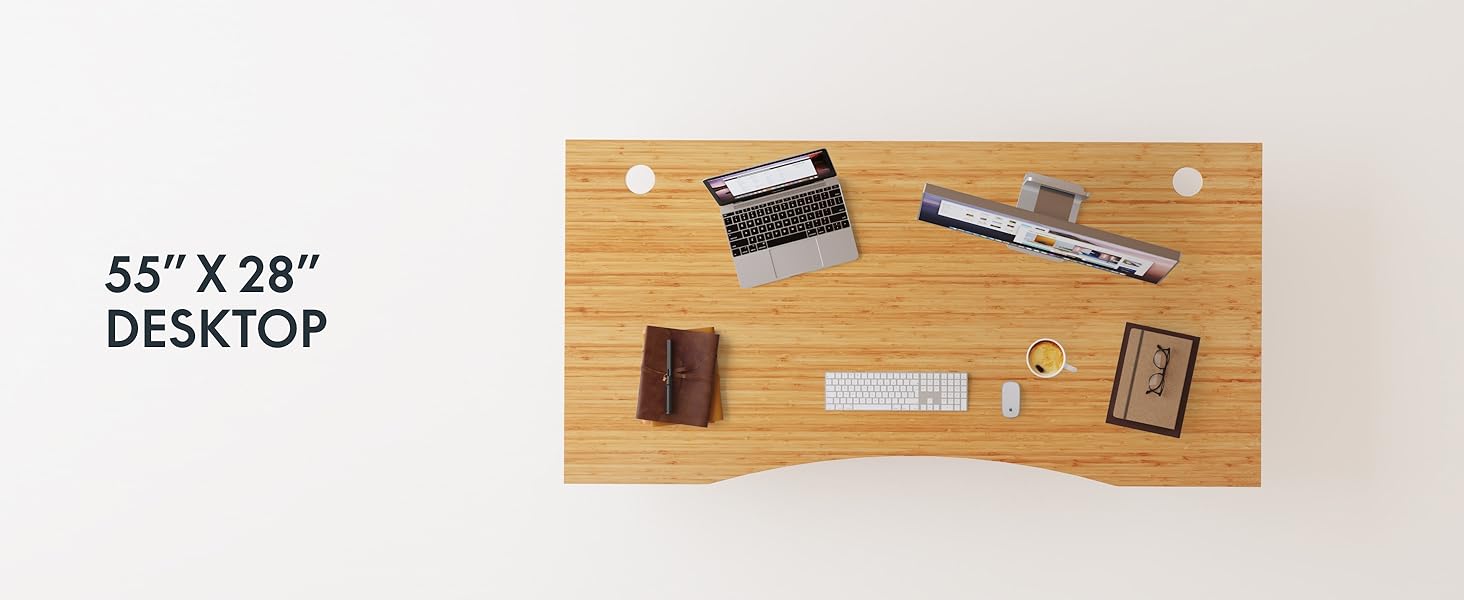
Figure 2: Desk Frame Assembly
3.3 Desktop Attachment
Carefully place the bamboo desktop onto the assembled frame. Align the pre-drilled holes and secure the desktop with the provided screws. The desktop features a curved design for ergonomic comfort.

Figure 3: Curved Bamboo Desktop
3.4 Control Panel and Cable Management
Mount the digital control panel to the underside of the desk. Connect all motor and power cables according to the diagram. Utilize the integrated cable management holes to organize wires and prevent clutter.

Figure 4: Control Panel and Cable Management

Figure 5: Cable Management Hole
4. Bedienungsanleitung
The FLEXISPOT E6 Pro desk features a user-friendly digital control panel for height adjustment and memory presets.

Abbildung 6: Digitales Bedienfeld
4.1 Einstellen der Schreibtischhöhe
- Drücken Sie die Pfeil nach oben Knopf zum Anheben des Schreibtisches.
- Drücken Sie die Pfeil nach unten Knopf zum Absenken des Schreibtisches.
- Lassen Sie den Knopf in der gewünschten Höhe los.
4.2 Einstellen von Speichervoreinstellungen
The control panel allows you to save up to two preferred height settings.
- Stellen Sie den Schreibtisch auf die gewünschte Höhe ein.
- Drücken Sie die "M" Taste. Die Anzeige blinkt.
- Drücken Sie entweder die "1" or "2" button within 3 seconds to save the current height to that preset.
- Um eine gespeicherte Höhe abzurufen, drücken Sie einfach die entsprechende Taste. "1" or "2" Durch Drücken dieser Taste fährt der Schreibtisch automatisch in die gespeicherte Position.
4.3 USB-Ladeanschluss
A USB port is integrated into the control panel for convenient charging of your devices.
4.4 Antikollisionsfunktion
The desk is equipped with an anti-collision system that automatically stops and slightly reverses movement if it encounters an obstruction during height adjustment. This feature helps prevent damage and injury.

Abbildung 7: Antikollisionssystem in Aktion
5. Wartung
Regelmäßige Wartung gewährleistet die Langlebigkeit und optimale Leistung Ihres Stehtisches.
- Reinigung: The bamboo desktop has a smooth, waterproof surface, making it easy to clean. Use a soft, damp cloth with mild soap to wipe down the surface. Avoid abrasive cleaners or harsh chemicals.
- Inspektion: Überprüfen Sie regelmäßig alle Schrauben und Verbindungen auf festen Sitz. Ziehen Sie sie gegebenenfalls nach.
- Kabelmanagement: Ensure cables are neatly organized and not pinched or tangled, which could affect desk operation.

Figure 8: Waterproof Bamboo Surface
6. Fehlerbehebung
If you encounter issues with your FLEXISPOT E6 Pro desk, refer to the following common problems and solutions:
| Problem | Mögliche Ursache | Lösung |
|---|---|---|
| Der Schreibtisch bewegt sich nicht. | Stromkabel nicht angeschlossen, Bedienfeld verriegelt oder Motorfehler. | Check power connections. Unlock control panel if applicable. Unplug for 10 seconds and plug back in to reset. |
| Ungleichmäßige Höhenverstellung. | Uneven load, loose connections, or motor synchronization issue. | Ensure weight is evenly distributed. Check all frame connections. Perform a reset procedure (refer to full manual if available). |
| Desk stops unexpectedly. | Anti-collision system activated, or overload. | Check for obstructions. Reduce weight on the desk if exceeding maximum capacity. |
| Geräusche während des Betriebs. | Loose components or normal motor sound. | Tighten all screws. A low hum from the dual motors (less than 45 dB) is normal. |
If the problem persists, please contact FLEXISPOT customer support.
7. Spezifikationen
| Besonderheit | Detail |
|---|---|
| Marke | FLEXISPOT |
| Modellnummer | ET365 |
| Technische Daten | 77.9"T x 29.5"B x 23.6"H |
| Desktopgröße | 78"x30" Whole-piece |
| Farbe | Black Frame + Curved Bamboo Top |
| Grundmaterial | Metall |
| Top-Materialtyp | Holz (Bambus) |
| Hebemechanismus | Electric Dual Motor |
| Mindesthöhe | 23.6 Zoll |
| Maximale Höhe | 48.8 Zoll |
| Maximalgewichtsempfehlung | 352 Pfund |
| Geräuschpegel | Weniger als 45 dB |
| Erforderliche Montage | Ja |
8. Garantie und Support
8.1 Garantieinformationen
FLEXISPOT provides the following warranty coverage for your E6 Pro Electric Standing Desk:
- 10-jährige Abdeckung: Desk frame and motor.
- 2-jährige Abdeckung: Control panel and electronics.
Diese Garantie deckt Herstellungsfehler und Funktionsstörungen bei normalem Gebrauch ab. Bitte bewahren Sie Ihren Kaufbeleg für Garantieansprüche auf.
8.2 Kundendienst
For any assistance, questions, or warranty claims, please contact FLEXISPOT customer support. You can find more information and contact details on the official FLEXISPOT webWebsite oder über Ihre Einkaufsplattform.
Visit the official FLEXISPOT Store: FLEXISPOT Store auf Amazon