
1. Einleitung
The TECLAST M50 is a 10.1-inch Android 13 tablet designed for versatile use, from entertainment to productivity. It features an Octa-Core processor, 12GB RAM, 128GB internal storage expandable up to 1TB, and supports Dual SIM 4G LTE connectivity. This manual provides essential information for setting up, operating, maintaining, and troubleshooting your device.
2. Lieferumfang
Upon unboxing your TECLAST M50 tablet, please ensure all the following items are present:
- TECLAST M50 Tablet
- Netzteil (Ladegerät)
- USB-Typ-C-Kabel
- SIM-Auswerferwerkzeug
- Bedienungsanleitung
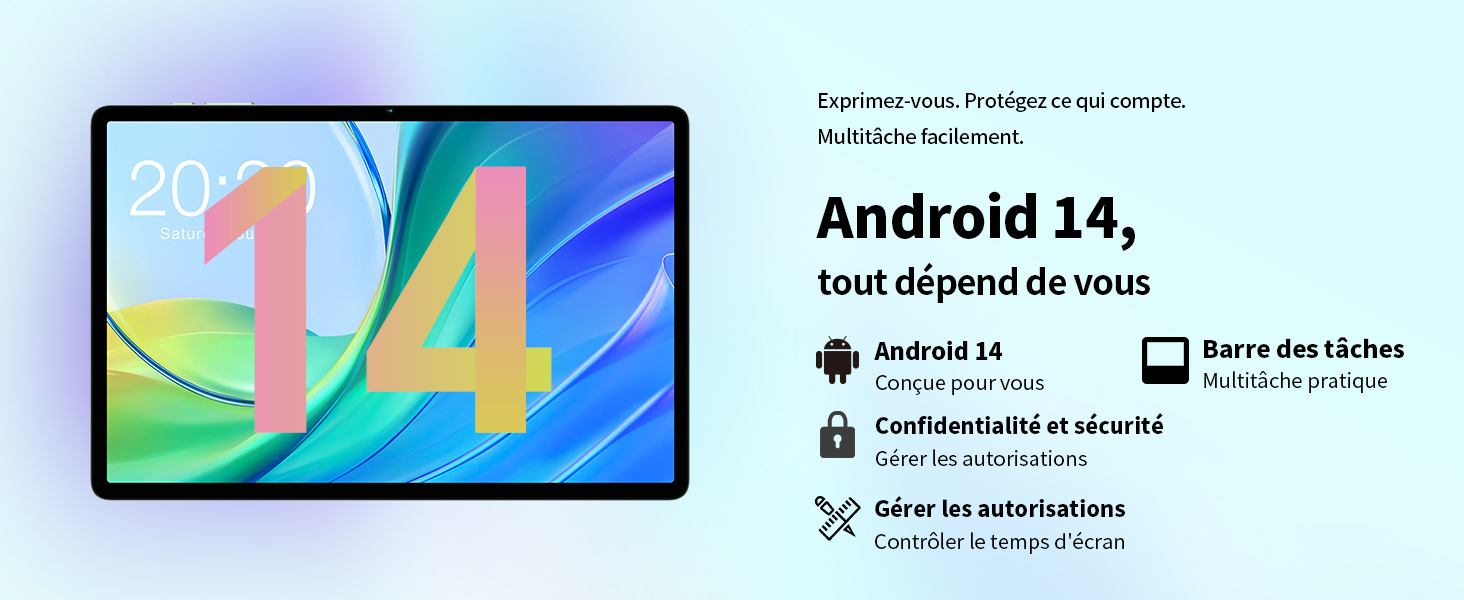
Image: Contents of the TECLAST M50 tablet box, showing the tablet, power adapter, USB cable, SIM ejector tool, and user manual.
3. Produktüberschreitungview
The TECLAST M50 tablet features a sleek design with a 10.1-inch display and a lightweight build of approximately 460 grams. It measures 23L x 20l x 1Ép centimeters. Familiarize yourself with the tablet's physical components:

Image: TECLAST M50 tablet from various angles, illustrating the location of the power button, volume controls, USB-C port, 3.5mm headphone jack, and speaker grilles.
Schlüsselkomponenten:
- Netzschalter: Befindet sich an der Seite und dient zum Ein-/Ausschalten bzw. zum Aktivieren/Deaktivieren des Geräts.
- Lautstärketasten: Passen Sie die Lautstärke an.
- USB-Typ-C-Anschluss: Zum Aufladen und zur Datenübertragung.
- 3.5mm Kopfhörerbuchse: Schließen Sie kabelgebundene Kopfhörer an.
- Lautsprechergitter: Four stereo speakers for enhanced audio output.
- Frontkamera: 5MP camera for video calls and facial unlock.
- Rückfahrkamera: 13-Megapixel-Kamera für Fotos und Videos.
- SIM-/MicroSD-Kartensteckplatz: Insert SIM cards for cellular connectivity and a MicroSD card for expanded storage.
4. Einrichtung
4.1 Erstaufladung
Before first use, it is recommended to charge the TECLAST M50 tablet for at least 30 minutes. Connect the USB Type-C cable to the tablet's charging port and the power adapter to a wall outlet. The battery icon on the screen will indicate charging status.
4.2 Ein-/Ausschalten
- So schalten Sie das Gerät ein: Halten Sie den Ein-/Ausschalter gedrückt, bis das TECLAST-Logo erscheint.
- So schalten Sie das Gerät aus: Halten Sie die Ein-/Aus-Taste gedrückt, bis das Menü mit den Energieoptionen erscheint, und wählen Sie dann „Ausschalten“.
- Neustarten: Halten Sie die Ein-/Aus-Taste gedrückt und wählen Sie dann „Neustart“.
4.3 Einlegen von SIM- und microSD-Karten
The TECLAST M50 supports dual SIM cards for 4G LTE connectivity and a MicroSD card for storage expansion up to 1TB.
- Suchen Sie den SIM-/MicroSD-Kartensteckplatz an der Seite des Tablets.
- Führen Sie das SIM-Auswurfwerkzeug in die kleine Öffnung neben dem Fach ein und drücken Sie vorsichtig, bis das Fach herausspringt.
- Carefully place your Nano-SIM cards and/or MicroSD card into the designated slots on the tray. Ensure the gold contacts are facing down and the cards are correctly oriented.
- Drücken Sie die Schale vorsichtig wieder in das Tablet, bis sie einrastet.

Image: Illustration of inserting SIM cards and a MicroSD card into the tablet's tray.
4.4 Erste Android-Einrichtung
After powering on for the first time, follow the on-screen prompts to complete the initial setup process. This includes selecting your language, connecting to a Wi-Fi network, signing in with your Google account, and setting up security features like facial unlock.
5. Bedienungsanleitung
5.1 Anzeigefunktionen
The TECLAST M50 features a 10.1-inch TDDI HD display with a resolution of 1280x800 pixels. The TDDI technology integrates touch sensors directly into the LCD, providing a more responsive touch experience. It also supports Widevine L1, allowing for high-definition streaming from platforms like Disney+ and Amazon Prime Video.

Image: Visual representation of the TECLAST M50's 10.1-inch HD display with 1280x800 resolution and IPS wide viewing-Winkel.
5.2 Leistung und Speicherung
Powered by an Octa-Core UNISOC T606 processor and Mali-G57 GPU, the M50 delivers efficient performance. It comes with 6GB of RAM, expandable to 12GB using virtual memory technology, and 128GB of internal storage. Storage can be further expanded up to 1TB via a MicroSD card.

Image: Details of the UNISOC T606 Octa-Core processor and Mali-G57 graphics processor.

Image: Information on RAM and ROM capacity, including expandable storage options.
5.3 Konnektivität
Stay connected with the TECLAST M50's comprehensive connectivity options:
- Dual-SIM 4G LTE: Supports TD-LTE and FDD-LTE networks for mobile data and VoLTE calls.
- Dualband-WLAN: Connect to 2.4GHz and 5GHz Wi-Fi networks (802.11ac).
- Bluetooth 5.0: Zum Anschließen von drahtlosem Zubehör wie Kopfhörern und Tastaturen.
- GPS Navigation: Supports GPS, BeiDou, GLONASS, and Galileo for accurate positioning.

Bild: Überview of Wi-Fi, Bluetooth, and 4G LTE capabilities.

Image: Tablet showing GPS navigation in use.
5.4-Kamera-Funktionalität
The M50 is equipped with a 13MP rear camera and a 5MP front camera. The rear camera features AI-based auxiliary optimization for improved focus and image results, especially in low-light conditions. The 5MP front camera supports facial unlock for convenient device access.

Image: Details of the tablet's front and rear cameras.
5.5 Audiosystem
Experience immersive sound with the M50's Momentum III audio system, featuring four stereo speakers and a Smart K amplifier for clear and rich audio output.

Image: Representation of the tablet's 4-speaker audio system.
5.6 Android 13 Funktionen
The tablet runs on Android 13, offering enhanced privacy controls, a convenient taskbar for multitasking, and improved permission management. It also includes features for parental controls to manage screen time and application access.

Image: Android 13 interface showcasing privacy and multitasking features.

Image: Parental control interface for managing tablet usage.
6. Wartung
6.1 Batteriepflege
The TECLAST M50 is equipped with a 6000mAh battery, providing up to 15 hours of usage. To maximize battery life:
- Vermeiden Sie extreme Temperaturen.
- Verwenden Sie das mitgelieferte Ladegerät und Kabel.
- Vermeiden Sie es, den Akku häufig vollständig zu entladen.
- Für die Langzeitlagerung laden Sie das Tablet auf etwa 50 % auf und schalten Sie es aus.

Image: Battery capacity and charging method.
6.2 Reinigung
Reinigen Sie Ihr Tablet mit einem weichen, fusselfreien Tuch. Hartnäckige Flecken lassen sich leicht mit einem feuchten Tuch entfernen.ampBefeuchten Sie das Tuch mit Wasser oder einem Bildschirmreiniger, der speziell für Elektronikgeräte entwickelt wurde. Vermeiden Sie die Verwendung von scharfen Chemikalien oder scheuernden Materialien.
6.3 Softwareaktualisierungen
Periodically check for system updates to ensure your tablet has the latest features and security patches. Navigate to Einstellungen > System > Systemupdate um verfügbare Updates zu überprüfen und zu installieren.
7. Fehlerbehebung
If you encounter issues with your TECLAST M50 tablet, try the following basic troubleshooting steps:
- Gerät lässt sich nicht einschalten: Stellen Sie sicher, dass der Akku geladen ist. Schließen Sie das Ladegerät an und warten Sie einige Minuten, bevor Sie versuchen, das Gerät erneut einzuschalten.
- Bildschirm eingefroren oder reagiert nicht: Um einen Neustart zu erzwingen, halten Sie den Netzschalter etwa 10-15 Sekunden lang gedrückt.
- Probleme mit der WLAN-/Bluetooth-Verbindung: Try toggling Wi-Fi/Bluetooth off and on. Restart your tablet and/or your router/Bluetooth device.
- Apps stürzen ab: Löschen Sie den Cache und die Daten der betroffenen App (Einstellungen > Apps > [App-Name] > Speicher > Cache leeren/Daten löschen). Sollte das Problem weiterhin bestehen, deinstallieren Sie die App und installieren Sie sie anschließend neu.
- Langsame Leistung: Schließen Sie unnötige Hintergrund-Apps. Löschen Sie die zwischengespeicherten Daten. Erwägen Sie als letzten Ausweg einen Werksreset (sichern Sie vorher Ihre Daten).
- SIM-Karte nicht erkannt: Ensure the SIM card is correctly inserted and activated with your carrier. Restart the tablet.
For more complex issues, refer to the official TECLAST support resources.
8. Spezifikationen
| Besonderheit | Spezifikation |
|---|---|
| Modellname | TECLAST M50 |
| Betriebssystem | Android 13 |
| Prozessor | UNISOC T606 Octa-Core (1.6 GHz) |
| Grafikprozessor | Mali-G57 MP1 |
| RAM | 12 GB (6 GB physischer Speicher + 6 GB Erweiterungsspeicher) |
| Interner Speicher | 128 GB |
| Erweiterbarer Speicher | MicroSD bis zu 1 TB |
| Bildschirmgröße | 10.1 Zoll |
| Bildschirmauflösung | 1280x800 Pixels (TDDI, IPS) |
| Rückfahrkamera | 13 Megapixel |
| Frontkamera | 5 Megapixel |
| Batteriekapazität | 6000 mAh (22 Wh) |
| Akkulaufzeit (Durchschnitt) | 15 Stunden |
| Konnektivität | 4G LTE (Dual SIM), Wi-Fi (802.11ac), Bluetooth 5.0 |
| Navigation | GPS, BeiDou, GLONASS, Galileo |
| Audio | 4 Stereo Speakers (Momentum III) |
| Häfen | 1x USB Type-C, 1x 3.5mm Headphone Jack |
| Gewicht | 460 Gramm |
| Abmessungen (L x B x H) | 23 x 20 x 1 cm |
9. Garantie und Support
9.1 Garantieinformationen
The TECLAST M50 tablet comes with a manufacturer's warranty of 1 Jahr Diese Garantie gilt ab Kaufdatum und deckt Material- und Verarbeitungsfehler bei normalem Gebrauch ab. Bitte bewahren Sie Ihren Kaufbeleg für Garantieansprüche auf.
9.2 Kundendienst
For any questions, technical assistance, or warranty inquiries, please contact TECLAST customer support. Our team provides professional advice and aims to respond to all inquiries within one working day. You can find contact information on the official TECLAST webWebsite oder über Ihren Händler.
Online-Ressourcen: For additional support and FAQs, please visit the official TECLAST webWebsite: TECLAST Markenshop