
Einführung
Vielen Dank für Ihren Einkauf.asing the SNAKEBYTE GAMEPAD RGB X SB922312 wired controller. This manual provides essential information for setting up, operating, and maintaining your new gaming controller. Please read this manual thoroughly before use to ensure optimal performance and longevity of your device.

Front view of the SNAKEBYTE GAMEPAD RGB X SB922312 wired controller, showcasing dank seines ergonomischen Designs und der Tastenanordnung.
Packungsinhalt
Überprüfen Sie, ob alle Artikel im Paket vorhanden sind:
- SNAKEBYTE GAMEPAD RGB X SB922312 Wired Controller
- USB-C Cable (3 meters)
- Benutzerhandbuch (dieses Dokument)
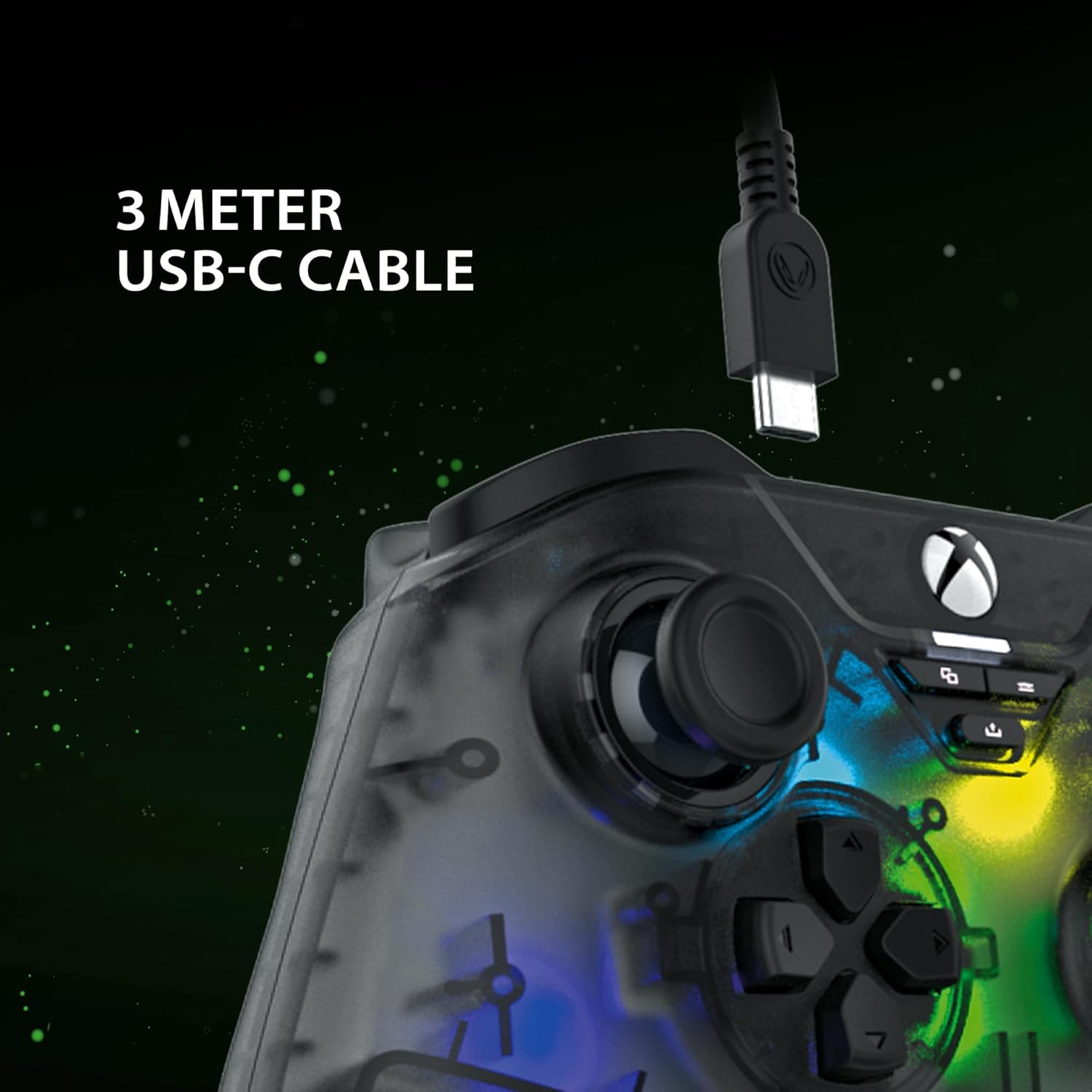
The included 3-meter USB-C cable for connecting the controller to your device.
Installationsanweisungen
- Connect to Xbox Series X:
- Plug the USB-C end of the cable into the controller.
- Plug the USB-A end of the cable into an available USB port on your Xbox Series X console.
- Der Controller verbindet sich automatisch und ist sofort einsatzbereit.
- Mit PC verbinden:
- Plug the USB-C end of the cable into the controller.
- Stecken Sie das USB-A-Ende des Kabels in einen freien USB-Anschluss Ihres PCs.
- Your PC should automatically detect and install the necessary drivers. If not, please visit the SNAKEBYTE support webWebsite für Treiber-Downloads.
- The controller is compatible with Windows operating systems.
Bedienungsanleitung
Tastenlayout und Funktionen
The controller features a standard Xbox-style button layout. Familiarize yourself with the following components:
- Analogsticks: Zwei klickbare Analogsticks für präzise Bewegungs- und Kamerasteuerung.
- Steuerkreuz: Directional pad for menu navigation and specific game inputs.
- Aktionsschaltflächen (A, B, X, Y): Standard-Aktionsknöpfe für In-Game-Befehle.
- Schulterknöpfe (LB, RB): Located on the top edge for quick actions.
- Auslöser (LT, RT): Analog triggers for variable input, such as acceleration or aiming.
- View Taste: Zugriff auf In-Game-Karten oder Menüs.
- Menü-Schaltfläche: Zugriff auf Spielmenüs oder Systemoptionen.
- Xbox-Taste: Power on/off the console or access the Xbox Guide.
- Teilen Knopf: Capture screenshots or record game clips.
- 3.5-mm-Kopfhörerbuchse: Connect a compatible headset for audio and chat.

The 3.5mm headset jack located at the bottom of the controller for audio connectivity.
RGB-Beleuchtungssteuerung
The controller features customizable RGB lighting. Specific buttons or combinations of buttons can be used to cycle through different static and dynamic color modes. Refer to the controller's dedicated RGB control button (if present) or the manufacturer's software for detailed customization options.

The controller displaying its customizable RGB lighting effects.
Hauptmerkmale
- Hall-Effekt-Sensoren: The analog sticks and triggers utilize Hall Effect sensors, which provide precise input and reduce wear, minimizing stick drift over time.
- Anpassbare RGB-Beleuchtung: Personalize your gaming experience with multiple static and dynamic RGB color modes.
- Kabelgebundene Konnektivität: Ensures a stable, low-latency connection for competitive gaming.
- 3.5-mm-Kopfhörerbuchse: Conveniently connect your gaming headset directly to the controller.
- High Polling Rate (PC): Offers a 1000 Hz polling rate on PC for ultra-responsive input.

An illustration of the Hall Effect sensor technology used in the analog sticks for enhanced precision and durability.

The Hall Effect triggers, designed for responsive and accurate input.
Wartung
Proper maintenance ensures the longevity of your controller:
- Reinigung: Verwenden Sie ein weiches, trockenes Tuch, um den Controller abzuwischen. Bei hartnäckigem Schmutz leicht andrücken.ampBefeuchten Sie das Tuch mit Wasser. Vermeiden Sie aggressive Chemikalien oder scheuernde Materialien.
- Lagerung: Bewahren Sie den Controller an einem kühlen, trockenen Ort fern von direkter Sonneneinstrahlung und extremen Temperaturen auf.
- Kabelpflege: Avoid bending or twisting the USB-C cable excessively. Always grasp the plug, not the cable, when disconnecting.
Fehlerbehebung
| Problem | Lösung |
|---|---|
| Controller wird von Xbox/PC nicht erkannt. |
|
| Die Tasten oder Analogsticks reagieren nicht. |
|
| Headset audio not working. |
|
Technische Daten
| Besonderheit | Detail |
|---|---|
| Modellnummer | SB922312 |
| Konnektivität | Wired USB (USB-C to USB-A cable) |
| Kabellänge | 3 Meter |
| Kompatibilität | Xbox Series X, PC (Windows) |
| Besondere Merkmale | RGB Lighting, Hall Effect Sensors (sticks & triggers), 3.5mm Headset Jack |
| Wahlbeteiligung (PC) | 1000 Hz |
| Anzahl der Tasten | 17 |
| Maße | 10 x 5 x 1.27 cm |
| Gewicht | 250 g |
| Materialtyp | Acryl |
Offizielles Produktvideo
Dieses Video bietet eine 360-Grad-Ansicht. view of the SNAKEBYTE GAMEPAD RGB X SB922312 controller, showcasing sein Design aus allen Blickwinkeln.
Garantie und Support
For warranty information, technical support, or further assistance, please visit the official SNAKEBYTE webBesuchen Sie die Website oder kontaktieren Sie den Kundenservice. Bewahren Sie Ihren Kaufbeleg für Garantieansprüche auf.
Hersteller: SNAKEBYTE
WebWebsite: www.snakebyte.com (Examp(der tatsächliche Link kann abweichen)