
1. Einleitung
This manual provides essential instructions for the safe and effective operation of your Andoer H8 Compact Digital Camera. Please read this manual thoroughly before using the camera and retain it for future reference.
2. Sicherheitshinweise
Um einen sicheren Betrieb zu gewährleisten, beachten Sie bitte die folgenden Vorsichtsmaßnahmen:
- Setzen Sie die Kamera weder Wasser noch Feuchtigkeit aus.
- Vermeiden Sie es, die Kamera fallen zu lassen oder starken Stößen auszusetzen.
- Setzen Sie die Kamera keinen extremen Temperaturen aus.
- Versuchen Sie nicht, die Kamera selbst zu zerlegen oder zu reparieren. Wenden Sie sich an qualifiziertes Servicepersonal.
- Use only the specified charging cable and battery.

Bildbeschreibung: A red triangular warning symbol with an exclamation mark, accompanied by text in multiple languages warning to keep plastic bags away from babies and children to prevent suffocation.
3. Packungsinhalt
Überprüfen Sie, ob alle Artikel im Paket vorhanden sind:
- Andoer H8 Digital Camera
- Typ-C-Kabel
- Schlüsselband
- Bedienungsanleitung

Bildbeschreibung: A pink Andoer H8 compact digital camera, displayed with its front and back sides visible, highlighting its compact design and screen.
4. Kamera überview
Machen Sie sich mit den Komponenten der Kamera vertraut:
- Linse: Nimmt Bilder und Videos auf.
- Blitz: Sorgt für Beleuchtung bei schwachen Lichtverhältnissen.
- 2.8-Zoll-IPS-Display: Für viewing menus, photos, and videos.
- Netzschalter: Schaltet die Kamera ein/aus.
- Auslöser: Fotos machen.
- Zoom-Steuerung: Adjusts 8x digital zoom.
- Navigationstasten: Zur Menünavigation und -auswahl.
- Modus-Taste: Switches between photo, video, game, and music modes.
- USB-C-Anschluss: Zum Aufladen und zur Datenübertragung.
- TF-Karten-Slot: Zum Einlegen der Speicherkarte.

Bildbeschreibung: An illustration showing the Andoer H8 camera in four different colors (Purple, Blue, Black, Pink) and icons representing its main functions: Photo, Video, Game, Music, and Flash lamp.
5. Einrichtung
5.1. Laden des Akkus
- Connect the supplied Type-C cable to the camera's USB-C port.
- Verbinden Sie das andere Ende des Kabels mit einem USB-Netzteil (nicht im Lieferumfang enthalten) oder einem USB-Anschluss Ihres Computers.
- The charging indicator will illuminate. Charging typically takes 2-4 hours.
- Sobald der Akku vollständig geladen ist, kann sich die Kontrollleuchte verändern oder ausschalten.
5.2. Inserting a Memory Card (TF Card)
The camera supports TF cards up to 32GB (not included).
- Suchen Sie den TF-Kartensteckplatz an der Kamera.
- Stecken Sie die TF-Karte so ein, dass die Metallkontakte nach unten zeigen, bis sie einrastet.
- Zum Herausnehmen die Karte vorsichtig drücken, bis sie herausspringt.
6. Bedienungsanleitung
6.1. Ein-/Ausschalten
- Halten Sie zum Einschalten die Ein-/Aus-Taste gedrückt.
- Zum Ausschalten die Ein-/Aus-Taste erneut gedrückt halten.
6.2. Fotos machen
- Turn on the camera and ensure it is in Photo mode (indicated by an icon on the screen).
- Frame your shot using the 2.8-inch IPS display.
- Use the zoom controls to adjust the 8x digital zoom.
- Drücken Sie den Auslöser, um das Bild aufzunehmen.

Bildbeschreibung: A pink Andoer H8 camera showing a high-definition image on its screen, with text indicating "4800W shot in HD" and "8000x6000 HD resolution," demonstrating its photo capabilities.
6.3. Videos aufnehmen
- Switch the camera to Video mode.
- Drücken Sie den Auslöser, um die Aufnahme zu starten. Eine Aufnahmeanzeige erscheint auf dem Bildschirm.
- Drücken Sie den Auslöser erneut, um die Aufnahme zu stoppen.

Bildbeschreibung: A pink Andoer H8 camera displaying a live video recording on its screen, with "1080P Video recording" and "Recording the good times" text, illustrating its video capture function.
6.4. Wiedergabe
- In Photo or Video mode, press the Playback button (usually indicated by a triangle icon) to enter playback mode.
- Nutzen Sie die Navigationsschaltflächen, um durch Ihre Fotos und Videos zu blättern.
- Press the OK/Enter button to view ein Foto oder ein Video abspielen.
6.5. Special Features: Stickers, Frames, and Filters
Verbessern Sie Ihre Fotos mit integrierten Kreativoptionen:
- Access these features through the camera's menu settings, typically found in Photo mode.
- Select from 40 kinds of head stickers, 26 photo frames, and 6 filters to customize your images before or after capture (depending on camera firmware).

Bildbeschreibung: A collage demonstrating various creative options available on the camera, including 40 types of cute head stickers, 26 adorable photo frames, and 6 filters, applied to different child portraits.
6.6. Musikwiedergabe
Die Kamera unterstützt die Wiedergabe von MP3-Musik.
- MP3 übertragen files auf die TF-Karte.
- Switch the camera to Music mode.
- Use the navigation buttons to select and play music.
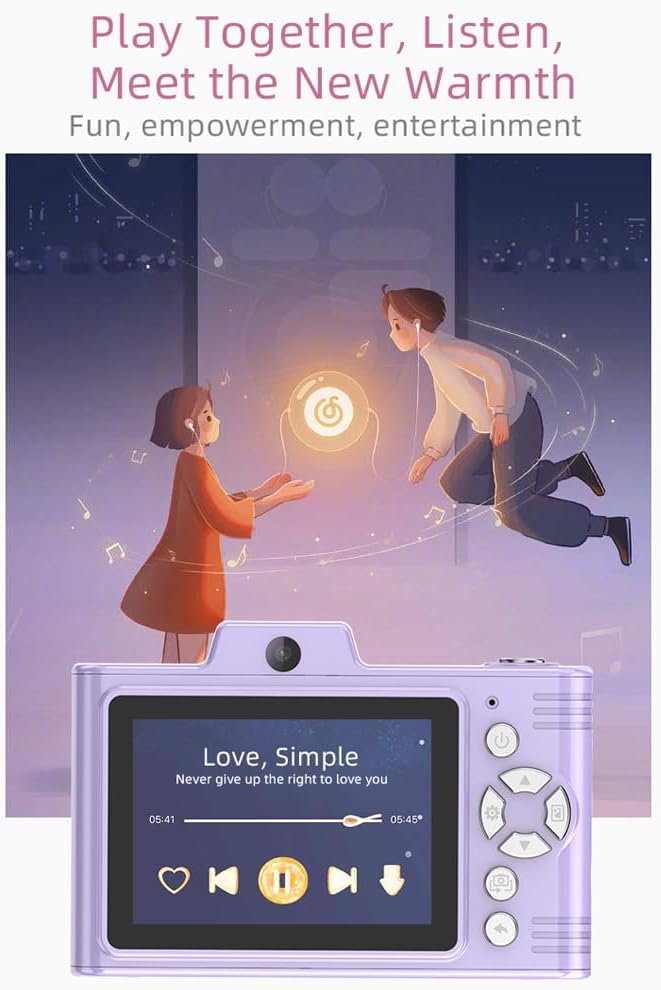
Bildbeschreibung: A purple Andoer H8 camera showing a music player interface on its screen, with song title "Love, Simple" and playback controls, indicating its music playback capability.
6.7. Connecting to a Computer / Transferring Files
You can transfer photos and videos to a computer or phone.
- Connect the camera to your computer using the Type-C cable.
- The camera should appear as a removable disk.
- Ziehen und Ablegen files auf Ihren Computer.
- For phone transfer, use an OTG adapter (not included) if your phone supports OTG functionality.
7. Wartung
- Reinigung: Use a soft, dry cloth to clean the camera body. For the lens, use a specialized lens cleaning cloth.
- Lagerung: Store the camera in a cool, dry place away from direct sunlight and dust. Remove the battery if storing for extended periods.
8. Fehlerbehebung
| Problem | Mögliche Lösung |
|---|---|
| Die Kamera lässt sich nicht einschalten. | Stellen Sie sicher, dass der Akku geladen ist. Setzen Sie den Akku wieder ein. |
| Es dürfen keine Fotos/Videos aufgenommen werden. | Check if a TF card is inserted and has sufficient space. Ensure camera is in the correct mode. |
| Bilder sind verschwommen. | Clean the lens. Ensure adequate lighting. Hold the camera steady. |
| Die Kamera friert ein. | Um die Kamera zurückzusetzen, nehmen Sie die Batterie heraus und setzen Sie sie wieder ein. |
9. Spezifikationen
| Besonderheit | Detail |
|---|---|
| Produktmodell | H8 |
| Anzeigebildschirm | 2.8-Zoll-IPS |
| Fotopixel | Bis zu 48MP |
| Videoauflösung | 1080P HD |
| Digital Zoom | 8x |
| File Format | JPG/AVI/MP3 |
| Ladezeit | Ca. 2-4 Stunden |
| Batteriekapazität | 700 mAh, 3.7 V |
| Produktgewicht | 110g |
| Produktgröße | 105.5 x 72 x 46 mm |
| Ladevolumentage | Gleichstrom 5 V, 1 A |
| Speicherunterstützung | TF card (max 32GB) |
| Besondere Merkmale | 40 Head Stickers, 26 Photo Frames, 6 Filters |
| Konnektivität | USB (Typ C) |
| Bildstabilisierung | Digitales |
| Sensortyp | CMOS |
| Fähigkeitsstufe | Anfänger |
10. Garantie und Support
For warranty information and technical support, please refer to the documentation provided with your purchase or contact Andoer customer service directly. Keep your proof of purchase for warranty claims.