
Walfront WALFRONT8i6oyk5psn
Walfront AC VoltagBenutzerhandbuch für den e-Detektorstift
Model: WALFRONT8i6oyk5psn
Einführung
The Walfront AC Voltage Detector Pen is an intelligent induction measuring tool designed for electrical testing. It provides a safe and efficient way to detect AC voltage, identify live and neutral wires, and locate line breakpoints. Equipped with an alarm and a built-in flashlight, this device enhances safety and convenience during electrical work.
Hauptmerkmale:
- Neutral and Live Wire Judgment: Supports insulation measurement for clear identification of neutral and live wires.
- Fast Breakpoint Detection: Quickly locates line breakpoints for efficient troubleshooting.
- Intelligent Shutdown: Features a humanized energy-saving design with automatic power-off.
- Integrierte LED-Taschenlampe: Provides illumination in dark environments, doubling as an emergency light.
- Langlebige Konstruktion: Made from excellent ABS material, offering impact resistance, scratch resistance, and environmental friendliness.
Sicherheitshinweise
Always prioritize safety when working with electricity. This device is designed to assist in electrical testing, but it does not replace proper electrical safety procedures. Read and understand all instructions before use.
- Verwenden Sie das Gerät nicht, wenn es beschädigt erscheint oder nicht ordnungsgemäß funktioniert.
- Gehen Sie immer davon aus, dass Stromkreise unter Spannung stehen, bis das Gegenteil bewiesen ist.
- Tragen Sie geeignete persönliche Schutzausrüstung (PSA), wie z. B. isolierende Handschuhe und Schutzbrille.
- Versuchen Sie nicht, das Volumen zu messentages beyond the specified range of the device.
- Halten Sie das Gerät trocken und sauber.
- This device is for detection purposes only; do not use it as a substitute for a multimeter for precise voltage Messungen.
Packungsinhalt
- 1 x Walfront AC Voltage Detector Pen (Model: WALFRONT8i6oyk5psn)
- 1 x Benutzerhandbuch (dieses Dokument)
- (Batterien sind möglicherweise nicht enthalten, bitte prüfen Sie die Verpackung.)
Aufstellen
Before first use, ensure the device has functional batteries. The device is powered by batteries (typically AAA, though not explicitly stated in provided data, it's common for such pens). To install or replace batteries:
- Locate the battery compartment, usually at the rear end of the pen.
- Öffnen Sie die Fachabdeckung.
- Neue Batterien unter Beachtung der richtigen Polarität (+/-) einlegen.
- Verschließen Sie das Batteriefach fest.
Perform a quick test on a known live circuit to confirm proper operation before using it for critical tasks.

Figure 1: The Walfront AC Voltage Detector Pen, showing its compact design and control buttons.
Bedienungsanleitung
Follow these steps to use your AC Voltage Detector Pen:
- Einschalten: Press the power button (usually marked with a power symbol ⏻) to turn on the device. The indicator lights should illuminate briefly, and a self-test may occur.
- Bandtage-Erkennung:
Hold the pen by its body and bring the tip close to the wire, outlet, or electrical component you wish to test. If AC voltage is detected, the pen will emit an audible alarm, and the indicator lights will flash. The intensity of the alarm and the number of illuminated lights may indicate the strength of the detected voltage or proximity.

Figure 2: Using the voltage detector pen to test an electrical outlet for live voltage.
- Live/Neutral Wire Judgment:
For outlets or cables with multiple wires, carefully bring the pen tip near each wire individually. The pen will typically provide a stronger indication (faster beeping, brighter lights) when near the live wire compared to the neutral or ground wire. This feature aids in distinguishing between live and neutral connections.
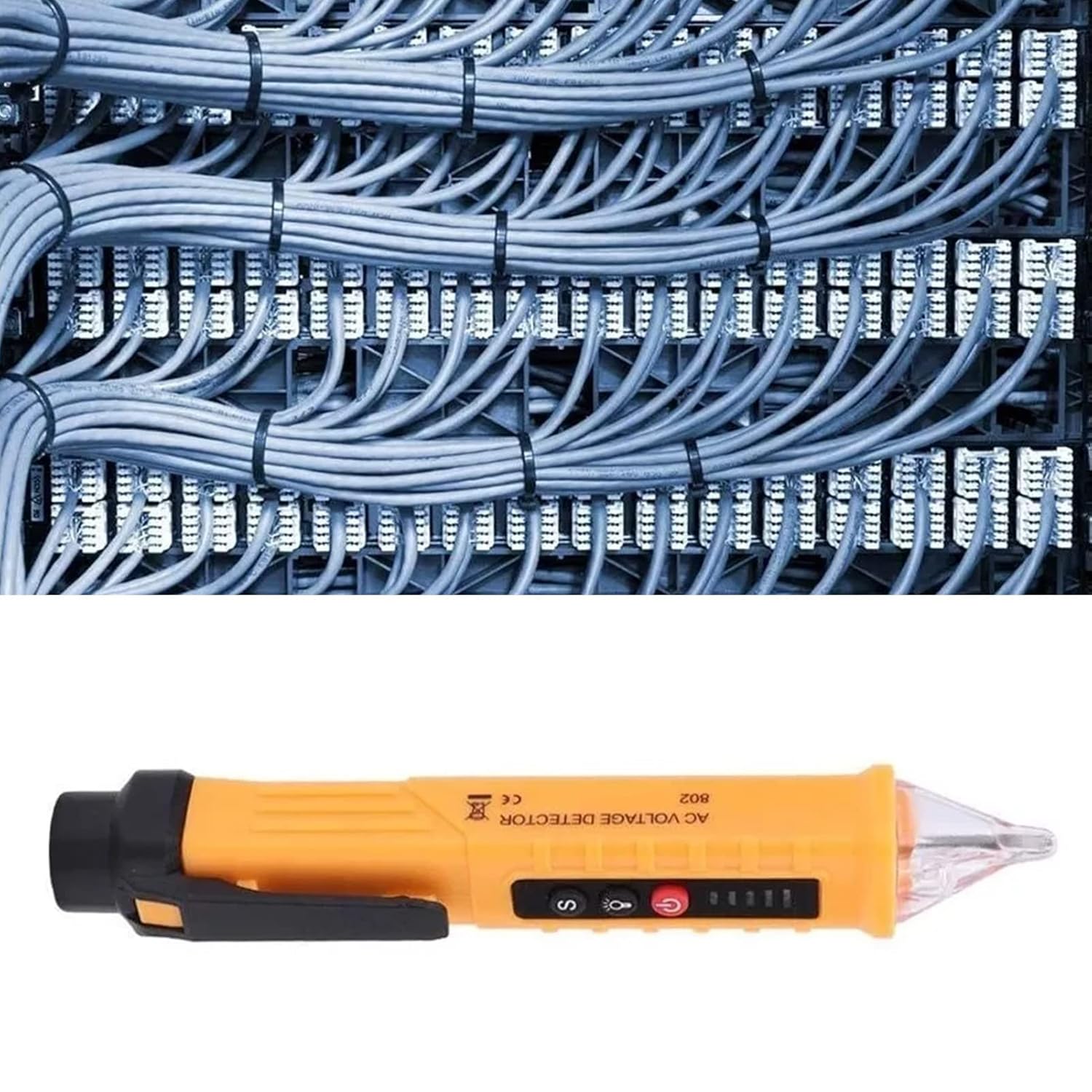
Abbildung 3: Das Volumentage detector pen being used to identify live wires within a bundle of electrical cables.
- Line Breakpoint Location:
To find a breakpoint in a live wire, slowly move the pen along the insulated wire. The alarm and indicator lights will cease at the point where the electrical continuity is lost, indicating the breakpoint.
- Verwenden der Taschenlampe:
Press the flashlight button (often marked with a light bulb symbol 💡) to turn on the integrated LED light. This is useful for illuminating dark work areas, such as electrical panels or behind appliances.

Figure 4: The integrated LED flashlight illuminating a dark electrical panel, demonstrating its utility in low-light conditions.
- Ausschalten: Press the power button again to turn off the device. The intelligent shutdown feature will also automatically power off the pen after a period of inactivity to conserve battery life.
Wartung
Proper maintenance ensures the longevity and accuracy of your voltage detector pen.
- Reinigung: Wischen Sie das Gerät mit einem trockenen, sauberen Tuch ab. Verwenden Sie keine Scheuermittel oder Lösungsmittel.
- Lagerung: Store the pen in a cool, dry place, away from direct sunlight and extreme temperatures. If storing for an extended period, remove the batteries to prevent leakage.
- Batteriewechsel: Replace batteries promptly when the low battery indicator appears or if the device's performance degrades.
Fehlerbehebung
| Problem | Mögliche Ursache | Lösung |
|---|---|---|
| Gerät lässt sich nicht einschalten. | Defekte oder falsch eingesetzte Batterien. | Batterien austauschen und dabei auf die richtige Polarität achten. |
| Kein Empfang oder schwaches Signal. | Low battery; distance from voltage Quelle; Interferenz. | Replace batteries; ensure close proximity to the source; test in a less noisy electrical environment. |
| False positives/constant alarm. | High sensitivity setting; strong electromagnetic interference. | If applicable, adjust sensitivity (refer to specific model features); move away from strong electrical fields. |
| Taschenlampe funktioniert nicht. | Niedriger Batteriestand; LED-Fehler. | Replace batteries. If problem persists, contact support. |
Technische Daten
| Besonderheit | Detail |
|---|---|
| Marke | Walfront |
| Modellnummer | WALFRONT8i6oyk5psn |
| Messtyp | Volts |
| Stromquelle | Batteriebetrieben |
| Farbe | Gelb |
| Material | ABS (implied from feature bullets) |
| Verpackungsabmessungen | 16.85 x 1.54 x 1.14 Zoll |
| Artikelgewicht | 1.76 Unzen |
| Ursprungsland | China |
Garantie und Support
Für dieses Produkt gilt die Standard-Herstellergarantie. Bitte beachten Sie die Produktverpackung oder die Garantiebedingungen des Verkäufers. website for specific warranty terms and conditions. For technical support, troubleshooting assistance, or warranty claims, please contact Walfront customer service through their official channels or the retailer from whom you purchased the product.
Weitere Informationen finden Sie im Walfront Store on Amazon.
Ask a question about this manual
Ask about setup, troubleshooting, compatibility, parts, safety, or missing instructions. Manuals+ will review the question and use this page’s manual context to help answer it.