
1. Einleitung
This manual provides detailed instructions for the setup, operation, and maintenance of your SMSL AO300 MA5332MS Class D AmpVerstärker. Bitte lesen Sie diese Bedienungsanleitung vor der Verwendung des Produkts sorgfältig durch, um eine optimale Leistung und Sicherheit zu gewährleisten.

Figure 1: SMSL AO300 MA5332MS Class D Amplifier (Silver model shown)
2. Sicherheitshinweise
Um einen sicheren Betrieb zu gewährleisten und die Lebensdauer Ihres Geräts zu verlängern, beachten Sie bitte die folgenden Sicherheitsrichtlinien:
- Install this unit in a well ventilated, cool, dry, clean place away from direct sunlight, heat sources, vibration, dust, moisture, or cold.
- Verwenden Sie die Lautstärketage specified on this unit ONLY. Using this unit with a higher voltage than specified is dangerous and may cause fire, damage to this unit, or personal injury. The manufacturer is not responsible for any damage resulting from the use of this unit with a voltage anders als angegeben.
- Do not attempt to modify or repair this unit yourself. Contact your salesperson or customer service when any service is needed. The cabinet should never be opened for any reason.
- When not planning to use this unit for long periods of time (e.g., when going on vacation), disconnect the power cable from the AC wall outlet.
Wichtiger Hinweis: Die in diesem Handbuch erwähnten Produktspezifikationen und Informationen dienen nur als Referenz. Der Inhalt dieses Handbuchs kann ohne Vorankündigung geändert werden.
3. Funktionen
The SMSL AO300 amplifier incorporates advanced technology and design to deliver a high-fidelity audio experience:
- Features a new digital high-power amplifier chip from Infineon, Germany, offering high efficiency and low power consumption.
- Utilizes JRC's electronic volume control chip NJW1194 from Japan for precise volume control and ultra-low distortion.
- Supports MQA decoding and MQA-CD playback.
- Equipped with the new 3rd generation XMOS XU-316, supporting PCM up to 32bit/768kHz and DSD up to DSD256.
- Features Bluetooth 5.3 reception for longer transmission distance and enhanced sound quality.
- Constructed with an all-aluminum alloy CNC precision-processed shell, featuring anodizing technology and chamfering for exquisite workmanship and a delicate touch.
- User-friendly operating system with a full-featured remote control function.
- Incorporates professional Hi-Fi audio components to enhance the sound experience.
- High-quality gold-plated input and output terminals ensure reliable connections.
- Includes a perfect protection circuit for overheating, overcurrent, and other potential issues.
- Built-in high-quality power supply specifically designed for audio performance.

Figure 2: SMSL AO300 Key Features
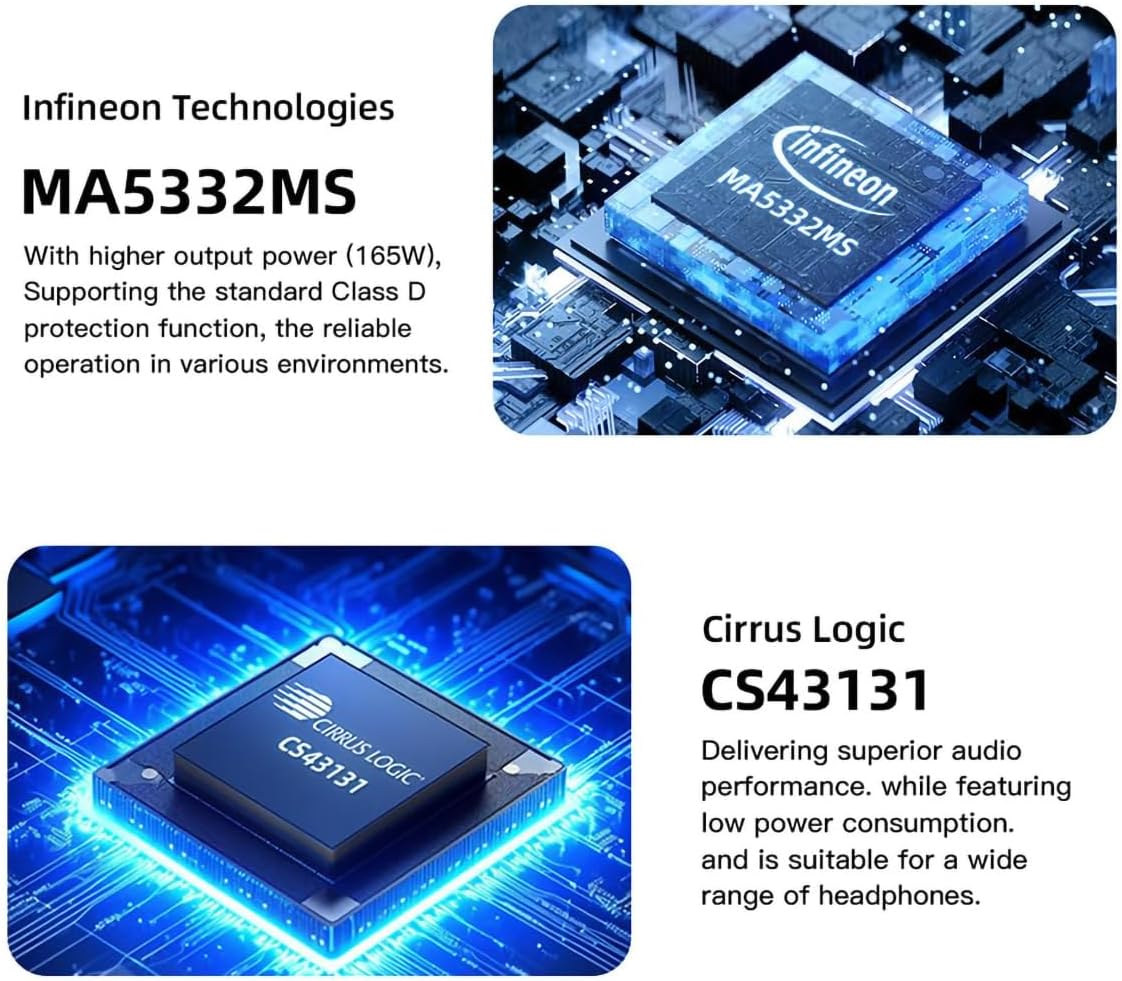
Figure 3: Infineon MA5332MS and Cirrus Logic CS43131 Chips
4. Spezifikationen
| Eingang | HDMI(ARC)/RCA/BT/USB/Optical/Coaxial |
| Klirrfaktor | 0.003 % |
| SNR | 107 dB |
| Kanaltrennung | 98 dB |
| Eingangsempfindlichkeit / Eingangsimpedanz | 280 mV/22 kΩ |
| Output Power (Stereophonic) | 165Wx2 (4Ω) / 85Wx2 (8Ω) |
| USB-Übertragung | USB2.0 (Asynchronous Transfer) |
| USB-Kompatibilität | Windows 7/8/8.1/10/11, Mac OSX, Linux |
| MQA-Decoder | USB |
| MQA-CD-Decoder | Optisch/Koaxial |
| Bittiefe (USB) | 1 Bit, 16–32 Bit |
| Bittiefe (optisch/koaxial) | 1 Bit, 16–24 Bit |
| Samplange Datenrate (USB PCM) | 44.1-768 kHz |
| Samplange Rate (USB DSD) | 2.8224 bis 11.2896 MHz |
| Samplange Rate (optisches/koaxiales PCM) | 44.1-192 kHz |
| SampDatenrate (optisch/koaxial DSD) | DSD64 (DoP) |
| Energieaufnahme | 40 W (Normale Lautstärke) |
| Abmessungen (BxHxT) | 219 x 42 x 185 mm (8.62 x 1.65 x 7.28 Zoll) |
| Gewicht | 1.52 kg (3.35 Pfund) |
5. Packungsinhalt
Bitte überprüfen Sie nach dem Öffnen des Pakets, ob alle unten aufgeführten Artikel enthalten sind:
- 1 x SMSL AO300 Ampschwerer
- 1 x Fernbedienung
- 1 x Bluetooth-Antenne.
- 1 x AC-Stromkabel
- 1 x USB-Kabel
- 1 x HDMI-Kabel
- 1 x Benutzerhandbuch
- 1 x Garantiekarte

Figure 4: SMSL AO300 Package Contents
Video 1: Auspacken und Überview of SMSL AO300. This video demonstrates the unboxing process and provides a visual overview der ampVerstärker und das dazugehörige Zubehör.
6. Produktüberschreitungview
6.1 Frontplatte

Figure 5: SMSL AO300 Front Panel
- Bildschirm: Shows current input, volume, and menu options.
- Infrarot-Empfangsfenster: Empfängt Signale von der Fernbedienung.
- Kontrollleuchte: Liefert Statusrückmeldungen.
- Funktionsknopf: Used for navigation and selection within the menu, and volume control.
- 6.35mm Kopfhörerbuchse: Standard-Kopfhörerausgang.
- 4.4mm Kopfhörerbuchse: Symmetrischer Kopfhörerausgang.
6.2 Rückseite

Figure 6: SMSL AO300 Rear Panel
- RCA Line Input (Left/Right): Für analoge Audioquellen.
- Subwoofer Output (SW OUT): Anschlussmöglichkeit für einen aktiven Subwoofer.
- Koaxialer Eingang: For digital audio sources via coaxial cable.
- USB Eingang: Connects to a computer for USB audio.
- HDMI (ARC) Eingang: Connects to a TV's HDMI ARC port for audio return.
- Optischer Eingang: For digital audio sources via optical cable.
- Speaker Output (Right): Verbindet sich mit dem rechten passiven Lautsprecher.
- Speaker Output (Left): Verbindet sich mit dem linken passiven Lautsprecher.
- AC IN (Power Input): Wird an das Stromkabel angeschlossen.
- Stromschalter: Schaltet das Gerät ein oder aus.
7. Einrichtung und Anschlüsse
Follow these steps to connect your SMSL AO300 amplifier to your audio sources and speakers.
7.1 Allgemeine Verbindungen

Abbildung 7: Allgemeines Anschlussdiagramm
- Referenten: Connect your passive speakers to the Left and Right speaker outputs using appropriate speaker cables.
- Subwoofer: Connect an active subwoofer to the SW OUT port using an RCA cable.
- Kopfhörer: Schließen Sie Ihre Kopfhörer entweder an die 6.35-mm- oder die 4.4-mm-Kopfhörerbuchse an der Vorderseite an.
- USB Eingang: Connect a computer to the USB input using the provided USB cable for high-resolution audio playback.
- Optischer/koaxialer Eingang: Connect digital audio sources like CD/DVD players or DACs to the Optical or Coaxial inputs.
- RCA-Line-Eingang: Connect analog audio sources to the RCA Line In ports.
- Bluetooth: Attach the Bluetooth antenna to the designated port. Pair your mobile device or PC via Bluetooth settings (see section 8.3 for details).
Video 2: Connection Guide for SMSL AO300. This video demonstrates how to connect various audio sources and outputs to the ampschwerer.
7.2 HDMI (ARC)-Anschluss
The SMSL AO300 supports HDMI Audio Return Channel (ARC) for receiving audio from your TV.
- Use a commercially available HDMI cable to connect the HDMI (ARC) input on the AO300 to the HDMI IN port labeled "ARC" or "eARC/ARC" on your TV.
- This type of label indicates that the port supports "only ARC" or "both eARC and ARC". If connected to a port that does not support ARC, the ARC input function of this product cannot be used.
- You may need to change the settings on your TV. Please refer to your TV's user manual for specific instructions.
- When using this input, the TV digital audio output format must be set to PCM.

Figure 8: HDMI (ARC) Connection
Video 3: HDMI (ARC) Audio Return Function. This video demonstrates how to set up and use the HDMI ARC feature.
8. Bedienungsanleitung
8.1-Fernbedienung
The SMSL AO300 comes with a full-featured remote control for convenient operation. It requires 2 x R03/AAA batteries (not included).

Abbildung 9: Aufbau und Funktionen der Fernbedienung
- Ein-/Ausschalten: Schaltet das Gerät ein oder aus.
- Oben unten: Navigiert durch Menüoptionen oder passt Einstellungen an.
- MENU/OK: Enters the menu or confirms a selection.
- Menü der nächsten Ebene: Moves to the next level in the menu structure.
- Zurückkehren: Geht zurück zur vorherigen Menüebene.
- Eingangsauswahl: Durchläuft die verfügbaren Eingangsquellen.
- Stumm: Schaltet die Audioausgabe stumm oder hebt die Stummschaltung auf.
- FN (Funktion): Customizable button, defined in the menu.
- Lautstärke +/-: Passt die Ausgabelautstärke an.
Wartung der Fernbedienung:
- If the remote control becomes ineffective, replace the batteries.
- Entfernen Sie die Batterien, wenn die Fernbedienung längere Zeit nicht benutzt wird.
- Entsorgen Sie gebrauchte Batterien gemäß den örtlichen Vorschriften.
Video 4: How to Use the Remote Control. This video demonstrates the basic functions of the remote control for the SMSL AO300.
8.2 Menünavigation und Einstellungen
Access the setup menu to customize various audio and display settings.

Figure 10: Setup Menu Overview
- Eingang: Select the desired audio input source (USB Audio, Optical, Coaxial, Bluetooth, ARC IN, AUX IN).
- Ausgabe: Configure output settings (e.g., speaker/headphone priority).
- EQ-Einstellung: Choose from various equalization modes: Direct, Tone, SDB, Bass, Super Bass, Rock, Soft, Clear.
- Höheneinstellung: Adjust treble levels from -09dB to +09dB. Note: Adjusting treble in Direct or other EQ modes will automatically switch to Tone mode.
- Basseinstellung: Adjust bass levels from -09dB to +09dB. Note: Adjusting bass in Direct or other EQ modes will automatically switch to Tone mode.
- Filter: Select from different digital filter options: Fast and Low-latency, Fast and Phase-compensated, Slow and Low-latency, Slow and Phase-compensated, NonoversampLeng.
- Farbe: Change the display screen color (White, Green, Yellow, Orange, Red, Blue, Cyan, Purple).
- Dimmer: Set display dimmer to Always On or Auto Off.
- BT Clear: Clear current Bluetooth paired devices.
Video 5: EQ Audio Modes and Filters. This video demonstrates how to navigate and adjust the 8 EQ audio modes and 5 filter options.
8.3 Bluetooth Operating Instructions
So verbinden Sie Ihr Gerät über Bluetooth:
- Switch the input source to Bluetooth in the SETTING MENU or press the Bluetooth button (FN) on the remote control.
- Turn on the Bluetooth function on your mobile phone or PC, search for "AO300", and tap to pair. The device will display "connected" upon successful pairing.
Erneute Verbindung: If the connection is lost (e.g., after leaving and returning home), some phones may not automatically re-connect unless the AO300 is rebooted. You can short press the Bluetooth button (FN) on the remote to re-connect.
Kopplung löschen: Long press the "Bluetooth" button (FN) on the remote control to clear all paired devices. If some phones still cannot find "AO300" after clearing, you may need to delete "AO300" from your phone's saved Bluetooth devices and then search and pair again.
9. Fehlerbehebung
This section addresses common issues you might encounter with your SMSL AO300 ampschwerer.
9.1 HDMI ARC Related Issues
- Q: The ARC input is connected to the TV, but the TV does not recognize the device or there is no sound.
A: Ensure the ARC input of the AO300 is connected to the HDMI ARC interface of the TV. The TV's audio output mode must be set to "ARC/ARC+TV speakers". - Q: Can the TV remote control adjust the volume of this product?
A: No, volume adjustment via TV remote is not supported for the AO300. - Q: Will the product synchronize on/off after turning the TV on/off?
A: No, synchronous power on/off is not supported. When using HDMI ARC input, the AO300 needs to be restarted when the TV is turned off and then turned on again. - Q: What should I do if there is no sound after connecting the TV to the product?
A: When using this product, please confirm that the audio output format of the TV is PCM. - Q: Does it support connecting to a TV set-top box?
A: No, connecting to a TV set-top box is not supported.
Video 6: HDMI ARC Precautions. This video provides important information and troubleshooting tips for using the HDMI ARC function.
9.2 Allgemeine Fehlerbehebung
- Kein Strom: Ensure the power cable is securely connected to both the unit and a working AC outlet. Check the power switch on the rear panel.
- Kein Ton: Verify the correct input source is selected. Check all cable connections (input and output). Ensure volume is not muted or set too low. Test with different audio sources and speakers/headphones.
- Verzerrter Klang: Check cable connections for looseness or damage. Ensure the audio source is not overdriving the input. Try a different audio source.
- Fernbedienung funktioniert nicht: Replace batteries. Ensure there are no obstructions between the remote and the unit's infrared receiver.
10. Wartung
To maintain the performance and appearance of your SMSL AO300:
- Clean the unit with a soft, dry cloth. Do not use abrasive cleaners, waxes, or solvents.
- Avoid exposing the unit to excessive heat, humidity, or direct sunlight.
- Sorgen Sie für eine ausreichende Belüftung rund um das Gerät, um eine Überhitzung zu vermeiden.
11. Garantie und Support
Foshan Shuangmusanlin Technology Co., Ltd (SMSL) provides the following warranty terms for the AO300 ampReiniger:
- Rückgabe-/Umtauschrichtlinie: If the product is found to be defective within 7 days of purchase under normal use, you may return it for a refund, replacement, or repair. The product must be in a condition that does not affect its resale.
- Kostenlose Reparatur: Free repair service is provided for one year from the date of purchase under normal use.
- Kaufbeleg: The date of purchase is determined by the date on your invoice or receipt. For online purchases, a screenshot of the transaction can serve as proof.
- Voided Warranty: The warranty will be void if the unit is damaged due to inappropriate usage, including:
- Use under non-normal working environments or without following instructions.
- Dismantling, refitting, or repairing by the user without authorization.
- Damage caused by using non-designated or non-accredited fittings.
- Inability to provide credible proof of purchase.
- Unterstützung: For returns, replacements, or repairs, please contact your S.M.S.L Audio reseller.