
Produkt überview
The SEAFRONT Mixer Power Supply Adapter is designed to provide stable and reliable power to compatible mixing consoles. This adapter features a 3-pin connector and an integrated transformer to ensure consistent voltage-Lieferung.

Image: The SEAFRONT Mixer Power Supply Adapter, showing its main unit, power cable, and 3-pin connector, with a mixing console setup in the background.
Hauptmerkmale:
- Ausgabe: AC18V x 2 at 1.6A, providing a total of 30A 65W.
- Steckertyp: 3-pin connector, with pins 1 and 3 supplying 18V, and pin 2 serving as Ground (GND).
- Integrierter Transformator: Ensures a stable and consistent voltage output for optimal mixer performance.
- Kompatibilität: Specifically designed for Yamaha mixing consoles, including models such as MG16, MG16/6FX, MG166C, and MG166CX.
- Ersatzteil: An ideal replacement power supply for 10-channel or larger mixers that utilize a 3-pin power connector.
Installationsanweisungen
Follow these steps to properly set up your SEAFRONT Mixer Power Supply Adapter:
- Kompatibilität überprüfen: Ensure your mixing console is compatible with an 18V 1.6A power supply and uses a 3-pin power connector. This adapter is suitable for models like Yamaha MG16, MG16/6FX, MG166C, and MG166CX.
- Connect to Mixer: Locate the 3-pin power input on your mixing console. Carefully align the 3-pin connector of the SEAFRONT adapter with the mixer's input port and push it firmly into place.
- An die Steckdose anschließen: Plug the AC power cord of the adapter into a standard 220V (50Hz) electrical outlet. Ensure the outlet is functioning correctly and provides stable power.
- Einschalten: Once both connections are secure, power on your mixing console. The adapter will automatically provide the necessary power.

Bild: Eine detaillierte view of the 3-pin connector, highlighting its design for secure connection to compatible mixers.
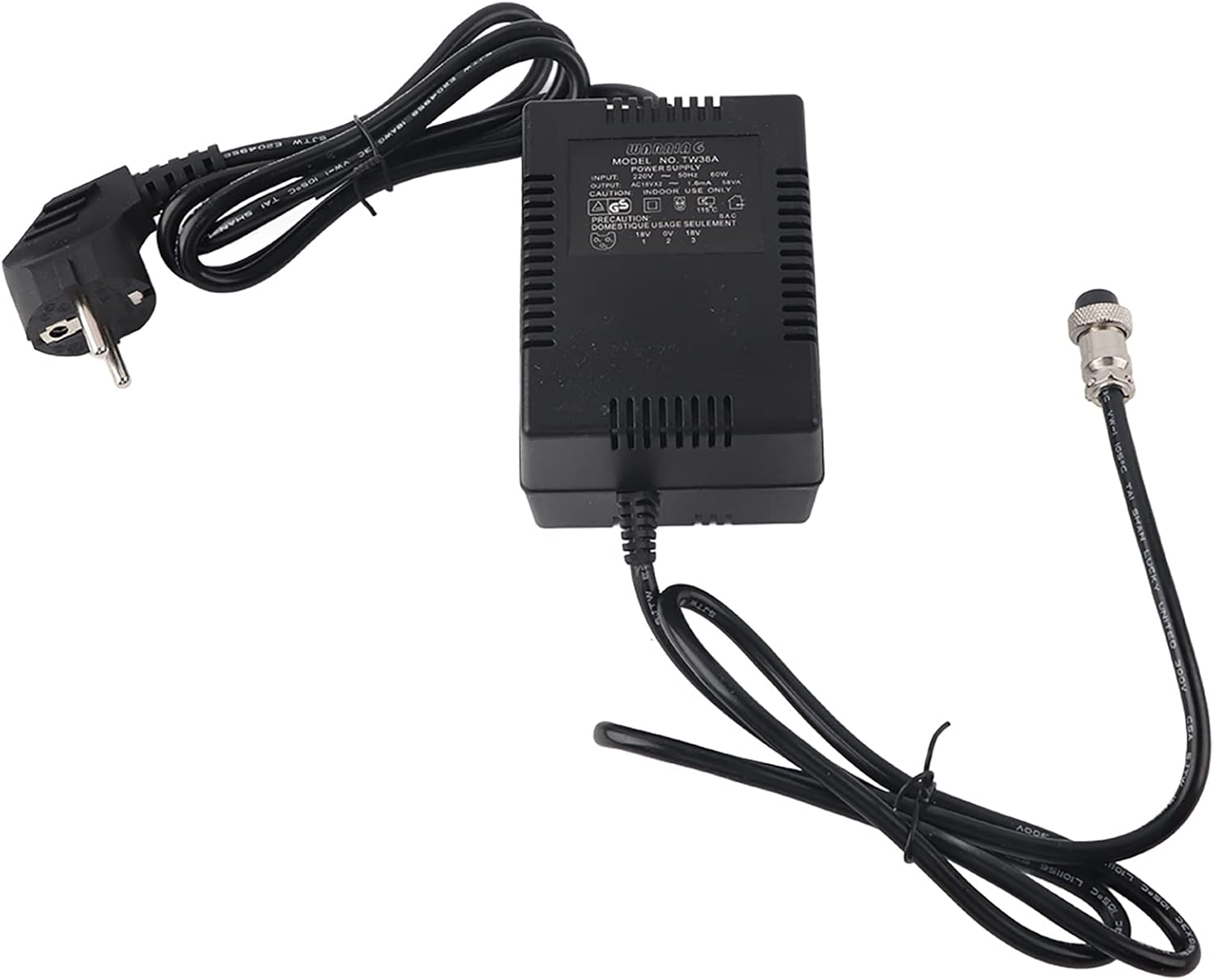
Abbildung: Draufsicht view of the power adapter, illustrating the connection points for both the AC power outlet and the mixing console.
Notiz: Always ensure the power adapter is disconnected from the main power supply before connecting or disconnecting it from your mixing console to prevent electrical damage.
Bedienungsanleitung
The SEAFRONT Mixer Power Supply Adapter operates automatically once connected. No specific user interaction is required beyond proper connection.
- Ensure the adapter is securely plugged into both the mixer and the wall outlet.
- The adapter will provide continuous power to your mixer as long as it is connected to a live power source.
- Monitor your mixer's performance to ensure stable operation.
Wartung
Proper maintenance will extend the lifespan of your power adapter:
- Reinigung: Use a soft, dry cloth to wipe the adapter clean. Do not use liquid cleaners or abrasive materials.
- Lagerung: Bewahren Sie den Adapter bei Nichtgebrauch an einem kühlen, trockenen Ort auf und schützen Sie ihn vor direkter Sonneneinstrahlung und extremen Temperaturen.
- Kabelpflege: Avoid bending or kinking the power cables excessively. Do not place heavy objects on the cables.
- Inspektion: Periodically inspect the adapter and cables for any signs of damage, such as frayed wires or cracked casing. Bei Feststellung einer Beschädigung ist die Verwendung sofort einzustellen.
Fehlerbehebung
If you encounter issues with your SEAFRONT Mixer Power Supply Adapter, refer to the following common troubleshooting steps:
| Problem | Mögliche Ursache | Lösung |
|---|---|---|
| Kein Strom am Mixer |
|
|
| Intermittent power or unstable mixer operation |
|
|
| Adapter fühlt sich heiß an |
|
|
If the problem persists after trying these steps, please contact SEAFRONT customer support for further assistance.
Technische Daten
| Parameter | Wert |
|---|---|
| Modellnummer | SEAFRONTif2u05wgtr |
| Eingangslautstärketage | 220 V (50 Hz) |
| Ausgangsvolumentage/Aktuell | AC18V x 2 at 1.6A |
| Steckertyp | 3-pin (Pins 1 & 3: 18V, Pin 2: GND) |
| Verpackungsabmessungen | 18 x 11 x 10 cm |
| Marke | SEAFRONT |
| Datum der ersten Verfügbarkeit | 19. September 2023 |
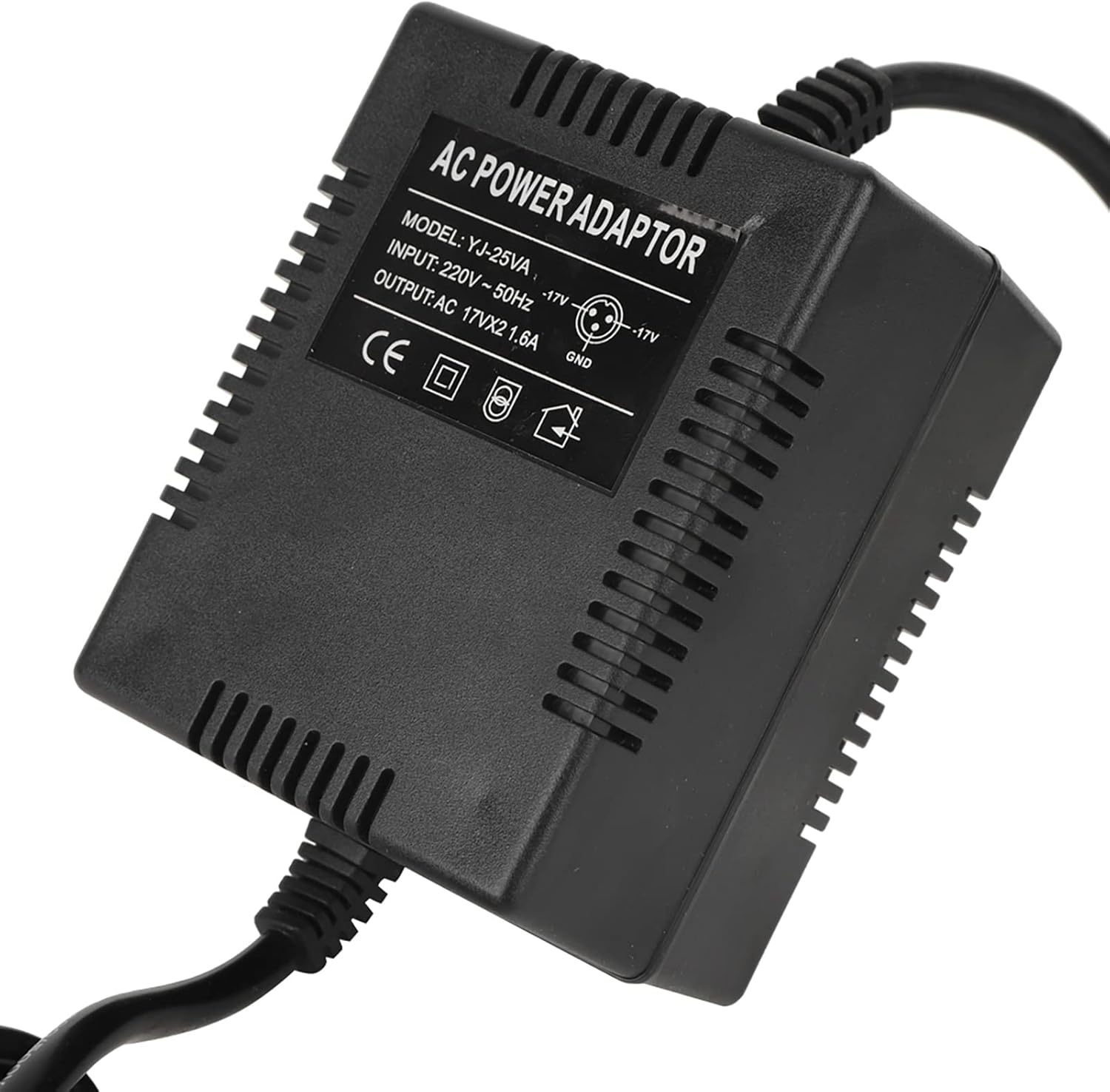
Image: A close-up of the adapter's label, displaying detailed electrical specifications and model information.