
1. Einleitung
Vielen Dank für Ihren Einkauf.asing the AGPTEK G02PL 64GB Clip MP3 Player. This portable music player is designed for convenience and durability, especially for sports and outdoor activities. It features a clip-on design, FM radio, and a sweatproof silicone case. This manual provides detailed instructions on how to set up, operate, and maintain your device.
2. Produktüberschreitungview
2.1 Packungsinhalt
- AGPTEK G02PL 64GB Clip MP3 Player
- Sweatproof Silicone Case
- USB-Ladekabel
- Bedienungsanleitung
- Hinweis: Kopfhörer sind nicht im Lieferumfang enthalten.

Image: Contents of the AGPTEK G02PL package, including the MP3 player, silicone case, USB cable, and user manual.
2.2 Gerätemerkmale
- Clip-on-Design: Easily attachable for sports and outdoor activities.
- Schweißfeste Silikonhülle: Provides protection during workouts.
- 64 GB interner Speicher: Ample storage for your music library.
- FM Radio: Listen to your favorite radio stations (requires wired earphones).
- Shuffle-Modus: Quick switch for randomized playback.
- Kompakt und leicht: Weighs only 0.49 oz (14g), dimensions: 1.97 x 1.43 x 0.61 inches.
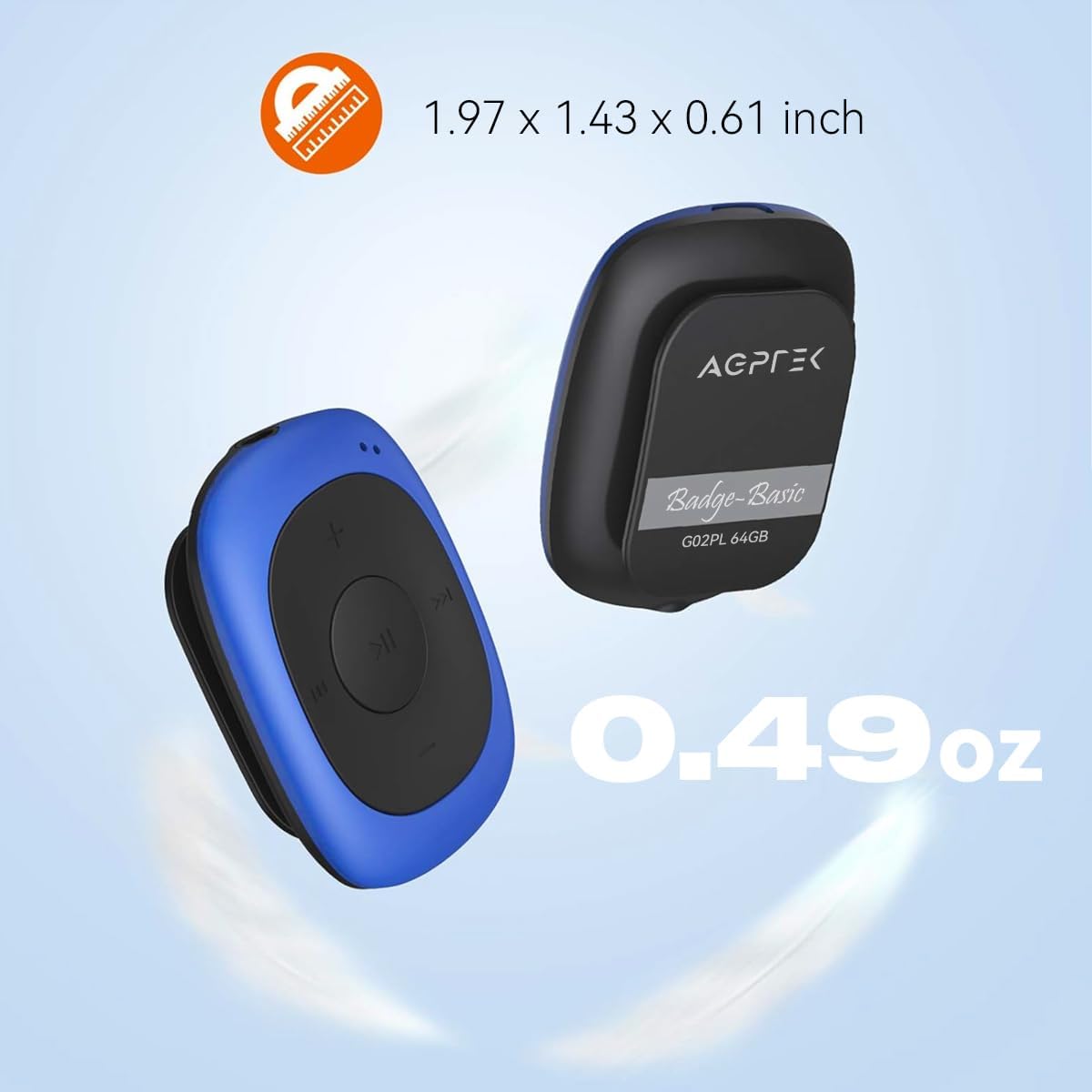
Image: Illustrates the compact size (1.97 x 1.43 x 0.61 inches) and light weight (0.49 oz) of the AGPTEK G02PL MP3 player.

Image: Shows the AGPTEK G02PL MP3 player inside its sweatproof silicone case, highlighting the portable clip feature.
3. Einrichtung
3.1 Aufladen des Geräts
Before first use, fully charge the MP3 player. Use the included USB cable to connect the device to a computer's USB port or a compatible USB wall charger (not included).
- Das vollständige Aufladen dauert ungefähr 2.5 Stunden.
- The built-in 160mAh rechargeable battery provides up to 10 hours of audio playback at medium volume. Battery life may be shorter when using FM radio.

Image: Depicts the AGPTEK G02PL MP3 player connected to a USB cable for charging, illustrating the internal components.
3.2 Musikübertragung Files
To transfer music to your AGPTEK G02PL MP3 player:
- Verbinden Sie den MP3-Player mit dem mitgelieferten USB-Kabel mit Ihrem Computer.
- Das Gerät wird auf Ihrem Computer als Wechseldatenträger angezeigt.
- Ziehen Sie Ihre gewünschte Musik per Drag & Drop in die App. files (MP3, WMA, WAV formats supported) into the device's storage folder.
- Note: The player does not directly support iTunes music. Convert iTunes files to MP3 format before transferring.
- Trennen Sie das Gerät sicher vom Computer, bevor Sie das USB-Kabel abziehen.

Image: Highlights the 64GB large memory capacity of the AGPTEK G02PL MP3 player.
4. Bedienungsanleitung
4.1 Grundlegende Musikwiedergabe
- Ein-/Ausschalten: Locate the power switch (usually a slider or long press of the play button) and slide it to turn on the device.
- Abspielen/Pause: Drücken Sie die mittlere Wiedergabe-/Pause-Taste.
- Nächster / Vorheriger Track: Use the forward (⏭) and backward (⏮) buttons to skip tracks.
- Lautstärkeregelung: Use the '+' and '-' buttons to increase or decrease the volume.
4.2-Zoll-FM-Radiofunktion
So verwenden Sie die UKW-Radiofunktion:
- Connect Wired Earphones: Wired earphones must be connected to the MP3 player as they act as the antenna for the FM radio.
- In den FM-Modus wechseln: Use the dedicated FM / Music switch slider to select FM mode.
- Tune-Sender: The device supports FM Frequency Range: 88MHz-108MHz. Use the track skip buttons to search for stations or initiate a quick search function if available.

Image: Shows the AGPTEK G02PL MP3 player connected to wired earphones, emphasizing the requirement for FM radio functionality. Icons for News, Sports, Music, and Weather are displayed.
4.3 Zufallswiedergabe- und Wiederholungsmodus
The player features a dedicated slider for repeat and shuffle modes. Slide it to activate or deactivate shuffle playback for your music.
5. Wartung
- Keep the device dry. Avoid exposure to extreme temperatures.
- Reinigen Sie das Gerät mit einem weichen, trockenen Tuch. Verwenden Sie keine scharfen Chemikalien oder Scheuermittel.
- Ensure the silicone case is properly fitted to maintain its sweatproof properties.
- Bewahren Sie das Gerät bei Nichtgebrauch an einem sicheren Ort auf, um Schäden zu vermeiden.
6. Fehlerbehebung
6.1 Gerät schaltet sich nicht ein
- Ensure the battery is charged. Connect the device to a power source and charge for at least 30 minutes.
- Überprüfen Sie die Position des Netzschalters.
6.2 Kann nicht übertragen werden Files
- Verify the USB cable is securely connected to both the player and the computer.
- Probieren Sie einen anderen USB-Anschluss an Ihrem Computer aus.
- Sorgen Sie für die Musik files are in a supported format (MP3, WMA, WAV).
- Restart your computer and the MP3 player.
6.3 Kein Ton
- Check if earphones are properly connected.
- Adjust the volume level using the '+' button.
- Sorgen Sie für die Musik file is not corrupted. Try playing a different track.
6.4 FM Radio Not Working
- Confirm that wired earphones are plugged in, as they serve as the antenna.
- Stellen Sie sicher, dass Sie sich in einem Gebiet mit gutem FM-Signalempfang befinden.
- Switch to FM mode using the dedicated slider.
7. Spezifikationen
| Besonderheit | Detail |
|---|---|
| Marke | AGPTEK |
| Modellname | AGPTEK 64GB Clip MP3 Player With FM Shuffle (G02PL) |
| Speicherkapazität | 64 GB |
| Konnektivitätstechnologie | USB |
| Besonderheit | UKW-Radio |
| Unterstützte Musikformate | MP3, WMA, WAV |
| FM-Frequenzbereich | 88MHz-108MHz |
| Akkulaufzeit | Up to 10 hours (audio playback at medium volume) |
| Ladezeit | Ca. 2.5 Stunden |
| Maße | 1.97 x 1.43 x 0.61 Zoll |
| Gewicht | 0.49 Unzen |
| Kompatible Geräte | Laptop, Personalcomputer |
8. Garantie und Support
For product support, warranty information, or further assistance, please refer to the contact details provided on the AGPTEK official webDie Website oder die mit Ihrem Kauf gelieferte Dokumentation finden Sie hier. Bewahren Sie Ihren Kaufbeleg für Garantieansprüche auf.