
Einführung
This manual provides detailed instructions for the setup, operation, and maintenance of your Tuya S18 Smart WiFi Universal IR Remote Control. This device allows you to control various infrared-enabled home appliances, such as televisions, air conditioners, and fans, through a smartphone application and voice commands via smart assistants like Amazon Alexa and Google Home.
Produkt überview
Merkmale:
- Universelle Infrarotsteuerung: Controls a wide range of infrared devices including TVs, air conditioners, set-top boxes, fans, and more.
- WiFi-Konnektivität: Connects to your home WiFi network for remote control from anywhere.
- App-Steuerung: Manage devices and settings through the Tuya Smart Life application on your smartphone.
- Sprachsteuerung: Kompatibel mit Amazon Alexa, Google Home und Yandex Alice für freihändige Bedienung.
- Kompaktes Design: Small and unobtrusive, designed to blend into any home environment.
- Keine Programmierkenntnisse erforderlich: Simplifies setup with pre-programmed IR codes and learning function.
Was ist in der Box:
- Tuya S18 Smart WiFi Universal IR Remote Control device
- USB Power Cable (Note: Power adapter is NOT included)
- Benutzerhandbuch (dieses Dokument)

Image: The retail packaging for the Tuya S18 Smart WiFi Universal IR Remote Control, showing the device and its key features.

Image: The Tuya S18 device with its dimensions (40mm diameter) and the 1-meter USB cable. A coin is shown for scale. Note: Power adapter is not included.
Installationsanweisungen
- Einschalten: Connect the Tuya S18 device to a 5V/1A USB power adapter (not included) using the provided USB cable. The device will power on and a blue indicator light may flash.
- Lade App herunter: Laden Sie die App „Smart Life“ oder „Tuya Smart“ aus dem App Store Ihres Smartphones herunter (verfügbar für iOS und Android).
- Registrieren/Anmelden: Öffne die App und registriere dich für ein neues Konto oder melde dich mit einem bestehenden Konto an.
- Gerät hinzufügen:
- Tippen Sie in der App auf das "+"-Symbol in der oberen rechten Ecke, um ein neues Gerät hinzuzufügen.
- Select "Universal Remote Control" or "IR Remote Control" from the device list.
- Follow the on-screen instructions to connect the device to your 2.4GHz Wi-Fi network. Ensure your phone is connected to the same 2.4GHz Wi-Fi network during setup.
- The indicator light on the S18 will flash rapidly during pairing and become solid blue once connected.
- Add IR Appliances:
- Once the S18 is added, select it in the app.
- Tap "Add Remote Control" or similar option.
- Choose the type of appliance you want to control (e.g., TV, Air Conditioner, Set-Top Box, Fan).
- Select the brand of your appliance. The app will attempt to find a matching IR code library.
- Test the controls. If they work, save the remote. If not, try other codes or use the DIY learning function (refer to app for detailed DIY instructions).

Image: A visual representation of the Tuya S18 connecting to various IR devices (TV, A/C, Speaker, STB, Fan) and integrating with Amazon Alexa and Google Assistant for voice control.
Bedienungsanleitung
Controlling Devices via App:
- Öffnen Sie die Smart Life/Tuya Smart App.
- Select the Tuya S18 device.
- Wählen Sie das Gerät aus, das Sie steuern möchten (z. B. „Fernseher im Wohnzimmer“).
- Use the virtual remote control interface in the app to operate your device (e.g., change channels, adjust volume, set AC temperature).
- You can also set up schedules and automation routines within the app for enhanced control.
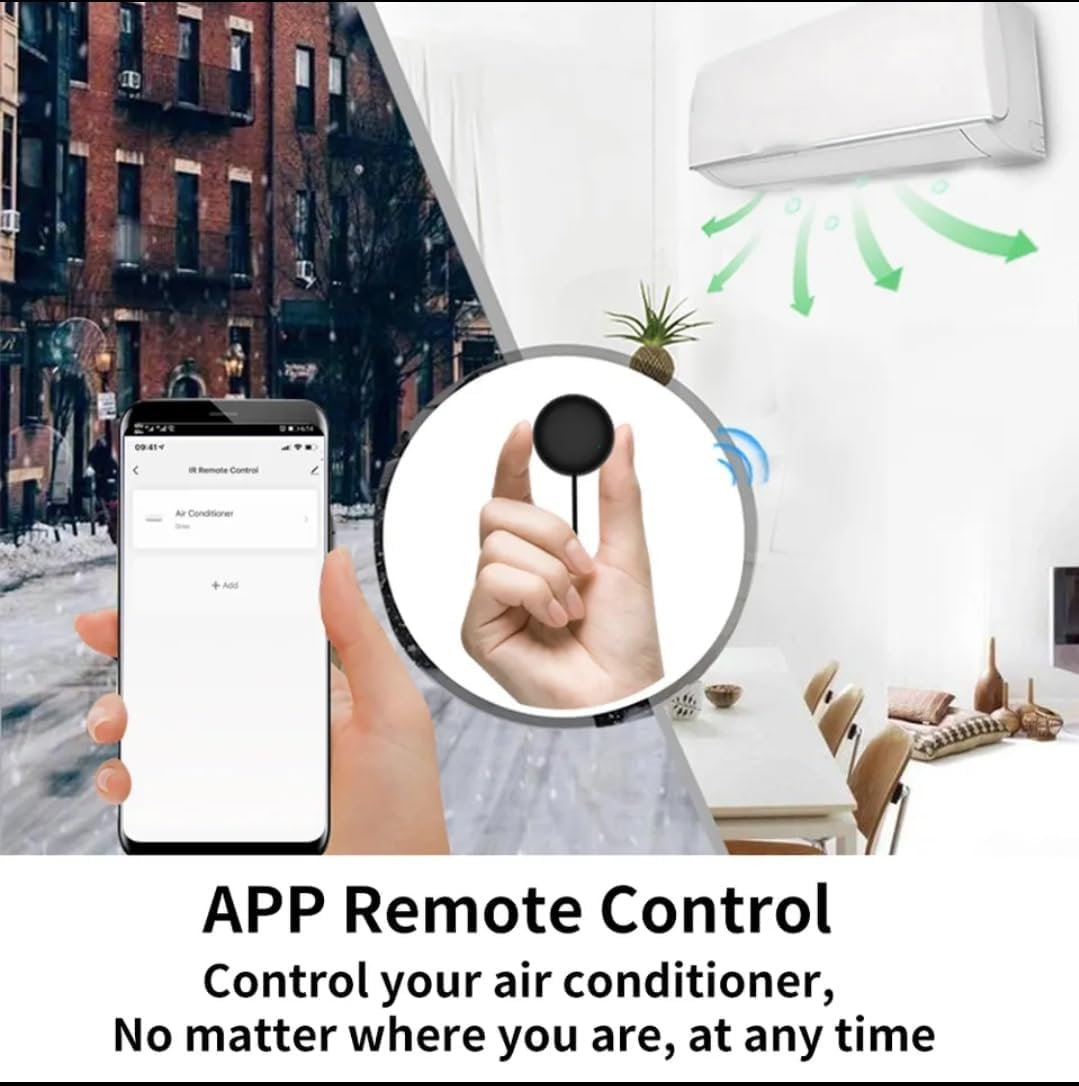
Image: A smartphone displaying the Smart Life app interface, showing how to control an air conditioner remotely from anywhere.
Sprachsteuerungsintegration:
The Tuya S18 is compatible with popular voice assistants. To enable voice control:
- Konten verknüpfen: In your Amazon Alexa, Google Home, or Yandex Alice app, search for the "Smart Life" or "Tuya Smart" skill/service.
- Fähigkeit aktivieren: Enable the skill and link your Smart Life/Tuya Smart account using your app credentials.
- Geräte entdecken: Sobald die Verbindung hergestellt ist, bitten Sie Ihren Sprachassistenten, „Geräte zu suchen“.
- Sprachbefehle: You can now use voice commands to control your IR appliances. Examples:
- "Alexa, schalte den Fernseher ein."
- "Hey Google, stell die Klimaanlage auf 24 Grad ein."
- "Yandex, turn off the fan."

Image: Demonstrates the Tuya S18's compatibility with Amazon Alexa, Google Home, and Yandex Alice for voice-controlled operation of TV, STB, AC, and fans.

Image: Highlights the extensive IR code library, covering over 98% of IR devices such as TVs, air conditioners, STBs, fans, and lighting.
Wartung
- Reinigung: Wischen Sie das Gerät mit einem weichen, trockenen Tuch ab. Verwenden Sie keine flüssigen Reinigungsmittel oder Scheuermittel.
- Platzierung: Ensure the device is placed in a central location within the room, with a clear line of sight to the appliances it controls, as infrared signals require direct line of sight.
- Leistung: Keep the device continuously powered for uninterrupted smart control.
Fehlerbehebung
| Ausgabe | Mögliche Ursache | Lösung |
|---|---|---|
| Gerät stellt keine Verbindung zum WLAN her. | Falsches WLAN-Passwort, 5-GHz-Netzwerk oder Gerät zu weit vom Router entfernt. |
|
| IR appliance not responding. | No clear line of sight, incorrect IR code, or device not powered. |
|
| Sprachsteuerung funktioniert nicht. | Smart Life/Tuya Smart skill not enabled or accounts not linked. |
|
Technische Daten
| Modellnummer | Staffel 18 |
| Marke | Tuya |
| Konnektivitätstechnologie | Infrared (IR), Wi-Fi (2.4GHz) |
| Kompatible Geräte | TV, Air Conditioner, Set-Top Box, Fan, and other IR-controlled appliances |
| Besondere Merkmale | No programming needed, App Control, Voice Control (Alexa, Google Home, Yandex Alice) |
| Farbe | Multi-color (typically black) |
| Leistungsaufnahme | 5V/1A (über Micro-USB) |
Garantie und Support
Specific warranty information for the Tuya S18 Smart WiFi Universal IR Remote Control is not provided in this document. Please refer to the product packaging or contact your retailer for details regarding warranty coverage and customer support. For technical assistance, you may also visit the official Tuya Smart Life website or app support section.


