
1. Einleitung
This user manual provides comprehensive instructions for the Logicom ILOA 255T Cordless Phone with Answering Machine - Duo. Please read this manual carefully before using your new phone system to ensure proper operation and to take full advantage seiner Funktionen. Bewahren Sie dieses Handbuch zum späteren Nachschlagen auf.

Image 1.1: Logicom ILOA 255T Cordless Phone Duo. This image displays two black cordless handsets, each placed on its respective charging base. The handsets feature a digital display and a standard telephone keypad.
2. Packungsinhalt
Bitte prüfen Sie, ob alle unten aufgeführten Artikel in Ihrem Paket enthalten sind. Sollten Artikel fehlen oder beschädigt sein, wenden Sie sich bitte an Ihren Händler.
- 2 x Logicom ILOA 255T Handsets
- 2 x Ladestationen
- 1 x RJ11 Telephone Line Cable
- 2 x Power Adapters (one for each base)
- 4 x AAA NiMH-Akkus (2 pro Mobilteil)
- 1 x Benutzerhandbuch (dieses Dokument)
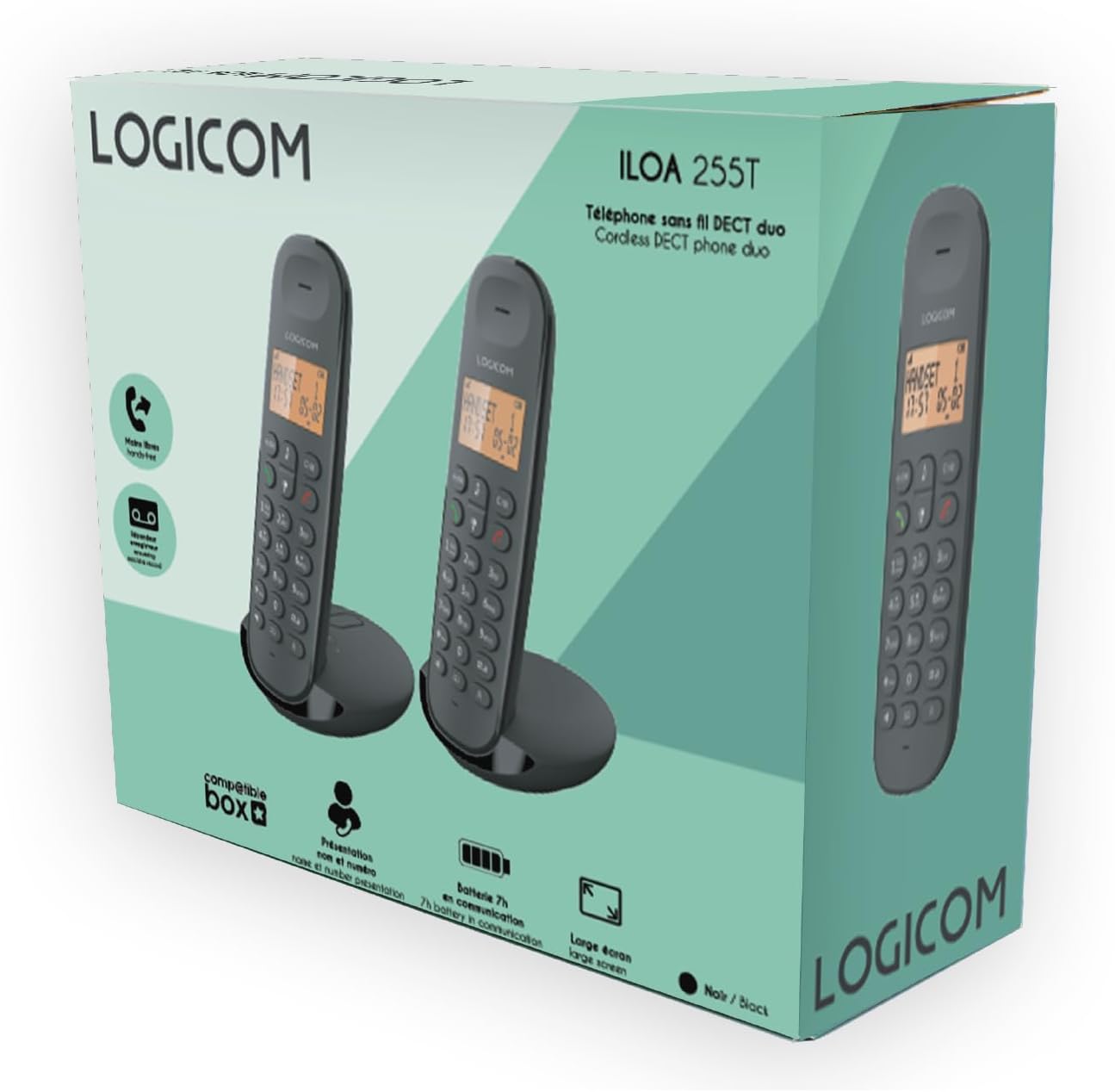
Image 2.1: Product Packaging. The image shows the retail box for the Logicom ILOA 255T, illustrating the two handsets and highlighting key features like DECT technology, answering machine, and battery life.
3. Installationsanleitung
3.1. Einlegen der Batterie
- Suchen Sie die Abdeckung des Batteriefachs auf der Rückseite jedes Mobilteils.
- Schieben Sie den Deckel nach unten, um ihn zu öffnen.
- Insert the two AAA NiMH rechargeable batteries into each handset, observing the correct polarity (+ and -).
- Bringen Sie die Abdeckung des Batteriefachs wieder an, indem Sie sie nach oben schieben, bis sie einrastet.
3.2. Anschließen der Basisstation
- Connect one end of the RJ11 telephone line cable to the "LINE" port on the main base station.
- Connect the other end of the RJ11 cable to your telephone wall socket or internet box.
- Plug one power adapter into the "POWER" port on the main base station.
- Stecken Sie das andere Ende des Netzteils in eine Steckdose.
- For the second charging base, plug its power adapter into the "POWER" port on the base and then into a wall outlet.
- Place each handset on its respective charging base. The display should indicate charging. Allow the batteries to charge for at least 12-15 hours before initial use.

Image 3.1: Charging Bases. This image shows the two charging bases for the Logicom ILOA 255T handsets. One base appears to have control buttons for the answering machine, indicating it is the main base, while the other is a simpler charging cradle.
4. Bedienung
4.1. Grundlegende Aufruffunktionen
- Einen Anruf tätigen: Drücken Sie die grüne Anruftaste und wählen Sie anschließend die Nummer. Alternativ können Sie auch zuerst die Nummer wählen und dann die grüne Anruftaste drücken.
- Anruf annehmen: Wenn das Telefon klingelt, drücken Sie die grüne Anruftaste.
- Anruf beenden: Press the red end call button or place the handset back on the charging base.
- Hands-Free (Speakerphone): During a call, press the speakerphone button (often indicated by a speaker icon) to activate hands-free mode. Press it again to return to handset mode.
- Wahlwiederholung: Press the redial button (often indicated by a phone icon with an arrow) to redial the last number called. The phone stores the last 5 numbers.
4.2. Anrufbeantworter
The ILOA 255T features an integrated answering machine with a recording capacity of approximately 15 minutes.
- Aktivieren/Deaktivieren: Refer to the on-screen menu options on your handset or the main base controls.
- Nachrichten werden abgespielt: Press the play button on the main base or access the answering machine menu via the handset.
- Aufnahme einer Ansage: Follow the instructions in the handset menu to record your personalized outgoing message.
4.3. Erweiterte Funktionen
- Anrufweiterleitung: During an active call, you can transfer it to another registered handset. Consult the handset menu for the specific steps.
- Gegensprechanlage: Make internal calls between registered handsets. Up to 5 handsets can be associated.
- Telefonkonferenz: The system supports 3-way conference calls (1 external, 2 internal participants).
- Mute-Funktion: During a call, press the mute button to temporarily disable your microphone.
- Tastensperre: Durch Drücken und Halten der Taste '#' kann die Tastatur gesperrt/entsperrt werden, um ein versehentliches Wählen zu verhindern.
- Alarm: Set an alarm via the handset menu.

Image 4.1: Handset Functions. This image highlights key functions of the ILOA 255T handset, including call transfer, answering machine, intercom, mute function, keypad lock, and alarm.
4.4. Spracheinstellungen
The ILOA 255T supports multiple languages for its menu interface.
- Access the "Settings" or "Menu" option on your handset.
- Navigate to "Language" or "Langue".
- Select from the available languages: French, English, Spanish, Dutch. Please note that German is not supported.
4.5. Lautstärkeregelung
- Ruftonlautstärke: Adjustable to 5 levels. Access via the handset menu under "Settings" or "Ringer".
- Earpiece/Speaker Volume: Adjustable to 5 levels during a call using the navigation keys.

Image 4.2: Handset Characteristics. This image illustrates the features of the ILOA 255T handset, including its large 4-line screen, caller ID display, redial function for the last 5 numbers, adjustable ringer and listening volumes, 10 available ringtones, battery specifications (2x AAA NiMH, 90h standby, 7h talk time), and range (300m open field, 50m indoors).
5. Wartung
5.1. Reinigung
Wischen Sie Mobilteil und Basisstation mit einem weichen, fusselfreien Tuch ab.amp Mit einem Tuch abwischen. Keine Scheuermittel oder Lösungsmittel verwenden. Vor der Reinigung sicherstellen, dass das Gerät vom Stromnetz getrennt ist.
5.2. Batteriepflege
Use only the supplied rechargeable AAA NiMH batteries. Non-rechargeable batteries may damage the device. If the phone will not be used for an extended period, remove the batteries to prevent leakage.
6. Fehlerbehebung
| Problem | Mögliche Ursache | Lösung |
|---|---|---|
| Kein Wählton | Telephone line cable not connected or faulty. | Check the RJ11 cable connection to the base and wall socket. Try another phone line if available. |
| Handy lädt nicht | Mobilteil sitzt nicht richtig auf der Basisstation; Netzteil nicht angeschlossen. | Ensure the handset is correctly placed on the charging base. Verify the power adapter is securely plugged into the base and wall outlet. |
| Schlechte Gesprächsqualität/Rauschen | Mobilteil zu weit von der Basisstation entfernt; Störungen durch andere elektronische Geräte. | Move closer to the base station. Relocate the base station away from other electronic devices (Wi-Fi routers, microwaves). |
| Anrufe können nicht getätigt/empfangen werden. | Handset not registered to the base; low battery. | Ensure the handset is registered. Recharge the handset batteries. |
| Anrufbeantworter nimmt nicht auf | Anrufbeantworter ist ausgeschaltet; Speicher voll. | Aktivieren Sie den Anrufbeantworter. Löschen Sie alte Nachrichten, um Speicherplatz freizugeben. |
7. Technische Daten
- Modell: ILOA 255T
- Farbe: Schwarz
- Typ: Cordless DECT Phone with Answering Machine
- Anzeige: Großer 4-zeiliger Bildschirm (1 Punktmatrix, 1 alphanumerische Zeile, 2 Symbolzeilen)
- Batterien: 2 x AAA NiMH-Akkus pro Mobilteil (im Lieferumfang enthalten)
- Standby-Zeit: Bis zu 90 Stunden
- Gesprächszeit: Bis zu 7 Stunden
- Reichweite: Bis zu 50 Meter in der Halle, bis zu 300 Meter im Freien
- Answering Machine Capacity: Approximately 15 minutes (digital)
- Ruftonlautstärke: 5 einstellbare Stufen
- Earpiece/Speaker Volume: 5 einstellbare Stufen
- Klingeltöne: 10 available melodies
- Anrufer-ID: Ja
- Wahlwiederholungsspeicher: Die letzten 5 Zahlen
- Unterstützung mehrerer Mobilteile: Up to 5 handsets can be registered to one base
- Intercom/Call Transfer: Ja
- Telefonkonferenz: 3-Wege (1 extern, 2 intern)
- Tastensperre: Ja
- Mute-Funktion: Ja
- Alarmfunktion: Ja
- Abmessungen (Mobilteil): Ca. 15 x 8 x 5 cm (L x B x H)
- Gewicht: 250 Grams (approximate, likely per handset)
- Material: Plastik
- Energiequelle: Battery powered (handset), AC adapter (base)
- Kompatible Geräte: Traditional fixed line network, internet box
- Sprachen: French, English, Spanish, Dutch (German not supported)

Image 7.1: Product Dimensions. This image provides a visual representation of the handset and base dimensions, indicating a handset height of 163mm and a base width of 90mm.
8. Garantie und Support
8.1. Garantieinformationen
Logicom products are designed for reliability. If you encounter any issues with your ILOA 255T, please refer to the troubleshooting section first. For warranty claims, please retain your proof of purchase. The warranty period and terms are subject to local regulations and the retailer's policy.
8.2. Kundendienst
For further assistance, technical support, or service inquiries, please contact Logicom customer service. Contact details can typically be found on the Logicom official webauf der Website oder auf der Produktverpackung.