
1. Einleitung
The Nonstop NSO2-BK is a versatile hotel alarm clock designed for convenience and functionality. It features a clear digital display, multiple charging options including USB-C, and an intuitive interface for setting time and alarms. This manual provides detailed instructions for setting up and operating your alarm clock.
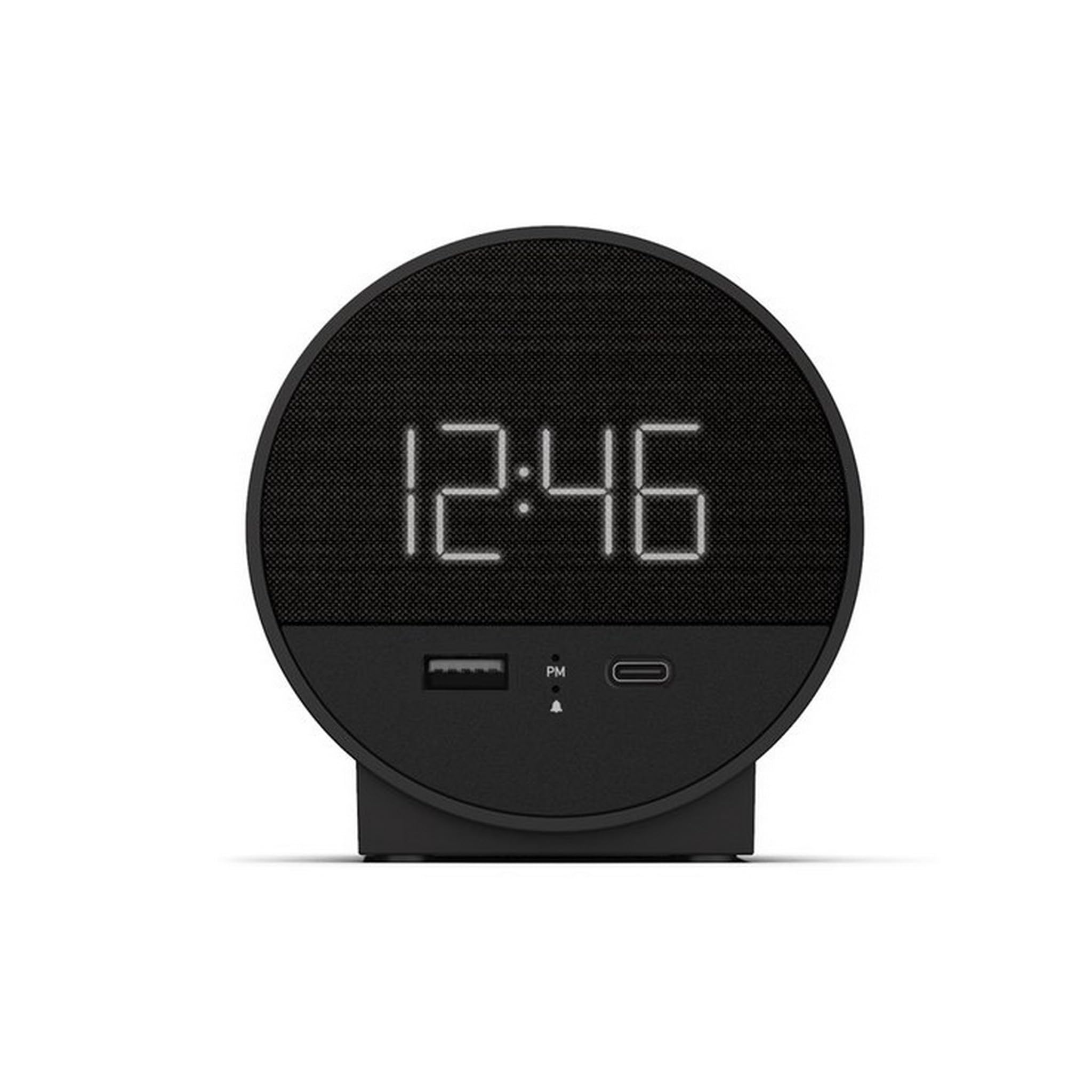
Abbildung 1: Vorderseite view of the Nonstop NSO2-BK USB-C Hotel Alarm Clock.
2. Produktmerkmale
- Digital Time Display: Clear and easy-to-read time.
- Dual Alarm Function: Set two independent alarms.
- Snooze Function: Temporarily silence the alarm.
- Display Dimmer: Adjust screen brightness for comfort.
- USB-C Charging Port: Modern charging for compatible devices.
- USB-A Charging Port: Standard USB charging for various devices.
- Bluetooth Speaker: Connect your smartphone or other devices to play audio.
- Relaxation Sounds: Built-in sound machine for sleep or relaxation.

Figure 2: Close-up of the USB-A and USB-C charging ports on the alarm clock.
3. Einrichtung
3.1 Stromanschluss
- Packen Sie den Wecker und sämtliches Zubehör aus.
- Schließen Sie das Netzteil an den DC-Eingangsanschluss auf der Rückseite des Weckers an.
- Stecken Sie den Netzadapter in eine normale Steckdose. Das Display leuchtet auf.
3.2 Backup Battery (Not included)
Für die kontinuierliche Zeiterfassung bei Stromausfalltages, insert 2 AAA batteries (not included) into the battery compartment on the bottom of the unit. The backup battery maintains time settings but does not power the display or alarm functions.
4. Bedienungsanleitung
4.1 Uhrzeit einstellen
- Halten Sie die ZEITEINSTELLUNG button (often labeled 'M' or a clock icon) for 3 seconds until the hour digits flash.
- Verwenden Sie die HR (Stunde) und MIN (Minute) buttons to adjust the time.
- Drücken ZEITEINSTELLUNG Zur Bestätigung und zum Verlassen des Zeiteinstellungsmodus erneut den Zeiteinstellungsmodus aufrufen.
4.2 Wecker stellen
The NSO2-BK supports two independent alarms (Alarm 1 and Alarm 2).
- Halten Sie die ALARM 1 or ALARM 2 button (bell icon) for 3 seconds until the hour digits flash.
- Verwenden Sie die HR Und MIN Tasten zum Einstellen der gewünschten Weckzeit.
- Drücken Sie die jeweilige Taste ALARM Drücken Sie erneut, um die Alarmzeit zu bestätigen.
- Zum Aktivieren/Deaktivieren eines Alarms die entsprechende Taste kurz drücken. ALARM button. An indicator light will appear/disappear on the display.
4.3 Schlummerfunktion
Wenn der Alarm ertönt, drücken Sie die große Taste. SCHLAFEN button on top of the unit to temporarily silence the alarm for 9 minutes. The alarm will sound again after the snooze period.
4.4 Steuerung der Displayhelligkeit
Drücken Sie die SCHLUMMER/DIMMER button (or a dedicated dimmer button if available) repeatedly to cycle through different brightness levels for the display. Select the level that is most comfortable for you.
4.5 Ladegeräte
The NSO2-BK provides convenient charging for your electronic devices:
- USB-C-Anschluss: Located on the front, plug in your USB-C compatible device for fast charging.
- USB-A-Anschluss: Located on the front, plug in your standard USB-A compatible device for charging.
4.6 Bluetooth Lautsprecher
To use the alarm clock as a Bluetooth speaker:
- Drücken Sie die MODUS button (labeled 'M') until 'BT' appears on the display.
- Aktivieren Sie auf Ihrem Mobilgerät Bluetooth und suchen Sie nach verfügbaren Geräten.
- Select 'A21-B' (or similar model name) from the list to pair.
- Sobald die Geräte gekoppelt sind, können Sie Audio von Ihrem Gerät über den Lautsprecher des Weckers abspielen.
Video 1: Demonstrates various functions including time setting, alarm setting, snooze, brightness, and charging on a similar multifunctional alarm clock. Note: Specific button labels may vary slightly from your model.
5. Wartung
- Reinigen Sie das Gerät mit einem weichen, trockenen Tuch. Verwenden Sie keine flüssigen Reinigungsmittel oder Scheuermittel.
- Das Gerät sollte nicht direkter Sonneneinstrahlung, Wärmequellen oder Feuchtigkeit ausgesetzt werden.
- Versuchen Sie nicht, das Gerät selbst zu zerlegen oder zu reparieren. Wenden Sie sich an den Kundendienst.
6. Fehlerbehebung
- Kein Strom/Display aus: Ensure the power adapter is securely plugged into both the alarm clock and a working electrical outlet. Check if the power outlet is functional.
- Alarm ertönt nicht: Verify that the alarm is activated (indicator light on) and the alarm time is correctly set. Check the alarm volume settings.
- Laden funktioniert nicht: Ensure your device is compatible with USB-C or USB-A charging. Check the charging cable for damage.
- Probleme mit der Bluetooth-Kopplung: Ensure the alarm clock is in Bluetooth pairing mode ('BT' displayed). Turn off and on Bluetooth on your mobile device and try pairing again.
7. Spezifikationen
| Spezifikation | Detail |
|---|---|
| Modell | NSO2-BK |
| Artikelgewicht | 2 Pfund |
| ASIN | B0CKCNX688 |
| Datum der ersten Verfügbarkeit | 29. Juli 2024 |
8. Garantie und Support
This Nonstop NSO2-BK USB-C Hotel Alarm Clock comes with a 365-Day Warranty from the date of purchase. For any product-related inquiries, technical support, or warranty claims, please contact our customer service team.
- Rückgaberecht: 30-day refund/replacement period.
- Garantiezeit: 365 Tage ab Kaufdatum.
- Support-E-Mail: Andoservice@outlook.com