
1. Einleitung
The Rii RK801 is a versatile wireless keyboard designed for multi-device compatibility. It supports both Bluetooth 5.0 (BT1, BT2) and 2.4G wireless connections, allowing seamless switching between up to three devices. Featuring a rechargeable battery, RGB backlighting, and a built-in phone/tablet holder, this keyboard enhances productivity across various operating systems including Mac OS, Windows PC, and Android Smart TVs.
2. Packungsinhalt
- Rii RK801 Wireless Keyboard
- USB 2.4G-Empfänger
- USB-Ladekabel
- Benutzerhandbuch (dieses Dokument)
3. Einrichtung
3.1 Erstaufladung
Before first use, fully charge the keyboard using the provided USB charging cable. Connect the cable to the keyboard's charging port and a USB power source. The charging indicator will show the charging status.
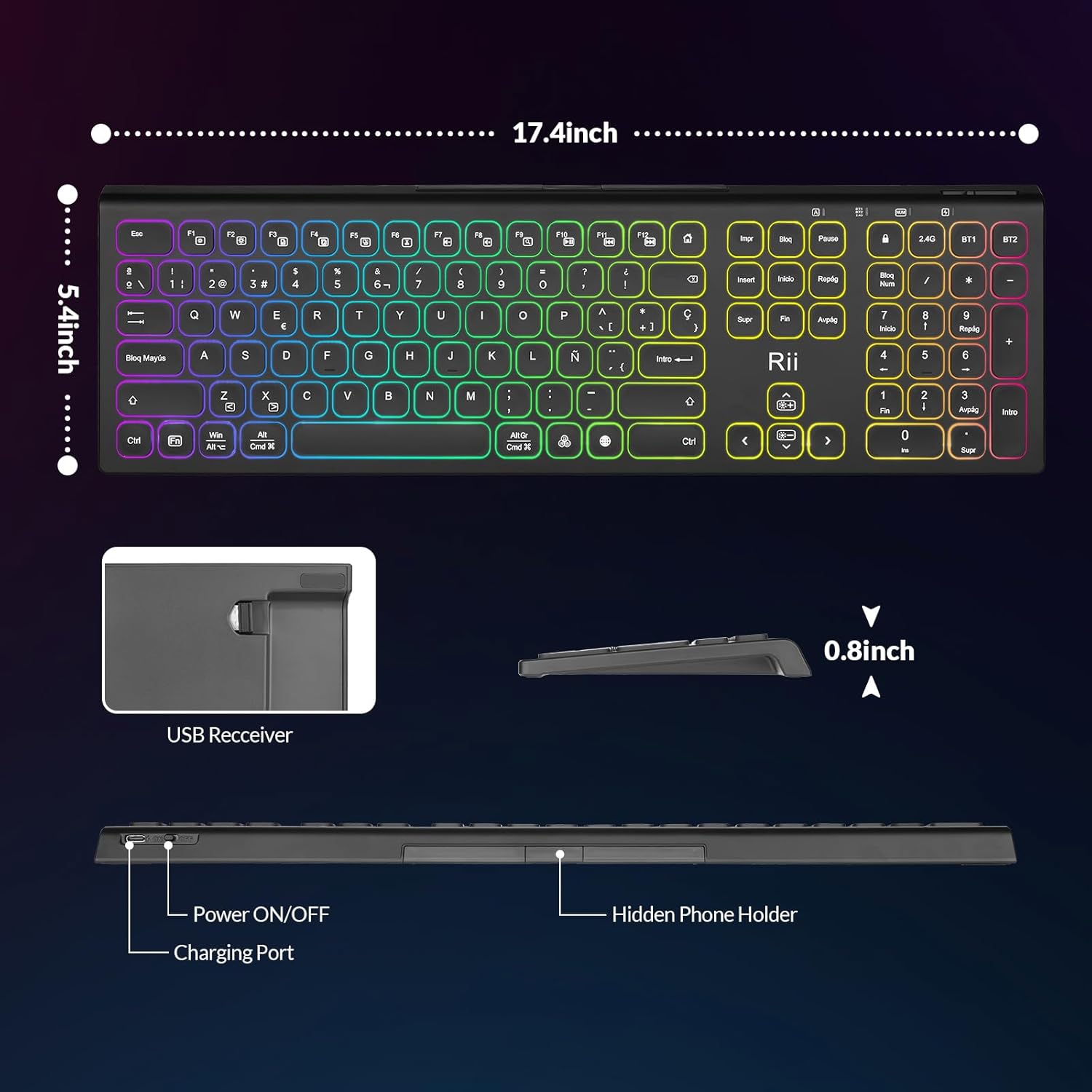
Image: The Rii RK801 keyboard highlighting the charging port and the location of the USB receiver. Dimensions are also shown.
3.2 2.4G-Drahtlosverbindung
- Locate the USB 2.4G receiver, typically stored in a compartment on the keyboard.
- Stecken Sie den USB-Empfänger in einen freien USB-Anschluss Ihres Computers oder eines kompatiblen Geräts.
- Schalten Sie die Tastatur mit dem Netzschalter ein.
- Drücken Sie die 2.4 G key on the keyboard. The keyboard should automatically connect to your device.
3.3 Bluetooth-Verbindung (BT1 / BT2)
The keyboard supports two Bluetooth channels (BT1 and BT2) for connecting to different devices.
- Schalten Sie die Tastatur mit dem Netzschalter ein.
- Halten Sie entweder die BT1 or BT2 Die Taste 3-5 Sekunden lang gedrückt halten, bis die Kontrollleuchte schnell blinkt und den Kopplungsmodus anzeigt.
- On your device (e.g., MacBook, iPad, Android Smart TV), go to Bluetooth settings and search for new devices.
- Select "Rii RK801" from the list of available devices.
- Sobald die Kopplung hergestellt ist, hört die Kontrollleuchte auf zu blinken.
- Repeat these steps for the other Bluetooth channel to connect a second device.

Image: The Rii RK801 keyboard illustrating the different connection modes: 2.4G USB for laptops/PCs and Bluetooth (BT1/BT2) for smartphones, tablets, and laptops.
4. Bedienungsanleitung
4.1 Ein-/Ausschalten
Use the physical power switch located on the keyboard to turn it on or off.
4.2 Umschalten zwischen Geräten
Um zwischen verbundenen Geräten zu wechseln, drücken Sie einfach die entsprechende Verbindungstaste: 2.4 G, BT1, oder BT2. The keyboard will connect to the last paired device on that channel.
4.3 RGB-Hintergrundbeleuchtungssteuerung
The keyboard features customizable RGB backlighting.
- Ein-/Ausschalten: Drücken Sie lange die RGB Taste.
- Farbe ändern: Drücken Sie kurz die RGB button to cycle through different colors.
- Helligkeit anpassen: Drücken Fn +
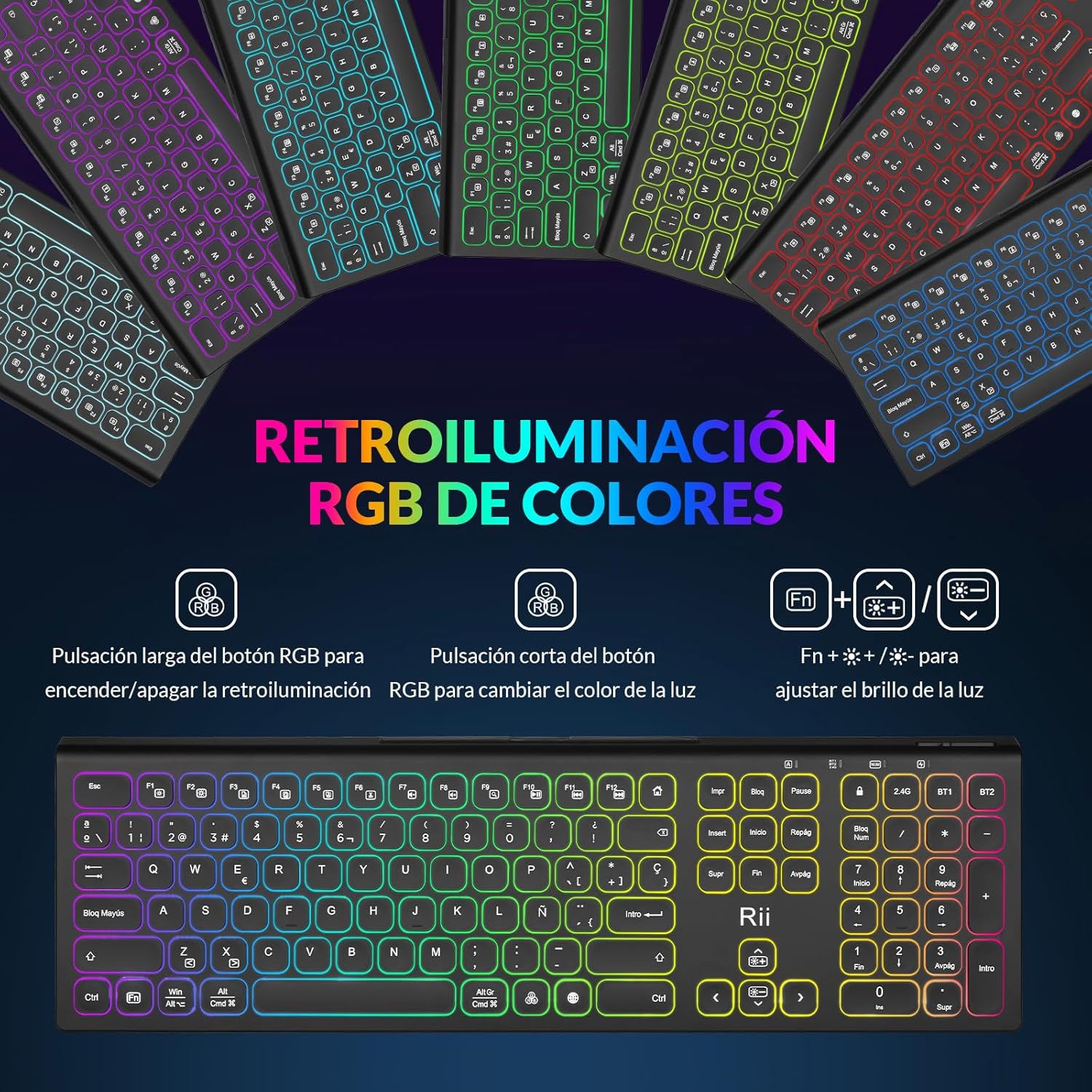 , um die Helligkeit der Hintergrundbeleuchtung anzupassen.
Image: The Rii RK801 keyboard displaying the keys for controlling the RGB backlight: long press for on/off, short press for color change, and Fn + brightness keys for adjustment.
4.4 Integrated Phone/Tablet Holder
The keyboard includes a discreet, retractable stand designed to hold your smartphone or tablet, providing a convenient viewWinkel beim Tippen.
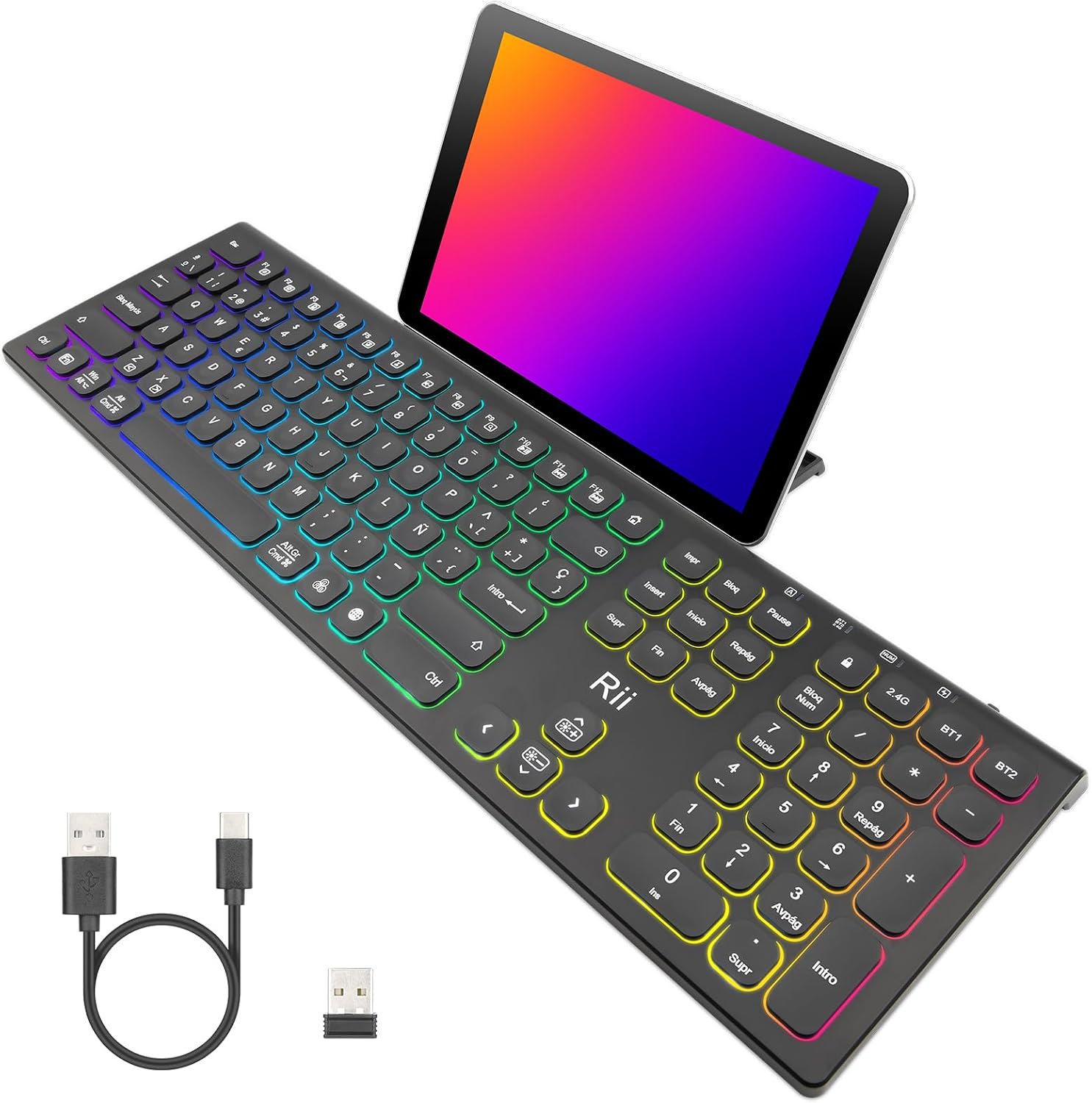
Image: The Rii RK801 keyboard with a tablet placed in its integrated stand, demonstrating the convenience for multi-device use.
Abbildung: Seite A view of the Rii RK801 keyboard indicating the location of the hidden phone holder.
4.5 Key Type and Feel
The keyboard features mechanical keys with an innovative switch design, providing a comfortable typing experience and reduced noise.

Image: A diagram illustrating the scissor-type mechanical switch used in the Rii RK801 keyboard, designed for comfortable and quiet typing.

Bild: Eine Nahaufnahme view of a key on the Rii RK801 keyboard, highlighting its spherical design for comfortable finger placement.
5. Wartung
- Reinigung: Reinigen Sie die Tastaturoberfläche mit einem weichen, trockenen Tuch. Für eine gründlichere Reinigung verwenden Sie ein leicht dämpfendes Tuch.amp cloth can be used, ensuring no liquid enters the keycaps or internal components.
- Batteriepflege: To prolong battery life, avoid fully discharging the keyboard frequently. Recharge when the low battery indicator appears. If storing for an extended period, charge the keyboard to about 50% and turn it off.
- Lagerung: Bewahren Sie die Tastatur an einem kühlen, trockenen Ort fern von direkter Sonneneinstrahlung und extremen Temperaturen auf.
6. Fehlerbehebung
- Tastatur verbindet sich nicht: Ensure the keyboard is turned on and fully charged. For 2.4G, check if the USB receiver is properly inserted. For Bluetooth, ensure the keyboard is in pairing mode (flashing indicator) and your device's Bluetooth is enabled. Try re-pairing the device.
- Keys not responding or double typing: Ensure the keyboard is fully charged. If the issue persists, try cleaning around the affected keys. Ensure you are pressing keys centrally and firmly.
- Hintergrundbeleuchtung funktioniert nicht: Ensure the keyboard is turned on. Long press the RGB button to toggle the backlight. Check battery level.
- Kurze Akkulaufzeit: Backlighting consumes more power. Reduce brightness or turn off the backlight to extend battery life. Ensure the keyboard is fully charged before use.
- Lag or delay in input: Ensure the keyboard is within range of the receiver/device. Avoid interference from other wireless devices. For 2.4G, try plugging the USB receiver into a different USB port, preferably a rear port on desktop PCs.
7. Spezifikationen
| Marke | Rii |
| Modellnummer | RK801 |
| Konnektivität | Bluetooth 5.0 (BT1, BT2), 2.4G Wireless |
| Besondere Merkmale | Rechargeable, RGB Backlight, Integrated Phone/Tablet Holder |
| Kompatible Geräte | Laptop, Smart TV, PC, Mac OS, Android devices |
| Akku-Typ | Lithium-Ionen-Polymer |
| Anzahl der Tasten | 104 |
| Abmessungen (ca.) | 17.4 Zoll (Länge) x 5.4 Zoll (Breite) x 0.8 Zoll (Höhe) |
Image: The Rii RK801 keyboard with its approximate dimensions of 17.4 inches in length, 5.4 inches in width, and 0.8 inches in height.
8. Garantie und Support
Specific warranty details and direct support contact information are not available in the provided product data. Please refer to the retailer's return policy or the manufacturer's official webWebsite für Garantieansprüche und technischen Support.