
Einführung
Thank you for choosing Micool T35 Open Ear Headphones. These headphones are designed to provide a comfortable and safe listening experience, allowing you to enjoy high-quality audio while remaining aware of your surroundings. Featuring Bluetooth 5.3 connectivity, IPX6 waterproofing, and a long-lasting battery, they are ideal for sports and daily use.
Packungsinhalt
Bitte prüfen Sie das Paket auf folgende Artikel:
- Micool T35 Open Ear Headphones
- Kabelloses Ladecase
- USB-Kabel Typ C.
- Bedienungsanleitung
Produkt überview
The Micool T35 headphones feature an open-ear design with earhooks for secure and comfortable wear. The charging case protects and recharges your headphones.

Image: Micool T35 Open Ear Headphones and Charging Case. The image displays the charging case with one earbud inside and the other earbud placed next to it, showcasing the open-ear design and earhook.
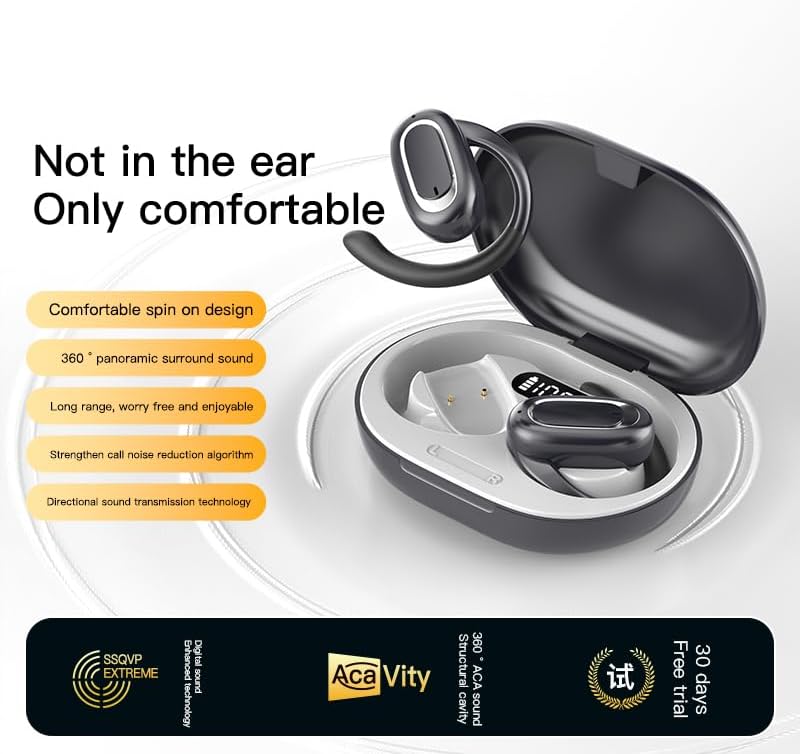
Image: Micool T35 Open Ear Headphones. This image shows both left and right earbuds with their earhooks, highlighting their ergonomic shape.
Hauptmerkmale:
- Offenes Ohrdesign: Rests gently on the ear without blocking the ear canal, reducing ear fatigue and maintaining environmental awareness.
- Bluetooth 5.3: Gewährleistet eine stabile und effiziente drahtlose Verbindung.
- Ergonomische Ohrhaken: Provides a secure and comfortable fit, even during extended use or physical activity.
- IPX6 Wasserdicht: Resistant to sweat and splashes, suitable for sports.
- Lange Akkulaufzeit: Up to 12 hours of playback on a single charge, extended to 34 hours with the charging case.
- Richtungsabhängige Schallübertragung: Minimizes sound leakage while delivering clear audio.
Aufstellen
1. Aufladen der Kopfhörer und des Ladecase
Vor dem ersten Gebrauch die Kopfhörer und das Ladecase vollständig aufladen.
- Legen Sie die Kopfhörer in das Ladeetui.
- Verbinden Sie das USB-Typ-C-Kabel mit dem Ladeanschluss am Gehäuse und einer Stromquelle.
- The charging case takes approximately 1-2 hours to fully charge.
- A full charge provides up to 12 hours of listening time for the headphones, with the charging case extending total playback to 34 hours.
2. Bluetooth-Kopplung
To connect your Micool T35 headphones to a device:
- Stellen Sie sicher, dass die Kopfhörer aufgeladen sind und sich im Ladecase befinden.
- Öffnen Sie das Ladecase. Die Kopfhörer wechseln automatisch in den Kopplungsmodus, was durch eine blinkende LED-Leuchte an den Ohrhörern angezeigt wird.
- Gehen Sie auf Ihrem Gerät (Smartphone, Tablet usw.) zu den Bluetooth-Einstellungen.
- Suchen nach available devices and select "Micool T35" from the list.
- Sobald die Verbindung hergestellt ist, hört die LED-Anzeige an den Kopfhörern auf zu blinken.
- Die Kopfhörer verbinden sich beim Herausnehmen aus dem Ladecase automatisch wieder mit dem zuletzt gekoppelten Gerät, sofern Bluetooth auf dem Gerät aktiviert ist.
Bedienungsanleitung
1. Tragen der Kopfhörer
The Micool T35 headphones are designed for an open-ear fit with rotatable earhooks.
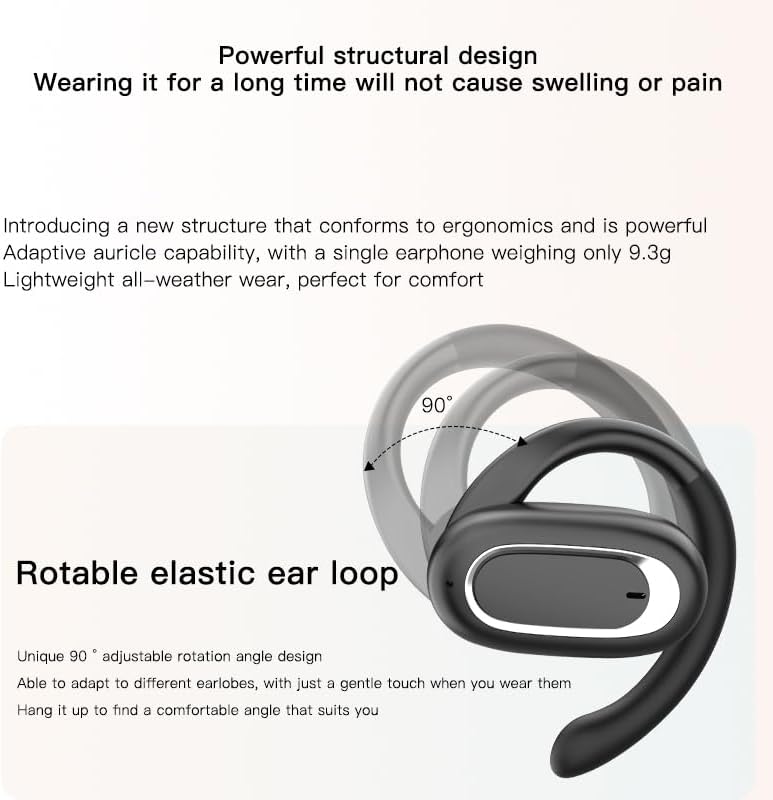
Image: Micool T35 Headphones: Rotatable Earhook Adjustment. The image illustrates the 90-degree rotation capability of the earhook for a customized fit.
- Gently place the earbud on your ear, ensuring the earhook wraps securely around the back of your ear.
- Adjust the rotatable earhook to find the most comfortable and stable position for your earlobe.
- The open-ear design ensures comfort and allows you to hear your surroundings.

Image: Micool T35 Headphones: Usage Scenarios. This image shows individuals using the headphones in various settings: during fitness activities, in an office environment, outdoors while running, and during leisure time.
2. Tippen Sie auf Steuerung
The Micool T35 headphones feature intuitive touch controls on each earbud.
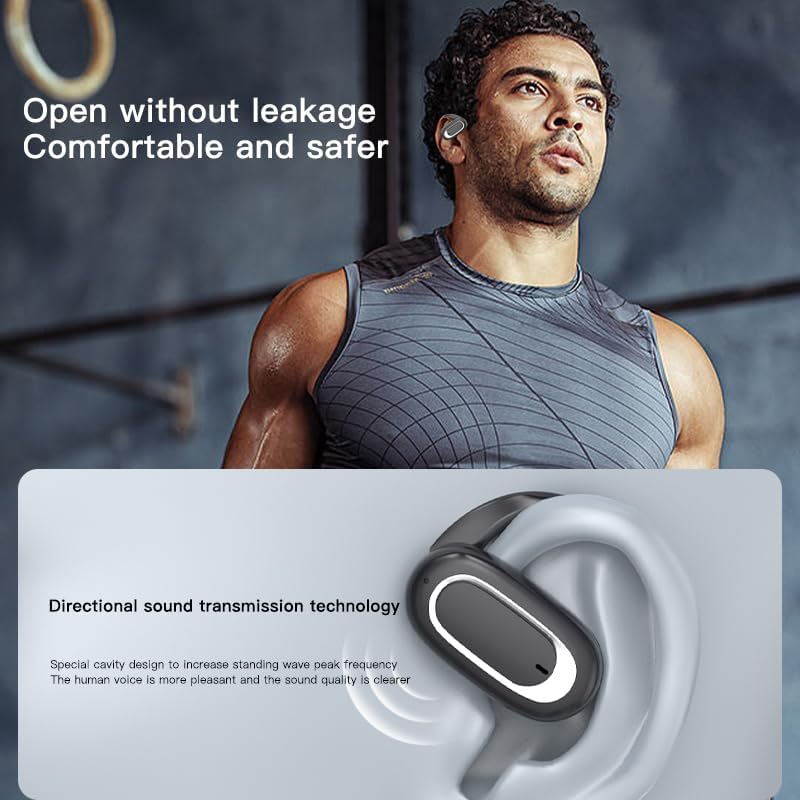
Image: Micool T35 Headphones: Touch Controls Diagram. This diagram illustrates the touch-sensitive area on the earbud and lists the corresponding functions for single tap, double tap, triple tap, and long press.
- Musikwiedergabe/Pause: Tap the function key once.
- Anruf annehmen/beenden: Click the function key.
- Sprachassistenten aufrufen: Long press the function key for 2 seconds.
- Rufabweisung: Long press the function key for 2 seconds during an incoming call.
- Switching Up/Down Tracks: Triple click the left/right ear function keys.
- Lautstärke erhöhen/verringern: Double click the right/left ear function keys.
3. Spielmodus
The Micool T35 headphones support a low-latency game mode for improved audio-video synchronization.

Image: Micool T35 Headphones: Low Latency Game Mode. The image shows a smartphone displaying a mobile game, indicating the headphones' capability for synchronized audio and video during gaming.
To activate game mode, refer to the specific instructions provided in the quick start guide or product packaging, as this feature often requires a specific touch gesture or setting within the connected device.
Wartung
Durch sachgemäße Pflege werden die Langlebigkeit und Leistungsfähigkeit Ihrer Kopfhörer sichergestellt.
- Reinigung: Reinigen Sie die Kopfhörer und das Ladecase mit einem weichen, trockenen und fusselfreien Tuch. Verwenden Sie keine Scheuermittel oder Lösungsmittel.
- Wasserbeständigkeit: The headphones are IPX6 waterproof, meaning they are resistant to strong jets of water. They are suitable for use during workouts and in light rain, but should not be submerged in water. Dry them thoroughly before placing them back in the charging case.
- Lagerung: Bewahren Sie die Kopfhörer bei Nichtgebrauch im Ladecase auf, um sie vor Staub und Beschädigungen zu schützen. Lagern Sie sie an einem kühlen, trockenen Ort und vermeiden Sie extreme Temperaturen.
- Batteriepflege: To preserve battery life, charge the headphones regularly, even if not used for extended periods. Avoid fully discharging the battery frequently.
Fehlerbehebung
If you encounter issues with your Micool T35 headphones, try the following solutions:
- Kein Ton:
- Stellen Sie sicher, dass die Kopfhörer aufgeladen sind.
- Prüfen Sie, ob die Kopfhörer ordnungsgemäß mit Ihrem Gerät gekoppelt sind.
- Stellen Sie die Lautstärke sowohl an den Kopfhörern als auch an Ihrem Gerät ein.
- Versuchen Sie, die Audiowiedergabe über eine andere Anwendung oder Quelle zu starten.
- Pairing-Fehler:
- Schalten Sie Bluetooth auf Ihrem Gerät aus und wieder ein.
- Forget "Micool T35" from your device's Bluetooth list and attempt to pair again.
- Stellen Sie sicher, dass sich die Kopfhörer im Kopplungsmodus befinden (LED blinkt).
- Bringen Sie die Kopfhörer näher an Ihr Gerät heran.
- Ladeprobleme:
- Stellen Sie sicher, dass das Ladekabel sowohl mit dem Gehäuse als auch mit der Stromquelle fest verbunden ist.
- Versuchen Sie es mit einem anderen USB-Typ-C-Kabel oder Netzteil.
- Clean the charging contacts on the headphones and inside the case with a dry cotton swab.
- Schlechte Anrufqualität:
- Stellen Sie sicher, dass das Mikrofon nicht verdeckt wird.
- Ziehen Sie in eine Gegend mit weniger Umgebungslärm.
- Überprüfen Sie den Netzwerkempfang Ihres Geräts.
Technische Daten
| Marke | Micool |
| Modellname | T35 |
| Konnektivitätstechnologie | Kabellos (Bluetooth 5.3) |
| Platzierung des Ohrs | Offenes Ohr |
| Formfaktor | On Ear (with earhooks) |
| Wasserdichtigkeit | IPX6 |
| Wiedergabezeit | Up to 12 hours (single charge), 34 hours (with charging case) |
| Ladeanschluss | USB Typ C |
| Steuerungstyp | Mediensteuerung (Touch) |
| Material | Plastik |
| Kompatible Geräte | Handys |
Garantie und Support
Micool T35 Open Ear Headphones come with a 1-year limited warranty from the date of purchase. This warranty covers manufacturing defects and workmanship under normal use.
For technical support, warranty claims, or any questions regarding your product, please contact Micool customer service through the retailer where you purchased the product or visit the official Micool brand store:
Please have your purchase receipt and product model number (T35) ready when contacting support.