
1. Produktüberschreitungview
The Electro-Harmonix Pico Triboro Bridge is a versatile multi-mode drive pedal designed to provide a wide range of tonal possibilities. It features three distinct modes: Overdrive, Distortion, and Fuzz, allowing musicians to bridge any gap in their gain requirements. With its powerful EQ capabilities, input contouring, and compact pico-sized footprint, the Triboro Bridge can serve as a foundational element for your tone or offer a fresh alternative to your existing drive pedals.
Hauptmerkmale:
- Wide range of saturation with Overdrive, Distortion, and Fuzz modes.
- Treble control boosts or cuts high end in Overdrive and Distortion modes.
- Bass control boosts or cuts low end in Overdrive and Distortion modes.
- Fuzz mode features a dedicated Gate control and a Low Pass Filter.
- Includes a power adapter for immediate use.

Bild: Abgewinkelt view of the Electro-Harmonix Pico Triboro Bridge pedal, highlighting its compact size and control knobs.
2. Einrichtung und Anschlüsse
Follow these steps to connect your Pico Triboro Bridge pedal to your audio setup:
- Stromanschluss: Connect the included 9V DC power adapter to the power jack on the top of the pedal. Ensure the power supply meets the pedal's specifications (9V DC, center-negative).
- Eingangsanschluss: Connect your instrument (guitar, bass, etc.) to the INPUT jack on the right side of the pedal using a standard 1/4-inch instrument cable.
- Ausgangsanschluss: Verbinden Sie die OUTPUT-Buchse auf der linken Seite des Pedals mit Ihrem ampSchließen Sie den Verstärker oder das nächste Pedal in Ihrer Signalkette mit einem Standard-Instrumentenkabel (6,35 mm Klinkenstecker) an.
- Einschalten: Once all connections are secure, plug the power adapter into a wall outlet. The pedal's LED will illuminate when active.
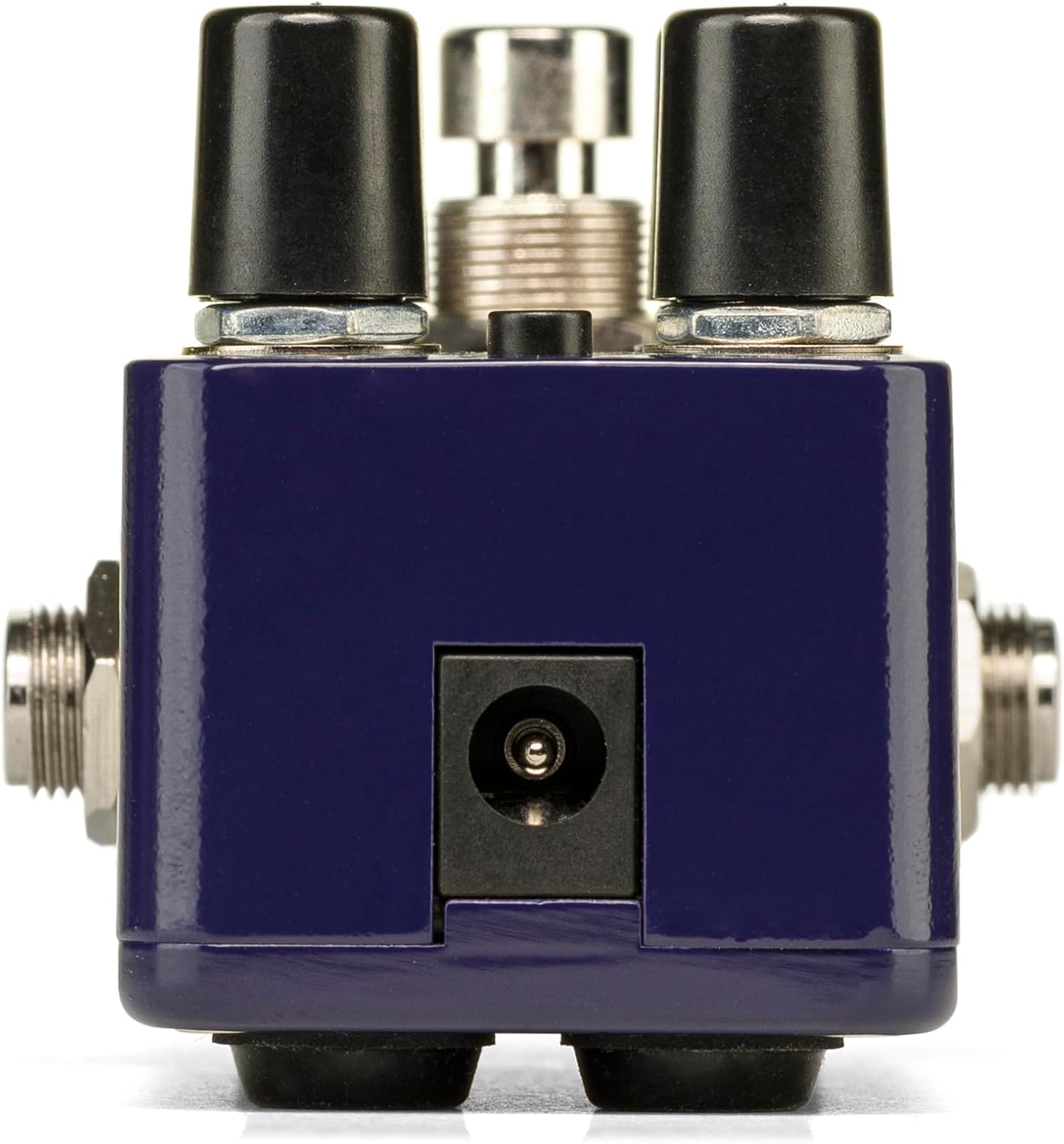
Bild: Rückseite view of the Pico Triboro Bridge pedal, showing the power input jack for connecting the power adapter.
3. Bedienung und Betrieb
The Pico Triboro Bridge features intuitive controls for shaping your desired drive tone. Understanding each knob and button is key to unlocking its full potential.
Steuerknöpfe:
- VOL (Lautstärke): Controls the overall output level of the pedal. Adjust this to balance the effect's volume with your bypassed signal or other effects.
- DAZUGEWINNEN: Controls the intensity of the drive, distortion, or fuzz effect. Higher settings result in more saturation and sustain.
- BASS / GATE:
- In Overdrive and Distortion modes, this knob functions as a BASS control, allowing you to boost or cut low frequencies.
- In Fuzz mode, this knob functions as a TOR control, adjusting the noise gate threshold to eliminate unwanted noise and feedback.
- TREBLE / TONE:
- In Overdrive and Distortion modes, this knob functions as a VERDREIFACHEN control, allowing you to boost or cut high frequencies.
- In Fuzz mode, this knob functions as a TON control, specifically a Low Pass Filter, for extreme tonal variations and shaping the fuzz character.
Schaltfläche „TYP“:
The small button labeled "TYPE" at the top of the pedal is used to select between the three primary drive modes and to engage the Input Contour Mode.
- Modusauswahl: Pressing the TYPE button cycles through the Overdrive (green LED), Distortion (orange LED), and Fuzz (red LED) modes.
- Input Contour Mode: Press and hold the TYPE button to enable or disable the Input Contouring EQ. When active, this mode applies a specific EQ to the input signal for a tighter, more modern character across all drive modes.

Bild: Oben view of the Pico Triboro Bridge pedal, illustrating the layout of the VOL, GAIN, BASS/GATE, TREBLE/TONE knobs, and the TYPE button.
4. Drive Modes Explained
The Pico Triboro Bridge offers three distinct drive modes, each with its unique sonic characteristics:
- Overdrive Mode (Green LED): This mode provides a gain spectrum ranging from low to mid-level saturation with an open voicing. It is ideal for use as a subtle "always-on" drive, adding warmth and grit, or as a solo boost to push your ampschwerer.
- Distortion Mode (Orange LED): Engaging this mode provides additional gain-staging, delivering tones from crunchy rhythms to fully saturated leads. It offers a more aggressive and compressed sound compared to the Overdrive mode.
- Fuzz Mode (Red LED): This mode transforms the pedal into a high-gain fuzz effect with over-the-top saturation. The BASS knob becomes a GATE control, and the TREBLE knob becomes a Low Pass Filter, allowing for unique and extreme tonal variations specific to fuzz.
Video: Official demonstration of the Electro-Harmonix Pico Triboro Bridge pedal, showcasing its Overdrive, Distortion, and Fuzz modes, along with an overview of its controls and input contouring feature. This video highlights the tonal versatility of the pedal for both guitar and bass.
5. Spezifikationen
| Besonderheit | Spezifikation |
|---|---|
| Artikelgewicht | 1.21 Pfund (0.55 Kilogramm) |
| Technische Daten | 3.65 Zoll L x 2 Zoll B x 2 Zoll H (3.65 x 2 x 2 Zoll) |
| Artikelmodellnummer | PICO TRIBORO |
| Gehäusematerial | Kunststoff, Metall |
| Farbe | Blau |
| Steckertyp | Power Adapter (1/4-inch Audio Hardware Interface) |
| Signalformat | Analog |
| Stromquelle | Kabelgebundene Elektrik |
| Bandtage | 9 Volt |
6. Wartung
To ensure the longevity and optimal performance of your Pico Triboro Bridge pedal, follow these maintenance guidelines:
- Reinigung: Reinigen Sie die Außenseite des Pedals mit einem weichen, trockenen Tuch. Vermeiden Sie Scheuermittel, Lösungsmittel und übermäßige Feuchtigkeit, da diese die Oberfläche oder die internen Bauteile beschädigen können.
- Lagerung: Bewahren Sie das Pedal bei Nichtgebrauch an einem kühlen, trockenen Ort fern von direkter Sonneneinstrahlung, extremen Temperaturen und hoher Luftfeuchtigkeit auf.
- Verbindungen: Überprüfen Sie regelmäßig alle Kabelverbindungen auf Verschleiß. Stellen Sie sicher, dass die Buchsen frei von Staub und Schmutz sind.
- Stromversorgung: Always use the recommended 9V DC center-negative power adapter. Using an incorrect power supply can damage the unit and void the warranty.
7. Fehlerbehebung
If you encounter issues with your Pico Triboro Bridge pedal, refer to the following common troubleshooting steps:
- Kein Ton:
- Überprüfen Sie alle Kabelverbindungen (Instrument an Eingang, Ausgang an amp).
- Vergewissern Sie sich, dass das Netzteil korrekt angeschlossen ist und funktioniert.
- Vergewissern Sie sich, dass Ihr Instrument und ampregler ordnungsgemäß funktionieren.
- Check the pedal's bypass status; if it's true bypass, sound should pass even if the pedal is off.
- Schwacher oder verzerrter Ton (unerwartet):
- Check the GAIN and VOL knob settings.
- Ensure the correct drive mode (Overdrive, Distortion, Fuzz) is selected for your desired sound.
- If in Fuzz mode, adjust the GATE and TONE (Low Pass Filter) knobs, as extreme settings can significantly alter the sound.
- Test with different cables and power supplies to rule out faulty accessories.
- Übermäßiger Lärm/Brummen:
- Ensure you are using a regulated, isolated power supply.
- If in Fuzz mode, adjust the GATE knob to reduce unwanted noise.
- Prüfen Sie Ihre Installation auf Masseschleifen.
- Halten Sie das Pedal von Leistungstransformatoren und anderen Quellen elektromagnetischer Störungen fern.
8. Garantie und Support
Electro-Harmonix products are designed for reliability and performance. For warranty information, product registration, or technical support, please refer to the official Electro-Harmonix webBesuchen Sie die Website oder kontaktieren Sie den Kundendienst. Bewahren Sie Ihren Kaufbeleg als Kaufnachweis für Garantieansprüche auf.
Für weitere Unterstützung besuchen Sie bitte: www.ehx.com