
LEMNOI SG7
LEMNOI SG7 Educational Day/Night Alarm Clock for Children - User Manual
Modell: SG7
Einführung
This manual provides detailed instructions for the setup, operation, and maintenance of your LEMNOI SG7 Educational Day/Night Alarm Clock. Please read it thoroughly to ensure proper use and to maximize the product's features.
Sicherheitshinweise
- Halten Sie das Gerät von Wasser und Feuchtigkeit fern.
- Nicht extremen Temperaturen aussetzen.
- Verwenden Sie zum Aufladen ausschließlich das mitgelieferte USB-C-Kabel.
- Um Erstickungsgefahr durch Kleinteile zu vermeiden, bewahren Sie das Produkt außerhalb der Reichweite von Kleinkindern auf.
- Versuchen Sie nicht, das Gerät selbst zu zerlegen oder zu reparieren. Wenden Sie sich bei Problemen an den Kundendienst.
Packungsinhalt
Bitte prüfen Sie das Paket auf folgende Artikel:
- LEMNOI SG7 Educational Day/Night Alarm Clock
- USB-C-Ladekabel
- Bedienungsanleitung
Produkt überview
The LEMNOI SG7 is designed to assist children with sleep training and morning routines. It features:
- Day/Night Educational Icons: Green sun for wake-up, blue moon for sleep.
- 5-farbiges LED-Nachtlicht: Einstellbare Helligkeit.
- 7 Musical Alarm Options: Gentle wake-up sounds.
- Doppelte Alarme & Schlummerfunktion: Customizable for weekdays and weekends.
- Digital Display with Temperature Monitor: 12/24 hour format, F/C conversion.
- Touch/Sound Activated Screen: Der Bildschirm schaltet sich nach 20 Sekunden Inaktivität aus.
- Eingebauter 2000-mAh-Lithium-Akku: Wiederaufladbar über USB-C.

Front view of the LEMNOI SG7 alarm clock, displaying time, temperature, and day/night icons.
Aufstellen
1. Erstes Aufladen
Before first use, fully charge the alarm clock. Connect the provided USB-C cable to the charging port on the back of the device and plug it into a compatible USB power adapter (not included).
- Die Ladeanzeigeleuchte leuchtet während des Ladevorgangs.
- Eine vollständige Aufladung dauert in der Regel etwa 3 Stunden.
- The battery icon on the display will show charging status.
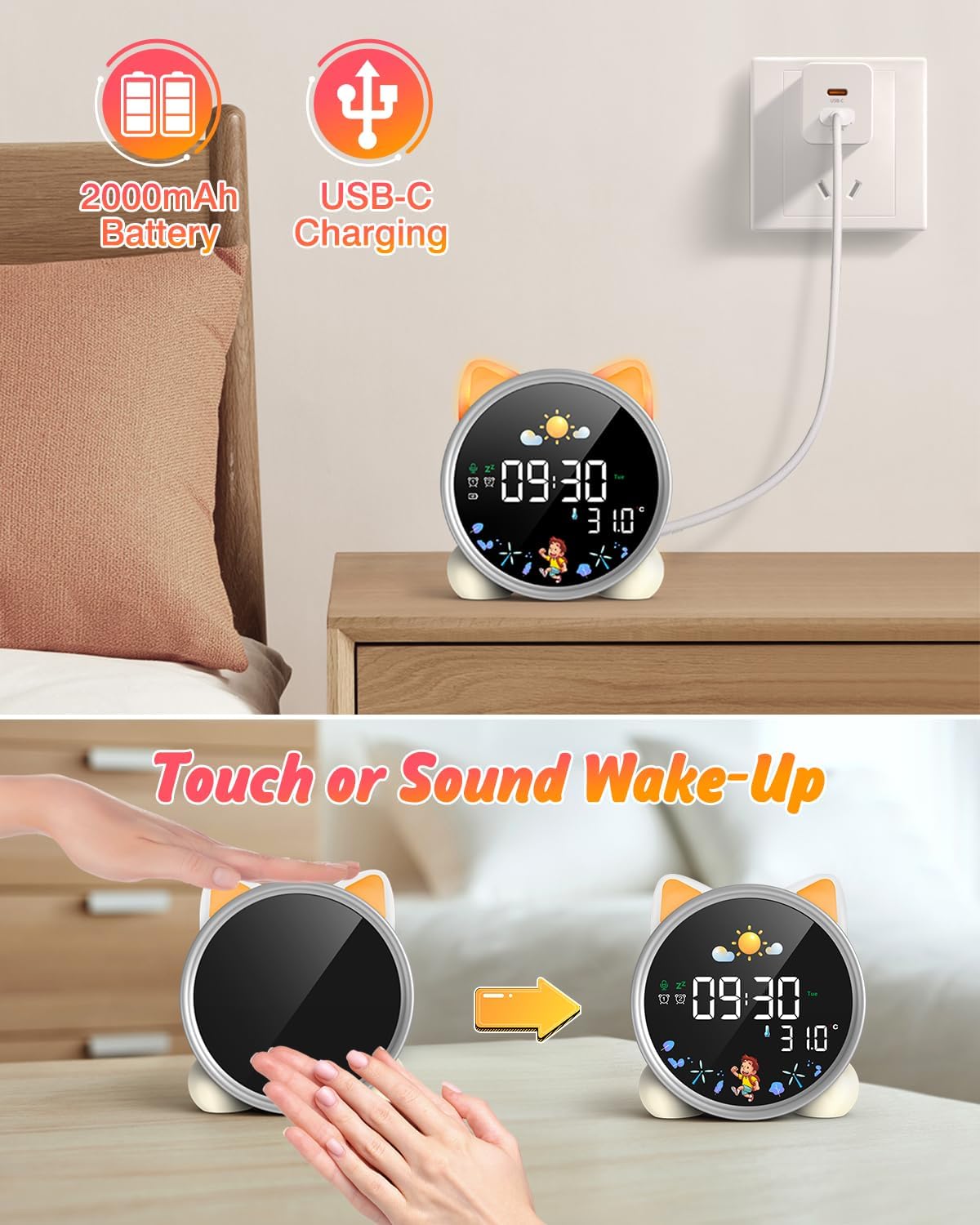
The alarm clock being charged via its USB-C port.
2. Ein-/Ausschalten
The device powers on automatically when connected to power. To manually power on/off or wake the screen:
- Bildschirm aktivieren: Tap the device or make a sound near it. The screen will illuminate for 20 seconds.
- Ein-/Ausschalten: The device is designed to be always on for alarm functions.
Activating the screen by tapping the device.
Bedienungsanleitung
1. Uhrzeit und Datum einstellen
The alarm clock supports 12/24 hour format and displays the day of the week. Specific buttons for setting are not detailed in the provided text, but typically involve a "Set" or "Mode" button.
- Refer to the physical manual for exact button functions (e.g., "SET" button).
- Durch Drücken und Halten der Taste „SET“ wird der Zeiteinstellungsmodus aktiviert.
- Use "+" and "-" buttons to adjust hours, minutes, and other settings.
- Drücken Sie erneut auf „SET“, um jede Einstellung zu bestätigen und zur nächsten zu gelangen.
2. Day/Night Educational Mode
This feature uses color-changing lights and icons to signal wake-up and sleep times.
- Wach auf: Green light and sun icon appear to indicate it's time to wake up.
- Schlafen: Blue light and moon icon appear to indicate it's time to sleep.

Day/Night mode with green sun for wake-up and blue moon for sleep.
3. Zwei Alarme und Schlummerfunktion
Set two independent alarms for different routines.
- Alarme einstellen: The dual alarms can be customized for any day from Monday to Sunday. Consult the full manual for specific steps to set Alarm 1 and Alarm 2.
- Schlummern: When an alarm sounds, press the "SNOOZE" button on top for an additional 9 minutes of sleep. This can be repeated up to 3 times.

Illustration of the snooze function and dual alarm capability.
4. Night Light (5 Colors & Brightness Levels)
The alarm clock functions as a night light with 5 color options and adjustable brightness.
- Farboptionen: Yellow, Blue, Purple, White, and Gradient.
- Helligkeit: 3 levels of brightness (0%, 30%, 70%, 100%) for the screen display. The night light itself also has adjustable brightness.
- Refer to the physical manual for instructions on cycling through colors and adjusting brightness.

The 5 available night light colors and screen brightness options.
5. Music and Sound Machine
The alarm clock offers 7 musical options for a gentle wake-up or soothing sleep environment.
- 7 musical options are available.
- Refer to the physical manual for instructions on selecting and setting music.

The 7 sound options available for the alarm clock.
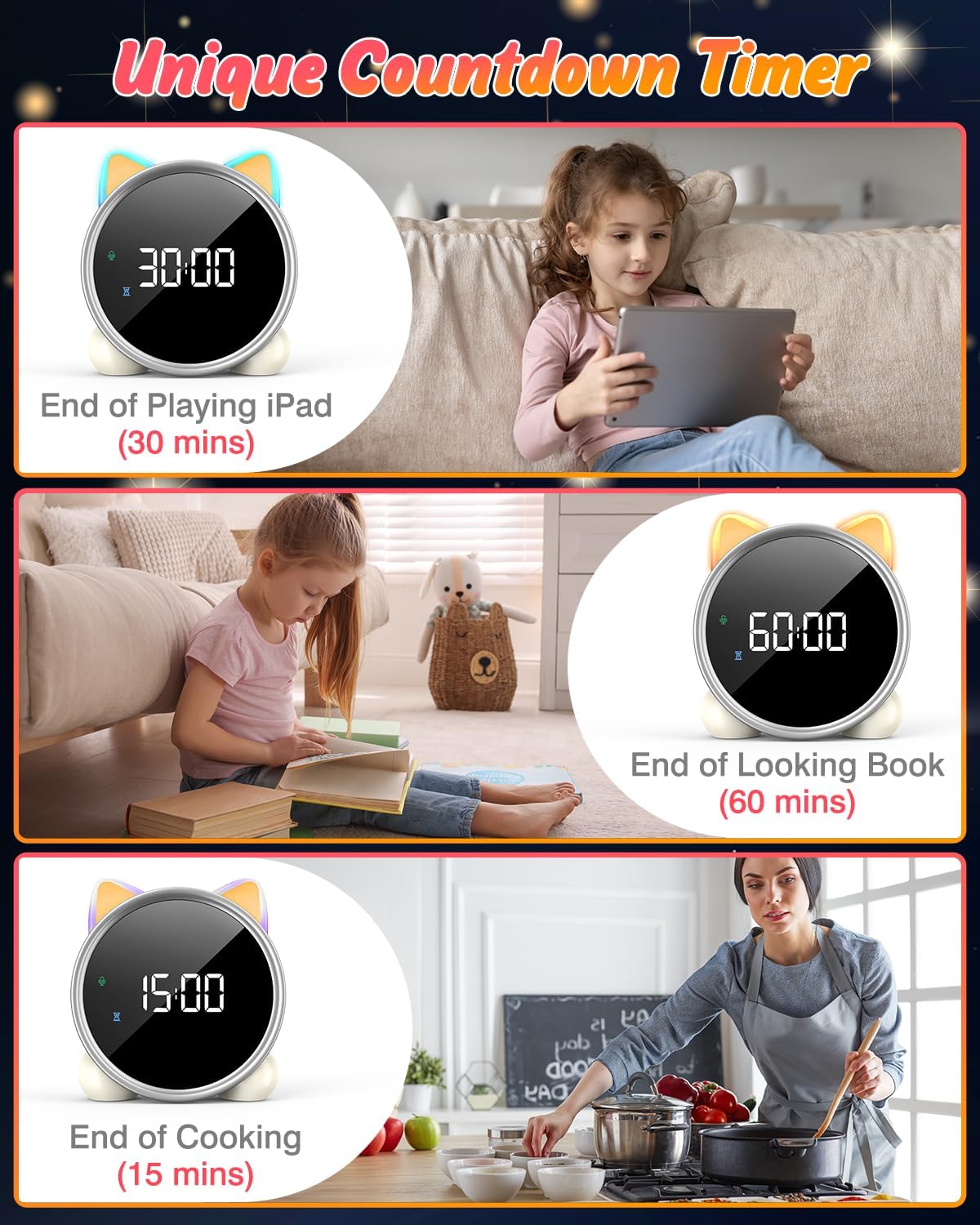
6. Countdown-Timer
A unique countdown timer feature can be used for various activities.
- Useful for managing screen time, reading sessions, or cooking.
- Refer to the physical manual for instructions on setting the countdown timer.
Examples of the countdown timer in use for various activities.
7. Temperaturanzeige
The alarm clock displays the ambient temperature and supports both Celsius and Fahrenheit units.
- Supports F/C temperature conversion.
- Refer to the physical manual for instructions on switching between units.
8. Screen Activation (Touch/Sound)
The screen can be activated by touch or sound and will automatically turn off after a period of inactivity to save power.
- Tap the device or make a sound to wake the screen.
- The screen will turn off after 20 seconds of no interaction.
Wartung
- Reinigung: Reinigen Sie das Gerät mit einem weichen, trockenen Tuch. Verwenden Sie keine Scheuermittel oder Lösungsmittel.
- Lagerung: Bei längerer Nichtverwendung an einem kühlen, trockenen Ort aufbewahren.
- Batteriepflege: Um die Akkulaufzeit zu verlängern, vermeiden Sie häufiges vollständiges Entladen des Akkus. Laden Sie ihn auf, sobald die Akkuanzeige aufleuchtet.
Fehlerbehebung
| Problem | Mögliche Ursache | Lösung |
|---|---|---|
| Der Bildschirm schaltet sich nicht ein. | Niedriger Akkustand oder Gerät ausgeschaltet. | Charge the device using the USB-C cable. Tap the device or make a sound to activate the screen. |
| Der Akku entlädt sich schnell. | Night light mode consumes more power. | It is recommended to keep the device plugged in when using night light mode for extended periods. Ensure the screen brightness is not set too high if battery life is a concern. |
| Schwierigkeiten beim Einstellen von Uhrzeit/Alarmen. | Falsche Tastenfolge oder mangelnde Vertrautheit mit der Bedienung. | Refer to the "Operating Instructions" section and the detailed physical manual for precise button functions and sequences. |
| Screen remains on constantly. | Possible setting error or malfunction. | Ensure the screen auto-off feature is enabled (if applicable, check manual). If the issue persists, try a soft reset (if available, check manual) or contact customer support. |
Technische Daten
- Marke: LEMNOI
- Modellnummer: SG7
- Farbe: Rose
- Produktabmessungen (L x B x H): 13.1 x 3.81 x 14.5 cm
- Material: Plastik
- Merkmale: Adjustable brightness, Snooze function
- Artikelgewicht: 265 Gramm
- Anzeigetyp: Digitales
- Energiequelle: Battery Powered (Built-in 2000mAh Lithium Battery, USB-C charging)
- Zimmertyp: Schlafzimmer
- Form: Katze
- Verwendung im Innen-/Außenbereich: Innenbereich
Garantie und Support
For warranty information or technical support, please refer to the contact details provided with your purchase or visit the official LEMNOI webBewahren Sie Ihren Kaufbeleg für eventuelle Garantieansprüche auf.
Ask a question about this manual
Ask about setup, troubleshooting, compatibility, parts, safety, or missing instructions. Manuals+ will review the question and use this page’s manual context to help answer it.