
1. Einleitung
Thank you for choosing the Easyfone B3 Sport Smart Watch. This manual provides essential information for setting up, operating, and maintaining your device. Please read it carefully to ensure optimal performance and longevity of your smart watch.
2. Lieferumfang
- B3 Smartwatch
- Ladekabel
- Bedienungsanleitung
3. Produktüberschreitungview
The Easyfone B3 Sport Smart Watch features a 1.28-inch AMOLED touchscreen display and a durable design suitable for active lifestyles. It offers a range of functions including activity tracking, health monitoring, and smartphone connectivity.
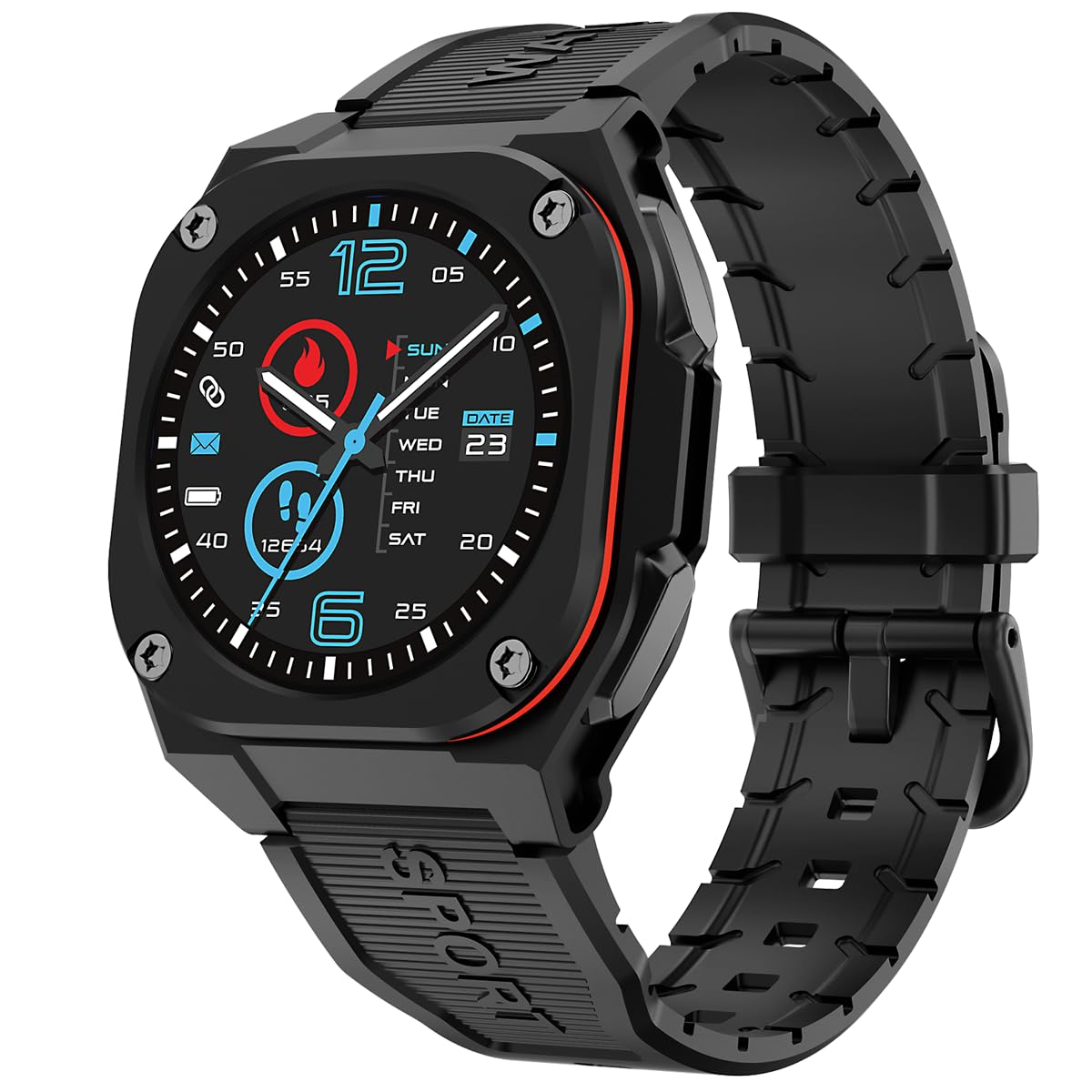
Front view of the Easyfone B3 Sport Smart Watch, showcasing its round AMOLED display and black strap.

Seite view of the Easyfone B3 Smart Watch, highlighting its profile und die Platzierung der Schaltflächen.
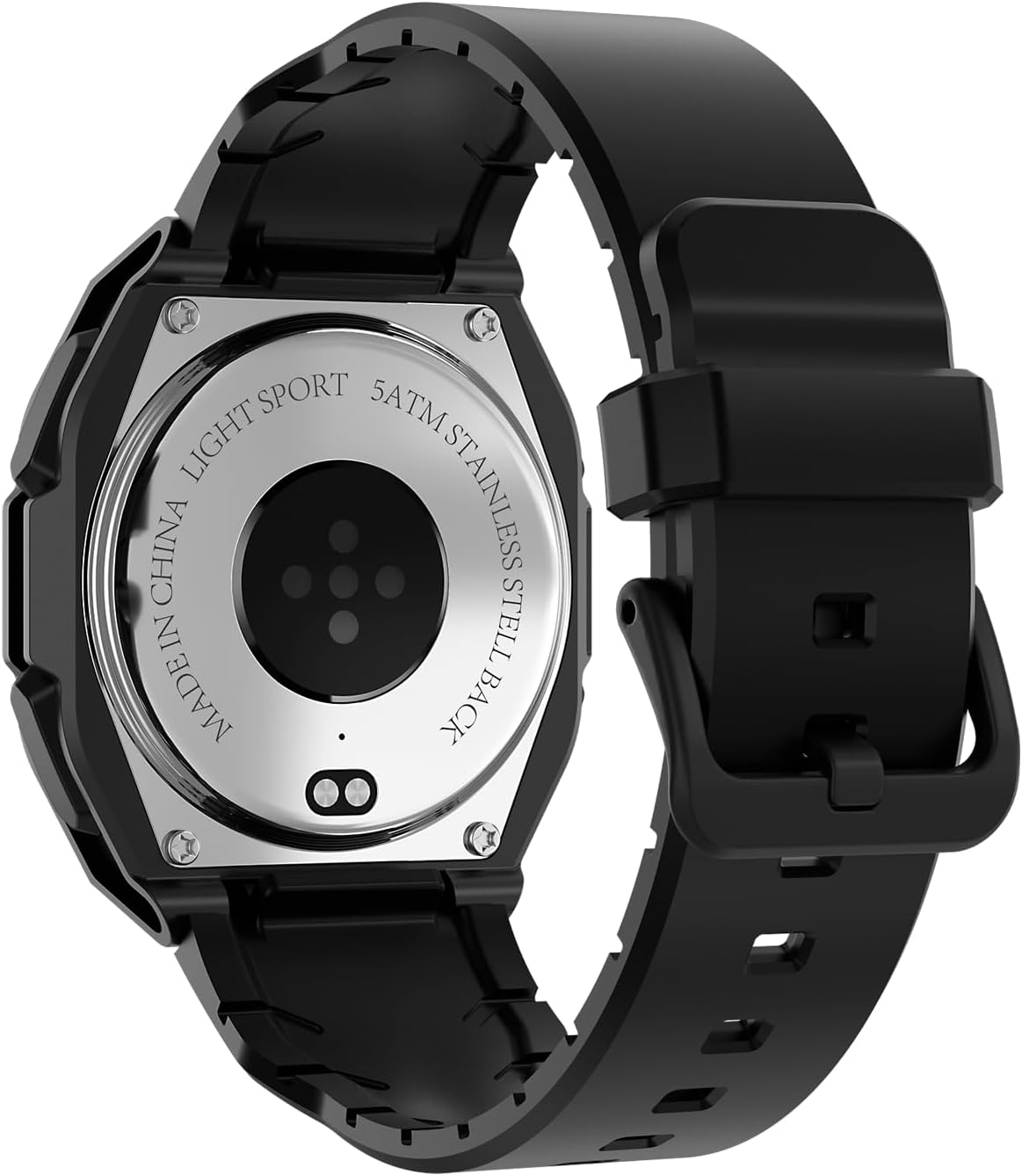
Zurück view of the Easyfone B3 Smart Watch, showing the optical heart rate sensor and stainless steel back.
4. Einrichtung
4.1 Aufladen des Geräts
Before first use, fully charge your Easyfone B3 Smart Watch. Connect the provided charging cable to the charging port on the back of the watch and plug the USB end into a power adapter (not included) or a computer's USB port. The watch display will indicate charging status.
4.2 Ein-/Ausschalten
- So schalten Sie das Gerät ein: Press and hold the side button until the Easyfone logo appears.
- So schalten Sie das Gerät aus: Halten Sie die seitliche Taste gedrückt und wählen Sie dann die Option „Ausschalten“ auf dem Bildschirm aus.
4.3 App-Installation und -Kopplung
- Laden Sie die "FitCloudPro" App aus dem App Store (iOS 12.0 und höher) oder Google Play Store (Android 7.0 und höher).
- Stellen Sie sicher, dass Bluetooth auf Ihrem Smartphone aktiviert ist.
- Open the FitCloudPro app and follow the on-screen instructions to pair your Easyfone B3 Smart Watch.

Image showing the FitCloudPro app icon and download options for Google Play and App Store.
5. Bedienungsanleitung
5.1-Zoll-Touchscreen-Navigation
- Nach unten wischen: Access quick settings (brightness, battery, silent mode, power off, water lock).
- Nach oben wischen: View Aktuelle Benachrichtigungen/Nachrichten.
- Nach links/rechts wischen: Navigate through main functions and widgets (e.g., activity data, heart rate, music control).
- Klopfen: Wählen Sie ein Element aus oder öffnen Sie eine Anwendung.
5.2 Ändern der Zifferblätter
The Easyfone B3 supports multiple watch faces. You can customize your watch face directly on the device or through the FitCloudPro app to personalize your look.
5.3 Musiksteuerung
Steuern Sie die Musikwiedergabe auf Ihrem verbundenen Smartphone direkt von Ihrer Uhr aus. Dies umfasst das Abspielen, Pausieren, Überspringen von Titeln und Anpassen der Lautstärke.
Video demonstrating the music control feature on the Easyfone B3 Sport Smart Watch, showing how to manage playback from the wrist.
6. Gesundheitsüberwachung
The B3 Smart Watch provides comprehensive health tracking features to help you monitor your well-being.
- Herzfrequenzmesser: Erfasst automatisch Ihre Herzfrequenz den ganzen Tag über.
- Schlafmonitor: Analysiert Ihre Schlafmuster, um Ihnen zu helfen, Ihre Schlafqualität zu verstehen und zu verbessern.
- Aktivitätstracker: Records daily steps, calories burned, and distance covered.

Image illustrating the health monitoring capabilities of the Easyfone B3, including heart rate and sleep tracking.
7. Sportmodi
The watch supports over 100 sports modes, including walking, running, cycling, and swimming. Select the appropriate mode before starting your activity to get accurate tracking data.
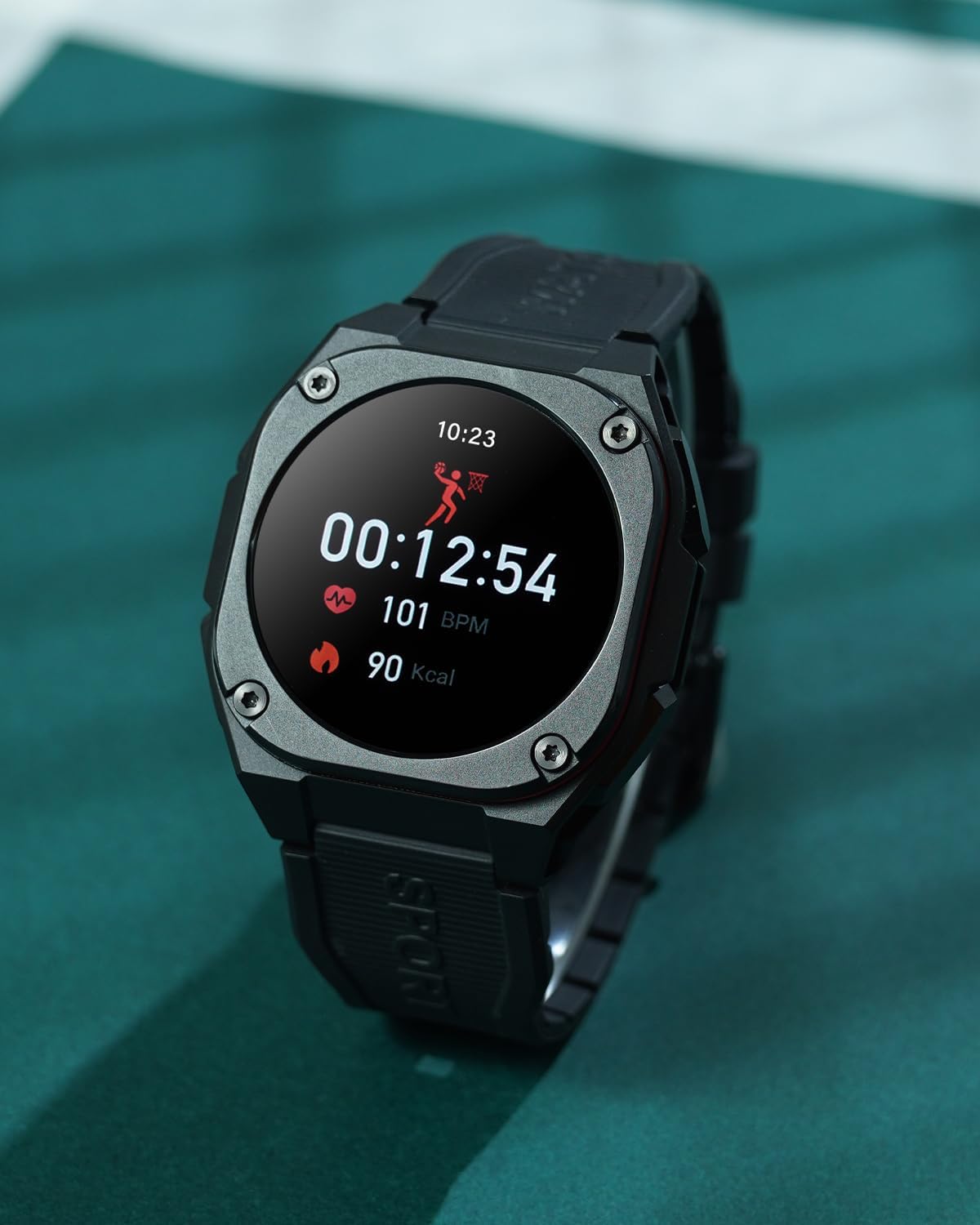
The Easyfone B3 Smart Watch on a wrist, showing activity data during a workout.
8. Benachrichtigungen und Anrufe
Once paired with your smartphone, the Easyfone B3 can display notifications for incoming calls, messages, and app alerts. You can accept or decline calls directly from the watch.

The Easyfone B3 Smart Watch displaying a message notification on its screen.
9. Wasserbeständigkeit
The Easyfone B3 Smart Watch features a professional IP68 waterproof and 3ATM design, making it suitable for rainy outdoor activities and water sports. It can withstand immersion up to 1.5 meters.

The Easyfone B3 Smart Watch worn during a sports activity, demonstrating its suitability for active use.
10. Akkulaufzeit
The B3 Smart Watch is equipped with a 300 mAh battery, offering:
- Normal Use Time: 5-7 Tage
- Always-on Screen Use Time: 4 Tage
- Standby-Zeit: 7-10 Tage

An illustration detailing the battery life of the Easyfone B3 Smart Watch under different usage scenarios.
11. Wartung
To ensure the longevity and proper functioning of your Easyfone B3 Smart Watch, follow these maintenance guidelines:
- Reinigung: Reinigen Sie das Uhrendisplay und das Armband regelmäßig mit einem weichen, trockenen Tuch. Bei hartnäckigen Verschmutzungen verwenden Sie ein leicht dämpfendes Tuch.amp Tuch abwischen und gründlich trocknen.
- Vermeiden Sie aggressive Chemikalien: Do not use strong detergents, alcohol, or abrasive cleaners, as these can damage the watch's finish and seals.
- Lagerung: Bewahren Sie die Uhr bei Nichtgebrauch an einem kühlen, trockenen Ort auf. Vermeiden Sie extreme Temperaturen.
- Wassereinwirkung: While waterproof, it is recommended to dry the watch thoroughly after exposure to water, especially after swimming, to prevent skin irritation and maintain device integrity.
12. Fehlerbehebung
If you encounter issues with your Easyfone B3 Smart Watch, refer to the following common solutions:
- Uhr schaltet sich nicht ein: Ensure the watch is fully charged. If it still doesn't turn on, try pressing and holding the side button for an extended period (10-15 seconds).
- Verbindungsprobleme: Stellen Sie sicher, dass Bluetooth auf Ihrem Smartphone aktiviert ist und sich die Uhr in Reichweite befindet. Starten Sie sowohl die Uhr als auch Ihr Smartphone neu und versuchen Sie dann erneut, die Uhr über die FitCloudPro-App zu koppeln.
- Ungenaue Daten: Ensure the watch is worn snugly on your wrist. For sports tracking, select the correct activity mode. Calibrate the watch through the app if necessary.
- Benachrichtigungen werden nicht angezeigt: Check notification settings in the FitCloudPro app and on your phone to ensure permissions are granted for the app to send notifications.
- Bildschirm reagiert nicht: If the screen is unresponsive, try restarting the watch. If the issue persists, ensure the screen is clean and dry.
Für weitere Unterstützung wenden Sie sich bitte an den Easyfone-Kundendienst.
13. Spezifikationen
| Besonderheit | Detail |
|---|---|
| Modellname | B3 |
| Marke | Easyfone |
| Bildschirmgröße | 1.28 Zoll |
| Anzeigetyp | AMOLED |
| Auflösung | 240 x 280 |
| Betriebssystem | Android Wear 1.0 |
| Konnektivitätstechnologie | Bluetooth |
| Wasserbeständigkeit | IP68, 3ATM (1.5 Meters) |
| Zusammensetzung der Batteriezellen | Lithium Polymer |
| Kompatible Telefonmodelle | Android 7.0 und höher, iOS 12.0 und höher |
| Unterstützte Anwendung | Fitness Tracker (FitCloudPro app) |
| Armbandmaterialtyp | Gummi |
| Farbe | Schwarz |
14. Garantie und Support
The Easyfone B3 Sport Smart Watch comes with a 1 Jahre eingeschränkte Garantie. For warranty claims, technical support, or any inquiries, please refer to the contact information provided with your purchase or visit the official Easyfone webWebsite.