
1. Produktüberschreitungview
The BSIDE T2X Digital Coating Thickness Gauge is designed for non-destructive, fast, and precise measurement of coating thickness. It can measure non-magnetic coatings (e.g., aluminum, chrome, copper, enamel, rubber, paint) on magnetic substrates (steel, iron, magnetically charged alloys) and non-conductive coatings (e.g., enamel, rubber, paints, plastic anodized layers) on non-ferrous metals (aluminum, brass, zinc, tin).
This device is widely used in various applications including used vehicle inspection, electroplating, laboratory testing, metal processing, industrial painting, and shipbuilding. It is ideal for verifying paint quality and detecting defects on vehicles to determine if they have been factory-painted or repainted. It also assists in paint correction by ensuring uniform coating thickness.
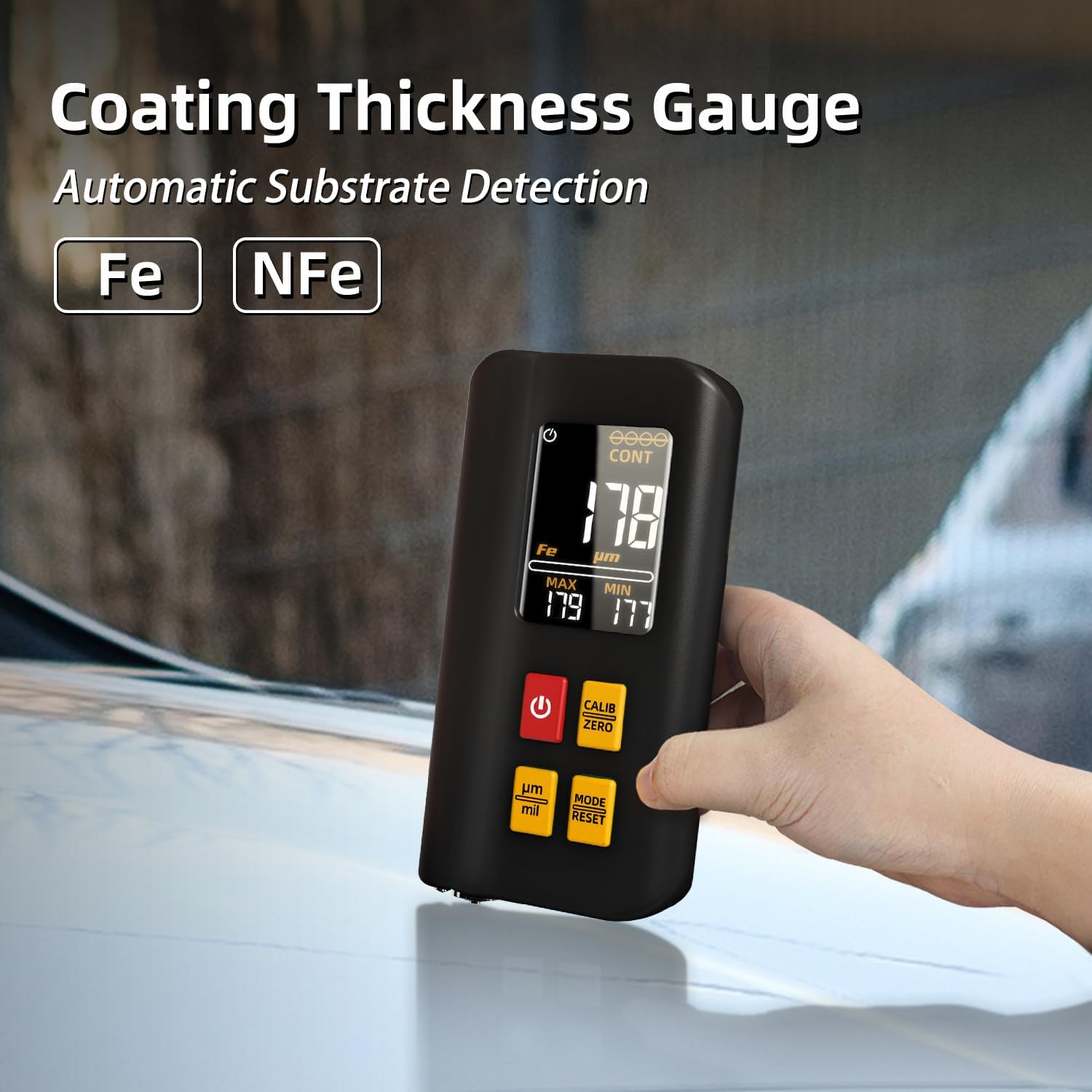
Abbildung 1: BSIDE T2X Digital Coating Thickness Gauge with automatic substrate detection (Fe/NFe).
Hauptmerkmale:
- Wiederaufladbarer Akku: Equipped with a built-in rechargeable lithium-ion battery for extended operation.
- Triple Color Display: Simultaneously displays real-time, maximum, and minimum test results in large digits on an intuitive color LCD screen.
- Hohe Präzision: Provides non-destructive, fast, and accurate measurements within a range of 0-1500µm (0-59.1mils) with 0.1µm/0.01mils resolution and ±(3%+2µm) accuracy.
- Einfach zu bedienen: Compact design for portability, with automatic reading activation upon vertical contact with the surface.
- Breite Anwendungen: Suitable for electroplating, painting, metalworking, laboratory use, industrial painting, and shipbuilding.
2. Packungsinhalt
Prüfen Sie beim Öffnen der Verpackung, ob alle Artikel vorhanden und in einwandfreiem Zustand sind.
- BSIDE T2X Paint Thickness Gauge
- USB-Verbindungskabel
- Benutzerhandbuch (Englisch)
- Calibration Foils (various thicknesses)
- Zero Calibration Plate (Fe and NFe)
- Tragetasche

Abbildung 2: Included components of the BSIDE T2X Digital Coating Thickness Gauge kit.
3. Geräteaufbau und Bedienelemente
Familiarize yourself with the device's components and controls before operation.

Abbildung 3: BSIDE T2X Digital Coating Thickness Gauge layout with labeled parts and dimensions.
- Bildschirm: Shows measurement results, unit, metal type, and mode.
- Sensor: Located at the bottom, used for making contact with the surface to be measured.
- Power-Taste (●): Schaltet das Gerät ein/aus.
- Calibrate/Zero Button (CALIB ZERO): Used for calibration and zeroing the device.
- Unit Switch (µm/mil): Toggles between micrometers (µm) and mils (mil) units.
- Mode Switch (MODE RESET): Changes measurement modes (e.g., single, continuous) and resets settings.
4. Einrichtung und Erstgebrauch
4.1 Aufladen des Geräts
The BSIDE T2X comes with a built-in rechargeable Lithium-ion battery. Before first use, or if the battery indicator shows low power, charge the device.
- Connect the provided USB cable to the charging port on the device.
- Verbinden Sie das andere Ende des USB-Kabels mit einem Standard-USB-Netzteil (nicht im Lieferumfang enthalten) oder einem USB-Anschluss Ihres Computers.
- The charging indicator light will illuminate. Allow the device to charge fully.
- Once fully charged, disconnect the USB cable. A full charge provides up to 10 hours of continuous operation.
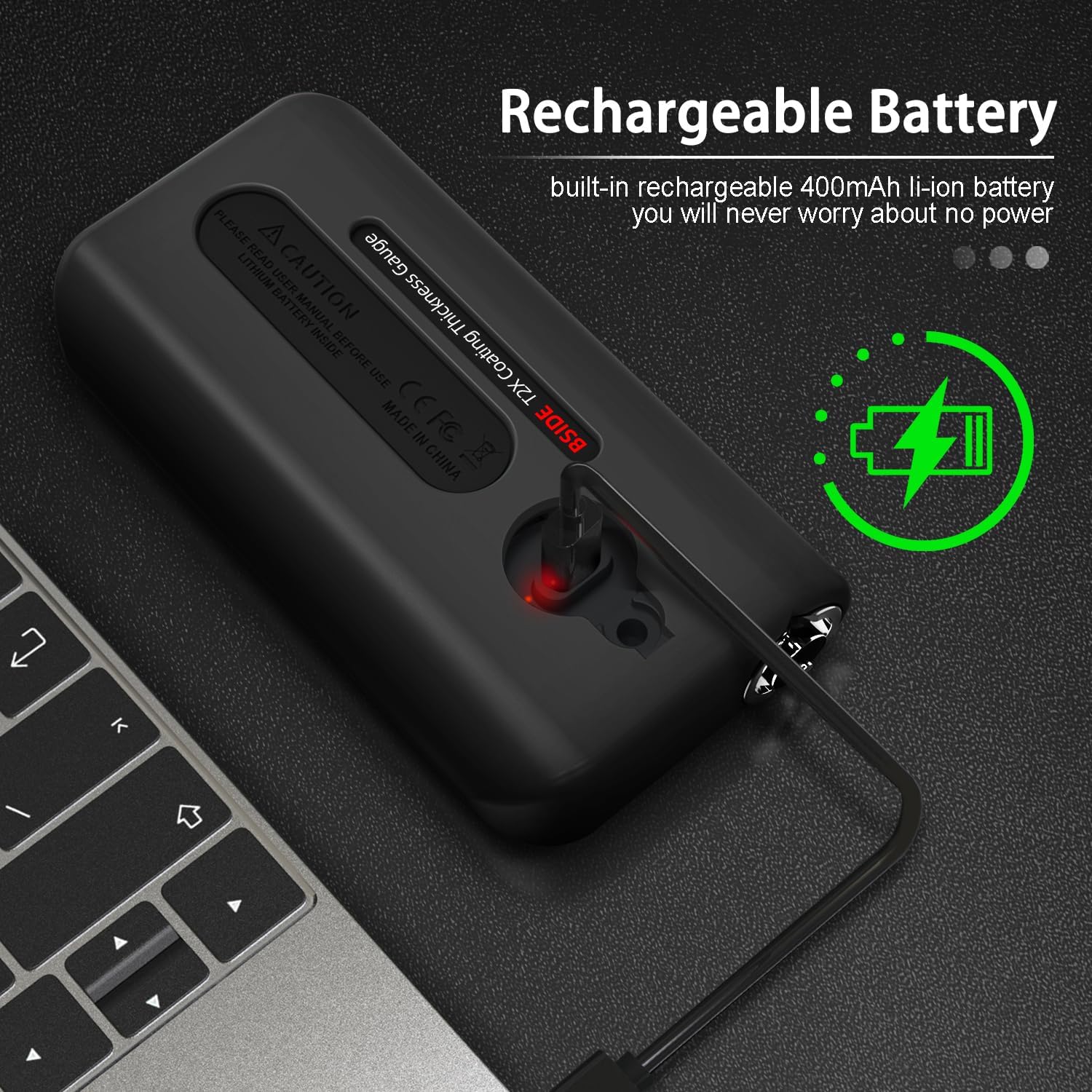
Abbildung 4: Charging the BSIDE T2X via USB cable.
4.2 Ein-/Ausschalten
- So schalten Sie das Gerät ein: Press and hold the red Power button (●) bis das Display aufleuchtet.
- So schalten Sie das Gerät aus: Press and hold the red Power button (●) until the display turns off. The device also features an automatic shutdown function to conserve battery.
4.3 Kalibrierung
Regular calibration ensures measurement accuracy. Perform zero calibration before each use or when measuring different types of substrates.
- Stellen Sie sicher, dass das Gerät eingeschaltet ist.
- Place the sensor firmly and vertically on the bare (uncoated) Fe (ferrous) calibration plate.
- Drücken Sie die KALIBRIEREN ZER Drücken Sie die Taste. Das Display sollte „0.0“ oder einen Wert nahe Null anzeigen.
- Repeat the process for the NFe (non-ferrous) calibration plate if you will be measuring non-ferrous substrates.
- For more advanced calibration, use the provided calibration foils of known thicknesses on the respective calibration plates. Consult the on-screen prompts or the full manual for detailed steps.
5. Bedienungsanleitung
5.1 Messung durchführen
The device automatically detects the substrate type (Fe/NFe) and displays the coating thickness.
- Stellen Sie sicher, dass das Gerät kalibriert ist.
- Place the sensor vertically and firmly on the coated surface you wish to measure.
- The device will automatically activate and display the measurement results on the screen.
- Lift the device from the surface to prepare for the next measurement.

Abbildung 5: Taking a coating thickness measurement on a vehicle.
5.2 Das Display verstehen
The triple color display provides comprehensive information at a glance.

Abbildung 6: The BSIDE T2X's triple display showing real-time, maximum, and minimum measurement results.
- Large Central Number: Displays the real-time coating thickness measurement.
- MAXIMALWERT: Shows the maximum thickness recorded during continuous measurement or since the last reset.
- MIN Value: Shows the minimum thickness recorded during continuous measurement or since the last reset.
- Fe/NFe Indicator: Indicates the detected substrate type (Fe for ferrous, NFe for non-ferrous).
- Unit Indicator (µm/mil): Zeigt die aktuelle Maßeinheit an.
- Batterieanzeige: Zeigt den aktuellen Akkustand an.
- Mode Indicator (e.g., CONT for Continuous): Shows the current measurement mode.
5.3 Switching Units (µm/mil)
To switch between micrometers (µm) and mils (mil):
- Drücken Sie die µm/mil button. The unit displayed on the screen will change accordingly.
5.4 Messmodi
The device supports different measurement modes for various applications.
- Einzelmessmodus: For individual spot measurements.
- Continuous Measurement Mode (CONT): For scanning a surface and continuously updating the measurement, including MAX and MIN values.
- Drücken Sie die MODUS-RESET button to cycle through available measurement modes.
- Halten Sie die MODUS-RESET button to reset the MAX/MIN values or other settings depending on the context.
6. Wartung
Proper maintenance ensures the longevity and accuracy of your BSIDE T2X gauge.
- Reinigung: Use a soft, dry cloth to clean the device. Do not use abrasive cleaners or solvents. Ensure the sensor area is kept clean and free of debris.
- Lagerung: Bewahren Sie das Gerät in der mitgelieferten Tragetasche an einem kühlen, trockenen Ort auf, geschützt vor direkter Sonneneinstrahlung und extremen Temperaturen.
- Batteriepflege: Laden Sie den Akku regelmäßig auf, auch wenn das Gerät nicht häufig benutzt wird, um seine Lebensdauer zu erhalten. Vermeiden Sie es, den Akku über längere Zeiträume vollständig zu entladen.
- Sensorschutz: Always protect the sensor from damage. Avoid dropping the device or applying excessive force to the sensor.
7. Fehlerbehebung
If you encounter issues with your BSIDE T2X, refer to the following common problems and solutions.
| Problem | Mögliche Ursache | Lösung |
|---|---|---|
| Gerät lässt sich nicht einschalten. | Schwache Batterie. | Laden Sie das Gerät mit dem mitgelieferten USB-Kabel auf. |
| Ungenaue Messwerte. | Device not calibrated; dirty sensor; incorrect measurement technique. | Perform zero calibration. Clean the sensor. Ensure the sensor is placed vertically and firmly on the surface. |
| Display shows "ERR" or similar error. | Messwert außerhalb des Messbereichs; Sensorfehlfunktion. | Ensure the coating thickness is within the 0-1500µm range. Try recalibrating. If the problem persists, contact customer support. |
| Das Gerät schaltet sich unerwartet ab. | Low battery; automatic shutdown activated. | Recharge the battery. The device has an auto-off feature to save power; this is normal behavior if inactive. |
8. Spezifikationen
Detailed technical specifications for the BSIDE T2X Digital Coating Thickness Gauge.
| Messprinzip | Magnetic Induction (Fe probe) and Eddy Current Effect (NFe probe) |
| Messbereich | 0 ~ 1500 µm (0 ~ 59.1 mil) |
| Einheiten | µm and mil (switchable) |
| Auflösung | 0.1 µm |
| Genauigkeit | ± (3% + 2 µm) |
| Minimum Substrate Thickness (Fe probe) | 0.5 mm |
| Minimum Substrate Thickness (NFe probe) | 0.3 mm |
| Betriebstemperatur | 0 ℃ bis 40 ℃ |
| Stromversorgung | 3.7 V (built-in, rechargeable Lithium-ion battery) |
| Abmessungen (L x B x H) | 111.9 x 56.6 x 22.4 mm |
| Gewicht | 109.3 g |
9. Garantie und Support
Informationen zur Garantie und zum technischen Support finden Sie in der mitgelieferten Dokumentation oder wenden Sie sich direkt an den Händler/Hersteller. Bewahren Sie Ihren Kaufbeleg als Kaufnachweis auf.
Manufacturer: BSIDE
Model Number: T2X Digital Thickness Gauge