
1. Produktüberschreitungview
The NONSTOP Station A is a versatile alarm clock designed for modern living spaces. It integrates a digital alarm clock, a white noise machine, Qi wireless charging capabilities, dual USB charging outlets, and a Bluetooth speaker into a single, compact unit. This device is ideal for bedside tables, offering convenience and multiple functionalities.
Hauptmerkmale:
- Qi Certified Fast 10W Wireless Charging: Conveniently charge compatible smartphones by simply placing them on the top surface.
- Dual USB Charging Outlets: Includes two USB ports, one standard USB-A and one USB-C, with a 2.4A fast charging capability for wired device charging.
- Bluetooth Lautsprecher: Connect your devices wirelessly to stream audio.
- Relaxation Sounds: Features a selection of soothing sounds including Ocean Waves, Soothing Rain, and Ambient Sounds to aid relaxation or sleep.
- Simple Set, Single Use Alarm: Easy-to-set alarm function for daily use.
- Dimmbares Display: Adjustable display brightness for comfortable viewbei allen Lichtverhältnissen.
2. Einrichtung
2.1 Auspacken
- Carefully remove the NONSTOP Station A from its packaging.
- Ensure all components are present: the alarm clock unit and power adapter.
2.2 Stromanschluss
- Schließen Sie das Netzteil an den DC-Eingangsanschluss auf der Rückseite des Weckers an.
- Stecken Sie den Netzadapter in eine normale Steckdose. Das Display leuchtet auf.
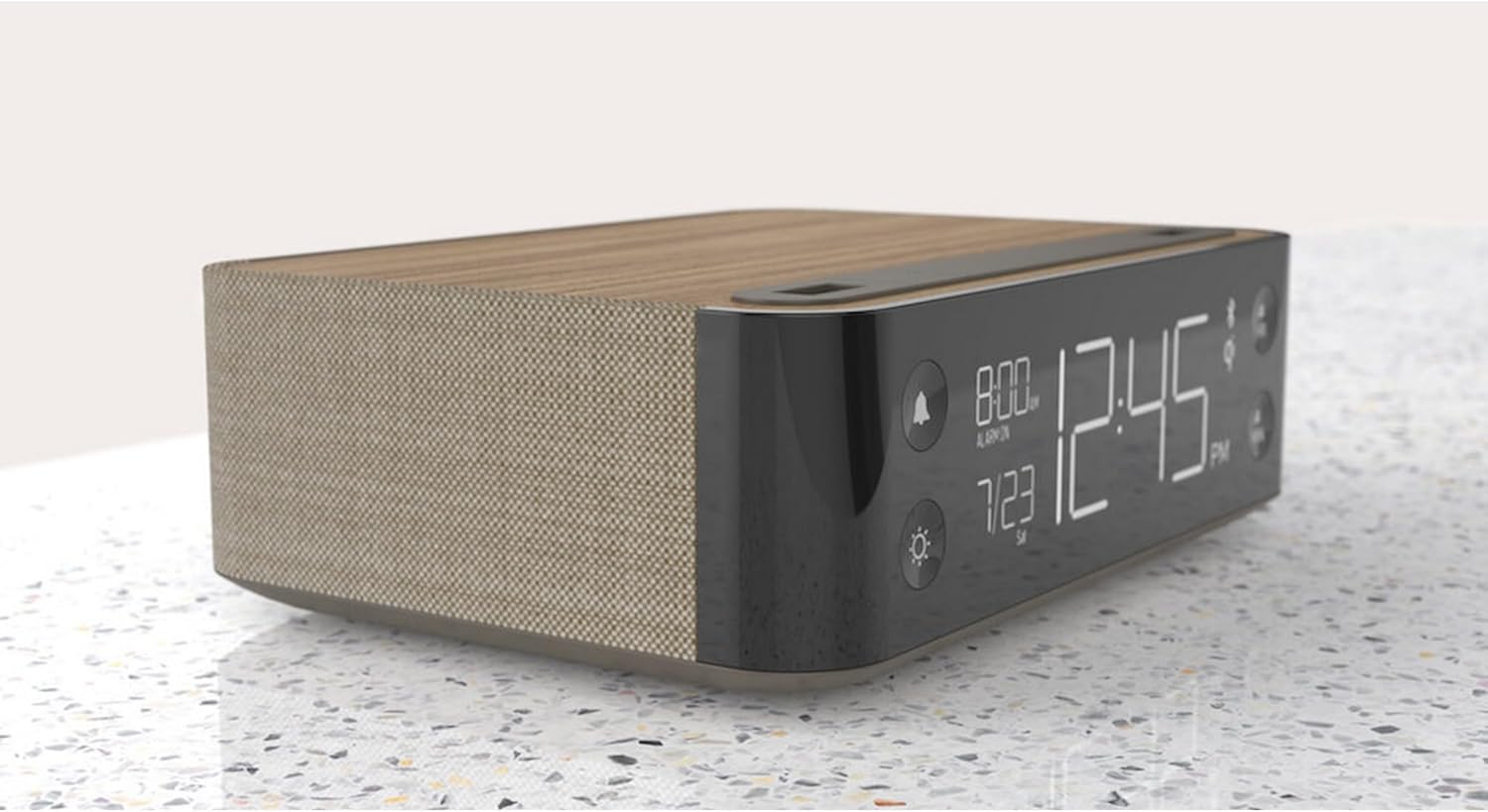
Abbildung: Seite view of the NONSTOP Station A, displaying the digital clock and its compact form factor.
2.3 Anfangszeiteinstellung
- Upon initial power-up, the clock may display a default time or flash.
- Press and hold the 'HR' button to adjust the hour.
- Press and hold the 'MIN' button to adjust the minute.
- Release the buttons once the desired time is set. The clock will automatically save the time.
3. Bedienungsanleitung
3.1 Wecker stellen
- Press the 'Alarm' button (bell icon) to enter alarm setting mode.
- Use the 'HR' and 'MIN' buttons to set the desired alarm time.
- Press the 'Alarm' button again to confirm and activate the alarm. An alarm icon will appear on the display.
- To deactivate the alarm, press the 'Alarm' button until the alarm icon disappears.
- To snooze, press the 'SNOOZE' button when the alarm sounds. The alarm will pause for a short period and sound again.
3.2 Using the Wireless Charging Pad
- Place your Qi-compatible smartphone centrally on the wireless charging tray located on the top surface of the alarm clock.
- Ensure the phone is properly aligned for optimal charging. A charging indicator (if available) will light up on the display or unit.
- Remove your phone once fully charged.
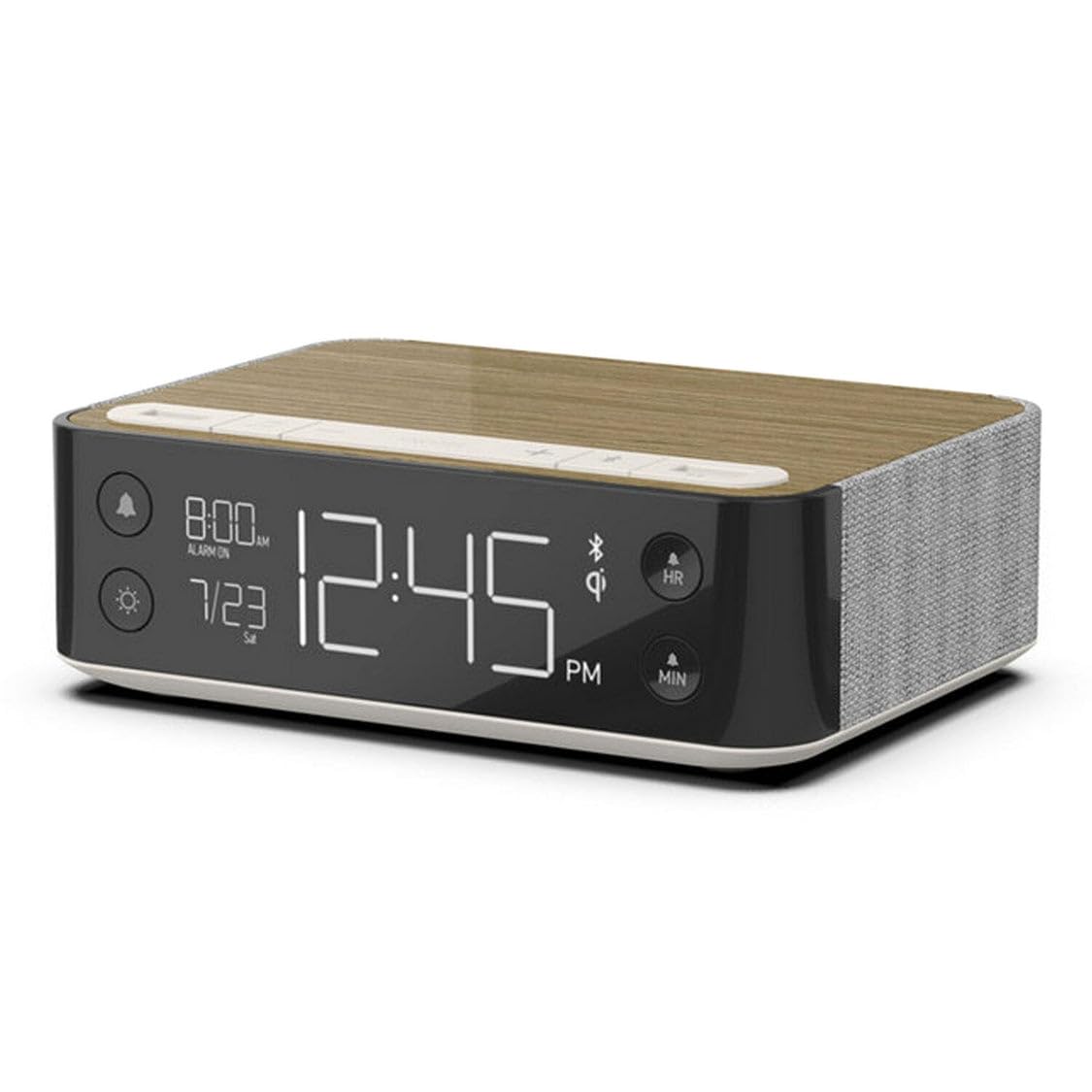
Image: A smartphone wirelessly charging on the NONSTOP Station A's top surface.
3.3 Verwendung von USB-Ladeanschlüssen
- Locate the USB-A and USB-C ports on the top surface of the unit.
- Connect your device's charging cable to the appropriate USB port.
- Stecken Sie das andere Ende des Kabels in Ihr Gerät, um den Ladevorgang zu starten.
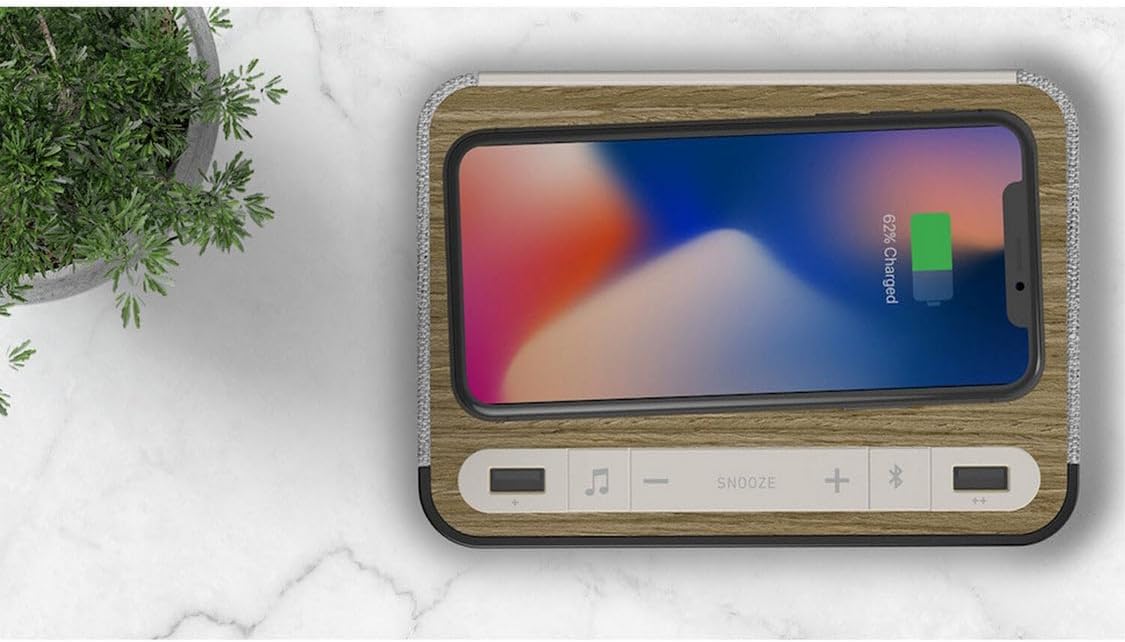
Bild: Oben view of the NONSTOP Station A, showing the USB-A and USB-C charging ports.
3.4 Bluetooth-Lautsprecherkopplung
- Press the 'Bluetooth Speaker' button (Bluetooth icon) to activate Bluetooth pairing mode. The Bluetooth indicator on the display will flash.
- Aktivieren Sie Bluetooth auf Ihrem Smartphone oder Audiogerät und suchen Sie nach verfügbaren Geräten.
- Select "NONSTOP Station A" from the list of devices.
- Once paired, the Bluetooth indicator will stop flashing and remain solid. You can now stream audio through the alarm clock's speaker.
3.5 Relaxation Sounds
- Press the 'Relaxation Sounds' button (wave icon) to cycle through the available sound options (Ocean Waves, Soothing Rain, Ambient Sounds).
- Use the '+' and '-' buttons to adjust the volume of the relaxation sound.
- Press the 'Relaxation Sounds' button again to turn off the sound.
3.6 Anpassung der Anzeigehelligkeit
- Press the 'Light' button (sun icon) to cycle through different display brightness levels.
- Wählen Sie die Helligkeitsstufe, die für Ihre Umgebung am angenehmsten ist.
4. Wartung
- Reinigung: Disconnect the power before cleaning. Use a soft, dry cloth to wipe the surface of the unit. Avoid using abrasive cleaners, solvents, or harsh chemicals, as these may damage the finish.
- Platzierung: Place the unit on a stable, flat surface away from direct sunlight, heat sources, and moisture. Ensure adequate ventilation around the unit.
- Kabelloses Ladepad: Keep the wireless charging pad free from dust and debris to ensure efficient charging.
5. Fehlerbehebung
| Ausgabe | Mögliche Ursache | Lösung |
|---|---|---|
| Die Uhranzeige ist ausgeschaltet oder funktioniert nicht. | Kein Stromanschluss. | Stellen Sie sicher, dass der Netzadapter fest mit dem Gerät und einer funktionierenden Steckdose verbunden ist. |
| Kabelloses Laden funktioniert nicht. | Phone not Qi-compatible or misaligned. Obstruction on charging pad. | Verify your phone supports Qi wireless charging. Reposition the phone centrally on the pad. Remove any foreign objects or thick cases. |
| USB-Ladefunktion funktioniert nicht. | Kabelproblem oder Geräteinkompatibilität. | Versuchen Sie es mit einem anderen USB-Kabel. Stellen Sie sicher, dass das Gerät mit USB-Laden kompatibel ist. |
| Bluetooth-Lautsprecher lässt sich nicht koppeln. | Bluetooth not enabled on device or unit. Device too far. | Ensure Bluetooth is active on both the alarm clock and your audio device. Keep devices within close range (approx. 10 meters). |
| Der Alarm ertönt nicht. | Alarm nicht eingestellt oder deaktiviert. Lautstärke zu niedrig. | Verify the alarm is set and the alarm icon is visible on the display. Increase the alarm volume. |
6. Spezifikationen
| Marke | NONSTOP |
| Modell | Station A |
| Farbe | Walnut (Brown) |
| Anzeigetyp | Digitales |
| Besondere Merkmale | Qi Wireless Charging, Dual USB (USB-A & USB-C), Bluetooth Speaker, Relaxation Sounds, Dimmable Display |
| Technische Daten | 6.3 Zoll B x 2 Zoll H |
| Stromquelle | USB (via power adapter) |
| Konnektivitätstechnologie | USB, Bluetooth |
| Artikelgewicht | 3 Pfund |
| Montagetyp | Tischplatte |
| Batterien im Lieferumfang enthalten | NEIN |
7. Garantieinformationen
NONSTOP products are manufactured with quality and reliability in mind. This product typically comes with a limited manufacturer's warranty covering defects in materials and workmanship. Please refer to the warranty card included with your purchase or visit the official NONSTOP webAuf der Website finden Sie detaillierte Garantiebedingungen, einschließlich Angaben zu Dauer und Umfang der Garantie.
8. Kundendienst
For technical assistance, troubleshooting, or any questions regarding your NONSTOP Station A, please contact our customer support team. Contact information, including phone numbers and email addresses, can typically be found on the product packaging, the official NONSTOP webauf der Website oder in der Garantiedokumentation.