
YoumiAi ZM25R1
YoumiAi Zigbee Motorized Electric Blind Shade User Manual
Model: ZM25R1 | Brand: YoumiAi
1. Einleitung
This manual provides detailed instructions for the installation, operation, and maintenance of your YoumiAi Zigbee Motorized Electric Blind Shade. This motor is designed for 37mm tubes and offers smart control options via Zigbee hubs, remote control, and voice commands.
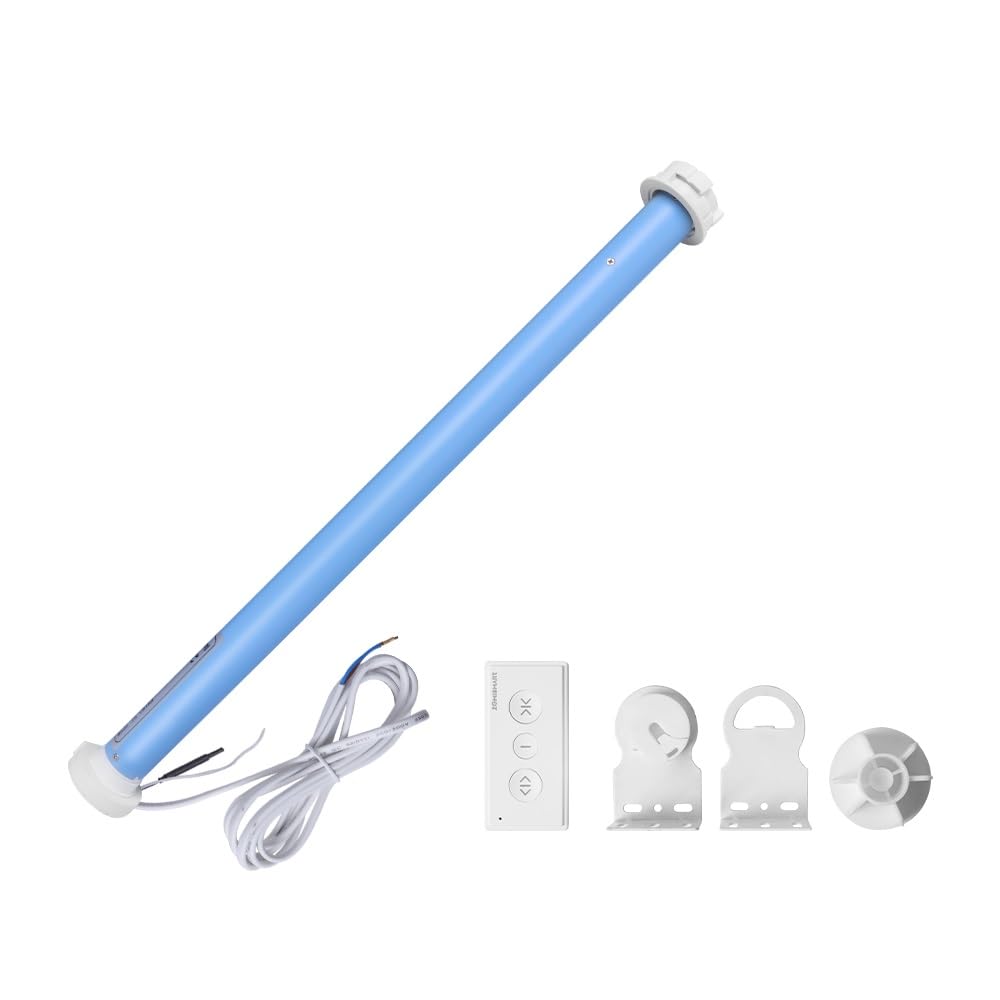
Image: The YoumiAi Zigbee Motorized Electric Blind Shade motor, along with its remote control and mounting accessories.
2. Produktmerkmale
- Requires a Tuya Zigbee Hub for smart functionality.
- Compatible with Tuya Zigbee Hub, Zemismart ZMHK01 Hub, and Matter M1 Hub.
- Designed for 37mm roller shade tubes.
- Operates with Tuya or Smart Life mobile applications.
- Supports voice control via Alexa and Google Assistant when connected through a Tuya Zigbee Hub.
- Allows Home APP Control via Zemismart ZMHK01 Hub and Matter M1 Hub.
- Breites Volumentage input: 110V to 240V AC.
- Features remote limit setting and app-based timer scheduling.
- Adjustable Up, Middle, and Down limit positions.
- Supports blinds up to approximately 2 meters in length and 3 kg in weight.
- Includes an RF 1-channel remote control, capable of controlling a single motor or a group of motors.
3. Packungsinhalt
Bitte überprüfen Sie, ob alle unten aufgeführten Artikel in Ihrem Paket enthalten sind:
- Motor (ZM25R1)
- Remote Control (if ordered with remote)
- Montagehalterungen
- Endkappe
- Bedienungsanleitung
Note: A separate Zigbee hub (e.g., Tuya Zigbee Hub, Zemismart ZMHK01 Hub, or Matter M1 Hub) is required for smart control and is not included in this package.
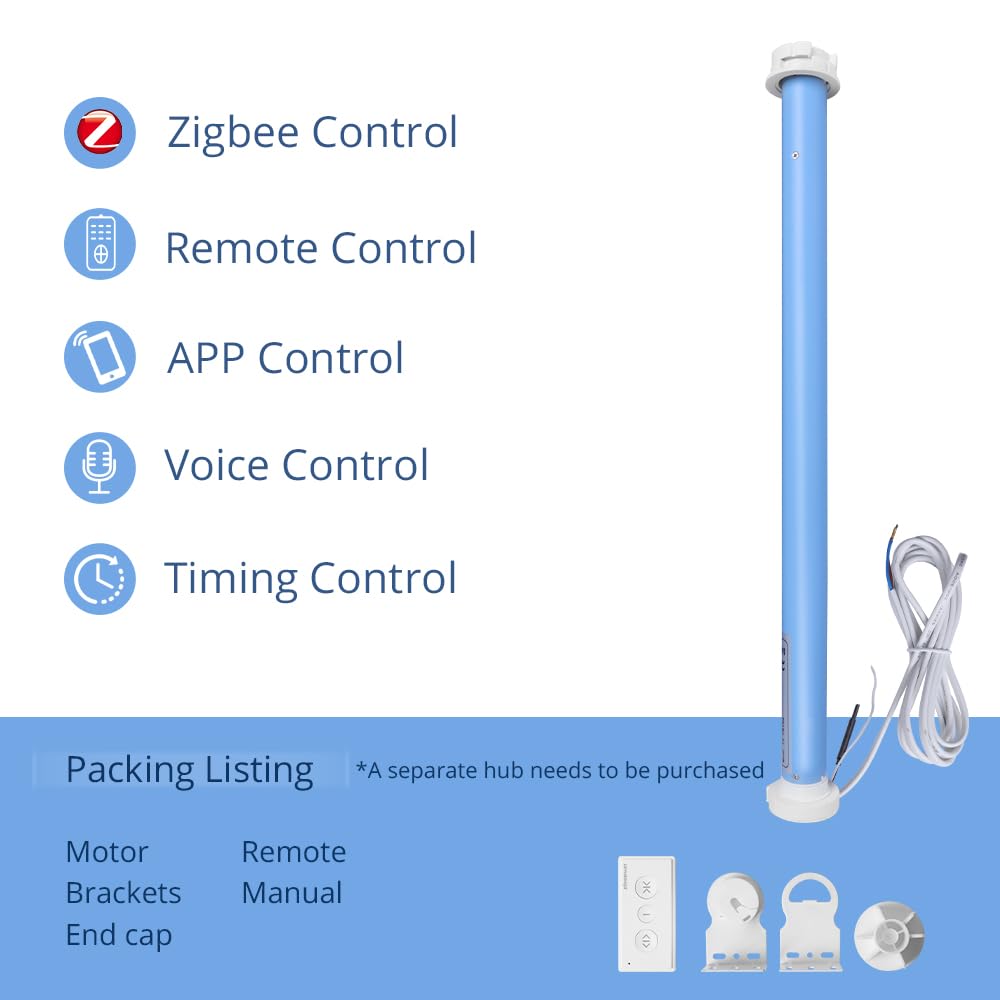
Image: Visual representation of the package contents, including the motor, remote, brackets, and end cap.
4. Einrichtung und Installation
Follow these steps to install your motorized blind shade:
- Bereiten Sie das Röhrchen vor: Ensure your blind tube has an inner diameter suitable for the 37mm motor.
- Motor einsetzen: Carefully insert the motor into the blind tube. Ensure it is securely seated.
- Montagehalterungen: Attach the mounting brackets to your window frame or wall. Use appropriate screws and anchors for your surface type.
- Jalousie installieren: Mount the blind tube with the motor onto the installed brackets. Ensure it is level and rotates freely.
- Strom anschließen: Connect the motor's power cable to a 110-240V AC power source. Ensure all connections are secure and follow local electrical codes.
- Pair with Hub (Optional but Recommended): If using smart control, power on your Zigbee hub and follow its instructions to add the motor as a new device. Refer to your hub's manual for specific pairing procedures.

Bild: Detailliert view of the motor's dimensions and wire length, useful for installation planning.
5. Bedienungsanleitung
5.1. Fernbedienungsbetrieb
The included 1-channel RF remote control allows direct operation of the blind shade.
- Aufwärts-Taste: Drücken Sie, um die Jalousie hochzuziehen.
- Abwärtstaste: Drücken, um die Jalousie herunterzulassen.
- Stopp-/Mittlere Taste: Press to stop the blind at any position or move it to a pre-set middle limit.
Setting Limits with Remote:
The motor supports setting upper, lower, and middle limits. Refer to the specific instructions provided with your remote control for detailed programming steps. Generally, this involves pressing a combination of buttons to enter programming mode, moving the blind to the desired position, and confirming the setting.

Image: Illustration of the remote control and its function in operating the blind shade.
5.2. App Control (Tuya/Smart Life App)
Once paired with a compatible Zigbee hub (Tuya Zigbee Hub, Zemismart ZMHK01 Hub, or Matter M1 Hub), you can control the blind shade via the Tuya or Smart Life application on your smartphone.
- Lade App herunter: Laden Sie die Tuya Smart- oder Smart Life-App aus dem App Store Ihres Geräts herunter und installieren Sie sie.
- Registrieren/Anmelden: Erstellen Sie ein Konto oder melden Sie sich an.
- Gerät hinzufügen: Follow the in-app instructions to add your Zigbee motor. This usually involves putting the motor into pairing mode and searching for devices in the app.
- Kontrolle: Once added, you can open, close, stop, and set schedules for your blind shade directly from the app.
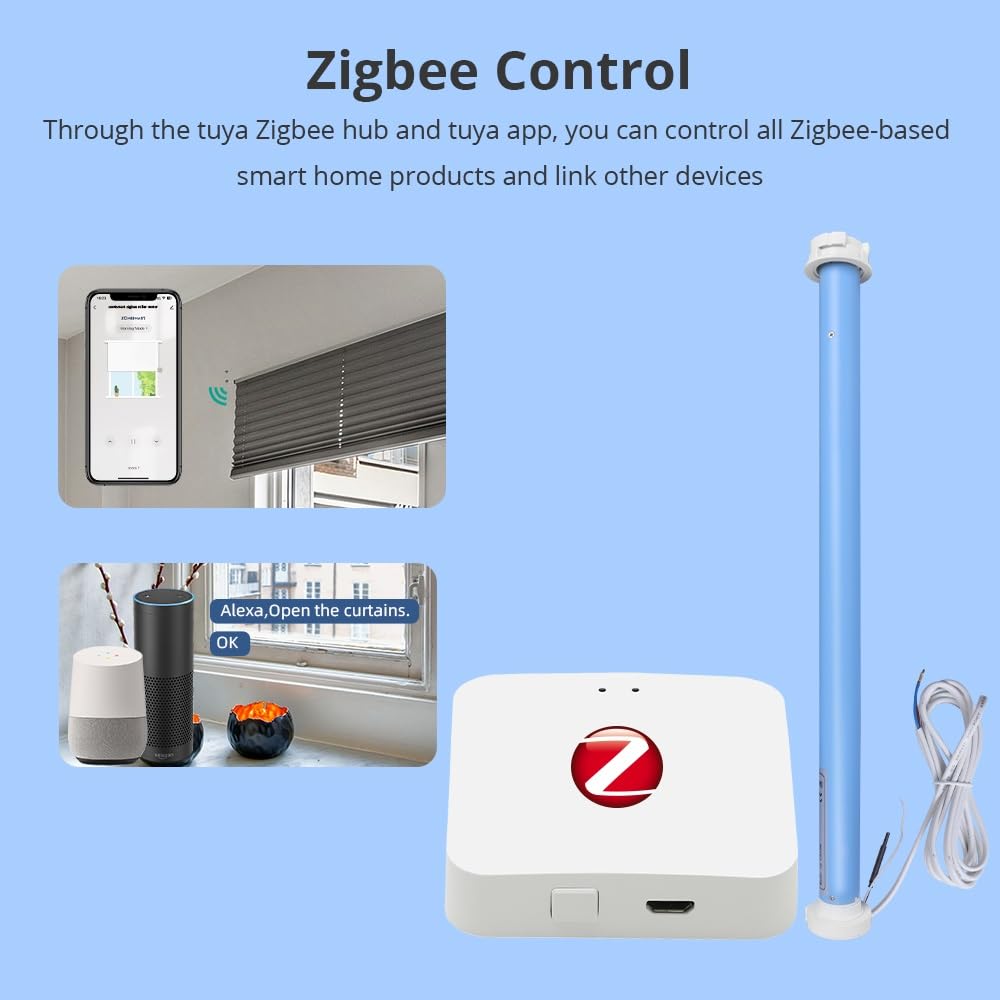
Image: Depicts the Zigbee control setup, showing the motor, a Zigbee hub, and the Tuya app interface on a smartphone.
5.3. Sprachsteuerung (Alexa/Google Assistant)
For voice control, ensure your Zigbee hub is linked to your Amazon Alexa or Google Assistant account through the respective smart home app (e.g., Tuya Smart skill for Alexa).
- Fähigkeit aktivieren: In the Alexa or Google Home app, enable the Tuya Smart or Smart Life skill/service.
- Geräte entdecken: Ask Alexa or Google Assistant to "Discover devices" or manually add the device through the app.
- Sprachbefehle: Verwenden Sie Befehle wie:
- "Alexa, öffne die Jalousien."
- "Hey Google, close the bedroom shade."
- "Alexa, set the living room blind to 50%."

Image: An Amazon Echo device demonstrating voice control functionality for opening blinds.
5.4. Zeitsteuerung
Set automated schedules for your blinds using the Tuya Smart or Smart Life app. This allows the blinds to open or close at specific times of the day.
- Öffnen Sie die Tuya Smart- oder Smart Life-App.
- Select your blind motor device.
- Navigieren Sie zum Abschnitt „Zeitplan“ oder „Timer“.
- Set desired times and actions (open, close, specific percentage) for your blinds.
6. Wartung
The YoumiAi Zigbee Motorized Electric Blind Shade requires minimal maintenance. Follow these general guidelines:
- Reinigung: Gently wipe the motor and exposed parts with a dry, soft cloth. Do not use abrasive cleaners or immerse the motor in water.
- Inspektion: Periodically check the mounting brackets and power cable for any signs of wear or damage.
- Hindernisse: Ensure there are no obstructions in the path of the blind when it is operating.
- Firmware-Updates: Check the Tuya/Smart Life app for any available firmware updates for the motor or hub to ensure optimal performance and security.
7. Fehlerbehebung
If you encounter issues with your motorized blind shade, refer to the following common problems and solutions:
| Problem | Mögliche Ursache | Lösung |
|---|---|---|
| Motor not responding to remote/app. | No power; Remote battery low; Not paired; Hub offline. | Check power connection; Replace remote battery; Re-pair motor with remote/hub; Check hub's internet connection. |
| Blind hält unerwartet an. | Blockade; Grenzwerteinstellungen falsch. | Remove any obstructions; Re-set upper and lower limits. |
| Sprachsteuerung funktioniert nicht. | Hub not linked to voice assistant; Device not discovered; Incorrect commands. | Ensure hub is linked in Alexa/Google Home app; Discover devices; Use correct voice commands. |
| Der Motor macht ungewöhnliche Geräusche. | Fehlausrichtung; Internes Problem. | Check if the blind is properly aligned in the brackets; If noise persists, contact customer support. |
If the problem persists after trying these solutions, please contact YoumiAi customer support for further assistance.
8. Spezifikationen
| Parameter | Wert |
|---|---|
| Modellnummer | ZM25R1 |
| Nenndrehmoment | 1 Nm |
| Nennvolumentage | 110-240V AC |
| Nenndrehzahl | 30 U/min |
| Nennleistung | 12 W |
| Schutzstufe | IP44 |
| Wireless-Protokoll | Zigbee |
| Produktgewicht | 680 Gramm |
| Material | Aluminium |
| Applicable Tube Diameter | 37 mm |
| Max. Supported Blind Length | Ca. 2-Meter |
| Max. Supported Blind Weight | Ca. 3 kg |
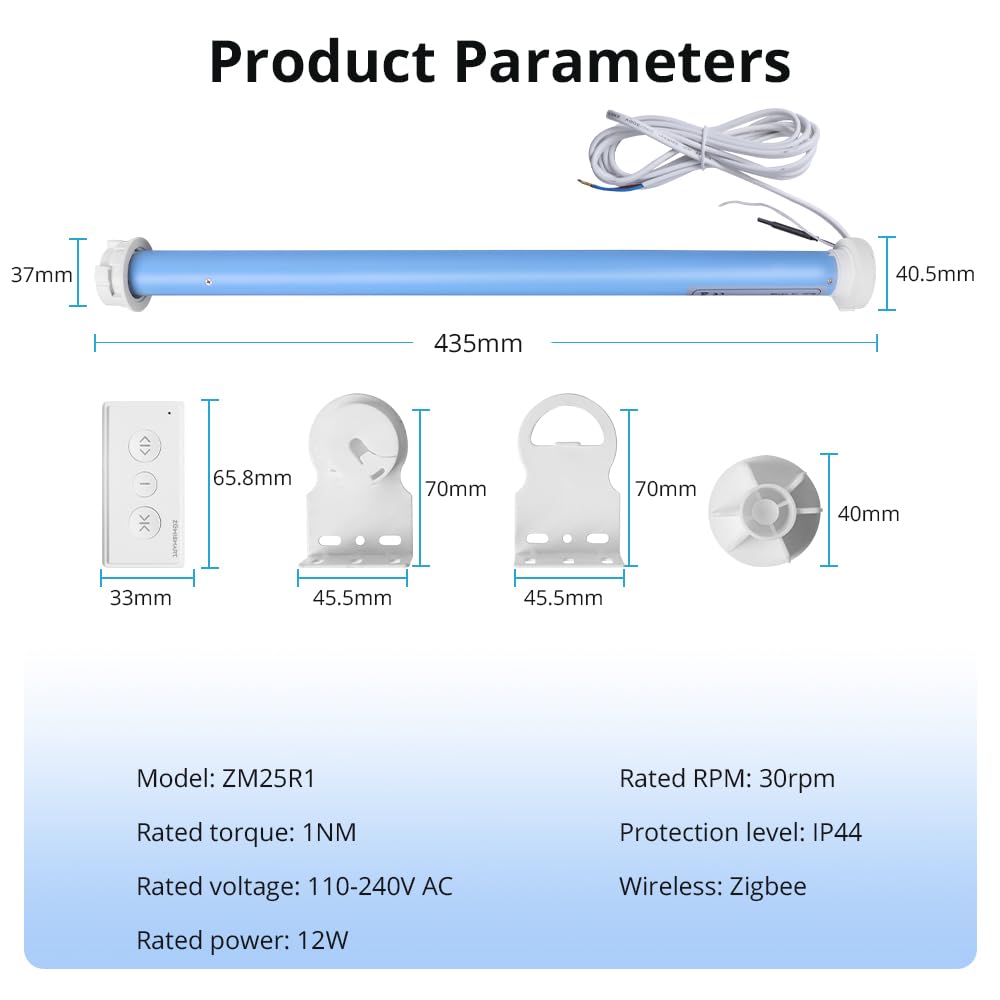
Image: Technical drawing showing the dimensions of the motor, remote, and mounting components.
9. Garantie und Support
Specific warranty information for this product is not available in the provided details. For warranty claims, technical support, or inquiries regarding spare parts, please contact YoumiAi customer service directly through their official channels or the retailer from whom you purchased the product.
Bitte bewahren Sie Ihren Kaufbeleg für eventuelle Garantie- oder Supportanfragen auf.