
Micool Y30
Benutzerhandbuch für Micool Y30 Open-Ear-Kopfhörer
Modell: Y30
1. Einleitung
Thank you for choosing the Micool Y30 Open Ear Headphones. These wireless Bluetooth 5.3 earbuds are designed to provide a comfortable and safe listening experience by resting gently on your ears without blocking the ear canal. This design allows you to remain aware of your surroundings while enjoying high-quality audio, making them ideal for sports and daily activities.
2. Lieferumfang
- Micool Y30 Open Ear Headphones (Left and Right)
- Kabelloses Ladecase
- USB-C-Ladekabel
- Bedienungsanleitung
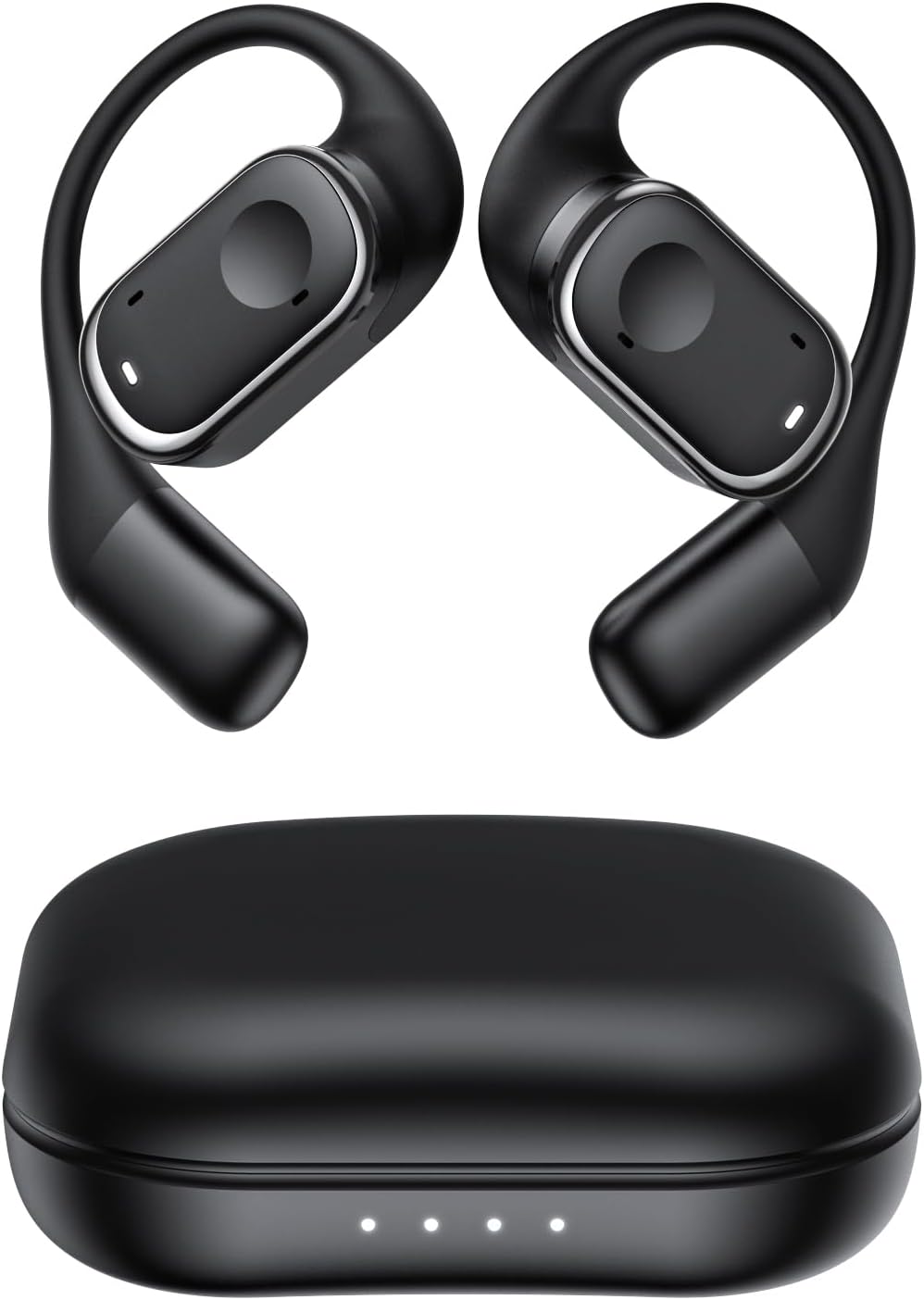
Abbildung 2.1: Micool Y30 Open Ear Headphones and their charging case. The image shows two black open-ear earbuds with ear hooks, positioned above a sleek black charging case with four LED indicator lights on the front.
3. Produktüberschreitungview
3.1 Komponenten des Ohrhörers
Each earbud features an ergonomic design with a soft silicone ear hook for secure and comfortable placement. The main body houses the speaker and touch control area.

Abbildung 3.1: Nahaufnahme view illustrating the ergonomic design of the Micool Y30 earbud. The image highlights the curved ear hook and the soft silicone material designed for comfort and secure fit, conforming to the ear's contour.
3.2 Ladekoffer
The charging case protects the earbuds and recharges them. It has a USB-C charging port and LED indicators to show battery status.

Abbildung 3.2: Intern view of the Micool Y30 charging case, showcasing the earbuds nestled inside. The image highlights the Bluetooth 5.3 technology and the digital display indicating battery levels, emphasizing fast response and stable connection.
4. Einrichtung
4.1 Aufladen des Geräts
Vor dem ersten Gebrauch die Ohrhörer und das Ladecase vollständig aufladen.
- Aufladen des Gehäuses: Connect the provided USB-C cable to the charging port on the case and to a USB power adapter (not included). The LED indicators on the case will show the charging status. A full charge takes approximately 1-2 hours.
- Aufladen der Ohrhörer: Place the earbuds into the charging case. Ensure they are correctly seated. The earbuds will automatically begin charging. The case can charge the earbuds 4-5 times, providing up to 6 hours of playback per single earbud charge.
4.2 Bluetooth-Kopplung
To connect your Micool Y30 headphones to your device:
- Stellen Sie sicher, dass die Ohrhörer aufgeladen sind.
- Öffnen Sie das Ladeetui. Die Ohrhörer wechseln automatisch in den Kopplungsmodus.
- On your device (e.g., smartphone, tablet), go to Bluetooth settings and turn Bluetooth on.
- Suchen nach available devices. Select "Micool Y30" from the list.
- Sobald die Verbindung hergestellt ist, hören Sie einen Bestätigungston, und die Ohrhörer sind einsatzbereit.
Die Kopfhörer unterstützen Bluetooth 5.3 für eine stabile und effiziente Verbindung.
5. Bedienungsanleitung
5.1 Ein-/Ausschalten
- Einschalten: Öffnen Sie das Ladeetui und die Ohrhörer schalten sich automatisch ein.
- Ausschalten: Legen Sie die Ohrhörer zurück in das Ladecase und schließen Sie den Deckel. Sie schalten sich automatisch aus und beginnen mit dem Ladevorgang.
5.2 Musikwiedergabe
The Micool Y30 headphones feature touch controls for media management.
- Abspielen/Pause: Tippen Sie einmal auf einen der Ohrhörer.
- Nächster Titel: Doppeltippen Sie auf den rechten Ohrhörer.
- Vorheriges Lied: Doppeltippen Sie auf den linken Ohrhörer.
- Lautstärke erhöhen: Tippen Sie dreimal auf den rechten Ohrhörer.
- Lautstärke runter: Tippen Sie dreimal auf den linken Ohrhörer.
5.3 Anrufmanagement
- Anruf annehmen/beenden: Tippen Sie einmal auf einen der Ohrhörer.
- Anruf ablehnen: Halten Sie einen der Ohrhörer 2 Sekunden lang gedrückt.
5.4 Einzel- und Doppelohrhörermodus
The Micool Y30 headphones support seamless switching between using a single earbud or both earbuds.
- Einzel-Ohrhörer-Modus: You can use either the left or right earbud independently. Simply take one earbud out of the case, and it will connect to your device.
- Dual-Ohrhörer-Modus: Take both earbuds out of the case, and they will automatically connect to each other and then to your device for a stereo audio experience.

Abbildung 5.1: Illustration of the Micool Y30's flexible usage modes. The diagram shows how the earbuds can be used independently in "Single Earphone Mode" or together in "Dual Headphone Mode" for a synchronized connection.
6. Wartung
6.1 Reinigung
- Verwenden Sie ein weiches, trockenes, fusselfreies Tuch, um die Ohrhörer und das Ladecase zu reinigen.
- Verwenden Sie keine aggressiven Chemikalien, Reinigungslösungen oder starken Reinigungsmittel.
- The earbuds have an IPX6 waterproof rating, meaning they are resistant to strong jets of water. However, they are not designed for submersion. Wipe them dry after exposure to sweat or water.
6.2 Speicherung
- Bewahren Sie die Ohrhörer bei Nichtgebrauch im Ladeetui auf, um sie zu schützen und geladen zu halten.
- Vermeiden Sie die Lagerung des Geräts bei extremen Temperaturen (Hitze oder Kälte) oder in Umgebungen mit hoher Luftfeuchtigkeit.
7. Fehlerbehebung
| Problem | Lösung |
|---|---|
| Die Ohrhörer lassen sich nicht mit dem Gerät koppeln. |
|
| Kein Ton aus einem Ohrhörer. |
|
| Ohrhörer werden nicht aufgeladen. |
|
| Poor sound quality or connection drops. |
|
8. Spezifikationen
| Besonderheit | Detail |
|---|---|
| Modellname | Y30 |
| Konnektivitätstechnologie | Kabellos (Bluetooth) |
| Bluetooth-Version | 5.3 |
| Platzierung des Ohrs | Offenes Ohr |
| Akkukapazität der Ohrhörer | 100 mAh (jeweils) |
| Akkukapazität des Ladegehäuses | 450 mAh |
| Playback Time (single charge) | Bis zu 6 Stunden |
| Gesamtwiedergabezeit (mit Hülle) | Up to 30 hours (4-5 full charges from case) |
| Ladezeit (Gehäuse) | 1-2 Stunden |
| Ladeanschluss | USB Typ C |
| Wasserdichtigkeit | IPX6 |
| Material | Plastik |
| UPC | 776584469303 |
9. Garantie und Support
Micool products are designed with quality and reliability in mind. For warranty information or technical support, please refer to the warranty card included in your product packaging or visit the official Micool webWebsite. Sie können sich auch an Ihren Händler wenden, um Unterstützung zu erhalten.
Weitere Hilfe finden Sie unter Micool Store on Amazon.
Ask a question about this manual
Ask about setup, troubleshooting, compatibility, parts, safety, or missing instructions. Manuals+ will review the question and use this page’s manual context to help answer it.