
Einführung
Thank you for choosing the LEXIP Madara Design Headset. This manual provides detailed instructions for setting up, operating, and maintaining your headset. Please read this manual thoroughly before use to ensure optimal performance and longevity of your device.
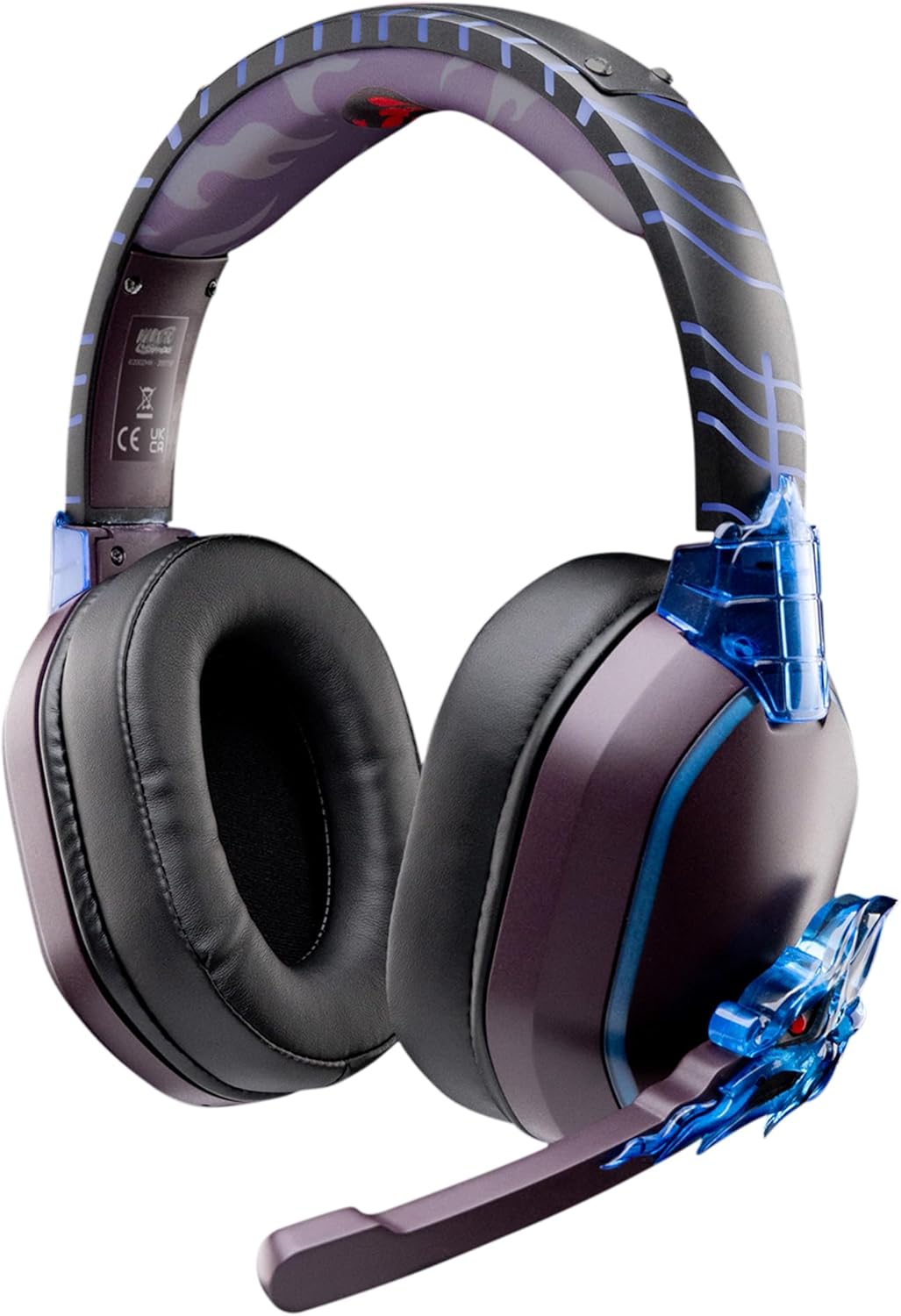
Image: The LEXIP Madara Design Headset, featuring a distinctive purple and blue color scheme with intricate design elements inspired by Madara.
Packungsinhalt
Stellen Sie sicher, dass alle Artikel im Paket vorhanden sind:
- LEXIP Madara Design Headset
- Abnehmbares Mikrofon
- 3.5-mm-Audiokabel
- USB-Ladekabel
- Bedienungsanleitung
Produkt überview
Familiarize yourself with the components and design features of your headset.

Image: Close-up of the headset's ear cup, highlighting the intricate blue dragon design element.

Bild: View of the soft earcups and adjustable headband, designed for comfort during extended use.
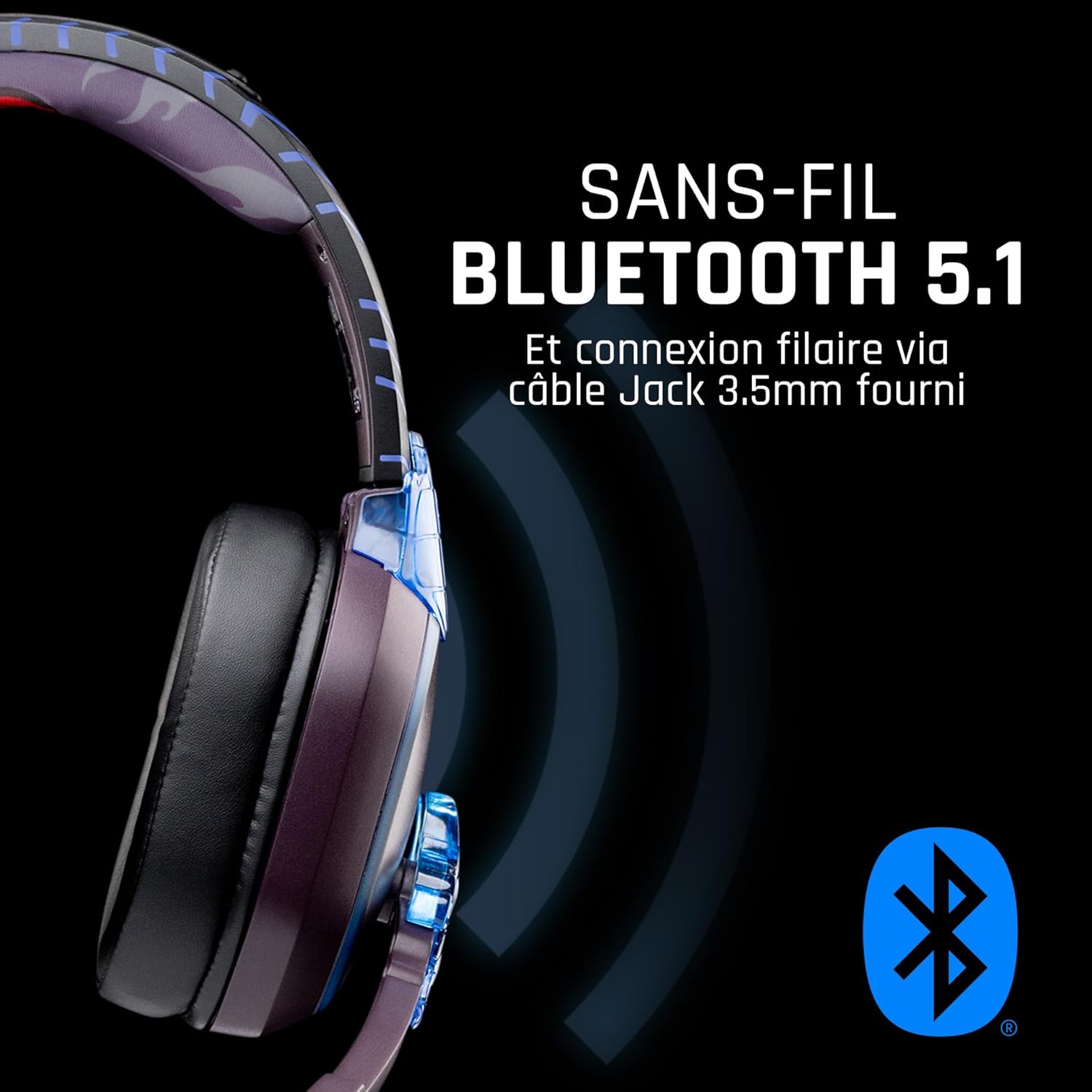
Abbildung: Seite view of the headset, illustrating its wireless Bluetooth 5.1 capability and connection points.

Image: The headset displayed on a stand, alongside a matching game controller, showcasing its gaming application.
Hauptmerkmale:
- Kabelloses Bluetooth 5.1: For seamless wireless audio.
- Kabelgebundene Konnektivität: Via the included 3.5mm Jack cable.
- Abnehmbares Mikrofon: For clear communication and versatility.
- Lautstärkeregelung: Integrierte Bedienelemente zur einfachen Audioeinstellung.
- Geräuschisolierung: Passive noise reduction for an immersive experience.
- Komfortables Design: Adjustable headband and over-ear form factor.
Aufstellen
1. Laden des Headsets
- Schließen Sie das USB-Ladekabel an den Ladeanschluss des Headsets an.
- Verbinden Sie das andere Ende des USB-Kabels mit einer kompatiblen USB-Stromquelle (z. B. USB-Anschluss am Computer, USB-Netzteil).
- The LED indicator on the headset will show the charging status. A full charge typically takes approximately 2-3 hours.
2. Anschließen des Mikrofons
- Locate the microphone input port on the headset, usually on the left earcup.
- Align the detachable microphone connector with the port and gently push it in until it clicks into place.
- Stellen Sie die Position des Mikrofons für eine optimale Sprachaufnahme ein.
Bedienungsanleitung
1. Ein-/Ausschalten
- So schalten Sie das Gerät ein: Halten Sie den Ein-/Ausschalter etwa 3 Sekunden lang gedrückt, bis die LED-Anzeige aufleuchtet.
- So schalten Sie das Gerät aus: Halten Sie den Netzschalter etwa 5 Sekunden lang gedrückt, bis die LED-Anzeige erlischt.
2. Bluetooth-Kopplung (Drahtloser Modus)
- Stellen Sie sicher, dass das Headset ausgeschaltet ist.
- Halten Sie die Ein-/Aus-Taste etwa 5-7 Sekunden lang gedrückt, bis die LED-Anzeige schnell blinkt und damit den Kopplungsmodus signalisiert.
- On your device (Windows 10/11, Mac, PS5, PS4, Xbox Series X/S, Xbox One, Nintendo Switch, Android, iOS, tablets), navigate to Bluetooth settings.
- Suchen nach available devices and select "LEXIP Madara Headset" (or similar name).
- Nach der Kopplung hört die LED-Anzeige auf zu blinken und leuchtet durchgehend blau.
3. Kabelgebundener Anschluss (3.5-mm-Klinkenstecker)
- Insert one end of the 3.5mm audio cable into the headset's audio jack.
- Insert the other end into the 3.5mm audio port of your desired device.
- The headset will operate in passive wired mode, even if the power is off.
4. Lautstärkeregelung
- Use the volume control dial or buttons located on the headset to adjust the audio level.
Wartung
- Reinigung: Reinigen Sie das Headset mit einem weichen, trockenen Tuch. Verwenden Sie keine Scheuermittel oder Lösungsmittel.
- Lagerung: Bewahren Sie das Headset an einem kühlen, trockenen Ort fern von direkter Sonneneinstrahlung und extremen Temperaturen auf.
- Batteriepflege: Um eine optimale Akkulaufzeit zu gewährleisten, vermeiden Sie häufiges vollständiges Entladen des Headsets. Laden Sie es regelmäßig auf.
- Wasserbeständigkeit: Das Headset ist nicht wasserdicht. Vermeiden Sie den Kontakt mit Flüssigkeiten.
Fehlerbehebung
| Problem | Mögliche Ursache | Lösung |
|---|---|---|
| Kein Ton aus dem Headset | Headset not powered on; Volume too low; Not paired/connected; Incorrect audio output selected on device. | Ensure headset is powered on and charged. Increase volume. Re-pair Bluetooth or check 3.5mm cable connection. Select headset as audio output on your device. |
| Bluetooth-Kopplung nicht möglich | Headset not in pairing mode; Device Bluetooth off; Too far from device; Interference. | Ensure headset is in pairing mode (flashing LED). Turn device Bluetooth off and on again. Move headset closer to device. Avoid strong Wi-Fi signals or other Bluetooth devices. |
| Mikrofon funktioniert nicht | Microphone not properly attached; Muted on headset/device; Incorrect input selected on device. | Ensure microphone is securely attached. Check if microphone is muted. Select headset microphone as input device in your device's sound settings. |
| Kurze Akkulaufzeit | Headset not fully charged; Old battery. | Ensure headset is fully charged before use. Battery performance may degrade over time. |
Technische Daten
| Modellnummer | TSXLXHS0003 |
| Marke | Lexip |
| Konnektivitätstechnologie | Kabellos (Bluetooth 5.1), Kabelgebunden (3.5-mm-Klinkenstecker) |
| Frequenzbereich | 20 Hz – 20,000 Hz |
| Impedanz | 3 Ohm |
| Empfindlichkeit | 116 dB |
| Noise Isolation | Passive Rauschunterdrückung |
| Mikrofon | Abnehmbar |
| Bedienelemente | Volume Control, Remote Control |
| Kompatible Geräte | Windows 10/11, Mac, PS5, PS4, Xbox Series X/S, Xbox One, Nintendo Switch, Android, iOS, tablets |
| Formfaktor | Over-ear, Extra-aural |
| Material | Gemischte Materialien |
| Altersspanne | Erwachsene |
| Wasserbeständigkeit | Nicht wasserfest |
| Batterie | 1 non-standard battery (included) |
Garantie und Support
The LEXIP Madara Design Headset comes with a 2 Jahr Herstellergarantie ab Kaufdatum. Diese Garantie deckt Material- und Verarbeitungsfehler bei normalem Gebrauch ab.
For warranty claims, technical support, or further assistance, please contact LEXIP customer service through their official website or the retailer where the product was purchased. Please have your proof of purchase and model number (TSXLXHS0003) ready when contacting support.
Hinweis: Informationen zur Verfügbarkeit von Ersatzteilen und Software-Updates sind derzeit nicht verfügbar.


