
1. Einführung und Endeview
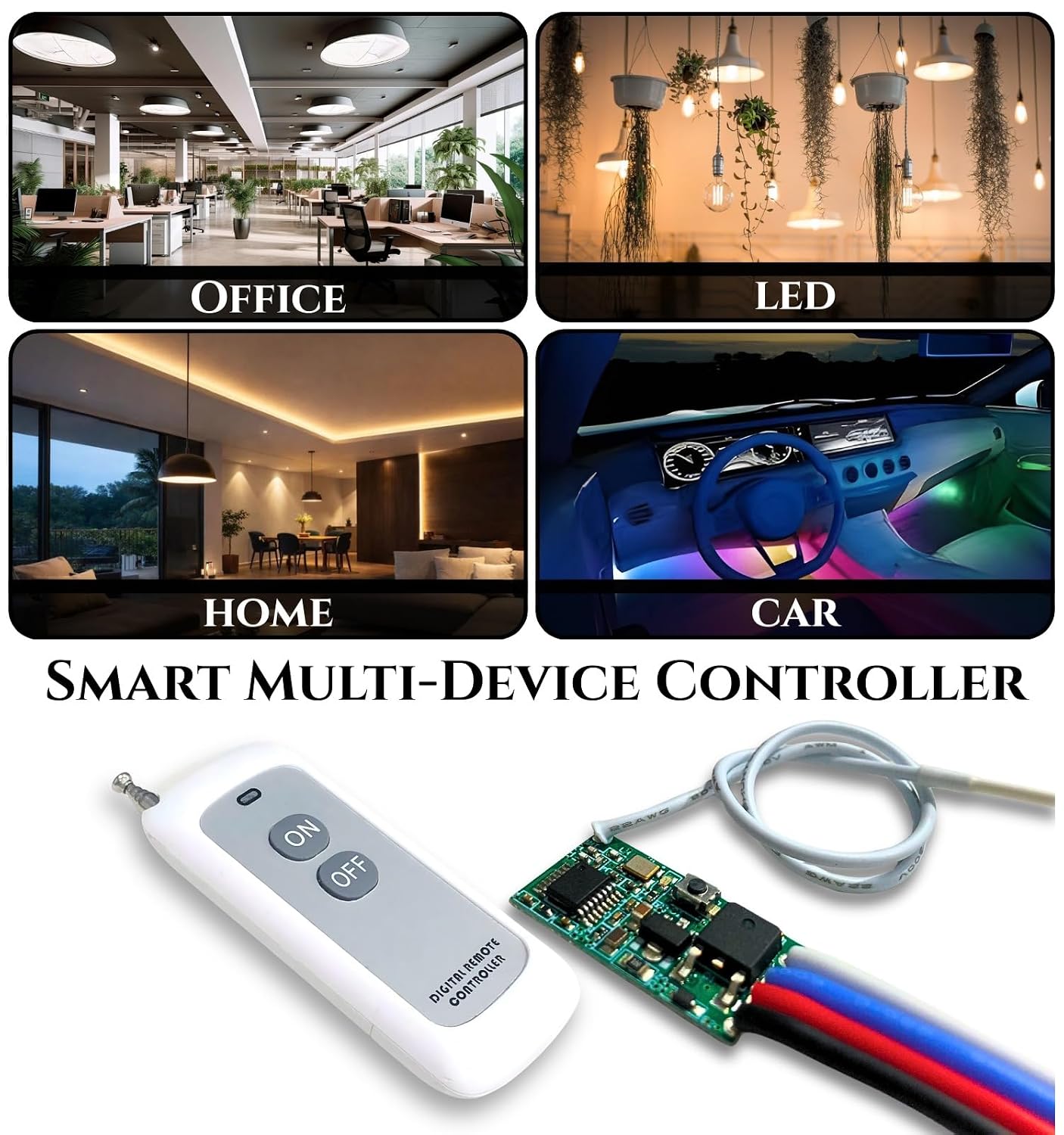
The ROBOWAY QIACHIP Wireless 433Mhz RF Module with Mosfet and 2 Button White Remote (RW-RF037) is a versatile wireless control system designed for various applications. It features a compact design, high sensitivity, and non-directional wireless encoding technology to prevent interference. This module operates within a DC3.6V-DC24V range and supports a maximum load of 2A, making it suitable for controlling LED lights, fans, and other devices.

2. Produktmerkmale
- Flexibler Betrieb: Small size and high sensitivity for various control needs.
- Störfestigkeit: Utilizes non-directional wireless encoding technology for independent control.
- Breites Volumentage-Unterstützung: Operates with DC3.6V-DC24V input.
- Hohe Tragfähigkeit: Supports a maximum load of 2A.
- Strong RF Signal: Capable of passing through walls, floors, and doors, with a reliable range of up to 200 meters (984ft with no obstacle).
- Mehrere Arbeitsmodi: Unterstützt die Modi Momentary, Toggle, Latched und Delay.
- Einfach zu bedienen: Simple learning and control process.
- Vielseitige Anwendungen: Ideal for DIY projects, LED lights, lamp beads, Christmas tree light strings, and light control switches.

3. Einrichtung und Installation
Follow these steps to set up your ROBOWAY QIACHIP Wireless RF Module:
- Strom anschließen: Connect the input wires (IN+ and IN-) to a DC power source within the 3.6V to 24V range. Ensure correct polarity.
- Last anschließen: Connect your device (e.g., LED, fan) to the output wires (OUT+ and OUT-).
- Antenne: Ensure the antenna wire is properly extended for optimal signal reception.
- Koppeln der Fernbedienung: The module typically comes pre-paired. If re-pairing or pairing a new remote is needed, locate the 'Learning Button' on the PCB board. Press and hold the learning button until the indicator LED responds (e.g., flashes). Then, press a button on the remote control to pair it. Refer to the specific mode setting instructions for detailed pairing procedures for each mode.


4. Betriebsarten
The ROBOWAY QIACHIP RF Module supports four distinct operating modes. The specific method to configure these modes typically involves pressing the learning button a certain number of times or for a specific duration. Please refer to the product packaging or additional documentation for precise mode setting instructions.
- Momentanmodus: The output is active only while the remote button is pressed. Releasing the button turns the output off.
- Umschaltmodus: Pressing the remote button once turns the output ON. Pressing the same button again turns the output OFF.
- Latch-Modus: Pressing one button on the remote turns the output ON. Pressing another button on the remote turns the output OFF. (Requires a remote with at least two distinct buttons for ON/OFF functionality).
- Verzögerungsmodus: The output remains ON for a preset duration after the remote button is pressed, then automatically turns OFF. The delay time is usually configurable.
5. Spezifikationen
| Besonderheit | Spezifikation |
|---|---|
| Marke | ROBOWAY |
| Modellnummer | RW-RF037 |
| Betriebslautstärketage | DC3.6V-DC24V |
| Maximaler Laststrom | 2A |
| Drahtlose Frequenz | 433 MHz |
| Regelbereich | Up to 200 meters (984ft with no obstacle) |
| Controllertyp | Tastensteuerung |
| Button Quantity (Remote) | 2 |
| Netzwerkkonnektivitätstechnologie | Radiofrequenz |
| Artikelabmessungen (L x B x H) | 7L x 5B x 10H Zentimeter |
| Artikelgewicht | 200 Gramm |
| Ursprungsland | China |
6. Fehlerbehebung
- Gerät reagiert nicht:
- Check if the module is receiving power (DC3.6V-DC24V) and if the polarity is correct.
- Ensure the load device is properly connected and functional.
- Prüfen Sie, ob die Batterie der Fernbedienung leer ist.
- Confirm that the remote is correctly paired with the module. If unsure, attempt re-pairing.
- Reduzierter Bereich oder intermittierende Steuerung:
- Ensure the antenna on the module is fully extended and unobstructed.
- Minimize physical obstructions (thick walls, metal objects) between the remote and the module.
- Prüfen Sie, ob sich in der Nähe starke elektromagnetische Störquellen befinden.
- Remote Buttons Not Working:
- Replace the remote control battery (Alkaline type).
- Re-pair the remote with the module.
If you encounter any persistent problems during use, please contact ROBOWAY customer support for assistance.
7. Wartung
- Keep the module and remote control in a dry environment, away from moisture and extreme temperatures.
- Clean the devices with a soft, dry cloth. Avoid using harsh chemicals or abrasive cleaners.
- Regularly check the remote control battery and replace it when necessary to ensure optimal performance.
- Vermeiden Sie es, die Geräte fallen zu lassen oder starken Stößen auszusetzen.
8. Garantie und Support
For any product-related inquiries, technical support, or warranty information, please contact ROBOWAY customer service. You can reach them via the contact information provided by the manufacturer or retailer.
Kontaktdaten des Herstellers:
ROBOWAY, New Tech Enterprises, Property No. 8, Khasra No. 672, Kacchi Sadak, Metro Pillar No. 507 Mundka New Delhi, India 110041
Any B2B Enquiry Please Contact Us - 9041412414
Kontaktinformationen des Importeurs:
NEWTECH ENTERPRISES, PROPERTY NUMBER 8, KHASRA NUMBER 672, KACCHI SADAK, METRO PILLAR NUMBER 507 MUNDKA NEW DELHI DELHI India 110041
Any B2B Enquiry Please Contact Us - 9041412414