
Einführung
Thank you for choosing the LIORQUE S7509 Projection Alarm Clock. This manual provides detailed instructions for setting up and operating your new device. Please read it carefully to ensure proper use and to fully utilize all features.
Packungsinhalt
Bitte vergewissern Sie sich beim Auspacken, dass alle folgenden Artikel vorhanden sind:
- LIORQUE S7509 Projection Alarm Clock
- Netzteil
- USB-Stromkabel
- Bedienungsanleitung

Image: The LIORQUE S7509 Projection Alarm Clock, its power adapter, USB cable, and user manual are displayed next to the product box. Product dimensions are indicated as 18cm (7.1in) width, 9.8cm (3.9in) height, and 5cm (2in) depth.
Produktmerkmale vorbeiview
The LIORQUE S7509 Projection Alarm Clock is designed to enhance your daily routine with its versatile features:
- Um 180° drehbare Projektion: Project the time onto your ceiling or wall with adjustable brightness.
- Großes LED-Display: Clear time display with 4 adjustable brightness levels.
- Doppelalarme: Set two separate alarms for different schedules.
- FM Radio: Enjoy your favorite radio stations with 15 preset memory slots and 15 adjustable volume levels.
- Schlummerfunktion: Sorgt für 9 zusätzliche Minuten Schlaf.
- Schlaf-Timer: Das Radio schaltet sich nach einer voreingestellten Zeit (5-90 Minuten) automatisch aus.
- 12/24-Stunden-Format: Einfacher Wechsel zwischen verschiedenen Zeitformaten.
- Eingebaute Batterie: Für Notstromversorgung während eines Ausfallstages.

Image: The LIORQUE S7509 Projection Alarm Clock is shown with its digital display set to 22:30. Surrounding icons highlight key features including 12/24 hour time, adjustable brightness, FM radio, snooze function, dual alarms, time projection, built-in battery, and a sleep timer.
Installationsanweisungen
1. Stromanschluss
Connect the provided USB power cable to the alarm clock and plug the adapter into a standard wall outlet. The display will light up, indicating the device is powered on.

Image: The LIORQUE S7509 Projection Alarm Clock is shown on a bedside table, connected to a wall outlet via its power adapter. The clock displays 8:30, illustrating its readiness for use after power connection.
2. Erstzeiteinstellung
- Halten Sie die ZEITEINSTELLUNG button (usually labeled with a clock icon) for 3 seconds to enter time setting mode.
- Verwenden Sie die STUNDE Und MINUTE buttons (often labeled with '+' and '-' or arrows) to adjust the current time.
- Drücken ZEITEINSTELLUNG erneut, um zu bestätigen und zu beenden.
3. 12/24-Stunden-Format
While in time setting mode, or by a dedicated button (refer to specific button labels on your device), you can toggle between 12-hour (with AM/PM indicator) and 24-hour formats.
Bedienungsanleitung
1. Alarme einstellen
Die Uhr unterstützt zwei unabhängige Alarme (Alarm 1 und Alarm 2).
- Halten Sie die ALARM 1 or ALARM 2 button for 3 seconds. The alarm time will flash.
- Verwenden Sie die STUNDE Und MINUTE Tasten zum Einstellen der gewünschten Weckzeit.
- Drücken Sie die ALARM Drücken Sie erneut die Taste, um die Uhrzeit zu bestätigen.
- You can then select the alarm sound (buzzer or FM radio) and alarm volume.
- Drücken Sie die ALARM button one more time to save settings and activate the alarm. An alarm icon will appear on the display.

Image: Two LIORQUE S7509 Projection Alarm Clocks are displayed side-by-side. One shows an alarm set for 8:30, labeled 'Workday', and the other shows 10:00, labeled 'Weekend', demonstrating the dual alarm capability.
2. Projektionsfunktion
The projector allows you to display the time on your ceiling or wall.
- Aktivieren/Deaktivieren: Drücken Sie die PROJECTION button (often labeled with a projection icon) to turn the projection on or off.
- Helligkeit anpassen: Drücken Sie wiederholt die PROJECTION button to cycle through 3 brightness levels (Low, Medium, High) or turn it off.
- Projektion drehen: The projector lens can be physically rotated 180° to adjust the angle of the projected time.

Image: The LIORQUE S7509 Projection Alarm Clock is shown in a bedroom, projecting the time '22:30' onto the ceiling. Below, three smaller images illustrate the three adjustable brightness levels for the projection.

Image: The LIORQUE S7509 Projection Alarm Clock is depicted with its projection arm extended, casting the time '12:45' onto a nearby surface. This image demonstrates the adjustable angle and direction of the projection feature.
3. Helligkeit des Displays
Adjust the main display brightness to your preference.
- Drücken Sie die DIMMER button (or similar, often labeled with a sun icon) to cycle through 4 levels of display brightness.
- The levels typically range from brightest to off, allowing for comfortable viewTag oder Nacht.

Image: The LIORQUE S7509 Projection Alarm Clock shows the time 22:30. Below, four distinct panels illustrate the four adjustable levels of screen brightness, ranging from completely off to maximum illumination, allowing users to select the appropriate brightness for night vision.
4. UKW-Radio
Hören Sie Ihre Lieblings-FM-Radiosender.
- Ein-/Ausschalten: Drücken Sie die RADIO Taste zum Ein- und Ausschalten des FM-Radios.
- Auto-Scan: Halten Sie die RADIO button for 3 seconds to automatically scan and save up to 15 FM stations.
- Umsteigestationen: Verwenden Sie die ZURÜCK/WEITER buttons (or '+' and '-') to switch between saved stations.
- Lautstärke anpassen: Verwenden Sie die BAND +/- buttons to adjust the radio volume through 15 levels.

Image: The LIORQUE S7509 Projection Alarm Clock displays 'FM 7.84' on its screen, surrounded by graphic representations of radio waves indicating different FM frequencies (e.g., FM90.2, FM95.6, FM96.8, FM97.5, FM98.5). The image also highlights that the device can store 15 favorite radio stations and has 15 adjustable volume levels.
5. Schlummerfunktion
Wenn ein Alarm ertönt, drücken Sie die große Taste. SNOOZE / LICHT Drücken Sie den Knopf oben auf der Uhr. Der Alarm pausiert für 9 Minuten und ertönt dann erneut.
6. Sleep-Timer
Der Sleep-Timer ermöglicht es dem Radio, für eine festgelegte Dauer zu spielen, bevor es sich automatisch ausschaltet.
- Während das Radio spielt, drücken Sie die Taste SCHLAFEN button (or similar).
- Drücken Sie wiederholt die SCHLAFEN button to cycle through preset sleep times (e.g., 5, 10, 15, 30, 60, 90 minutes).
- Das Radio schaltet sich nach der gewählten Zeit automatisch aus.
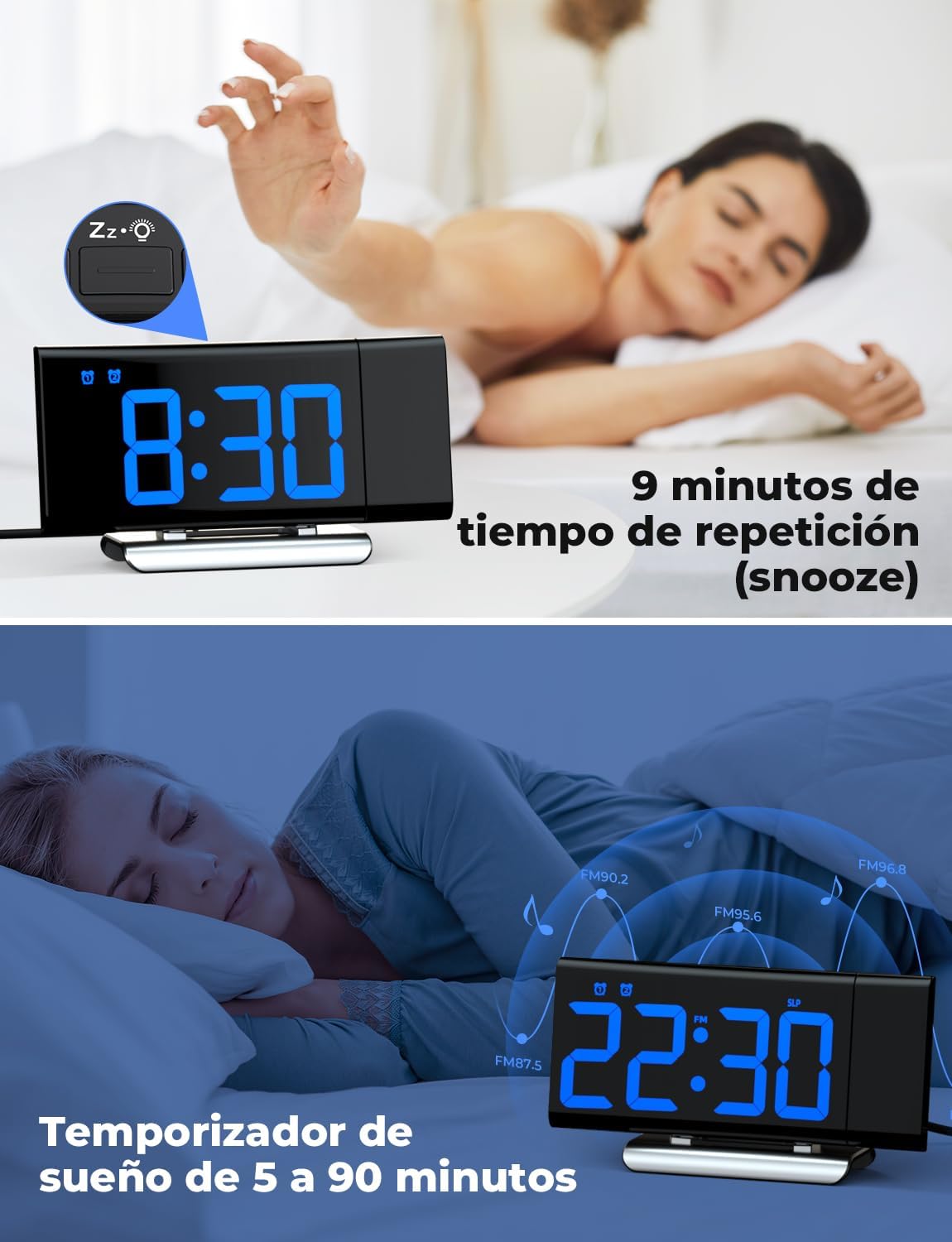
Image: The top section shows a person reaching for the snooze button on the LIORQUE S7509 Projection Alarm Clock, which displays 8:30, indicating a 9-minute snooze period. The bottom section features the clock displaying 22:30 with radio waves, illustrating the sleep timer function which can be set from 5 to 90 minutes, with a person sleeping peacefully in the background.
Wartung
To ensure the longevity and optimal performance of your LIORQUE S7509 Projection Alarm Clock, follow these simple maintenance guidelines:
- Reinigung: Use a soft, dry cloth to wipe the surface of the clock. Do not use abrasive cleaners, solvents, or chemical sprays, as these can damage the finish and electronic components.
- Staubentfernung: Gently wipe the projector lens with a soft, lint-free cloth to maintain clear projection quality.
- Platzierung: Stellen Sie die Uhr auf eine stabile, ebene Fläche, fern von direkter Sonneneinstrahlung, Wärmequellen und übermäßiger Feuchtigkeit.
- Leistung: Always use the provided power adapter. If the clock is not used for an extended period, you may unplug it. The built-in battery will retain settings for a short duration.
Fehlerbehebung
Sollten Sie Probleme mit Ihrem Wecker haben, beachten Sie bitte die folgenden häufig auftretenden Probleme und Lösungen:
| Problem | Mögliche Ursache | Lösung |
|---|---|---|
| Die Uhranzeige ist leer. | Kein Strom oder Stromausfalltage. | Ensure the power adapter is securely plugged into the clock and a working outlet. Check if the display brightness is set to 'off'. |
| Die Projektion ist verschwommen oder undeutlich. | Incorrect focus or distance. | Adjust the distance of the clock from the projection surface. Ensure the projector lens is clean. |
| Der Alarm ertönt nicht. | Alarm nicht aktiviert oder Lautstärke zu niedrig. | Verify that the alarm icon is displayed on the screen. Check the alarm volume setting. Ensure the alarm time is correctly set. |
| Schlechter FM-Radioempfang. | Schwaches Signal oder ungünstige Antennenposition. | Extend the FM antenna fully. Reposition the clock to improve reception. |
| Tasten reagieren nicht. | Vorübergehender Softwarefehler. | Unplug the power adapter for a few seconds, then plug it back in to reset the device. |
Technische Daten
| Besonderheit | Detail |
|---|---|
| Technische Daten | 10.5 x 3.81 x 6.2 cm; 340 g |
| Modellnummer | Staffel 7509 |
| Marke | LIORQUE |
| Farbe | Blau |
| Anzeigetyp | Digitales |
| Stromquelle | Both: Battery and AC power (with adapter) |
| Form | Rechteckig |
| Verwendung | Innenbereich |
| Rahmenmaterial | Metall |
| Batterien im Lieferumfang enthalten | Ja |
| Montagetyp | Tischplatte |
| Wecker | Ja |
| Anzahl der Artikel | 1 |
Garantie und Support
The LIORQUE S7509 Projection Alarm Clock comes with a manufacturer's warranty. For specific details regarding warranty coverage and duration, please refer to the warranty card included in your package or contact LIORQUE customer support.
If you require further assistance, have questions, or encounter issues not covered in this manual, please contact LIORQUE customer support. Contact information can typically be found on the product packaging, the official LIORQUE webWebsite oder über Ihren Händler.