
Docooler 14 Inch 2-in-1 Touchscreen Laptop
Docooler 14 Zoll 2-in-1 Touchscreen-Laptop – Benutzerhandbuch
Model: 14 Inch 2-in-1 Touchscreen Laptop
1. Produktüberschreitungview
The Docooler 14 Inch 2-in-1 Touchscreen Laptop is a versatile computing device designed for both productivity and entertainment. Featuring a 4K UHD IPS display and a 360-degree convertible design, it adapts to various usage scenarios, from traditional laptop mode to tablet mode. Powered by an Intel N95 processor, it offers efficient performance for daily tasks.

Image: The Docooler 14 Inch 2-in-1 Touchscreen Laptop in its tent configuration, showcasing its flexible design and vibrant display.
2. Packungsinhalt
Bitte überprüfen Sie, ob alle Artikel im Paket vorhanden sind:
- Docooler 14 Inch 2-in-1 Touchscreen Laptop
- Ladekabel
- Benutzerhandbuch
3. Erste Schritte
3.1 Ersteinrichtung
- Laptop aufladen: Before first use, connect the charging cable to the laptop's USB-C port and plug it into a power outlet. Allow the battery to charge fully.
- Einschalten: Halten Sie den Netzschalter an der Seite des Laptops gedrückt, bis der Bildschirm aufleuchtet.
- Windows Setup: Folgen Sie den Anweisungen auf dem Bildschirm, um die Ersteinrichtung von Windows 11 abzuschließen, einschließlich Sprachauswahl, Netzwerkverbindung und Erstellung des Benutzerkontos.
4. Understanding Your Laptop
4.1 Hauptmerkmale
- Anzeige: 14-inch 4K UHD (3840x2160) IPS touchscreen with 500 Nits brightness for a clear visual experience.
- Prozessor: Equipped with the 12th Gen Intel N95 CPU (4-core, 4-thread, up to 3.4GHz) for efficient performance.
- Speicher: 12GB LPDDR5 4800MHz high-frequency memory and 512GB/1TB NVMe SSD for fast operation and ample Speicher.
- Cabrio-Design: 360-degree flip-and-fold design allows for multiple modes of use.
- Touch-Screen: 10-level multi-touch screen with gravity sensing for intuitive interaction.
- Sicherheit: Fingerprint unlock for quick and secure access.
- Tastatur: Backlit keyboard for comfortable typing in various lighting conditions.
- Konnektivität: Dual-band Wi-Fi (2.4G/5.0G Hz 802.11ac) and Bluetooth for stable wireless connections.

Image: Visual representation of the laptop's 4K UHD display capabilities, highlighting its high resolution and brightness.

Image: Illustration of the Intel N95 12th Generation processor, emphasizing its role in the laptop's performance.
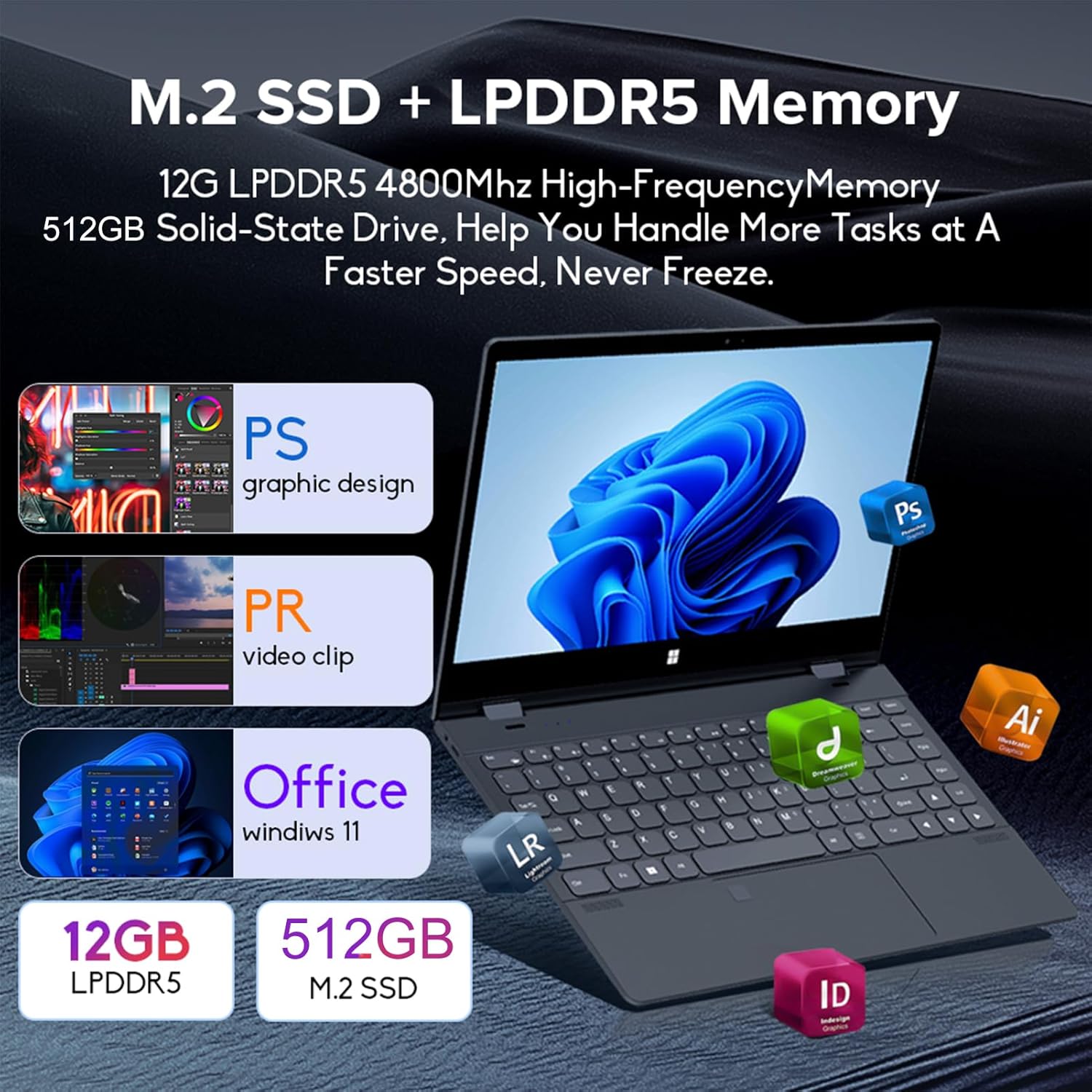
Image: Depiction of the laptop's memory and storage, showing 12GB LPDDR5 RAM and 512GB/1TB M.2 SSD, suitable for various applications.
4.2 Anschlüsse und Steckverbinder
Familiarize yourself with the available ports on your laptop:
- USB-C (Vollfunktionsfähig): Supports audio, video, data transmission, and PD2.0 fast charging.
- USB 3.0: Zum Anschließen von USB-Geräten.
- Audioeingang: Für Kopfhörer oder externe Lautsprecher.
- Gleichstromeingang: Power input (if applicable, though USB-C is primary charging).
- TF-Kartenleser: Für Speicherkarten.

Bild: Eine detaillierte view of the laptop's side ports, including USB-C, USB 3.0, audio jack, and TF card slot.
4.3 Konvertierbare Modi
The 360-degree hinge allows the laptop to transform into four distinct modes:
- Notebook-Modus: Traditional laptop experience for typing and productivity.
- Tablet-Modus: Fold the screen back completely for a tablet experience, ideal for touch-based applications and gaming.
- Viewing Mode (Tent Mode): Stand the laptop in a tent shape for watching videos or presentations.
- Conference Mode (Stand Mode): Flip the keyboard under the screen to share content easily in a group setting.

Image: Visual guide demonstrating the four convertible modes of the laptop: Notebook, Tablet, Viewing, and Conference.
5. Bedienung
5.1 Verwendung des Touchscreens
The 10-point multi-touch screen allows for intuitive navigation. Use gestures similar to a smartphone or tablet. The gravity sensing feature enhances the experience, especially in tablet mode.

Image: Demonstrates the ease of touchscreen operation and the benefit of gravity sensing for gaming.
5.2 Using the Backlit Keyboard and Fingerprint Unlock
- Tastatur mit Hintergrundbeleuchtung: Press the Function (Fn) key combined with the appropriate F-key (usually F3 or F4, check keyboard icons) to toggle the keyboard backlight on/off or adjust its brightness.
- Entsperren per Fingerabdruck: Set up your fingerprint in Windows Settings > Accounts > Sign-in options. Once configured, you can unlock your laptop quickly by placing your registered finger on the fingerprint sensor.
5.3 Verbindung zu WLAN und Bluetooth
The laptop supports dual-band Wi-Fi (2.4G/5.0G Hz 802.11ac) and Bluetooth for wireless connectivity.
- W-lan: Klicken Sie auf das WLAN-Symbol in der Taskleiste, wählen Sie das gewünschte Netzwerk aus, geben Sie gegebenenfalls das Passwort ein und klicken Sie auf Verbinden.
- Bluetooth: Go to Windows Settings > Bluetooth & devices. Ensure Bluetooth is turned on, then click 'Add device' to pair with Bluetooth peripherals like headphones or mice.

Image: Visual representation of the laptop's dual-band Wi-Fi and Bluetooth connectivity features.
6. Wartung und Pflege
- Reinigung: Mit einem weichen, fusselfreien Tuch leichtampened with water or a screen cleaner to clean the display. For the keyboard and chassis, use a dry, soft cloth. Avoid harsh chemicals.
- Batteriepflege: Um die Akkulaufzeit zu verlängern, sollte der Akku nicht häufig vollständig entladen werden. Bewahren Sie den Laptop bei längerer Nichtbenutzung an einem kühlen, trockenen Ort auf.
- Belüftung: Um eine Überhitzung zu vermeiden, stellen Sie sicher, dass die Lüftungsöffnungen des Laptops nicht blockiert sind. Verwenden Sie den Laptop auf einer harten, ebenen Fläche.
- Software-Updates: Aktualisieren Sie regelmäßig Ihr Betriebssystem und Ihre Treiber, um optimale Leistung und Sicherheit zu gewährleisten.
7. Fehlerbehebung
| Problem | Mögliche Lösung |
|---|---|
| Der Laptop lässt sich nicht einschalten. | Ensure the charging cable is securely connected and the power outlet is functional. Allow the laptop to charge for at least 30 minutes before attempting to power on again. |
| Probleme mit der WLAN-Verbindung. | Restart your router and modem. On the laptop, disable and re-enable Wi-Fi. Ensure you are within range of the Wi-Fi signal. |
| Der Touchscreen reagiert nicht. | Restart the laptop. Check for any physical obstructions on the screen. Ensure Windows updates are current. |
| Die Tastaturbeleuchtung funktioniert nicht. | Press Fn + F-key (check keyboard icon) to toggle or adjust backlight brightness. Ensure drivers are up to date. |
| Der Laptop läuft langsam. | Close unnecessary applications. Check for background processes. Ensure sufficient free storage space. Run a system scan for malware. |
8. Technische Daten
| Besonderheit | Spezifikation |
|---|---|
| Bildschirmgröße | 14 Zoll |
| Auflösung | 3840 x 2160 Pixel (4K UHD) |
| Prozessor | Intel N95 (up to 3.4GHz) |
| Größe des installierten RAM-Speichers | 12 GB LPDDR5 |
| Festplattenbeschreibung | 512GB/1TB NVMe SSD |
| Betriebssystem | Windows 11 Home |
| Grafik-Coprozessor | Intel UHD-Grafik (integriert) |
| Kabellose Konnektivität | 2.4G/5.0G Hz 802.11ac Wi-Fi, Bluetooth |
| Anzahl USB-Anschlüsse | 2 (including 1 full-featured USB-C) |
| Farbe | Silbergrau |
| Artikelgewicht | 3.46 Pfund (1570 Gramm) |
| Verpackungsabmessungen | 15.35 x 9.84 x 3.35 Zoll |
| Ursprungsland | China |
9. Garantie und Support
For warranty information and technical support, please refer to the documentation provided with your purchase or visit the official Docooler webBewahren Sie Ihren Kaufbeleg für Garantieansprüche auf.
Docooler is committed to providing quality products and customer satisfaction. For further assistance, please contact Docooler customer service.
Note: Protection plans may be available for extended coverage. Please check with your retailer for details.
Ask a question about this manual
Ask about setup, troubleshooting, compatibility, parts, safety, or missing instructions. Manuals+ will review the question and use this page’s manual context to help answer it.