
Einführung
The BSIDE S20 Digital Multimeter is a high-speed, automatic intelligent multimeter designed for precise electrical measurements. It features an integrated EMF detector, a large EBTN color LCD, and a rechargeable battery. This manual provides detailed instructions for safe and effective use of your device.
Hauptmerkmale
- High-Speed Digital Multimeter: Equipped with a powerful chip for rapid and accurate measurements, including capacitance.
- Großes Farb-LCD-Display: Features a 3.5-inch EBTN color screen showing test values, analog bars, and frequency/ambient temperature for enhanced readability.
- Automatische Identifizierung: Smart technology automatically identifies tested parameters and selects the appropriate range, making it user-friendly for beginners.
- Wiederaufladbarer Akku: Includes a built-in 800mAh Li-ion rechargeable battery and charging cable for convenient power.
- Integrated EMF Detector: Detects electromagnetic fields from various electronic devices, providing an alarm and analog bar display.
- Versatile Measurements: Capable of measuring DC/AC voltage, resistance, capacitance, frequency, diode, and continuity.
- Zusätzliche Funktionen: Auto-ranging, auto power-off, data hold, and low battery indication.
Packungsinhalt
Überprüfen Sie, ob alle Artikel in Ihrem Paket vorhanden sind:
- BSIDE S20 Smart Multimeter EMF
- Messleitungen
- Tragetasche
- USB-Ladekabel
- Benutzerhandbuch (Englisch)

Image: The BSIDE S20 Multimeter shown with its included test leads, USB charging cable, and protective carrying case.
Aufstellen
1. Laden des Akkus
The BSIDE S20 Multimeter is equipped with a built-in rechargeable Li-ion battery. Before first use, ensure the device is fully charged.
- Connect the provided USB charging cable to the multimeter's charging port.
- Verbinden Sie das andere Ende des USB-Kabels mit einem Standard-USB-Netzteil (nicht im Lieferumfang enthalten) oder einem USB-Anschluss Ihres Computers.
- The charging indicator on the display will show the charging status. A full charge typically takes a few hours.

Image: The BSIDE S20 Multimeter being charged via a USB cable connected to a laptop, illustrating the rechargeable battery feature.
2. Messleitungen anschließen
Properly connect the test leads for accurate measurements.
- Stecken Sie die schwarze Messleitung in die "COM" (Common) Eingangsbuchse.
- Insert the red test lead into the "INPUT" input jack.
- Ensure connections are secure before performing any measurements.
Bedienungsanleitung
The BSIDE S20 features an intelligent automatic mode for most measurements. It can also be manually switched to specific functions.
1. Ein-/Ausschalten
Press and hold the power button (usually located on the top right of the device) to turn the multimeter on or off. The device will automatically power off after a period of inactivity to conserve battery.
2. Automatic Mode Selection
In automatic mode, the multimeter intelligently identifies the type of measurement (AC/DC voltage, resistance, continuity) and displays the result. This is the default mode upon power-on.
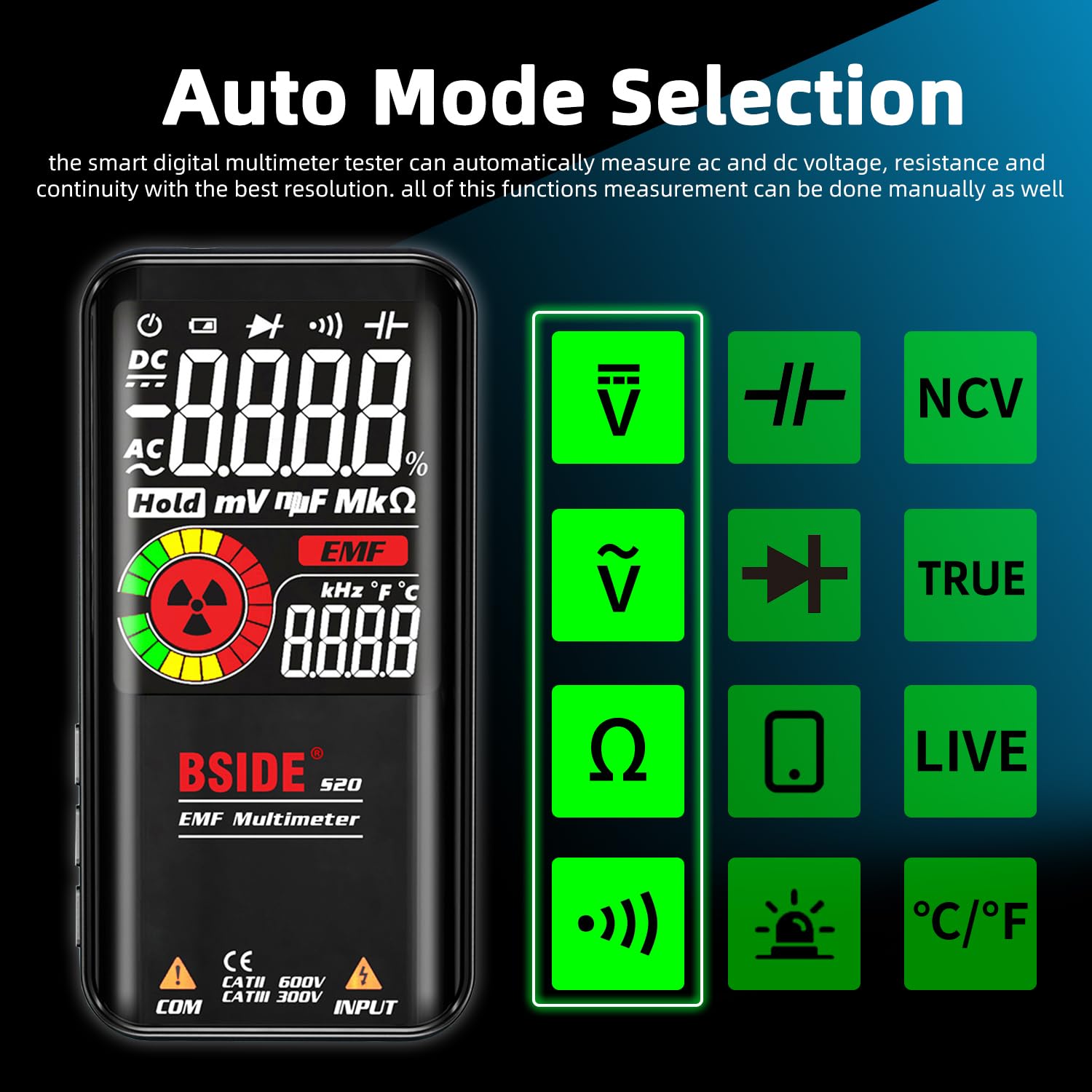
Image: The BSIDE S20 Multimeter display highlighting the automatic mode selection feature, with icons for different measurement types.
3. Das Display verstehen
The 3.5-inch EBTN color LCD provides clear readings with three main results:
- Testwert: The primary numerical measurement.
- Analoge Leiste: A graphical representation of the measurement, useful for quick trend observation.
- Frequency/Ambient Temperature: Additional contextual information displayed simultaneously.

Image: The BSIDE S20 Multimeter display showing a voltage reading of 110.0V AC, a frequency of 60.00 Hz, and an analog bar graph.
4. Performing Measurements (General Steps)
- Ensure the test leads are correctly connected to the multimeter.
- Turn on the multimeter. It will typically start in automatic mode.
- Select the desired measurement function if not using automatic mode (refer to the device's buttons for mode selection).
- Carefully connect the test probes to the circuit or component you wish to measure.
- Lesen Sie den Messwert auf dem Display ab.
- Always disconnect the test probes from the circuit before changing functions or turning off the device.
5. Volumentage Messung (AC/DC)
Zur Messung der Lautstärketage, connect the test probes in parallel with the circuit or component. The multimeter will automatically detect AC or DC voltage in auto mode.
Video: Demonstration of the BSIDE S20 Multimeter measuring AC and DC voltage, resistance, continuity, capacitance, live wire detection, and EMF detection in an electrical setup.
6. Widerstandsmessung
To measure resistance, ensure the circuit is de-energized. Connect the test probes across the component.
Note: The video above also shows a resistance measurement of 100.0 kΩ.
7. Durchgangsprüfung
For continuity, ensure the circuit is de-energized. Connect the test probes across the path to be tested. If the resistance is below 30Ω, an audible beep will sound, indicating continuity.
Note: The video above also shows a continuity test with an audible beep.
8. Kapazitätsmessung
To measure capacitance, ensure the capacitor is discharged before connecting the test probes. The BSIDE S20 offers high-speed capacitance measurement.

Image: The BSIDE S20 Multimeter connected to a capacitor on a circuit board, displaying a capacitance reading of 68.00 uF.
Note: The video above also shows a capacitance measurement of 37.1 uF.
9. EMF Detection
The integrated EMF detector helps identify electromagnetic fields. Move the multimeter near potential sources of EMF radiation.
- The display will show an EMF reading and an analog bar.
- An audible alarm will sound if a significant EMF is detected.
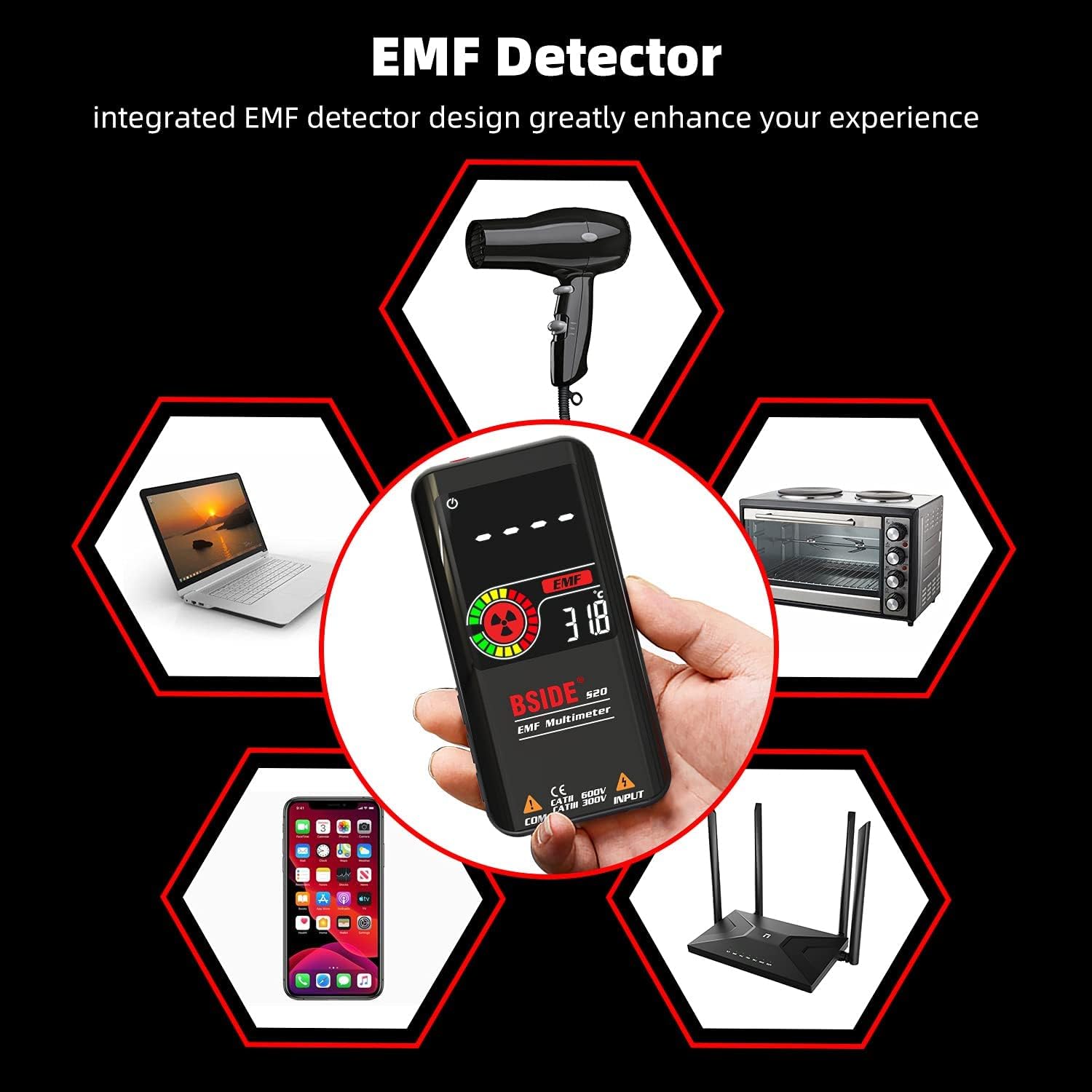
Image: The BSIDE S20 Multimeter displaying an EMF reading, surrounded by common household electronics that emit electromagnetic fields.
Note: The video above also shows the EMF detection feature with an audible alarm.
10. Erkennung stromführender Leitungen
To detect live wires, select the "LIVE" function. Use the red test probe to approach the wire. The multimeter will indicate the presence of live voltage with an alarm and display changes.
Note: The video above also shows the live wire detection feature.
Wartung
Reinigung
Reinigen Sie das Gerät mit einem trockenen, weichen Tuch. Verwenden Sie keine Scheuermittel oder Lösungsmittel. Stellen Sie vor der Reinigung sicher, dass das Gerät ausgeschaltet und von allen Stromkreisen getrennt ist.
Lagerung
Store the multimeter in its protective carrying case in a cool, dry place, away from direct sunlight and extreme temperatures. If storing for extended periods, ensure the battery is partially charged (around 50%) to prolong its lifespan.

Bild: Eine Nahaufnahme view of the BSIDE S20 Multimeter, highlighting its durable protective case.
Fehlerbehebung
| Problem | Mögliche Ursache | Lösung |
|---|---|---|
| Gerät lässt sich nicht einschalten. | Niedriger oder leerer Akku. | Laden Sie den Akku mit dem mitgelieferten USB-Kabel auf. |
| Ungenaue Messwerte. | Incorrect mode selection; poor test lead connection; external interference. | Ensure correct mode (Auto or specific function). Check test lead connections. Move away from strong electromagnetic fields. |
| Kein Durchgangssignal. | Resistance is too high; circuit is open. | Verify the circuit path. The beep activates for resistance below 30Ω. |
| EMF detector not responding. | No significant EMF source nearby; device not in EMF mode. | Ensure the device is in EMF detection mode. Move closer to known EMF sources. |
Technische Daten
| Parameter | Wert |
|---|---|
| Maximale Anzeige | 9999 Zählwerte |
| Anzeigetyp | Color LCD EBTN |
| Bildschirmgröße | 3.5 Zoll |
| DC-Voltage | 0.5 V–620 V ±(0.8 % + 3); Auflösung: 0.001 V |
| AC-Lautstärketage | 1.0 V–620 V ±(1.2 % + 5); Auflösung: 0.001 V |
| Widerstand | 1Ω-10.0MΩ ±(1.2%+3); Resolution: 0.1Ω |
| Kapazität | 0.5uF-1000uF ±(3.5%+8), 1000uF-6000uF ±(4.5%+10); Resolution: 0.1uF |
| Frequenz | 10Hz-1000Hz ±(2.0%+10); Resolution: 1Hz |
| Diodentest | Measures diodes within 1.0V |
| EMF Detection | Alarm beep, LCD with analog bars |
| Prüfung auf stromführende Leitungen | Alarm beep, LCD with analog bars |
| Kontinuität | Audible signal if resistance is less than 30Ω |
| Stromversorgung | 3.7V Rechargeable Battery (included) |
| Maße | 143 x 69 x 17 mm (5.63 x 2.72 x 0.67 Zoll) |
| Gewicht | 143 g (0.31 Pfund) |
| Einhaltung der Sicherheitsvorschriften | CE |
Garantie und Support
For warranty information and technical support, please refer to the official BSIDE webBesuchen Sie unsere Website oder wenden Sie sich an Ihren Händler. Bewahren Sie Ihren Kaufbeleg für Garantieansprüche auf.