
LIECTROUX HCR-10
LIECTROUX HCR-09 Automatic Window Cleaning Robot User Manual
Modell: HCR-10
1. Einleitung
Thank you for choosing the LIECTROUX HCR-09 Automatic Window Cleaning Robot. This intelligent household appliance is designed to simplify window cleaning, offering powerful suction and smart navigation for various smooth surfaces. Please read this manual thoroughly before operating the device to ensure safe and efficient use.

The LIECTROUX HCR-09 Window Cleaning Robot, shown with its remote control, ready for operation. This image highlights the sleek design and compact form factor of the device.
2. Sicherheitshinweise
Um einen sicheren Betrieb zu gewährleisten und Schäden zu vermeiden, beachten Sie bitte die folgenden Sicherheitsrichtlinien:
- Always ensure the robot is connected to a power source during operation. The built-in UPS (Uninterrupted Power System) battery is for emergency power-off protection only.
- The UPS battery provides approximately 25 minutes of suction protection in case of power failure, preventing the robot from falling and sounding an alarm.
- Always attach the professional 4-meter safety rope to a secure anchor point before starting the robot, especially when cleaning high or exterior windows.
- Verwenden Sie den Roboter nicht auf rissigen, beschädigten oder unebenen Glasoberflächen.
- Halten Sie Hände, Haare und lose Kleidung von beweglichen Teilen fern.
- Tauchen Sie den Roboter nicht in Wasser oder andere Flüssigkeiten ein.
- Bewahren Sie den Roboter an einem trockenen, kühlen Ort auf, wenn er nicht in Gebrauch ist.

The LIECTROUX HCR-09 includes a 4-meter safety rope capable of withstanding 200kg.f, providing an essential safety measure to prevent falls and ensure secure operation, especially on high windows.

The robot features a 20-minute power-off protection system. In case of a power outage, the built-in UPS battery maintains suction for up to 25 minutes, preventing the robot from falling and sounding an alarm.
3. Produktüberschreitungview
The LIECTROUX HCR-09 is equipped with advanced features for effective window cleaning:
- Starke Saugkraft: Integrated suction motor generates 2800Pa of strong suction for secure adhesion.
- Dual-Spiral Cleaning: Features a dual-spiral cleaning head with microfiber cloths for thorough cleaning.
- Intelligente Navigation: AI technology detects window frames and obstacles, automatically adjusting its direction.
- Vielseitige Anwendung: Suitable for various smooth surfaces including glass, windows, tiles, and glass floors.
- Fernbedienung: Allows for convenient control of the robot's cleaning path and modes.
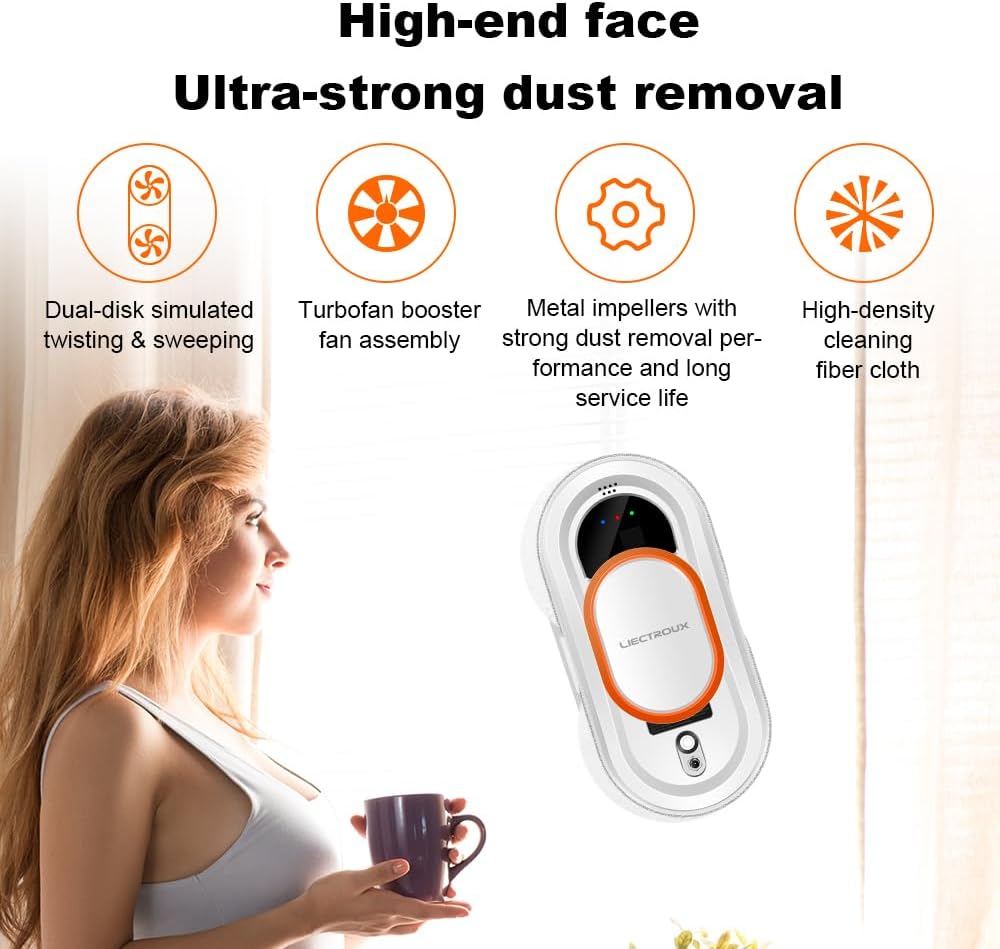
Key features of the LIECTROUX HCR-09: Dual-disk simulated twisting & sweeping for thorough cleaning, a turbofan booster fan assembly for strong suction, durable metal impellers for effective dust removal and long service life, and high-density cleaning fiber cloth for streak-free results.

Visual representation of the 2800Pa vacuum suction, illustrating the strong adsorption capability that allows the robot to move safely and smoothly on vertical surfaces.
4. Einrichtung
Follow these steps to set up your LIECTROUX HCR-09:
- Bereiten Sie die Reinigungstücher vor: Attach the microfiber cleaning cloths firmly to the cleaning pads on the robot. Ensure they are clean and slightly damp (not dripping wet) with a suitable window cleaning solution.
- Strom anschließen: Plug the power adapter into the robot and then into a power outlet. Ensure the connection is secure. The power cord is 5.2 meters long.
- Sicherheitsseil anbringen: Securely fasten the 4-meter safety rope to a sturdy object indoors, such as a heavy piece of furniture or a window frame anchor point.
- Platzieren Sie den Roboter: Place the robot on the glass surface you wish to clean. Ensure it is flat against the surface.
- Einschalten: Press the power button on the robot or the remote control to activate the suction. Wait for the robot to firmly adhere to the glass before releasing es.
5. Bedienungsanleitung
The LIECTROUX HCR-09 offers multiple cleaning modes for optimal results:
Automatic Cleaning Modes
The robot features 3 automatic cleaning modes. Use the remote control to select your desired mode:
- Z-path Cleaning: Ideal for tall and narrow windows.
- N-path Cleaning: Suitable for wide and short windows.
- Combined Path: For comprehensive cleaning of various window shapes.
The robot will automatically detect window frames and obstacles, calculating an intelligent cleaning path.
Manuelle Steuerung
You can also control the robot manually using the remote control to direct its movement and target specific dirty areas.
Wassersprühfunktion
The robot includes a water spray function to assist with cleaning. Ensure the water tank is filled with appropriate cleaning solution before use.
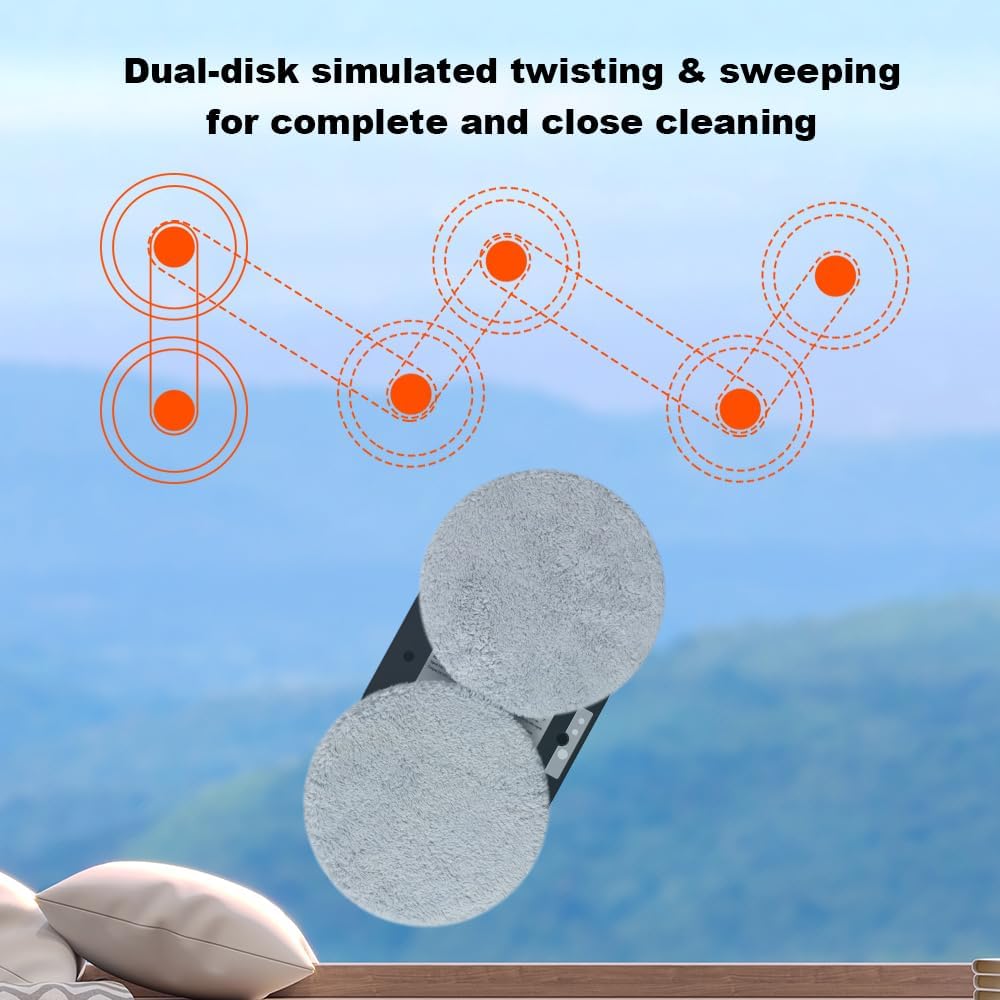
Illustration of the dual-disk simulated twisting and sweeping motion, demonstrating how the robot achieves complete and close cleaning across the glass surface.

The LIECTROUX HCR-09 is versatile and applicable for a variety of smooth surfaces and environments, including bathroom mirrors, wooden tile surfaces, marble walls, windows around the house, framed glass, office buildings, malls, schools, and residential houses.
6. Wartung
Regular maintenance ensures optimal performance and longevity of your robot:
- Saubere Mikrofasertücher: After each use, remove the microfiber cleaning cloths and wash them thoroughly. They can be hand-washed or machine-washed. Ensure they are completely dry before reattaching.
- Sensoren reinigen: Periodically wipe the sensors on the robot with a soft, dry cloth to ensure accurate obstacle detection and navigation.
- Inspect Suction Cups/Pads: Check the suction pads for any debris or damage. Clean them if necessary to maintain strong suction.
- Richtig lagern: Bewahren Sie den Roboter bei Nichtgebrauch in seiner Originalverpackung oder an einem sauberen, trockenen Ort fern von direkter Sonneneinstrahlung und extremen Temperaturen auf.
7. Fehlerbehebung
If you encounter issues with your LIECTROUX HCR-09, refer to the following common problems and solutions:
| Problem | Mögliche Ursache | Lösung |
|---|---|---|
| Robot not adhering to glass | Unzureichende Saugkraft; verschmutzte Reinigungspads; unebene Oberfläche. | Ensure power is connected; clean cleaning pads; ensure surface is smooth and clean. |
| Robot falls during operation | Power disconnected; UPS battery depleted; safety rope not attached. | Reconnect power; ensure UPS battery is charged; always attach safety rope. |
| Schlechte Reinigungsleistung | Dirty or dry cleaning cloths; insufficient cleaning solution. | Wash and re-dampen cleaning cloths; refill water tank with cleaning solution. |
| Roboter bewegt sich nicht oder ist festgefahren | Obstacle detected; sensor dirty; power issue. | Clear obstacles; clean sensors; check power connection. |
Sollte das Problem weiterhin bestehen, wenden Sie sich bitte an den Kundendienst.
8. Spezifikationen
| Besonderheit | Spezifikation |
|---|---|
| Marke | LIECTROUX |
| Modellname | HCR-10 |
| Farbe | Hcr-09 |
| Technische Daten | 27L x 27B x 7.8H Zentimeter |
| Stromquelle | Kabelgebundene Elektrik |
| Saugleistung | 2800Pa |
| Sicherheitsseillänge | 4 Meter |
| Länge des Adapterkabels | 5.2 Meter |
| USV-Batterieschutz | 25 Мinuten |
| Oberflächenempfehlung | Glas |
| Besonderheit | Nass- und Trockenreinigung |
| Kontrollmethode | Berührung, Fernbedienung |
| Batterien im Lieferumfang enthalten | NEIN |
9. Garantie und Support
For warranty information and customer support, please refer to the documentation included with your product or contact the manufacturer directly. Information regarding spare parts availability is currently unavailable.
Ask a question about this manual
Ask about setup, troubleshooting, compatibility, parts, safety, or missing instructions. Manuals+ will review the question and use this page’s manual context to help answer it.