
1. Einleitung
The SMSL DO300EX is a versatile MQA DAC, Bluetooth 5.1 balanced headphone ampVerstärker und Vorverstärkeramplifier designed for high-fidelity audio systems. It integrates advanced audio technologies to deliver exceptional sound performance across various input and output options.
This manual provides detailed instructions for setting up, operating, and maintaining your DO300EX to ensure optimal performance and longevity.
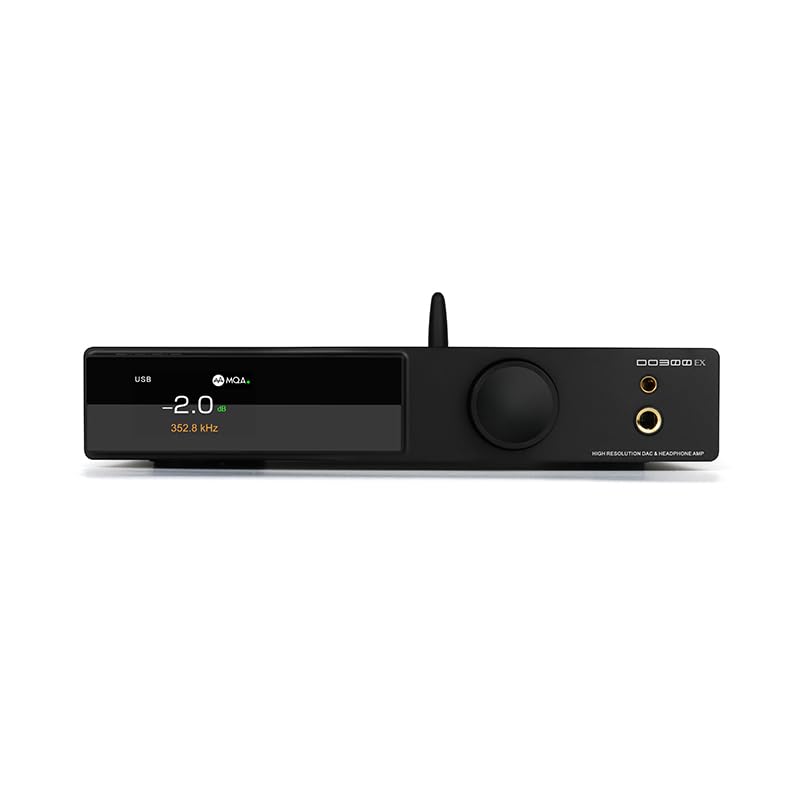
Figure 1: SMSL DO300EX MQA DAC Headphone Amplifier Voramplifier with included remote control.
2. Hauptmerkmale
- Advanced DAC Chips: Equipped with AK4191+AK4499EX and XMOS XU-316 chips, supporting up to 32bit/768kHz PCM and DSD512.
- MQA & MQA-CD Decoding: Full support for MQA and MQA-CD audio signal decoding, restoring original studio sound quality.
- Mehrere Eingänge: Features USB, optical, coaxial, and I2S inputs for broad compatibility with various audio sources.
- Vielseitige Ausgänge: Offers 4.4mm and 6.35mm headphone outputs, alongside balanced XLR and RCA line outputs.
- Hochwertige Anzeige: Suspended display window with tempered glass, full-laminated color IPS display, and DOP independent display function.
- Premium-Komponenten: Constructed with chamfered high-grade aluminum, 9 high-end dual op amps, audiophile components, and a self-developed CK-03 clock processing circuit for reduced jitter.
- Bluetooth 5.1: Integrated Qualcomm Bluetooth 5.1 chip supporting LDAC 24bit/96kHz, APTX-HD, SBC, and AAC codecs.

Abbildung 2: Überview of the SMSL DO300EX highlighting its core features and technologies.
3. Installationsanleitung
3.1 Auspacken und erste Inspektion
Carefully remove the DO300EX from its packaging. Inspect the unit for any signs of damage. Ensure all accessories are present:
- SMSL DO300EX Unit
- Netzkabel
- USB-Kabel
- Fernbedienung
- Bluetooth-Antenne
- Bedienungsanleitung
- Garantiekarte

Figure 3: Included accessories for the SMSL DO300EX.
3.2 Anschließen von Audioquellen und -ausgängen
The DO300EX offers a wide range of input and output options. Refer to the diagram below for proper connection guidance.

Figure 4: Detailed diagram of the input and output ports on the SMSL DO300EX, illustrating connections to various audio devices.
- Eingänge: Connect your digital audio sources (PC, CD/DVD player, TV, other audio devices) to the USB, Optical, Coaxial, or I2S input ports. For Bluetooth, ensure the antenna is connected and pair your mobile device.
- Kopfhörerausgänge: Use the 4.4mm balanced or 6.35mm single-ended jacks on the front panel for headphones.
- Line-Ausgänge: An eine Stromversorgung anschließen amplifier or active speakers using the balanced XLR or unbalanced RCA outputs on the rear panel.
- Leistung: Connect the AC power cable to the DC 12V input on the rear panel and then to a power outlet.
4. Bedienungsanleitung
4.1 Bedienelemente auf der Vorderseite
The front panel features a multi-functional knob and an IPS display for intuitive control and status monitoring.
- Multifunktionsknopf: This knob controls volume, input selection, and menu settings. Rotate to adjust volume or navigate menus. Press to confirm selections or switch inputs.
- IPS-Display: Shows current volume level, active input, sampling rate, and other operational parameters. Supports DOP independent display for decoding format.
- Kopfhörerbuchsen: 4.4mm balanced and 6.35mm single-ended outputs for direct headphone connection.

Figure 5: Front panel design of the SMSL DO300EX, highlighting the display and multi-functional knob.
4.2-Fernbedienung
Die mitgelieferte Fernbedienung ermöglicht den bequemen Zugriff auf alle Funktionen aus der Ferne.

Figure 6: Layout of the full-function remote control for the SMSL DO300EX.
- Ein-/Ausschalten: Schaltet das Gerät ein oder aus.
- Lautstärke +/-: Passt die Ausgabelautstärke an.
- Eingangsauswahl: Durchläuft die verfügbaren Eingangsquellen.
- Menü/OK: Ruft das Menü auf und bestätigt die Auswahl.
- Stumm: Schaltet die Audioausgabe stumm oder hebt die Stummschaltung auf.
- FN (Im Menü definieren): Anpassbare Funktionstaste.
4.3 MQA-Wiedergabe
The DO300EX supports MQA and MQA-CD decoding. Ensure your audio source is providing a genuine MQA-CD signal and that the fiber optic or coaxial signal output by the CD player is unprocessed source code for optimal MQA experience.

Figure 7: MQA-CD decoding is supported via Coaxial and Optical inputs, ensuring high-quality audio playback.
5. Spezifikationen
| Besonderheit | Detail |
|---|---|
| Modell | DO300EX |
| DAC-Chips | AK4191 + AK4499EX |
| USB-Chip | XMOS XU-316 |
| USB-Sampling-Rate | PCM 32 Bit / 768 kHz, DSD512 |
| Optisch/koaxial Sampling-Rate | PCM 24bit/192kHz |
| Eingänge | USB, Optical, Coaxial, I2S |
| Kopfhörerausgänge | 4.4 mm symmetrisch, 6.35 mm einseitig |
| Leitungsausgänge | XLR symmetrisch, RCA unsymmetrisch |
| Bluetooth-Version | 5.1 (LDAC, APTX-HD, SBC, AAC) |
| Kopfhörerausgangsleistung (4.4 mm) | 2570mW x 2 (32Ω/THD+N < 1%) |
| Kopfhörerausgangsleistung (6.35 mm) | 640mW x 2 (32Ω/THD+N < 1%) |
| Dynamic Range (XLR) | 132 dB |
| Dynamikbereich (RCA) | 127 dB |
| THD+N (XLR) | 0.00006 % (-124 dB) |
| Energieaufnahme | <20 W |
| Standby-Stromversorgung | <0.5 W |

Figure 8: Comprehensive product parameters and specifications for the SMSL DO300EX.
6. Wartung
To ensure the longevity and optimal performance of your SMSL DO300EX, follow these maintenance guidelines:
- Reinigung: Use a soft, dry cloth to clean the exterior of the unit. Avoid using harsh chemicals or abrasive materials, which can damage the finish.
- Belüftung: Stellen Sie sicher, dass das Gerät in einem gut belüfteten Bereich aufgestellt wird, um eine Überhitzung zu vermeiden. Blockieren Sie keine Lüftungsöffnungen.
- Ausschalten: Always power off the unit and disconnect it from the power source before cleaning or when not in use for extended periods.
- Umfeld: Setzen Sie das Gerät keinen extremen Temperaturen, hoher Luftfeuchtigkeit oder direkter Sonneneinstrahlung aus.
7. Fehlerbehebung
If you encounter any issues with your DO300EX, please refer to the following common troubleshooting steps:
- Kein Strom:
- Prüfen Sie, ob das Netzkabel sowohl am Gerät als auch an der Steckdose fest angeschlossen ist.
- Stellen Sie sicher, dass die Steckdose funktionsfähig ist.
- Keine Tonausgabe:
- Verify that the correct input source is selected on the DO300EX.
- Check all audio cable connections (USB, Optical, Coaxial, I2S, XLR, RCA, headphone jacks).
- Stellen Sie sicher, dass die Lautstärke nicht stummgeschaltet oder zu niedrig eingestellt ist.
- Confirm that your connected headphones or speakers are working correctly.
- Verzerrter Klang:
- Check the quality of your audio source and cables.
- Stellen Sie sicher, dass die sampling rate settings on your source device match the capabilities of the DO300EX.
- Reduce the volume level to check if distortion is due to overdriving.
- Probleme mit der Bluetooth-Verbindung:
- Stellen Sie sicher, dass die Bluetooth-Antenne ordnungsgemäß installiert ist.
- Verify that Bluetooth is enabled on your source device and the DO300EX is in pairing mode.
- Versuchen Sie, das Gerät zu entkoppeln und anschließend erneut zu koppeln.
Sollte das Problem nach Durchführung dieser Schritte weiterhin bestehen, wenden Sie sich bitte an den Kundendienst.
8. Garantie und Support
The SMSL DO300EX comes with a 12 Monate Garantie from the date of purchase. Additionally, the product can be returned within 30 Tage from the date of purchase if you are not satisfied.
For any questions or technical assistance, our customer service team provides 24-Stunden-Online-Support. Please feel free to contact us through the official channels provided with your product or on the manufacturer's webWebsite.
9. Produktvideos
No official product videos specifically for the SMSL DO300EX were found from the seller in the provided data. The available videos are for a different product (Fosi Audio ZH3) and are therefore not included in this manual to maintain relevance and accuracy.