
SANPTENT B0CSFSRW39
SANPTENT Portable 9-inch FHD Touch Screen Car Stereo User Manual
Model: B0CSFSRW39
1. Produktüberschreitungview
The SANPTENT Portable 9-inch FHD Touch Screen Car Stereo is designed to enhance your in-car entertainment and navigation experience. It features wireless Apple CarPlay and Android Auto, Mirror Link functionality, Bluetooth connectivity, an FM transmitter, and support for a rear camera. This manual provides instructions for proper installation, operation, and maintenance.

Bild 1.1: Überview of the SANPTENT Portable Car Stereo, showing the 9-inch display, included backup camera, and wireless connectivity options for Android Auto and Apple CarPlay.
2. Packungsinhalt
Bitte prüfen Sie vor der Installation, ob alle Artikel im Paket enthalten sind.
- 1 x 9-Inch Portable Car Stereo
- 1 x Waterproof AHD Rear Camera with 26.2ft cable
- 1 x 1,42 m (4.65 Fuß) Aux-Kabel
- 1 x 4.92ft Car Charger Cable
- 1 x Tischhalterung

Image 2.1: Visual representation of the package contents, including the main unit, cables, and rear camera.
3. Einrichtung und Installation
3.1 Montage der Anzeigeeinheit
The portable car stereo can be mounted on your dashboard using the provided desktop bracket. Ensure the mounting location does not obstruct your view oder die Fahrzeugsteuerung beeinträchtigen.
- Attach the display unit to the desktop bracket.
- Clean the desired mounting surface on your dashboard thoroughly.
- Apply the provided gel sticker to the base of the desktop bracket.
- Securely press the bracket onto the cleaned dashboard surface. The gel sticker allows for secure attachment without drilling.

Image 3.1: The portable car stereo mounted on a dashboard, demonstrating its placement and integration with the car's interior.
3.2 Stromanschluss
Connect the car charger cable to the portable stereo and plug the other end into your vehicle's 12V power outlet (cigarette lighter socket).
3.3 Audioausgangsanschluss
There are three primary methods to output audio from the portable stereo to your car's audio system:
- FM Transmitter: Tune the portable stereo's FM transmitter to an unused FM frequency, then tune your car's radio to the same frequency.
- AUX-Kabel: Connect the provided 4.65ft AUX cable from the portable stereo's AUX output to your car's AUX input.
- Eingebauter Lautsprecher: The unit has a local 4Ω 3W speaker for direct audio output.

Image 3.2: Illustration of the three audio output methods: FM transmission, AUX connection, and the unit's internal speaker.
3.4 Installation der Rückfahrkamera
The included waterproof AHD rear camera provides a 170° viewing angle and supports HD color night vision. Professional installation is recommended for optimal performance.
- Montieren Sie die Rückfahrkamera am Heck Ihres Fahrzeugs und achten Sie dabei auf eine klare Sicht. view.
- Route the 26.2ft camera cable from the rear of the vehicle to the portable stereo unit.
- Connect the camera cable to the "Rear Camera In" port on the portable stereo.
- Connect the camera's power cable to your vehicle's reverse light circuit so it activates automatically when shifting into reverse.

Image 3.3: Details of the backup camera, highlighting its waterproof design, wide-angle lens, night vision, and 1080P resolution.
4. Bedienungsanleitung
4.1 Ein-/Ausschalten
- Einschalten: The unit will power on automatically when connected to the car's power supply and the vehicle is started.
- Ausschalten: Disconnect the car charger cable or turn off your vehicle's ignition.
4.2 Kabelloses Apple CarPlay / Android Auto
This unit supports wireless connectivity for both Apple CarPlay and Android Auto, providing access to your phone's features on the 9-inch display.
- Stellen Sie sicher, dass Bluetooth auf Ihrem Smartphone aktiviert ist.
- On the portable stereo, navigate to the CarPlay or Android Auto interface.
- On your phone, search for and connect to the portable stereo's Bluetooth device name.
- Follow any on-screen prompts on both your phone and the stereo to complete the pairing process.
- Once connected, your phone's CarPlay or Android Auto interface will appear on the stereo display.

Image 4.1: Step-by-step guide for wirelessly connecting an iPhone to Apple CarPlay on the SANPTENT stereo.

Image 4.2: Step-by-step guide for wirelessly connecting an Android phone to Android Auto on the SANPTENT stereo.
4.3 Mirror-Link-Funktionalität
Mirror Link allows you to display your smartphone's screen directly onto the portable stereo. This feature is useful for viewing content not natively supported by CarPlay or Android Auto, such as certain video streaming applications.
- Connect your iPhone and the portable stereo to the same Wi-Fi network.
- On your iPhone, access the Control Center and select "Screen Mirroring."
- Choose the portable stereo from the list of available devices (often labeled "SmartScreen").
- Your iPhone's screen will now be mirrored on the stereo display.
- For Android devices, connect via USB cable and follow on-screen prompts for screen mirroring.
Notiz: This unit does not support Netflix via Mirror Link.

Image 4.3: Demonstration of Mirror Link, showing a smartphone screen duplicated on the car stereo display.
4.4 Sprachsteuerung (Siri/Google Assistant)
Utilize voice commands for hands-free operation through Siri (for Apple CarPlay) or Google Assistant (for Android Auto). The built-in microphone ensures clear voice input.
- Activate Siri or Google Assistant by saying "Hey Siri" or "Hey Google," or by pressing the voice command button on the screen.
- Issue commands such as "Play music," "Get directions to [destination]," "Send message to [contact]," or "Make a phone call."
4.5 Betrieb der Rückfahrkamera
When the rear camera is properly installed and connected to your vehicle's reverse light circuit, the display will automatically switch to the camera view when you shift into reverse gear. This provides a visual aid for parking and reversing maneuvers.
Wichtig: The backup camera is an auxiliary reversing aid and does not record video. Always check your surroundings manually before and during reversing.
4.6 Anzeigeeinstellungen
The 9-inch HD touchscreen offers various display adjustments for optimal viewing.
- Helligkeit: Adjust screen brightness through the settings menu to suit ambient light conditions.
- Tag-/Nachtmodus: The unit may automatically switch between day and night display modes or allow manual selection for improved visibility.
- Auflösung: The screen supports 1080P video playback for a clear viewErfahrung.

Image 4.4: Comparison of 1080P Full HD display quality versus 720P, highlighting the clarity of the SANPTENT unit's screen.
5. Wartung
To ensure the longevity and optimal performance of your SANPTENT Portable Car Stereo, follow these maintenance guidelines:
- Reinigen des Bildschirms: Verwenden Sie ein weiches, fusselfreies Tuch, um den Touchscreen vorsichtig abzuwischen. Bei hartnäckigen Flecken etwas nachhelfen.ampReinigen Sie das Tuch mit Wasser oder einem für Bildschirme geeigneten Reiniger. Vermeiden Sie aggressive Chemikalien oder Scheuermittel.
- Kabelmanagement: Achten Sie darauf, dass alle Kabel ordentlich verlegt und befestigt sind, um Beschädigungen durch Hängenbleiben oder übermäßiges Biegen zu vermeiden.
- Temperaturbelastung: Avoid exposing the unit to extreme temperatures for prolonged periods. While designed for automotive use, extreme heat or cold can affect performance and lifespan.
- Software-Updates: Überprüfen Sie die Angaben des Herstellers webBesuchen Sie die Website regelmäßig, um auf verfügbare Firmware-Updates zu prüfen und so optimale Leistung und Kompatibilität zu gewährleisten.
6. Fehlerbehebung
If you encounter issues with your portable car stereo, refer to the following common troubleshooting steps:
- Kein Strom:
- Ensure the car charger cable is securely plugged into both the unit and the vehicle's 12V power outlet.
- Prüfen Sie, ob die 12-V-Steckdose des Fahrzeugs funktioniert (z. B. durch Anschließen eines anderen Geräts).
- Verify the vehicle's fuse for the 12V power outlet is not blown.
- Keine Audioausgabe:
- FM Transmitter: Confirm the stereo's FM frequency matches your car radio's frequency and that the chosen frequency is clear of other broadcasts.
- AUX-Kabel: Ensure the AUX cable is fully inserted into both the portable stereo and your car's AUX input. Select the correct AUX input source on your car's audio system.
- Bluetooth: Verify your phone is connected via Bluetooth and the volume on both the phone and the stereo is turned up.
- Check the volume settings on the portable stereo itself.
- CarPlay/Android Auto verbindet sich nicht:
- Stellen Sie sicher, dass Bluetooth sowohl auf Ihrem Telefon als auch auf der Stereoanlage aktiviert ist.
- Entferne das Gerät aus den Bluetooth-Einstellungen deines Telefons und koppele es erneut.
- Restart both your phone and the portable stereo.
- Confirm your phone's operating system is up to date and supports CarPlay/Android Auto.
- Touchscreen Unresponsive or Slow:
- Restart the unit by disconnecting and reconnecting the power.
- Stellen Sie sicher, dass der Bildschirm sauber und frei von Verunreinigungen ist.
- Rückfahrkamera zeigt kein Bild an:
- Check all camera cable connections, ensuring they are secure.
- Verify the camera's power connection to the reverse light circuit is correct.
- Stellen Sie sicher, dass sich das Fahrzeug im Rückwärtsgang befindet.
Sollten diese Schritte das Problem nicht beheben, wenden Sie sich bitte an den Kundendienst.
7. Spezifikationen
| Besonderheit | Detail |
|---|---|
| Technische Daten | 10 x 4 x 6 Zoll |
| Artikelgewicht | 2 Pfund |
| ASIN | B0CSFSRW39 |
| Konnektivitätstechnologien | Hilfsanschluss, Bluetooth |
| Besondere Merkmale | Built-In Microphone, Reverse Assist, Siri/Google Assistant Voice Control, Touch Screen, Wireless & Wired Apple CarPlay Android Auto |
| Andere Anzeigefunktionen | Kabellos |
| Farbe | Schwarz |
| Hersteller | SANPTENT |
| Fahrzeug-Servicetyp | Auto, LKW |
| Video Capture Resolution (Camera) | 1080p |
| Montagetyp | Dashboard-Halterung |
| Bereich View (Kamera) | 175 Grad |
| Kontrollmethode | Berühren |
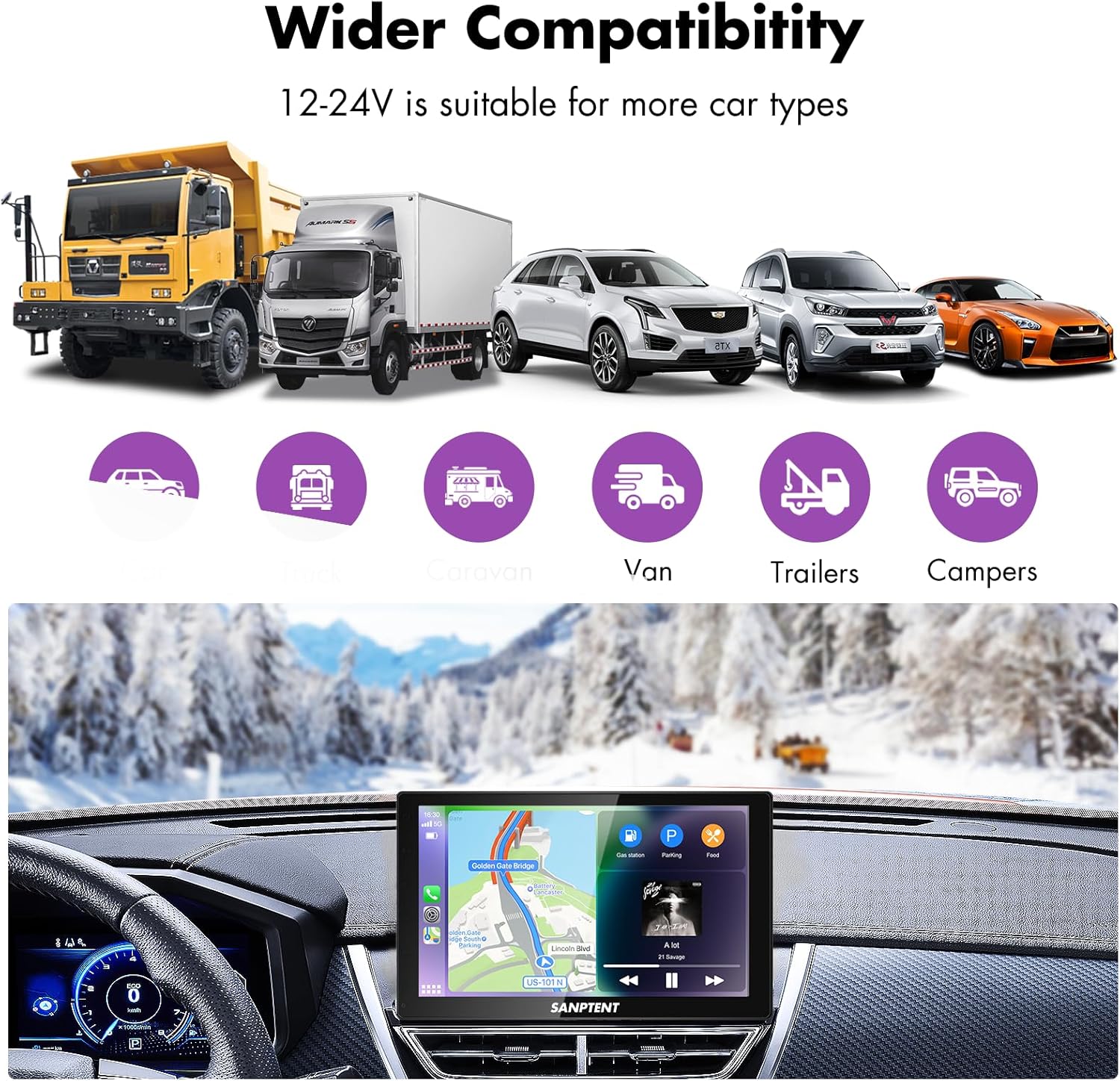
Image 7.1: The portable car stereo is compatible with 12-24V power systems, suitable for various vehicle types including cars, trucks, caravans, vans, trailers, and campERS.
8. Garantie und Support
8.1 Eingeschränkte Garantie
SANPTENT products are covered by a limited warranty against defects in materials and workmanship from the date of purchase. Please refer to the warranty card included in your package or visit the official SANPTENT webDie detaillierten Garantiebedingungen finden Sie auf der Website. Bewahren Sie Ihren Kaufbeleg für Garantieansprüche auf.
8.2 Kundendienst
For technical assistance, troubleshooting, or warranty inquiries, please contact SANPTENT customer support. Contact information can typically be found on the product packaging, the official SANPTENT webWebsite oder über Ihren Händler.
Ask a question about this manual
Ask about setup, troubleshooting, compatibility, parts, safety, or missing instructions. Manuals+ will review the question and use this page’s manual context to help answer it.