
1. Einleitung
Thank you for choosing the OSALO Desktop Calculator OS-8812T. This 12-digit desktop calculator is designed for both home and office use, offering a large display, comfortable keys, and essential functions including a tax calculation feature. This manual provides detailed instructions for setup, operation, maintenance, and troubleshooting to ensure optimal performance and longevity of your device.
2. Hauptmerkmale
- Tax Rate Calculator Function: Simplifies tax calculations with integrated tax rate adjustments (TAX+, TAX-).
- Großes 12-stelliges LCD-Display: High-resolution display for clear and easy readability, tilted at 15 degrees for improved viewKomfort.
- Ergonomic Concave Round Buttons: Designed for comfortable and accurate input, adapting to your fingertips.
- Empfindliche Tasten: Ensures quick and precise typing.
- Duale Stromquelle: Operates on solar energy and a single LR44 battery (included), providing reliable power and energy efficiency.
- Anti-Rutsch-Design: Features anti-slip mats for stability during use.
3. Produktüberschreitungview und Abmessungen
Familiarize yourself with the calculator's layout and physical specifications.

Abbildung: Vorder- und Seitenansicht view of the OSALO Desktop Calculator OS-8812T, illustrating its dimensions (189mm length, 140mm width, 31mm height, 15-degree display tilt).

Bild: Detailliert view of the OSALO Desktop Calculator OS-8812T with key functions labeled, including Operation Symbol Display, Grand Total (GT), Memory Plus/Minus (M+, M-), Back Space, All Clear (AC), Tax Rate Settings (TAX+, TAX-), Memory Load/Clear (MRC), and Root (√).
4. Einrichtung
4.1 Stromquelle
The OSALO OS-8812T calculator operates using a dual power system: solar energy and a single LR44 battery. The calculator will automatically switch to battery power in low light conditions.
Einsetzen/Auswechseln der Batterie:
- Stellen Sie sicher, dass der Taschenrechner ausgeschaltet ist.
- Suchen Sie das Batteriefach auf der Rückseite des Taschenrechners.
- Verwenden Sie einen kleinen Schraubendreher, um die Batterieabdeckung zu öffnen.
- Insert one LR44 battery, ensuring the correct polarity (+/-).
- Bringen Sie die Batterieabdeckung wieder an und sichern Sie sie.

Image: The underside of the OSALO Desktop Calculator, highlighting the battery compartment and the anti-slip mats at each corner.
4.2 Erstgebrauch
Drücken Sie die AC (All Clear) button to clear any previous calculations and ensure the display shows '0'. The calculator is now ready for use.
5. Bedienungsanleitung
5.1 Grundlegende Rechenoperationen
Perform addition, subtraction, multiplication, and division using the respective keys (+, -, ×, ÷) and the equals (=) key.
5.2 Tax Calculation Function
The calculator features dedicated keys for tax calculations (TAX+, TAX-). This function simplifies adding or subtracting a predefined tax rate.
Festlegung des Steuersatzes:
- Drücken AC um die Anzeige zu löschen.
- Drücken Sie die RATE Taste.
- Enter the desired tax rate (e.g., 8 for 8%).
- Drücken RATE again to save the tax rate. The display will show the set rate.
Using Tax Functions:
- STEUER+: To add tax to an amount, enter the amount, then press STEUER+. The display will show the amount including tax.
- STEUER-: To subtract tax from an amount, enter the amount, then press STEUER-. The display will show the amount excluding tax.
- ABRUFEN: To check the currently set tax rate, press ABRUFEN.

Image: A table demonstrating the purpose, operation, and result for various tax functions, including setting an 8% tax rate, calculating total amount after tax, and total amount before tax.
5.3 Speicherfunktionen
- M+: Fügt den angezeigten Wert dem Speicher hinzu.
- M-: Subtrahiert den angezeigten Wert vom Speicher.
- MRC: Recalls the memory content. Pressing it twice clears the memory.
- GT (Gesamtsumme): Accumulates the results of all calculations. Pressing it twice clears the grand total.
5.4 Weitere Funktionen
- %: Prozenttage key.
- √: Square root key.
- Back Space (►): Deletes the last entered digit.
- C/CE: Clear Entry. Clears the last entry without clearing the entire calculation.
5.5 Ergonomisches Design
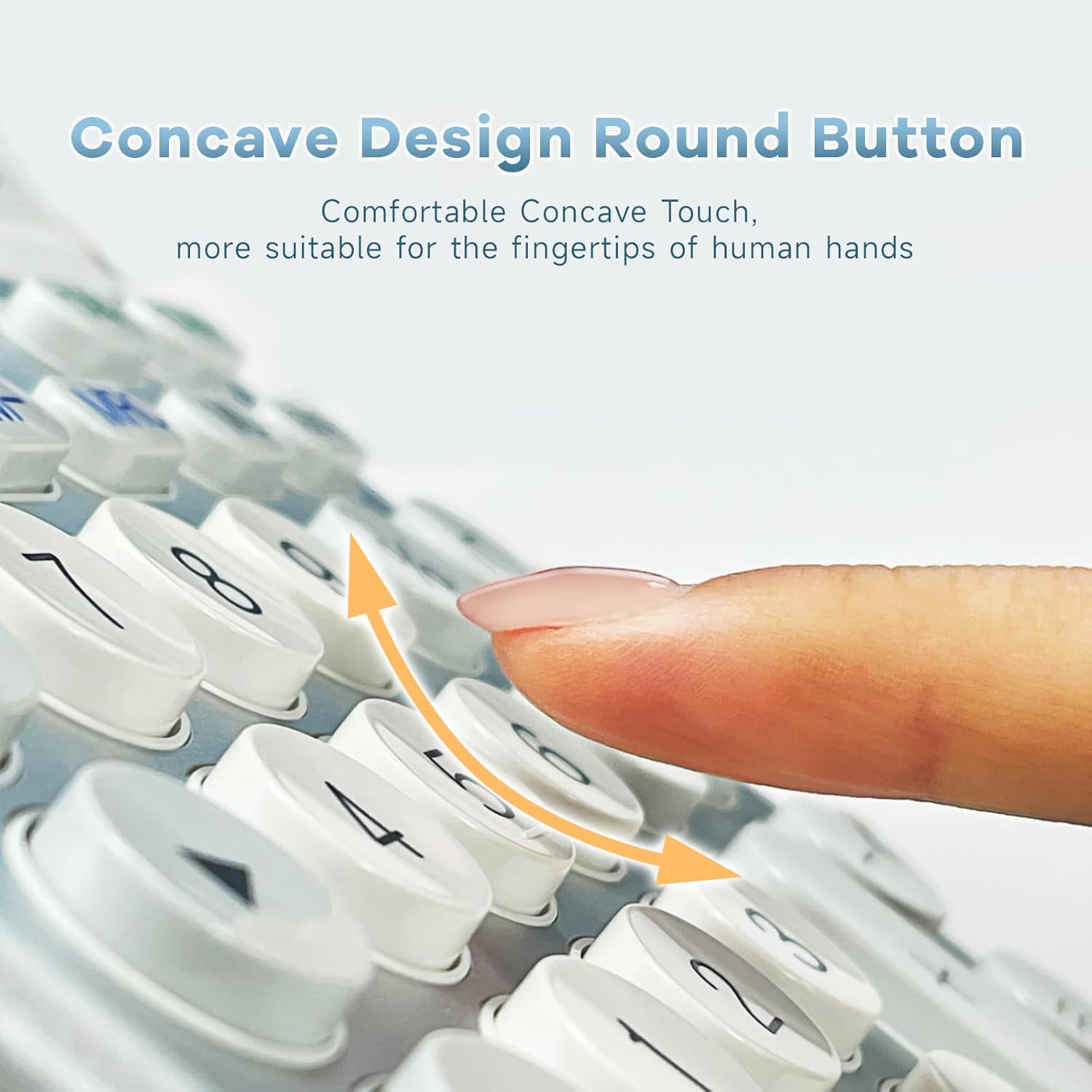
Bild: Eine Nahaufnahme view of the calculator's concave round buttons, designed for comfortable and precise finger placement during operation.

Image: A diagram illustrating the 30-degree ergonomic tilt of the calculator, showing how it provides an optimal viewing angle for users at a desk.
5.6 Lehrvideos
Video: This video demonstrates the OSALO Desktop Calculator's large display, comfortable buttons, and solar power feature, showcasing its quick response and suitability for office and financial tasks.
Video: This video highlights the OSALO Calculator's large display, large buttons, and solar power capabilities, emphasizing its ease of use for various calculations.
6. Wartung
6.1 Reinigung
To clean the calculator, gently wipe the surface with a soft, dry cloth. For stubborn dirt, slightly dampen the cloth with water and mild soap, then wipe dry immediately. Avoid using abrasive cleaners, solvents, or spraying liquids directly onto the calculator.
6.2 Batteriepflege
If the calculator will not be used for an extended period, it is recommended to remove the LR44 battery to prevent leakage and potential damage to the device.
6.3 Speicherung
Bewahren Sie den Taschenrechner an einem kühlen, trockenen Ort auf, geschützt vor direkter Sonneneinstrahlung, extremen Temperaturen und hoher Luftfeuchtigkeit. Halten Sie ihn von starken Magnetfeldern fern.
7. Fehlerbehebung
- Bildschirm ist leer oder dunkel:
- Ensure sufficient light for solar power.
- Check if the LR44 battery is correctly installed and not depleted. Replace if necessary.
- Drücken AC zum Zurücksetzen.
- Falsche Berechnungen:
- Drücken AC to clear all previous operations and memory.
- Verify the input sequence and numbers.
- Check if any memory functions (M+, M-, GT) are active and affecting the result.
- Die Tasten reagieren nicht:
- Stellen Sie sicher, dass der Taschenrechner eingeschaltet ist.
- Reinigen Sie den Bereich um die Tasten, um sämtliche Rückstände zu entfernen.
- Sollte das Problem weiterhin bestehen, versuchen Sie, die Batterie auszutauschen.
8. Spezifikationen
| Besonderheit | Spezifikation |
|---|---|
| Marke | OSALO |
| Modellname | OS 8812T |
| Anzeigetyp | LCD |
| Anzeigegröße | 12 Centimeter (approx. 4.7 inches) |
| Anzahl der Ziffern | 12 |
| Stromquelle | Solar und Batterie |
| Akku-Typ | 1 x LR44 (im Lieferumfang enthalten) |
| Materialtyp | Metall, Kunststoff |
| Technische Daten | 18.9 x 14 x 0.1 cm (7.44 x 5.5 x 0.04 Zoll) |
| Gewicht | 240 g |
| Farbe | Weißsilber |
9. Sicherheitshinweise
- Versuchen Sie nicht, den Taschenrechner zu zerlegen oder zu verändern.
- Keep the calculator away from water and other liquids to prevent damage.
- Vermeiden Sie es, den Taschenrechner fallen zu lassen oder starken Stößen auszusetzen.
- Bewahren Sie Batterien außerhalb der Reichweite von Kindern auf. Bei Verschlucken sofort einen Arzt aufsuchen.
10. Garantie und Support
For warranty information and customer support, please refer to the documentation provided with your purchase or contact OSALO customer service directly. Keep your proof of purchase for any warranty claims.