
1. Einleitung
This manual provides essential information for the safe and effective operation of your TopTes TS-501B Sound Level Meter and TS-710 Light Meter. These devices are designed for accurate environmental monitoring, allowing users to measure noise levels and light intensity in various settings. Please read this manual thoroughly before use and retain it for future reference.
2. Produktüberschreitungview
The TopTes TS-501B Sound Level Meter and TS-710 Light Meter are a combined solution for environmental assessment. The TS-501B measures sound levels, while the TS-710 measures light intensity, ambient temperature, and humidity. Both devices feature a 2.25-inch backlit LCD screen for clear readings and user-friendly functions.
2.1 TS-501B Sound Level Meter
The TS-501B is equipped with a 1/2 inch electric condenser microphone for precise sound measurement. It offers A/C weighting options to analyze sound based on human ear perception (A-weighting) or for general noise analysis (C-weighting). The measurement range is 30 to 130 dB.

Abbildung 1: TS-501B Sound Level Meter showing A-Weighting measurement. This mode measures sound levels as perceived by the human ear, typically ranging from 30 to 130 dBA.
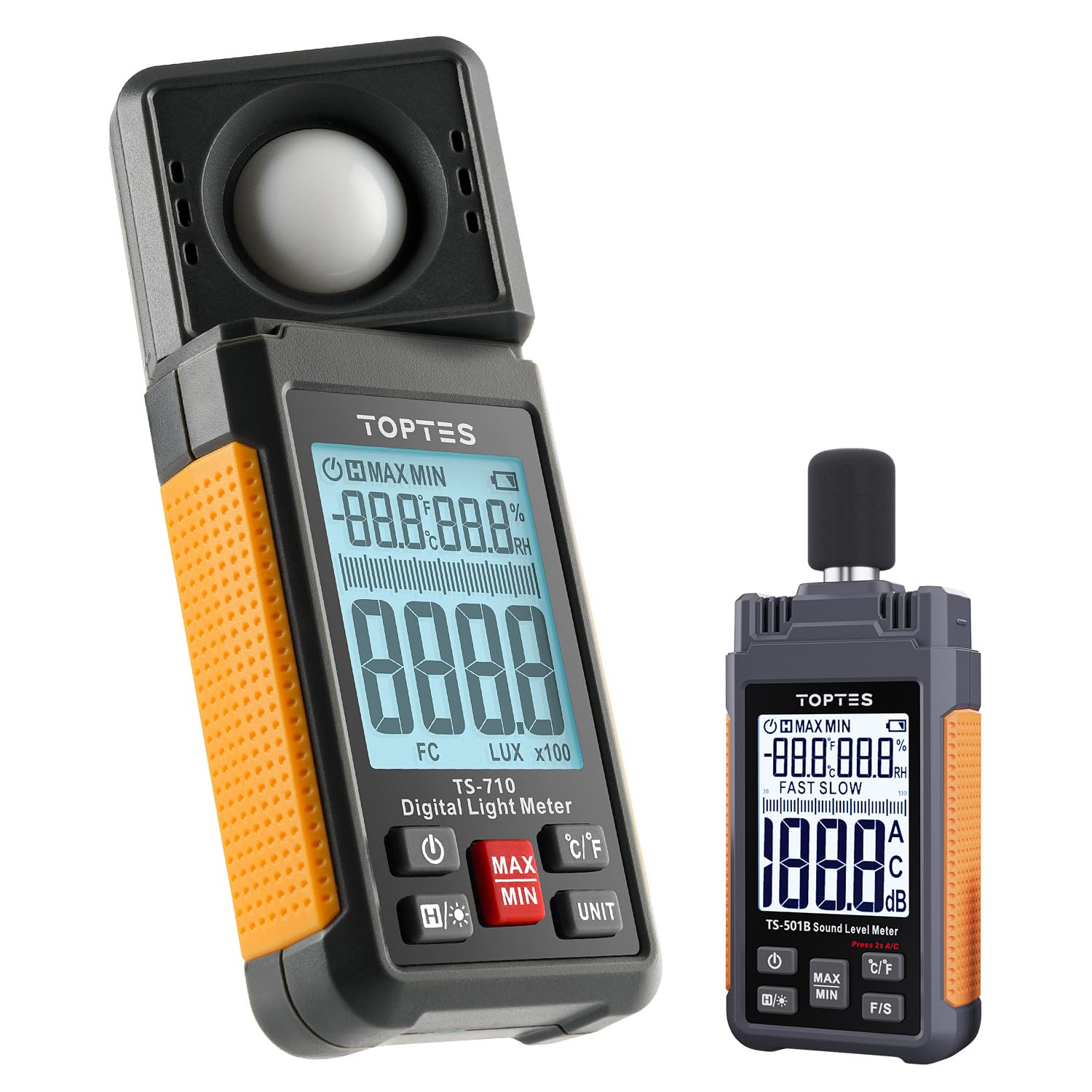
Abbildung 2: TS-501B Sound Level Meter showing C-Weighting measurement. This mode is suitable for general noise analysis, with a range of 30 to 130 dBC.

Abbildung 3: Nahaufnahme view of the TS-501B's 1/2 inch Electric Condenser Microphone, protected by a windshield ball for high precision measurements.
2.2 TS-710 Light Meter
The TS-710 features a 180° rotating sensor for flexible light measurement from various directions. It measures light intensity from 0.1 to 200,000 lux (or 0.1 to 20,000 FC) and also provides readings for ambient temperature and humidity.
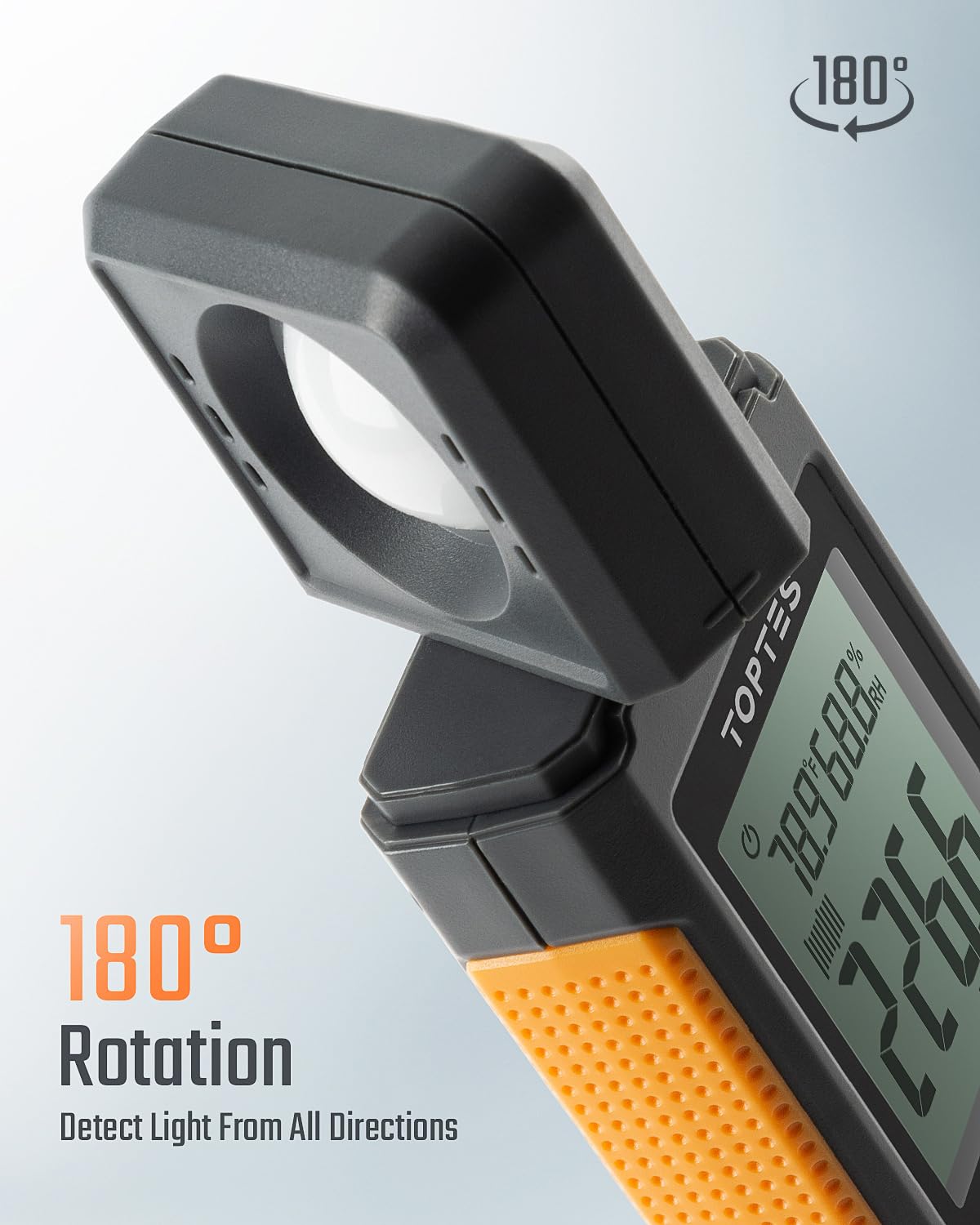
Abbildung 4: TS-710 Light Meter demonstrating its 180° rotating sensor, allowing detection of light from all directions.
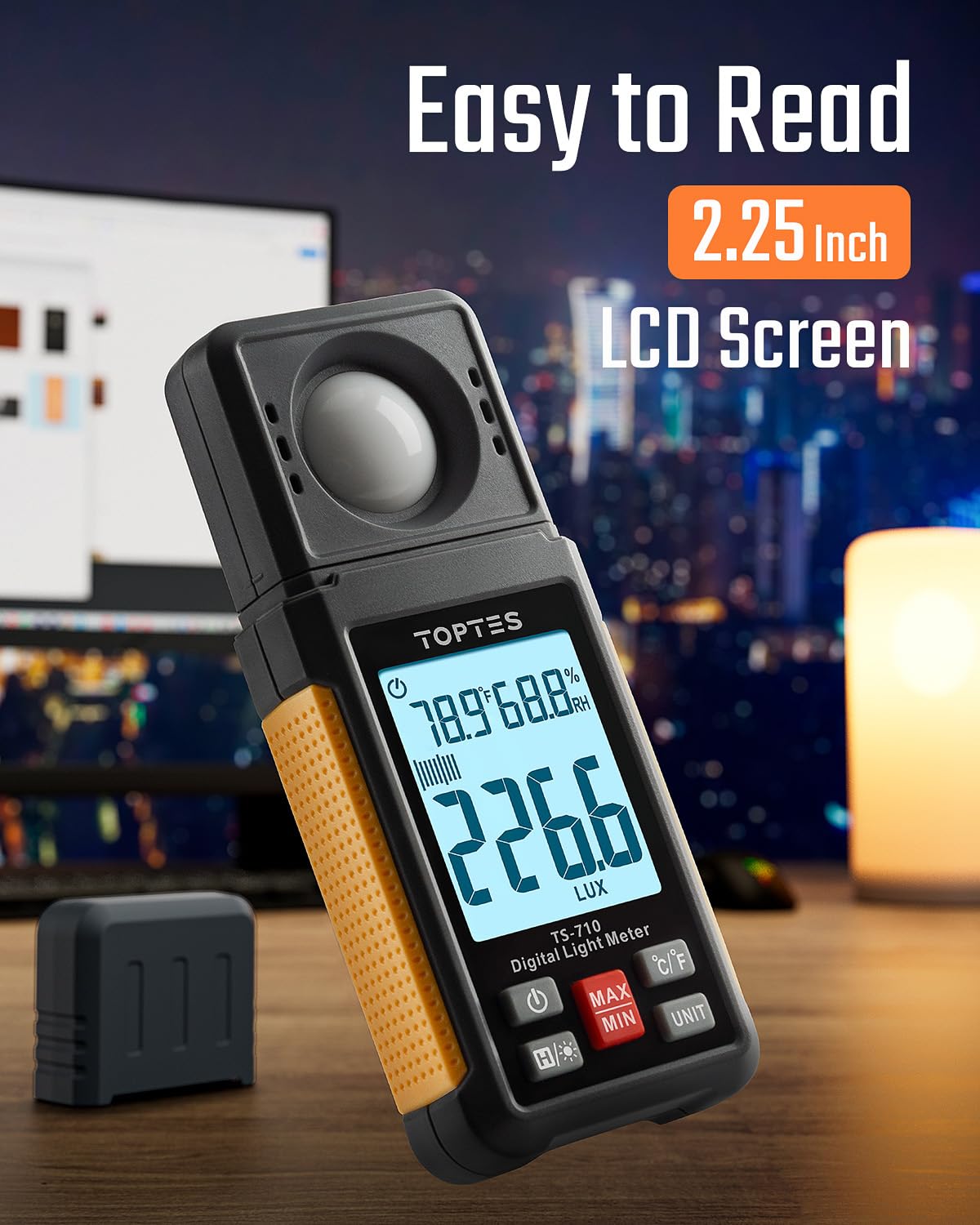
Abbildung 5: TS-710 Light Meter with its easy-to-read 2.25-inch backlit LCD screen, showing current light, temperature, and humidity readings.

Abbildung 6: TS-710 Light Meter illustrating its capability for dual measurement units: LUX (0.1~200,000 LUX) and Foot-Candle (0.1~20,000 FC).
3. Sicherheitshinweise
Observe the following safety precautions to prevent injury and avoid damage to the devices:
- Versuchen Sie nicht, die Geräte zu öffnen oder zu verändern.
- Keep the devices away from water, high humidity, and extreme temperatures.
- Vermeiden Sie es, die Geräte fallen zu lassen oder starken Stößen auszusetzen.
- Remove batteries if the devices will not be used for an extended period.
- Entsorgen Sie Batterien gemäß den örtlichen Vorschriften.
4. Packungsinhalt
Überprüfen Sie, ob alle Artikel im Paket vorhanden sind:
- 1 x TopTes TS-710 Light Meter
- 1 x TopTes TS-501B Sound Level Meter
- 2 x Carrying Cases (one for each device)
- AAA-Batterien (vorinstalliert oder separat enthalten)
- Benutzerhandbuch (dieses Dokument)
5. Einrichtung
5.1 Einlegen der Batterie
- Suchen Sie das Batteriefach auf der Rückseite jedes Geräts.
- Öffnen Sie die Batterieabdeckung.
- Legen Sie die AAA-Batterien ein und achten Sie dabei auf die richtige Polarität (+/-).
- Schließen Sie die Batterieabdeckung fest.
5.2 Ein-/Ausschalten
Drücken Sie die Leistung button (usually marked with a power symbol) on each device to turn it on. Press and hold the same button to turn it off. Both devices feature an automatic power-off function to conserve battery life after a period of inactivity.
6. Bedienungsanleitung
6.1 General Functions (Both Devices)
- MAX/MIN Aufnahme: Drücken Sie die MAX/MIN button to display the maximum or minimum recorded value during a measurement session. Press again to cycle through MAX, MIN, and current readings.
- Datenaufnahme: Drücken Sie die HALTEN button (or similar icon) to freeze the current reading on the display. Press again to release.
- Hintergrundbeleuchtung: Drücken Sie die Hintergrundbeleuchtung button (often marked with a light bulb symbol) to activate or deactivate the screen backlight for improved visibility in low-light conditions.

Abbildung 7: Explanation of MAX and MIN functions. MAX displays the highest value measured, while MIN displays the lowest value measured over a given period.
6.2 TS-501B Sound Level Meter Operation
- Schalten Sie das Gerät ein.
- Select Weighting (A/C): Drücken Sie die Klimaanlage button to switch between A-weighting (for human ear perception) and C-weighting (for general noise analysis).
- Select Response Time (FAST/SLOW): Drücken Sie die F/S button to choose between Fast (125ms) or Slow (1s) response times, depending on the nature of the sound being measured.
- Point the microphone towards the sound source. The current sound level in decibels (dB) will be displayed.
6.3 TS-710 Light Meter Operation
- Schalten Sie das Gerät ein.
- Rotate Sensor: Adjust the 180° rotating sensor to face the light source directly or to capture ambient light as needed.
- Select Unit (LUX/FC): Drücken Sie die EINHEIT button to switch between Lux and Foot-Candle measurement units.
- The device will display the light intensity, ambient temperature, and humidity.
7. Wartung
- Reinigung: Use a soft, dry cloth to clean the device surfaces. Do not use abrasive cleaners or solvents. For the TS-710's light sensor, ensure it remains clean and free of dust for accurate readings.
- Lagerung: Store the devices in their protective carrying cases in a cool, dry place when not in use. Avoid areas with high humidity or extreme temperatures.
- Batteriewechsel: Tauschen Sie die Batterien umgehend aus, sobald die Anzeige für niedrigen Batteriestand erscheint, um einen kontinuierlichen und präzisen Betrieb zu gewährleisten.
8. Fehlerbehebung
| Problem | Mögliche Ursache | Lösung |
|---|---|---|
| Gerät lässt sich nicht einschalten. | Niedrige oder leere Batteriespannung; falsche Batteriepolarität. | Die Batterien durch neue ersetzen; dabei auf die richtige Polarität achten. |
| Ungenaue Messwerte. | Sensor obstruction (TS-710); microphone obstruction (TS-501B); environmental interference. | Clean the sensor/microphone; ensure no obstructions; re-measure in a stable environment. |
| Das Display ist dunkel oder leer. | Niedriger Batteriestand; Hintergrundbeleuchtung aus. | Replace batteries; press the backlight button. |
| Automatic power-off occurs too quickly. | Standardmäßige automatische Abschalteinstellung. | This is a feature to conserve battery. Refer to specific device settings if adjustable (not all models allow adjustment). |
9. Spezifikationen
9.1 TS-501B Sound Level Meter
- Messbereich: 30 bis 130 dB
- Gewichtung: Klimaanlage
- Mikrofon: 1/2 inch Electric Condenser Microphone
- Anzeige: 2.25-Zoll-LCD-Display mit Hintergrundbeleuchtung
- Funktionen: MAX/MIN recording, Data Hold, Auto Power-Off
9.2 TS-710 Light Meter
- Light Measurement Range: 0.1 to 200,000 Lux / 0.1 to 20,000 FC
- Sensor: 180° Rotating Sensor
- Zusätzliche Maße: Umgebungstemperatur, Luftfeuchtigkeit
- Anzeige: 2.25-Zoll-LCD-Display mit Hintergrundbeleuchtung
- Funktionen: MAX/MIN recording, Data Hold, Auto Power-Off
10. Garantie und Support
TopTes products are designed for reliability and performance. For warranty information, technical support, or service inquiries, please refer to the contact information provided on the TopTes official website or your purchase documentation. Please have your model numbers (TS-501B, TS-710) and purchase date available when contacting support.