
1. Produktüberschreitungview
The Docooler IPX7 Waterproof Bluetooth Portable Shower Speaker is designed for audio playback in various environments, including wet conditions. It features Bluetooth 5.0 connectivity, an LED display, FM radio, and a light show function. The speaker is equipped with a removable suction cup for versatile placement.

Image: Docooler IPX7 Waterproof Bluetooth Portable Shower Speaker, showcasing sein Design und seine Funktionen.
2. Packungsinhalt
Überprüfen Sie, ob alle Artikel im Paket vorhanden sind:
- Docooler IPX7 Waterproof Bluetooth Portable Shower Speaker
- USB-C-Ladekabel
- Abnehmbarer Saugnapf
- Bedienungsanleitung
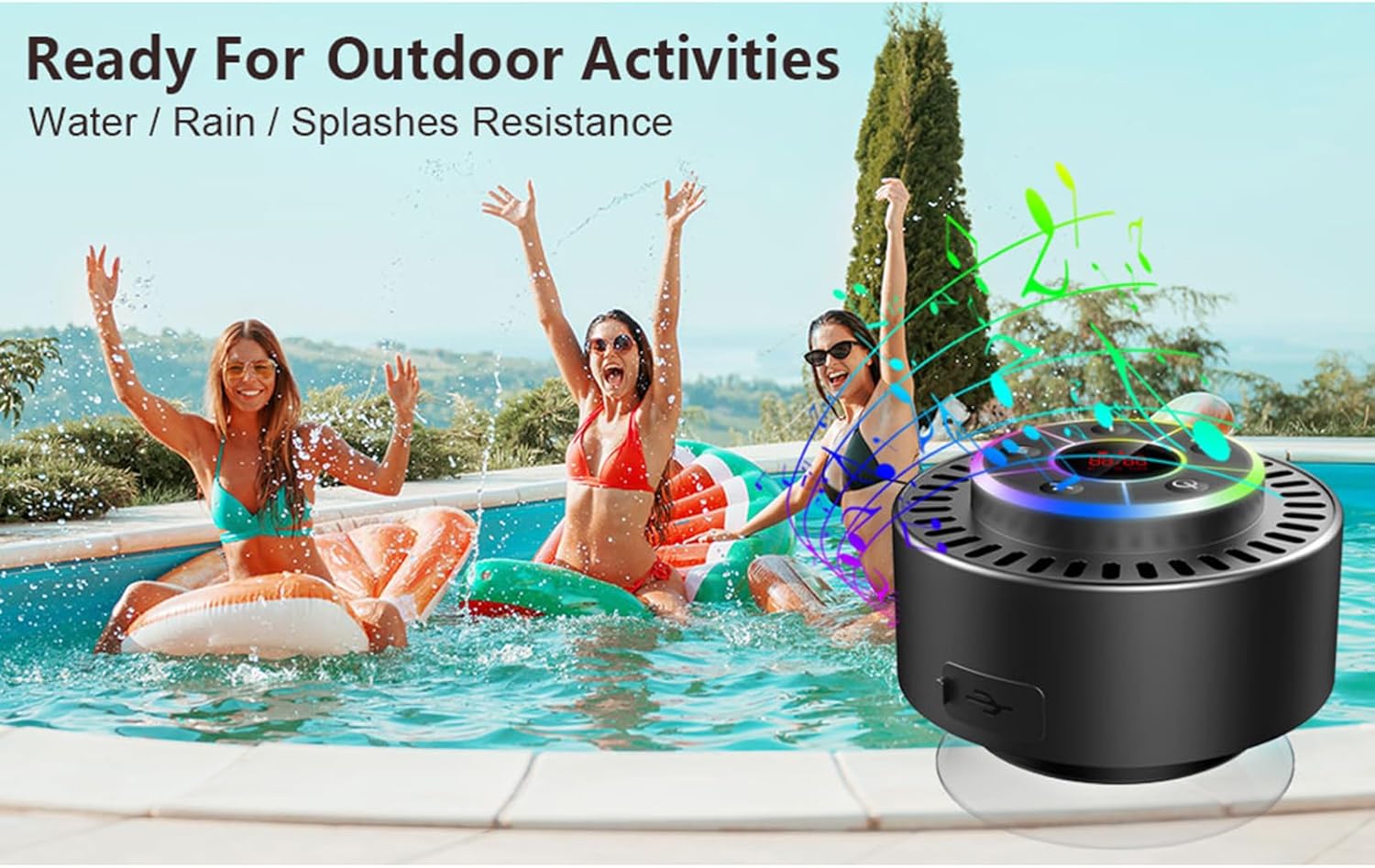
Image: The speaker, USB-C charging cable, and user manual as included in the package.
3. Einrichtung
3.1 Aufladen des Lautsprechers
Before initial use, fully charge the speaker. Connect the provided USB-C charging cable to the speaker's charging port and the other end to a USB power adapter (not included) or a computer's USB port. The LED display will indicate charging status.
3.2 Anbringen des Saugnapfs
To attach the suction cup, ensure both the speaker's back surface and the desired mounting surface are clean and dry. Press the suction cup firmly against the surface until it adheres securely. For best results, slightly moisten the suction cup before application.
3.3 Ein-/Ausschalten
- So schalten Sie das Gerät ein: Halten Sie die Netztaste (
 ) for approximately 3 seconds until the LED display illuminates.
 - So schalten Sie das Gerät aus: Halten Sie die Netztaste for approximately 3 seconds until the LED display turns off.
4. Bedienungsanleitung
4.1 Tastenfunktionen
Bild: Detailliert view of the speaker's control panel, indicating the function of each button.
| Taste | Funktion (kurzer Druck) | Funktion (langes Drücken) |
|---|---|---|
| Netzschalter () | Toggle LED light show modes | Ein-/Ausschalten |
| M-Taste | Switch between Bluetooth and FM Radio modes | N / A |
| Wiedergabe-/Pause-Taste () | Play/Pause music; Answer/End calls; Auto-scan in FM mode | Eingehenden Anruf ablehnen |
| Previous Song / Volume Down (-) | Previous song (Bluetooth); Previous station (FM) | Lautstärke verringern |
| Next Song / Volume Up (+) | Next song (Bluetooth); Next station (FM) | Lautstärke erhöhen |
4.2 Bluetooth-Kopplung
When powered on, the speaker automatically enters Bluetooth pairing mode. The LED display will show 'BT'.
- Stellen Sie sicher, dass Bluetooth auf Ihrem Gerät (Smartphone, Tablet, Laptop) aktiviert ist.
- Suchen nach available Bluetooth devices and select "Docooler Speaker" from the list.
- Once connected, the speaker will emit an audible confirmation, and the 'BT' indicator on the LED display will stabilize.

Image: The speaker demonstrating connectivity with a phone, tablet, and computer via Bluetooth.
4.3 True Wireless Stereo (TWS) Kopplung
To achieve 3D stereo sound, two Docooler speakers can be paired together.
- Stellen Sie sicher, dass beide Lautsprecher eingeschaltet und nicht mit anderen Bluetooth-Geräten verbunden sind.
- Drücken und halten Sie bei einem Lautsprecher (dies ist der Hauptlautsprecher) die Taste Wiedergabe-/Pause-Taste for 2-3 seconds until you hear a pairing tone.
- Die beiden Lautsprecher verbinden sich automatisch miteinander.
- Once paired, connect your device to the primary speaker via Bluetooth as described in section 4.2. Audio will now play through both speakers in stereo.

Image: Two Docooler speakers wirelessly connected to a computer, illustrating the True Wireless Stereo (TWS) feature.
4.4 FM-Radio-Modus
To switch to FM Radio mode:
- Drücken Sie die M-Taste to cycle through modes until 'FM' appears on the LED display.
- Automatischer Scan: Im FM-Modus kurz die Taste drücken Wiedergabe-/Pause-Taste to automatically scan and save available radio stations.
- Wechselstation: Verwenden Sie die Previous Song / Volume Down (-) Und Next Song / Volume Up (+) -Tasten, um durch gespeicherte Sender zu navigieren.
- Lautstärke anpassen: Drücken Sie lange die Previous Song / Volume Down (-) or Next Song / Volume Up (+) Tasten zum Einstellen der Lautstärke.
4.5 LED-Lichtshow
The speaker features a beat-driven LED light show with seven colors.
- Lichtmodus ändern: Drücken Sie kurz die Netztaste to cycle through different light show patterns or to lock a single color.
- Lichter ausschalten: Drücken Sie weiter die Netztaste bis die Lichter ausgehen.
4.6 Freisprechen
Bei Verbindung über Bluetooth ermöglicht das eingebaute Mikrofon freihändiges Telefonieren.
- Anruf annehmen: Drücken Sie kurz die Wiedergabe-/Pause-Taste.
- Anruf beenden: Drücken Sie kurz die Wiedergabe-/Pause-Taste während eines Anrufs.
- Anruf ablehnen: Drücken Sie lange die Wiedergabe-/Pause-Taste.
4.7-Zoll-LED-Displayinformationen
The LED display shows the current time and battery level in Bluetooth mode. In FM radio mode, it displays the frequency.
5. Wartung
5.1 Wasserdichtigkeit (IPX7)
The speaker is IPX7 waterproof, meaning it can be submerged in up to 1 meter (3 feet) of water for up to 30 minutes. Ensure the charging port cover is securely closed before exposing the speaker to water. After exposure to water, wipe the speaker dry with a soft cloth.
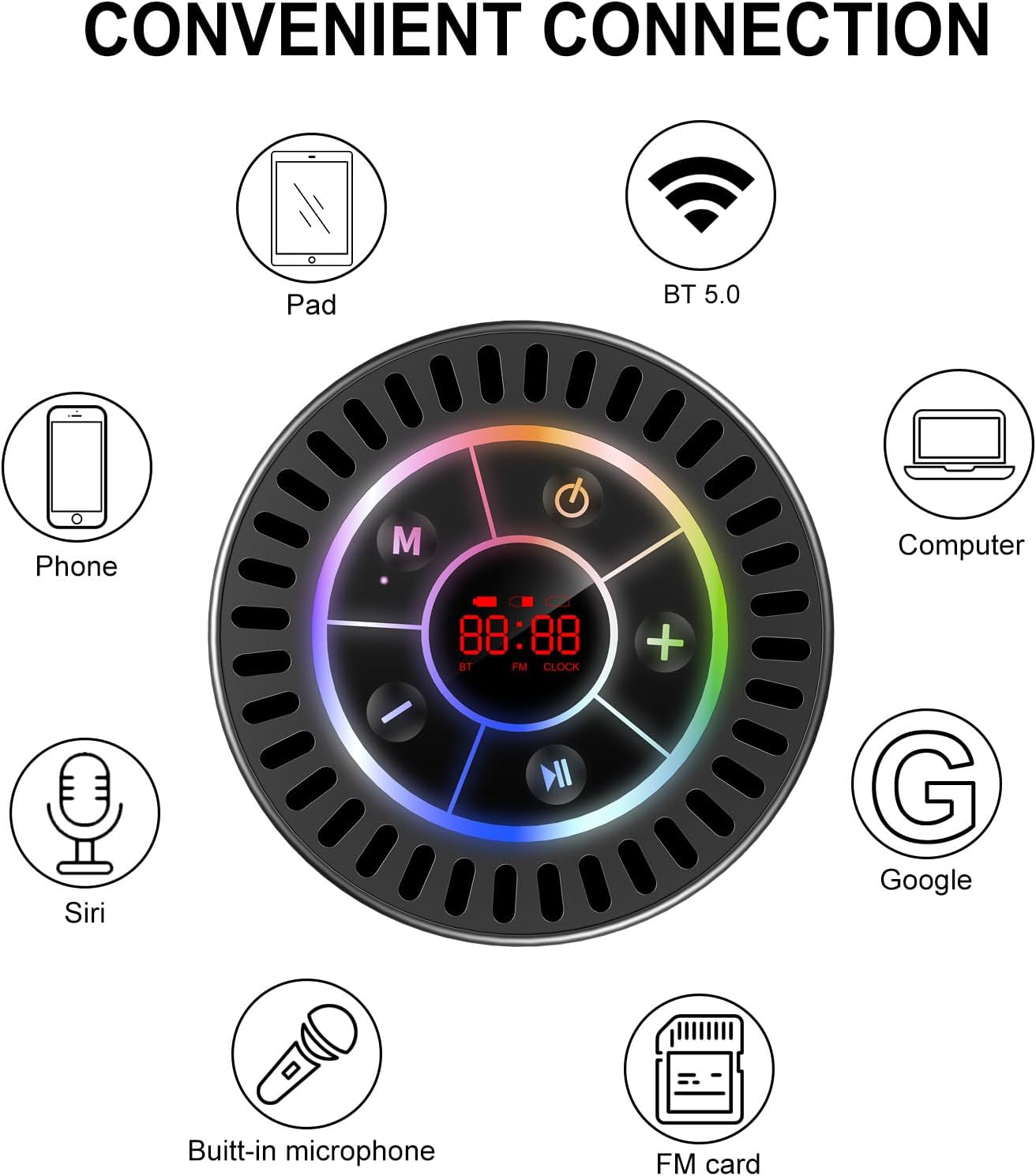
Image: The Docooler speaker attached to a shower wall, demonstrating its waterproof capability.
5.2 Reinigung
Reinigen Sie den Lautsprecher mit einem weichenamp Mit einem Tuch abwischen. Verwenden Sie keine Scheuermittel, Alkohol oder chemische Lösungsmittel, da diese die Oberfläche oder interne Bauteile beschädigen können.
5.3 Speicherung
Bewahren Sie den Lautsprecher an einem kühlen, trockenen Ort, geschützt vor direkter Sonneneinstrahlung und extremen Temperaturen, auf. Bei längerer Lagerung sollte der Akku regelmäßig aufgeladen werden, um seine Lebensdauer zu erhalten.
6. Fehlerbehebung
- Der Lautsprecher lässt sich nicht einschalten: Stellen Sie sicher, dass der Akku geladen ist. Schließen Sie den Lautsprecher mit dem USB-C-Kabel an eine Stromquelle an und versuchen Sie es erneut.
- Kopplung via Bluetooth nicht möglich:
- Ensure the speaker is in Bluetooth pairing mode ('BT' flashing on display).
- Stellen Sie sicher, dass Bluetooth auf Ihrem Gerät aktiviert ist und dass es sich innerhalb von 15 Metern vom Lautsprecher befindet.
- Falls das Gerät zuvor gekoppelt war, versuchen Sie, es auf Ihrem Telefon zu entkoppeln und erneut zu koppeln.
- Starten Sie sowohl den Lautsprecher als auch Ihr Bluetooth-Gerät neu.
- Schlechter FM-Radioempfang: FM radio reception can be affected by location and environmental factors. Try repositioning the speaker or using it in an open area. The charging cable can sometimes act as an antenna to enhance signal.
- Kein Ton oder geringe Lautstärke:
- Überprüfen Sie die Lautstärke sowohl am Lautsprecher als auch an Ihrem angeschlossenen Gerät.
- Ensure the speaker is properly paired and not connected to another device.
- Bei Verwendung von TWS stellen Sie sicher, dass beide Lautsprecher korrekt miteinander und anschließend mit Ihrem Gerät gekoppelt sind.
- Speaker starts at full volume: Some units may default to a high volume upon power-on. Immediately adjust the volume using the '-' button to a comfortable level after turning the speaker on.
- Suction cup does not hold: Ensure the mounting surface is clean, smooth, and dry. Slightly moisten the suction cup before pressing it firmly onto the surface. Avoid porous or textured surfaces.
7. Spezifikationen

Bild: Eine explodierte view showing the internal components of the Docooler speaker, highlighting its sound technology.
| Besonderheit | Detail |
|---|---|
| Marke | Docooler |
| Modellnummer | SMT4782513347516YX |
| Konnektivitätstechnologie | Bluetooth 5.0 |
| Bluetooth-Reichweite | Bis zu 15 Meter |
| Wasserbeständigkeit | IPX7 (wasserdicht) |
| Maximale Lautsprecherausgangsleistung | 5 Watt |
| Frequenzgang | 100 Hz |
| Audioausgabemodus | Stereo, Surround (mit TWS) |
| Signal-Rausch-Verhältnis | 95 dB |
| Anzahl der Mikrofone | 1 (eingebaut) |
| Stromquelle | Batteriebetrieben |
| Kontrollmethode | Taste |
| Artikelgewicht | 300 Gramm |
| Kompatible Geräte | Laptop, MP3-Player, Smartphone, Tablet, Fernseher |
8. Garantie und Support
8.1 Garantieinformationen
This Docooler speaker comes with a limited warranty. For specific terms and conditions, please refer to the warranty card included in your package or contact Docooler customer support.
8.2 Kundendienst
For further assistance, technical support, or warranty claims, please visit the official Docooler webBesuchen Sie die Website oder wenden Sie sich an den Kundenservice. Die Kontaktdaten finden Sie in der Regel auf der Produktverpackung oder im Online-Shop der Marke.