
1. Einleitung
Thank you for choosing the ABSOSO Single Din Wireless CarPlay Stereo. This manual provides essential information for the proper installation, operation, and maintenance of your new car stereo system. Please read this manual thoroughly before use to ensure optimal performance and safety.
2. Sicherheitshinweise
- Bedienen Sie das Gerät stets verantwortungsbewusst und gemäß den örtlichen Verkehrsregeln. Ablenkung am Steuer kann zu Unfällen führen.
- Versuchen Sie nicht, das Gerät selbst zu installieren oder zu reparieren, wenn Sie nicht über die entsprechenden Qualifikationen verfügen. Eine unsachgemäße Installation kann das Gerät oder Ihr Fahrzeug beschädigen.
- Stellen Sie sicher, dass alle Kabel korrekt angeschlossen sind, um Kurzschlüsse oder elektrische Gefahren zu vermeiden.
- Um eine klare Sicht zu gewährleisten, muss der Bildschirm sauber und frei von Hindernissen sein.
- Vermeiden Sie es, das Gerät extremen Temperaturen, direkter Sonneneinstrahlung über längere Zeiträume oder übermäßiger Feuchtigkeit auszusetzen.
3. Lieferumfang
Vergewissern Sie sich vor der Installation, dass alle Komponenten vorhanden sind:
- Single Din CarPlay Stereo Unit
- Dual-USB-Kabel
- GPS-Antenne
- Rückfahrkamera-Kabel
- Wiring Harness & Wires
- Montagesätze
- Benutzerhandbuch (dieses Dokument)
4. Produktüberschreitungview
The ABSOSO Single Din Wireless CarPlay Stereo features a 10.1-inch rotatable touchscreen designed for enhanced in-car entertainment and navigation. It supports wireless Apple CarPlay and Android Auto, Bluetooth connectivity, AM/FM radio, and includes GPS navigation capabilities.
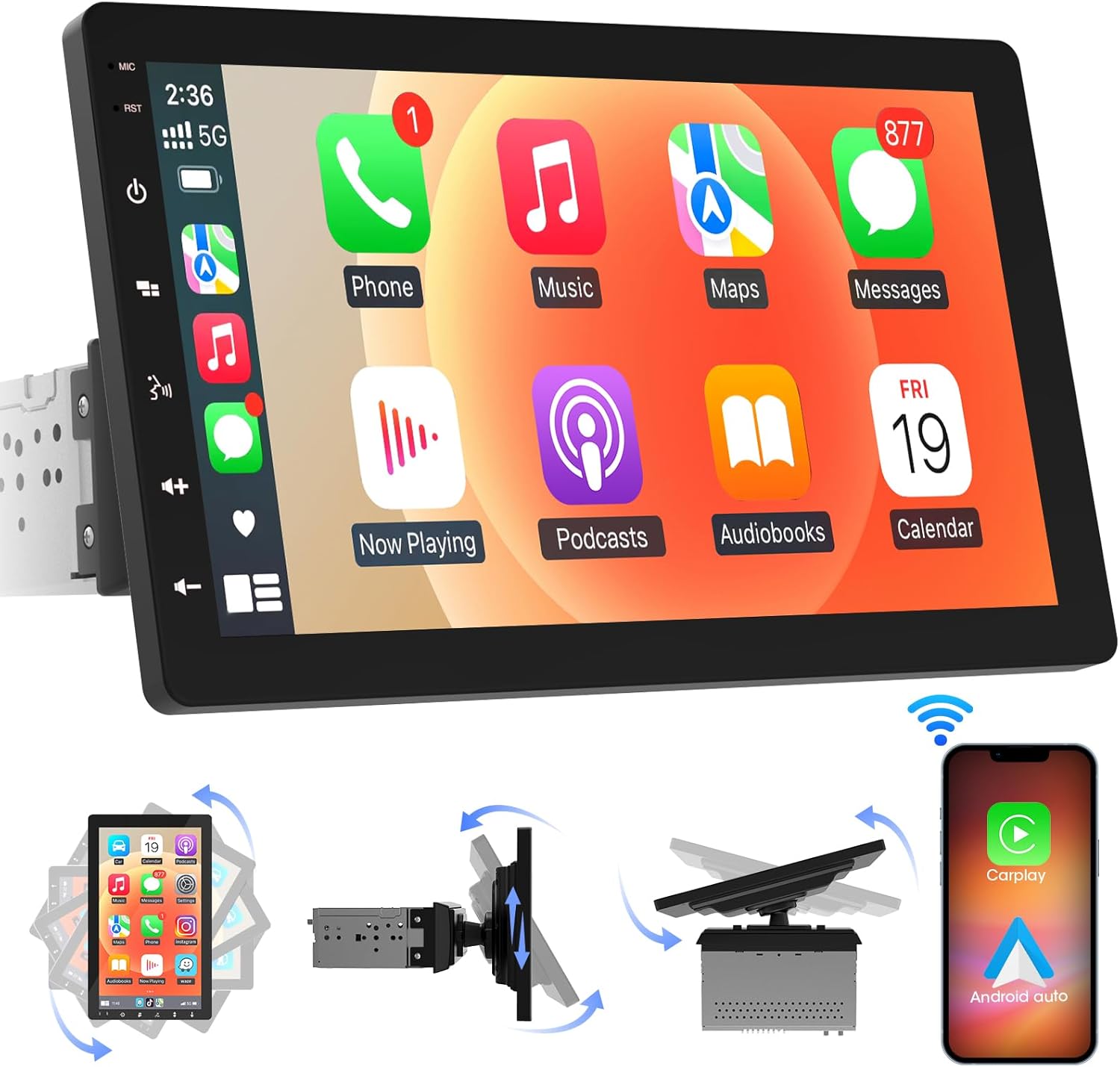
Bild 4.1: Vorderseite view of the ABSOSO Single Din Wireless CarPlay Stereo displaying the Apple CarPlay interface.
5. Einrichtung und Installation
This unit is designed for standard single DIN dash openings. Professional installation is recommended to ensure correct wiring and functionality. Refer to the wiring diagram provided with the unit for specific connections.
5.1 Montage der Einheit
The modular design allows for flexible installation. The main unit fits into a single DIN slot, and the 10.1-inch screen can be adjusted for optimal viewing.

Image 5.1: Visual comparison of a car dashboard before and after the installation of the ABSOSO 10.1-inch rotatable car stereo, highlighting the integrated appearance.
5.2 Kabelverbindungen
Connect the power, speaker, and accessory wires according to your vehicle's wiring harness and the provided diagram. Ensure the backup camera input cable is routed correctly if you plan to use a rearview Kamera.
5.3 Installation der GPS-Antenne
Montieren Sie die GPS-Antenne an einem Ort mit freiem Blick view of the sky, typically on the dashboard or under the windshield, to ensure accurate satellite reception.
6. Bedienungsanleitung
6.1 Ein-/Ausschalten
The unit will power on automatically with the vehicle's ignition. To manually power off, press and hold the power button on the unit.
6.2 Kabelloses CarPlay und Android Auto
This stereo supports wireless Apple CarPlay and Android Auto. To connect, enable Bluetooth and Wi-Fi on your smartphone and follow the on-screen prompts to pair with the stereo. Once connected, you can access navigation, music, messages, and voice assistants directly from the stereo's display.

Image 6.1: The ABSOSO car stereo showcasing its wireless connectivity features, including Apple CarPlay, Android Auto, and MirrorLink, with various app interfaces.
6.3 HD Touchscreen Operation
The 10.1-inch HD IPS display offers a responsive touch interface. Navigate through menus and applications by tapping, swiping, and pinching. Five capacitive touch buttons are located along the left edge for quick access to common functions.

Image 6.2: The 10.1-inch screen of the ABSOSO car stereo, emphasizing its HD resolution, sleek touch buttons, and 178-degree viewing angle for optimal clarity.
6.4 Mirrorlink Functionality
Mirrorlink allows you to display your smartphone's screen directly onto the stereo. This feature is useful for viewNavigation, Videos oder andere Inhalte von Ihrem Telefon auf einem größeren Bildschirm anzeigen.
6.5 Bluetooth-Konnektivität
Verbinden Sie Ihr Smartphone via Bluetooth für Freisprechanrufe und kabelloses Audiostreaming. Greifen Sie direkt über die Stereoanlage auf die Kontakte und die Anrufliste Ihres Telefons zu.
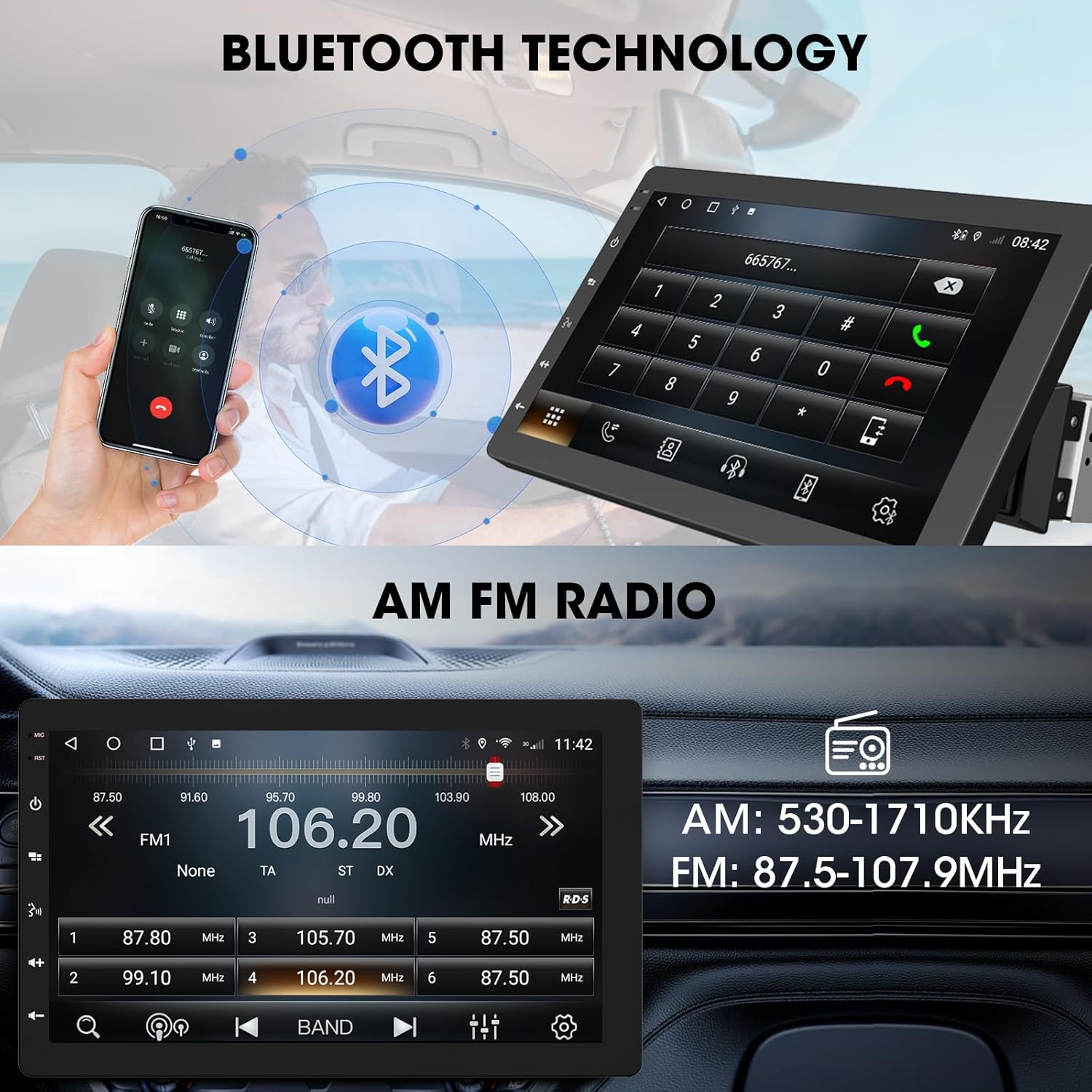
Image 6.3: The ABSOSO car stereo illustrating Bluetooth technology for hands-free calls and the interface for AM/FM radio tuning.
6.6 UKW/MW-Radio
Tune into your favorite FM and AM radio stations. The unit features 30 station memory presets for quick access to sports, news, and music.
6.7 GPS-Navigation & WLAN-Hotspot
The stereo includes built-in GPS navigation with support for offline maps (2G RAM + 64GB ROM storage). Connect to a 2.4 GHz or 5 GHz Wi-Fi hotspot for online navigation and app downloads.
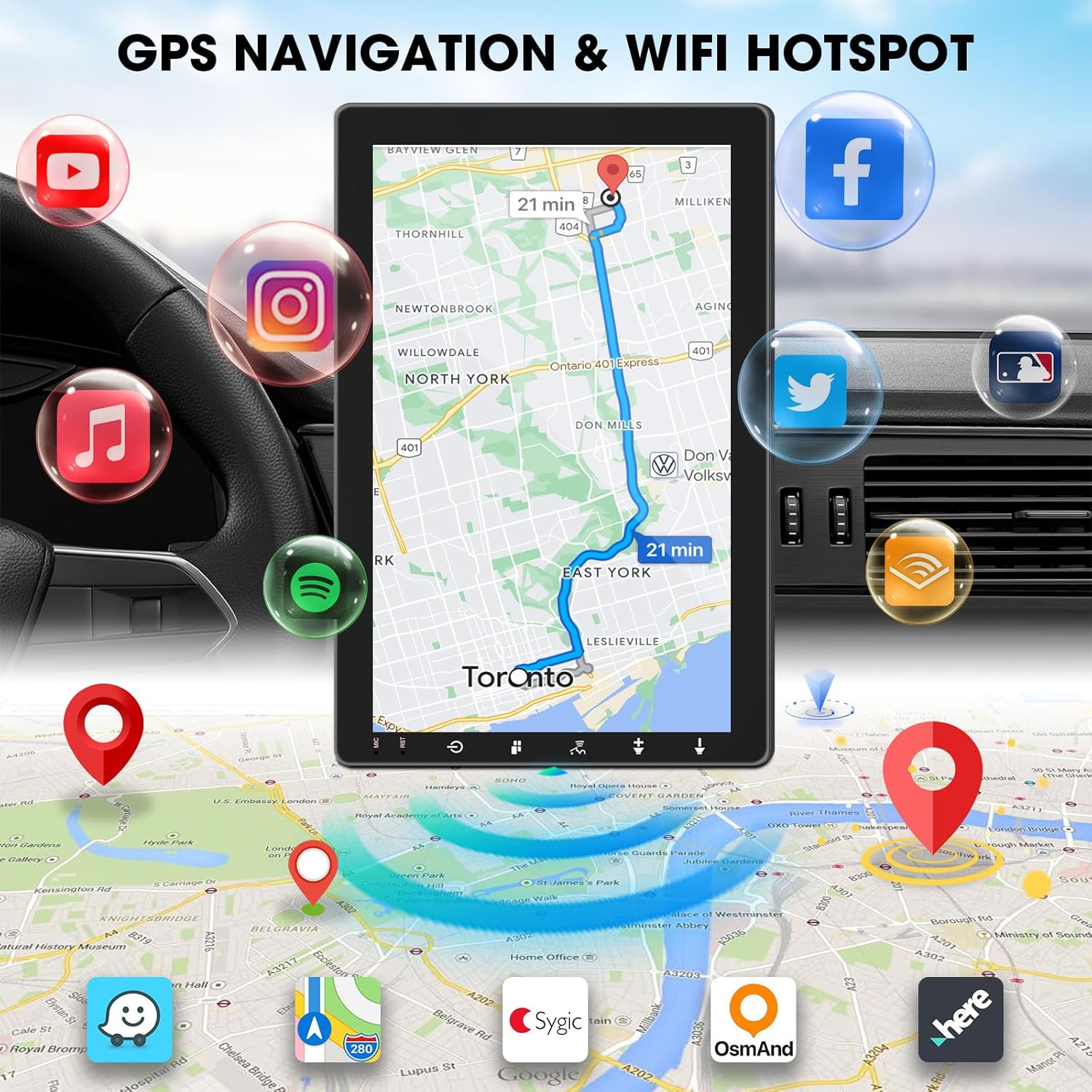
Image 6.4: The ABSOSO car stereo screen showing GPS navigation with a map, surrounded by icons representing various applications accessible via WiFi hotspot.
6.8 Adjustable Floating Screen
The 10.1-inch display is rotatable by 360 degrees and can be adjusted vertically and tilted to achieve optimal viewing angles, reducing glare and improving visibility.
6.9 Sound Tuning
Customize your audio experience with preset equalizer settings. The unit delivers a maximum power output of 200W and includes pre-amp and subwoofer outputs for enhanced sound quality.
6.10 Eingang für Rückfahrkamera
Connect a compatible backup camera (sold separately) to the RCA input. The stereo will automatically display the rearview camera feed when the vehicle is in reverse, aiding in accurate parking and maneuvering.

Image 6.5: Illustration of the backup camera input connection to the ABSOSO car stereo, showing how the camera feed is displayed on the screen when reversing.
7. Wartung
7.1 Bildschirmreinigung
Verwenden Sie ein weiches, fusselfreies Tuch, um den Touchscreen vorsichtig abzuwischen. Bei hartnäckigen Flecken etwas nachhelfen.ampReinigen Sie das Tuch mit Wasser oder einem für Bildschirme geeigneten Reiniger. Vermeiden Sie scheuernde Materialien oder aggressive Chemikalien.
7.2 Allgemeine Pflege
Keep the unit free from dust and debris. Ensure proper ventilation around the unit to prevent overheating. Do not block any vents or openings.
8. Fehlerbehebung
- Kein Strom: Überprüfen Sie alle Stromanschlüsse und Sicherungen. Stellen Sie sicher, dass die Zündung des Fahrzeugs eingeschaltet ist.
- Kein Ton: Überprüfen Sie die Lautsprecheranschlüsse. Prüfen Sie die Lautstärke und die Stummschaltungseinstellungen. Stellen Sie sicher, dass die richtige Audioquelle ausgewählt ist.
- Bluetooth-/CarPlay-/Android Auto-Verbindungsprobleme: Ensure your phone's Bluetooth and Wi-Fi are enabled. Try restarting both the stereo and your phone. Forget and re-pair the device.
- GPS-Signalverlust: Stellen Sie sicher, dass die GPS-Antenne freie Sicht hat. view des Himmels. Antennenanschluss prüfen.
- Bildschirm reagiert nicht: Versuchen Sie, das Gerät neu zu starten. Sollte das Problem weiterhin bestehen, wenden Sie sich bitte an den Kundendienst.
9. Spezifikationen
- Produktabmessungen: 6.4"T x 9.8"B x 5.9"H
- Artikelgewicht: 4.73 Pfund
- Anzeige: 10.1 Inch HD IPS Touchscreen (1280*720P)
- Konnektivität: Bluetooth, USB, Wi-Fi (2.4 GHz & 5 GHz)
- Besondere Merkmale: 360° Rotatable Floating Touchscreen, Wireless Android Auto, Apple CarPlay, Mirrorlink, GPS Navigation (Online/Offline Maps), AM/FM Radio, AV Input, Rearview Camera Input, USB Charging, Voice Control, Preset EQ, Video Output, Amplifier/Subwoofer Output
- Erinnerung: 2 GB RAM + 64 GB ROM
- Audioausgabemodus: Stereo
- Konfiguration der Surround-Sound-Kanäle: 4
- Videocodierung: H.264, H.265/HEVC
10. Garantie und Support
For warranty information and technical support, please refer to the documentation included with your purchase or contact ABSOSO customer service directly. Keep your purchase receipt as proof of purchase for any warranty claims.
For further assistance, visit the official ABSOSO webBesuchen Sie die Website oder kontaktieren Sie deren Supportkanäle.