
Einführung
Thank you for choosing the ADE WS2322 Digital Indoor Thermometer and Hygrometer. This device is designed to provide accurate measurements of indoor temperature and humidity, along with timekeeping and alarm functions. Please read this manual carefully before use to ensure proper operation and to maximize the lifespan of your device.
Sicherheitshinweise
- Das Gerät sollte vor extremen Temperaturen, direkter Sonneneinstrahlung und hoher Luftfeuchtigkeit geschützt werden.
- Setzen Sie das Gerät weder Wasser noch anderen Flüssigkeiten aus.
- Versuchen Sie nicht, das Gerät selbst zu zerlegen oder zu reparieren. Wenden Sie sich an qualifiziertes Servicepersonal.
- Batterien für Kinder unzugänglich aufbewahren. Gebrauchte Batterien gemäß den örtlichen Vorschriften ordnungsgemäß entsorgen.
- Reinigen Sie das Gerät mit einem weichen, trockenen Tuch. Verwenden Sie keine Scheuermittel oder Lösungsmittel.
Packungsinhalt
Bitte überprüfen Sie den Packungsinhalt, um sicherzustellen, dass alle Artikel vorhanden sind:
- 1 x ADE WS2322 Digital Indoor Thermometer and Hygrometer
- 1 x AAA-Batterie
- 1 x Bedienungsanleitung (evtl. nicht in deutscher Sprache).
Produkt überview
The ADE WS2322 features a clear LCD display showing temperature, humidity, and time. It includes buttons for mode selection, setting adjustments, and switching between Celsius/Fahrenheit.
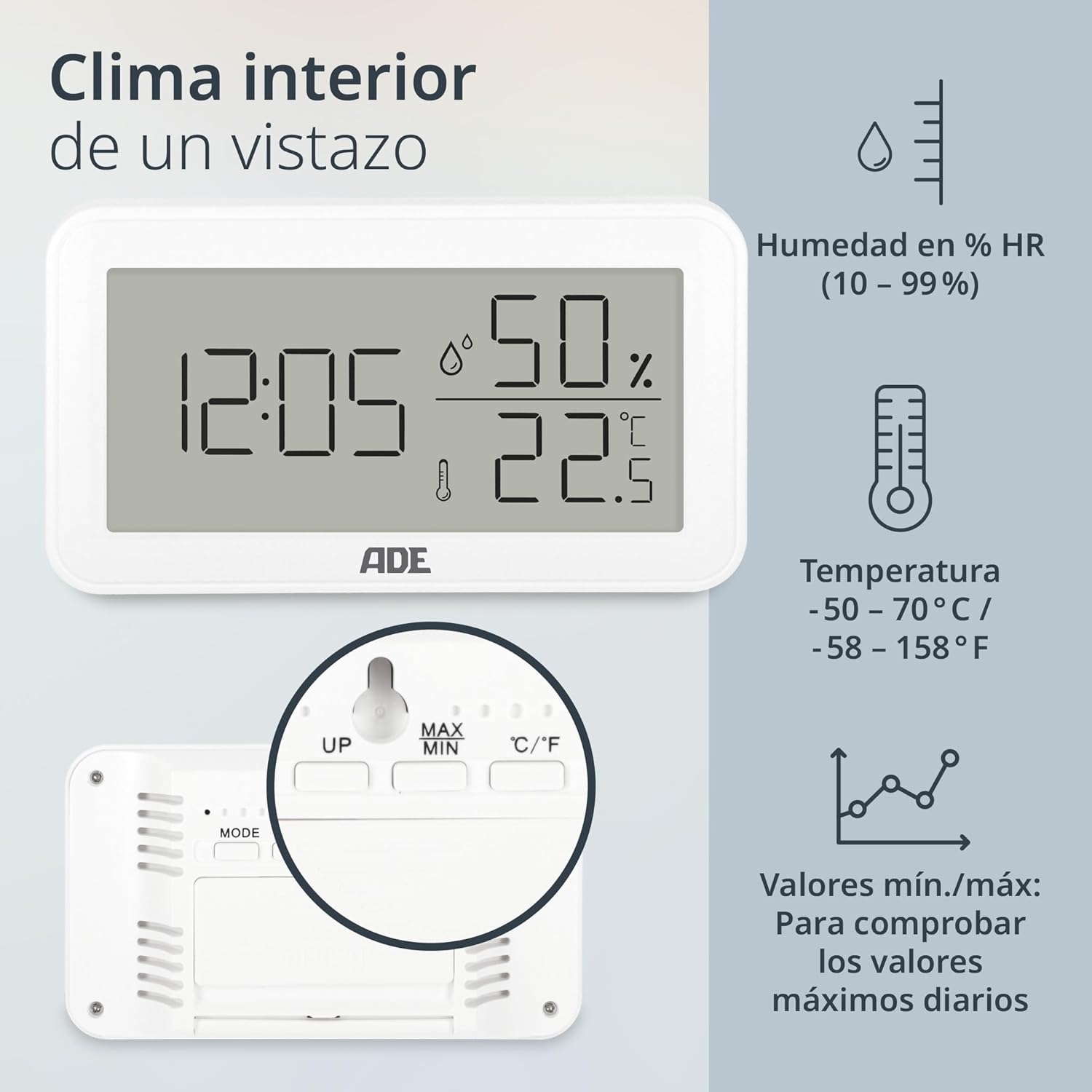
Bild: Front view of the ADE WS2322 display, illustrating current time, humidity percentage, and temperature in Celsius. The display also shows icons indicating humidity, temperature, and the min/max value tracking feature. This image highlights the primary information presented on the device's screen.
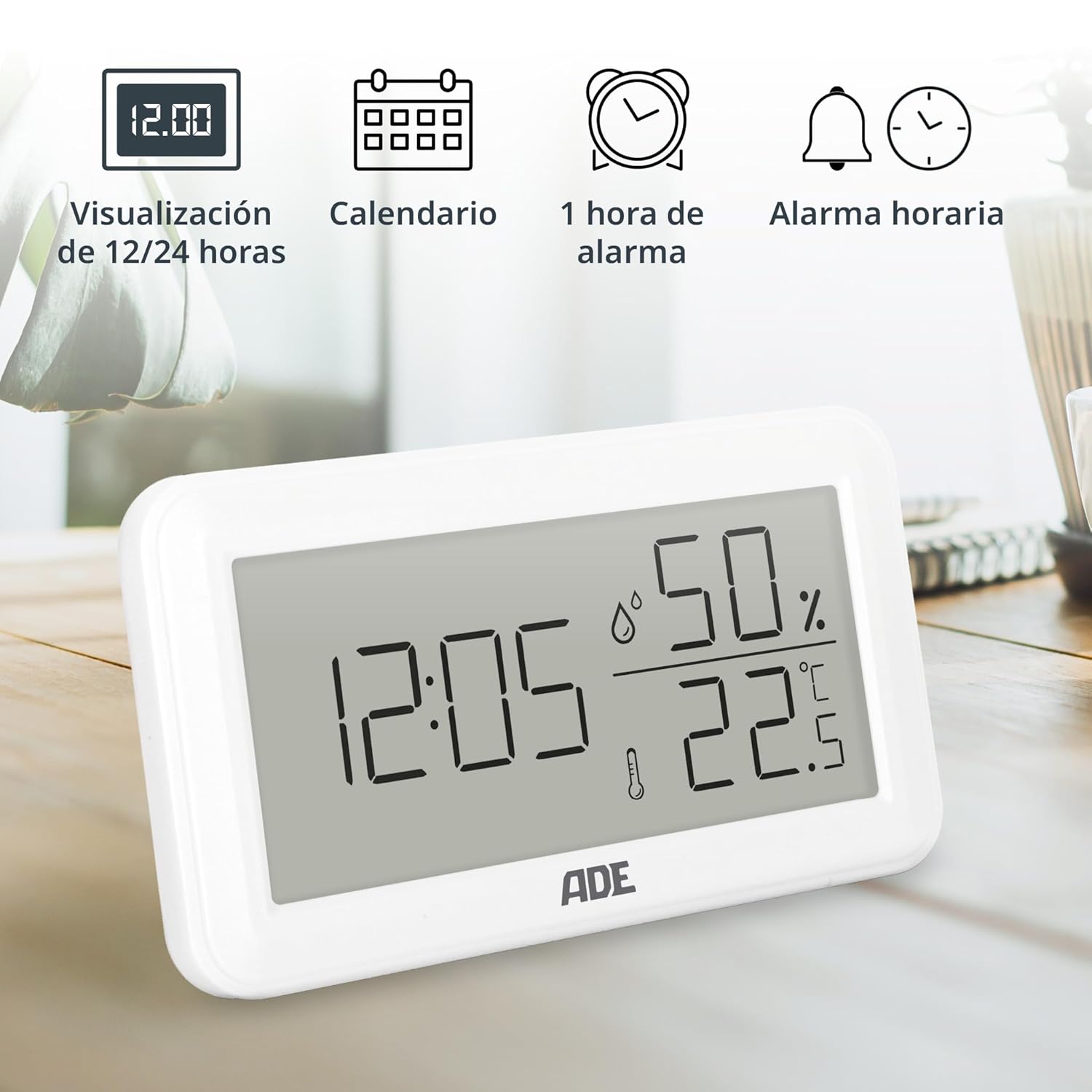
Bild: The ADE WS2322 display, showcasing its various time-related functions. This includes the ability to switch between 12 and 24-hour time formats, a calendar display, a 1-hour alarm, and an hourly chime function. The image emphasizes the device's versatility beyond just temperature and humidity monitoring.
Aufstellen
1. Einlegen der Batterie
- Suchen Sie das Batteriefach auf der Rückseite des Geräts.
- Öffnen Sie die Abdeckung des Batteriefachs.
- Insert one AAA battery, ensuring the correct polarity (+/-).
- Schließen Sie den Batteriefachdeckel fest.
2. Erstplatzierung
The device can be placed on a flat surface using its integrated stand or mounted on a wall using the hanging loop.

Bild: Hinteren view of the ADE WS2322, highlighting its design for flexible placement. The image shows both the integrated stand for tabletop use and the hanging loop for wall mounting, demonstrating how the device can be adapted to various environments.
Bedienungsanleitung
1. Ein-/Ausschalten
The device powers on automatically once batteries are inserted. There is no manual power off button; remove batteries to power off.
2. Uhrzeit und Datum einstellen
- Halten Sie die MODUS Die Taste 3 Sekunden lang gedrückt halten, um in den Zeiteinstellungsmodus zu gelangen. Die Stundenziffern blinken.
- Verwenden Sie die UP or MAX/MIN Tasten zum Einstellen der Stunde.
- Drücken MODUS again to move to minute setting, then year, month, and day. Adjust each with UP or MAX/MIN.
- Drücken MODUS Ein letztes Mal, um den Einstellungsmodus zu verlassen.
3. Auswahl des 12- oder 24-Stunden-Formats
Drücken Sie im normalen Anzeigemodus die Taste UP Taste zum Umschalten zwischen 12-Stunden- und 24-Stunden-Zeitformat.
4. Auswahl der Temperatureinheit (°C/°F)
Drücken Sie im normalen Anzeigemodus die Taste ° C / ° F Taste zum Umschalten zwischen Celsius und Fahrenheit-Temperatureinheiten.
5. Alarmeinstellungen
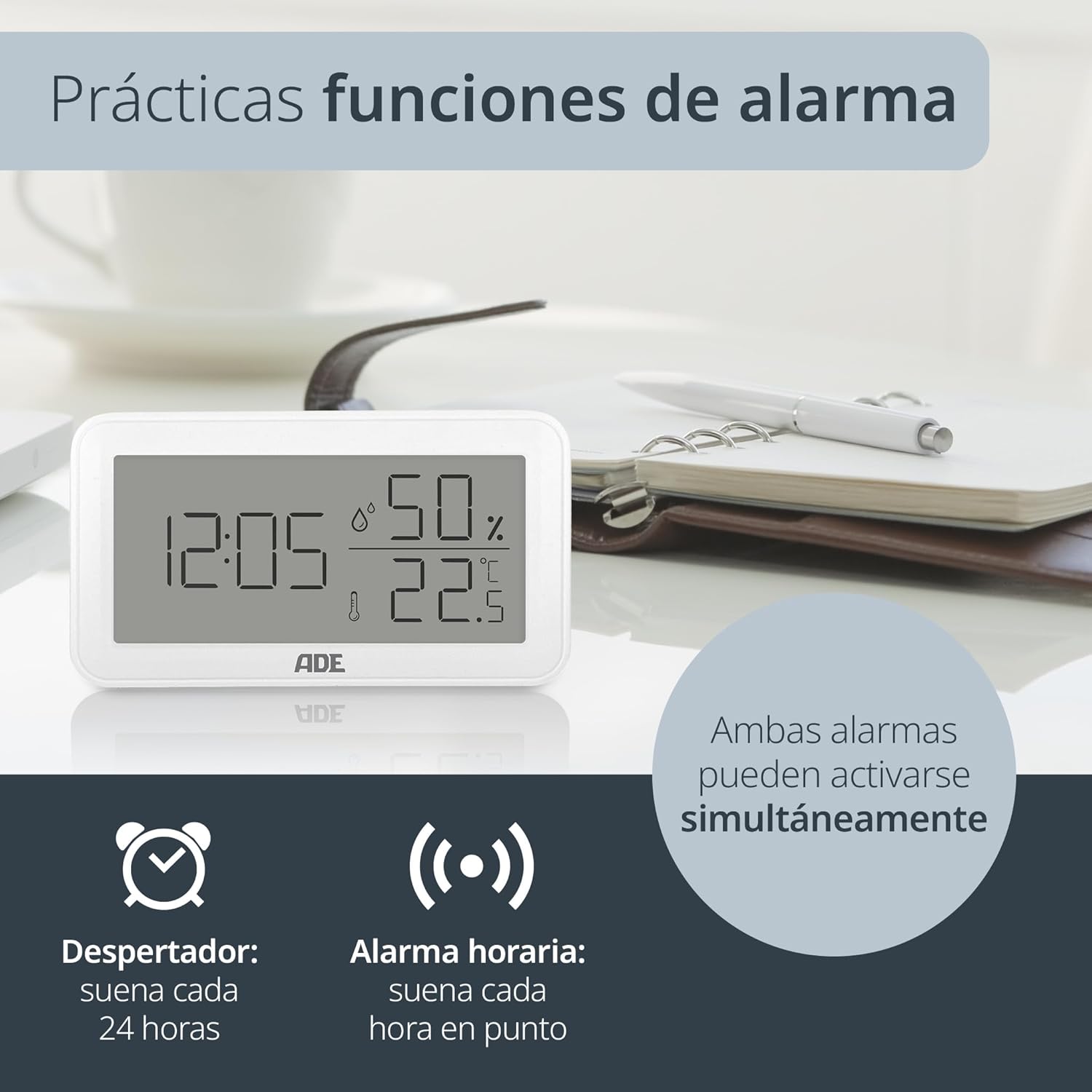
Bild: The ADE WS2322 display, illustrating its practical alarm functions. It shows icons for both a daily alarm clock and an hourly chime, emphasizing that these two features can be activated concurrently to suit user preferences.
- Setting the Daily Alarm:
- Drücken Sie die MODUS button once to enter alarm display mode (AL).
- Drücken und halten MODUS for 3 seconds. The alarm hour digits will flash.
- Verwenden UP or MAX/MIN um die Weckzeit einzustellen.
- Drücken MODUS Stellen Sie die Alarmminute erneut ein. Anpassen mit UP or MAX/MIN.
- Drücken MODUS zur Bestätigung und zum Beenden.
- Activating/Deactivating Daily Alarm: In alarm display mode (AL), press the UP Taste zum Ein-/Ausschalten des Alarms. Ein Alarmsymbol erscheint/verschwindet auf dem Display.
- Aktivieren/Deaktivieren von Hourly Glockenspiel: Drücken Sie im normalen Anzeigemodus die Taste MAX/MIN Taste zum Umschalten des HourlKlingelton EIN/AUS. Ein Klingelsymbol wird angezeigt/verschwindet.
6. Min/Max Temperature and Humidity Display
Das Gerät zeichnet die minimalen und maximalen Temperatur- und Feuchtigkeitswerte über einen bestimmten Zeitraum auf. view these values:
- Drücken Sie die MAX/MIN button once to display the maximum recorded temperature and humidity.
- Drücken MAX/MIN again to display the minimum recorded temperature and humidity.
- Drücken MAX/MIN Ein drittes Mal, um zur aktuellen Temperatur- und Luftfeuchtigkeitsanzeige zurückzukehren.
- To reset the Min/Max values, press and hold the MAX/MIN 3 Sekunden lang drücken, während viewing the Min/Max values.
Wartung
Reinigung
Wipe the device with a soft, dry cloth. Do not use liquid cleaners, aerosols, or abrasive materials, as these may damage the device.
Batteriewechsel
When the display becomes dim or the device stops functioning, replace the AAA battery. Follow the battery installation steps in the Setup section.
Fehlerbehebung
| Problem | Mögliche Ursache | Lösung |
|---|---|---|
| Keine oder nur schwache Anzeige | Schwache oder leere Batterie; falsche Batteriepolarität. | Tauschen Sie die AAA-Batterie aus; achten Sie dabei auf die richtige Polarität. |
| Falsche Temperatur-/Feuchtigkeitsmesswerte | Device placed near heat/cold sources or in direct sunlight; sensor obstruction. | Relocate the device to a stable environment; ensure sensors are clear. |
| Der Alarm ertönt nicht | Der Alarm ist nicht aktiviert. | Ensure the alarm icon is displayed (refer to "Activating/Deactivating Daily Alarm"). |
| Uhrzeit/Datum können nicht eingestellt werden | Not in setting mode; buttons not pressed correctly. | Halten Sie die MODUS Taste 3 Sekunden lang gedrückt, um in den Einstellmodus zu gelangen. |
Technische Daten

Bild: The ADE WS2322 device, illustrating its compact dimensions. The image clearly labels the length (12 cm), height (6.8 cm), and depth (2.5 cm), emphasizing its suitability for various spaces due to its small footprint and clear, large-digit display.
- Modell: WS2322
- Abmessungen: 12 x 6.8 x 2.5 cm (Length x Height x Depth)
- Gewicht: 110 g
- Temperaturbereich: -50 °C bis 70 °C (-58 °F bis 158 °F)
- Temperaturgenauigkeit: ±1 °C
- Luftfeuchtigkeitsbereich: 10 % bis 99 % relative Luftfeuchtigkeit
- Energiequelle: 1 x AAA-Batterie (im Lieferumfang enthalten)
- Funktionen: Thermometer, Hygrometer, Digital Clock (12/24h), Daily Alarm, Hourly Chime, Min/Max Value Display
- Montageart: Wall mount or tabletop stand
- Ursprungsland: China
Garantie und Support
For warranty information or technical support, please refer to the official ADE website or contact your retailer. You can also find additional language manuals and support resources by scanning the QR code in the printed instructions or visiting the product page on Amazon.
Weitere Hilfe finden Sie unter ADE Brand Store.