
Einführung
The Yesido YSP13 Air Conduction Bluetooth Earphones are designed to provide a comfortable and secure audio experience without blocking your ear canals. Featuring Bluetooth 5.3 for stable connectivity, an ear hook design for active use, and IPX4 waterproofing, these earphones are suitable for various activities. The included charging case offers extended battery life and a digital display for convenience.
Aufstellen
1. Aufladen der Ohrhörer und des Ladecase
Vor dem ersten Gebrauch die Ohrhörer und das Ladecase vollständig aufladen.
- Legen Sie die Ohrhörer in das Ladecase. Stellen Sie sicher, dass sie richtig sitzen, um den Ladevorgang zu starten.
- Schließen Sie das Ladeetui mit dem mitgelieferten USB-Kabel an eine Stromquelle an.
- Das digitale Display am Ladecase zeigt den Batteriestand an.
- Charging time for the earphones is approximately 1 hour. The charging case takes approximately 2.5 hours to fully charge.
- A fully charged earphone battery provides about 6 hours of music/call time. The charging case has a capacity of 600mAh, allowing for multiple earphone recharges.

Bild: Earphones inside the charging case, showing the digital battery display. This display indicates the current charge level of the case and the charging status of the earbuds.
2. Bluetooth-Kopplung
Follow these steps to pair your Yesido YSP13 earphones with your device:
- Stellen Sie sicher, dass die Ohrhörer aufgeladen sind.
- Öffnen Sie das Ladecase. Die Ohrhörer wechseln automatisch in den Kopplungsmodus.
- Öffnen Sie auf Ihrem Smartphone oder Bluetooth-fähigen Gerät die Bluetooth-Einstellungen.
- Suchen nach available devices and select "YSP13" (or similar name) from the list.
- Sobald die Verbindung hergestellt ist, ertönt ein Bestätigungston, und die Kopfhörer sind einsatzbereit.
- Die Ohrhörer nutzen Bluetooth 5.3 für eine schnelle und stabile Verbindung.
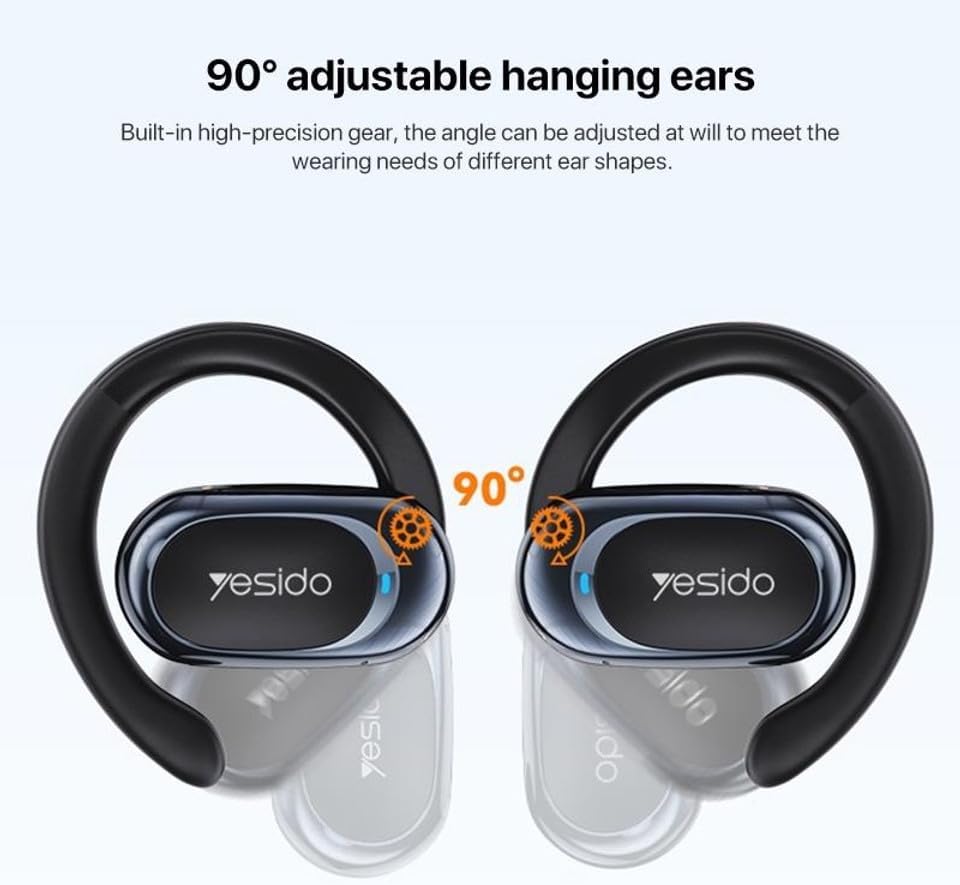
Bild: Earphones shown next to a smartphone, illustrating quick connection and readiness for music playback.
Bedienungsanleitung
1. Tragen der Kopfhörer
The Yesido YSP13 earphones feature a rotatable ear hook design for a secure and comfortable fit.
- Gently place the earphone over your ear, positioning the main body in front of your ear canal.
- Adjust the ear hook to fit snugly and comfortably around the back of your ear. The ear hooks are 90° adjustable to accommodate different ear shapes.
- The air conduction technology allows you to hear your audio while remaining aware of your surroundings.

Bild: Illustration showing the 90° adjustable ear hooks, highlighting their flexibility for a custom fit.

Bild: An earphone positioned on an ear, illustrating the adaptive directional sound transmission technology.
2. Tippen Sie auf Steuerung
The earphones feature intuitive touch controls for managing audio playback and calls. The specific touch functions are typically:
- Abspielen/Pause: Einmaliges Tippen auf einen der Ohrhörer.
- Nächster Titel: Doppeltippen Sie auf den rechten Ohrhörer.
- Vorheriges Lied: Doppeltippen Sie auf den linken Ohrhörer.
- Anruf annehmen/beenden: Einmaliges Tippen auf einen der Ohrhörer während eines eingehenden oder aktiven Anrufs.
- Anruf ablehnen: Drücken und halten Sie während eines eingehenden Anrufs einen der Ohrhörer.
- Sprachassistent: Triple tap on either earphone (functionality may vary by device).
Note: Specific touch control mappings may vary slightly. Refer to the quick start guide included in your product packaging for precise instructions.
3. Klangqualität und Anrufe
The Yesido YSP13 earphones deliver HiFi sound quality through master-level tuning, providing a balanced audio experience with clear highs, rich mids, and strong lows. The built-in microphone ensures clear voice transmission for hands-free calls.

Bild: An exploded diagram illustrating the internal components responsible for the high-fidelity sound production.
Wartung
1. Reinigung
To maintain optimal performance and hygiene, regularly clean your earphones.
- Wischen Sie die Ohrhörer und das Ladecase mit einem weichen, trockenen, fusselfreien Tuch ab.
- Bei hartnäckigem Schmutz hilft ein leicht damp cloth can be used, ensuring no moisture enters any openings.
- Vermeiden Sie die Verwendung von Scheuermitteln, Lösungsmitteln oder aggressiven Chemikalien.
2. Wasserbeständigkeit
The Yesido YSP13 earphones feature an IPX4 waterproof design, providing protection against splashing water from any direction.
- This makes them suitable for workouts and light rain.
- Do not submerge the earphones in water or expose them to strong jets of water.
- Ensure the earphones are dry before placing them back into the charging case to prevent damage.
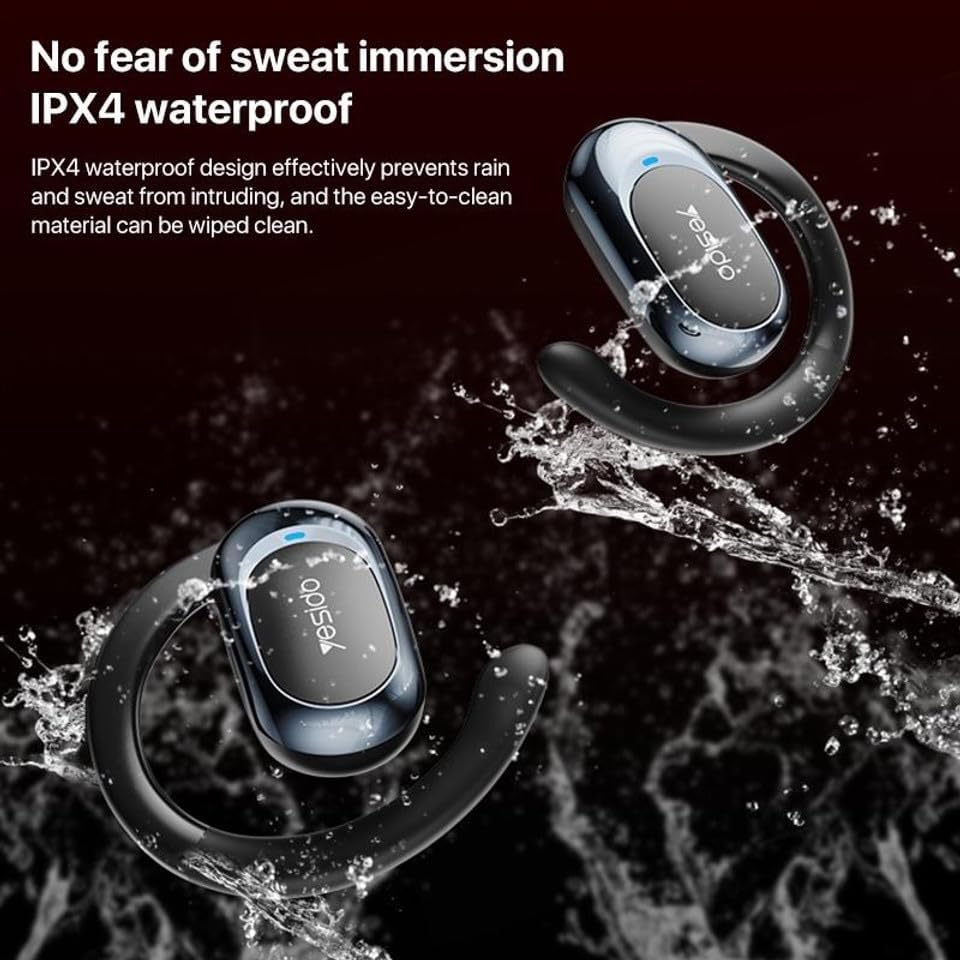
Bild: Earphones shown with water splashing, demonstrating their IPX4 waterproof capability against sweat and light rain.
3. Speicherung
Bewahren Sie die Kopfhörer bei Nichtgebrauch im Ladecase auf, um sie vor Staub und Beschädigungen zu schützen und sie geladen zu halten.
Fehlerbehebung
If you encounter issues with your Yesido YSP13 earphones, try the following solutions:
- No Sound/Cannot Connect:
- Stellen Sie sicher, dass die Kopfhörer aufgeladen sind.
- Stellen Sie sicher, dass Bluetooth auf Ihrem Gerät aktiviert ist.
- Check if the earphones are paired with another device. Disconnect and re-pair if necessary.
- Try resetting the earphones (refer to specific reset instructions if available in the product's quick start guide, otherwise, place them in the case and close/open).
- Gehen Sie näher an Ihr Gerät heran, um sicherzustellen, dass Sie sich innerhalb der 10-Meter-Bluetooth-Reichweite befinden.
- Ein Ohrhörer funktioniert nicht:
- Place both earphones back into the charging case and then take them out again.
- Stellen Sie sicher, dass beide Ohrhörer aufgeladen sind.
- Versuchen Sie, die Kopfhörer erneut mit Ihrem Gerät zu koppeln.
- Ladeprobleme:
- Prüfen Sie, ob Ladekabel und Netzteil ordnungsgemäß funktionieren.
- Stellen Sie sicher, dass die Ladekontakte an den Ohrhörern und im Ladecase sauber und frei von Verunreinigungen sind.
- Check the digital display on the charging case for charging indicators.
- Schlechte Anrufqualität:
- Stellen Sie sicher, dass das Mikrofon nicht verdeckt wird.
- Gehen Sie in eine ruhigere Umgebung.
- Überprüfen Sie den Netzwerkempfang Ihres Geräts.
Technische Daten
| Marke | YESIDO |
| Modellname | YSP13 (Model Number: BUF58) |
| Konnektivitätstechnologie | Kabellos (Bluetooth 5.3) |
| Bluetooth-Version | BT8926B2 V5.3 |
| Bluetooth-Reichweite | Bis zu 10 Meter |
| Batteriekapazität des Kopfhörers | 50mAh x 2 |
| Akkukapazität der Ladebox | 600 mAh |
| Musik/Anrufzeit | Ungefähr 6 Stunden |
| Ladezeit des Kopfhörers | Ungefähr 1 Stunde |
| Ladezeit der Ladebox | Ungefähr 2.5 Stunden |
| Wasserbeständigkeit | IPX4 (wasserdicht) |
| Kontrollmethode | Berühren |
| Material | PC+ABS+Electroplating UV |
| Formfaktor | On Ear (Ear Hook Design) |
| Zusätzliche Merkmale | Air Conduction Technology, Digital Display, Built-in Microphone |
Garantieinformationen
The product comes with a manufacturer's warranty. For detailed information regarding the warranty period and terms, please refer to the warranty card included in your product packaging or contact your retailer. Please retain your proof of purchase for any warranty claims.
Kundenservice
For further assistance, technical support, or inquiries, please visit the official YESIDO website or contact the customer service department of your retailer.