
1. Einleitung
Thank you for choosing the MONODEAL DV68 Bone Conduction Headphones. These headphones are designed to provide a comfortable and safe listening experience, especially during sports and outdoor activities. Utilizing advanced bone conduction technology and Bluetooth 5.3, they deliver clear audio while keeping your ears open to ambient sounds. The integrated smart light enhances visibility and safety during nighttime use.
2. Packungsinhalt
Bitte prüfen Sie das Paket auf folgende Artikel:
- MONODEAL DV68 Bone Conduction Headphones
- Magnetisches Ladekabel
- Bedienungsanleitung
- Ohrstöpsel (optional, für verbesserte Geräuschisolierung)
3. Produktüberschreitungview
Familiarize yourself with the components of your MONODEAL DV68 headphones.
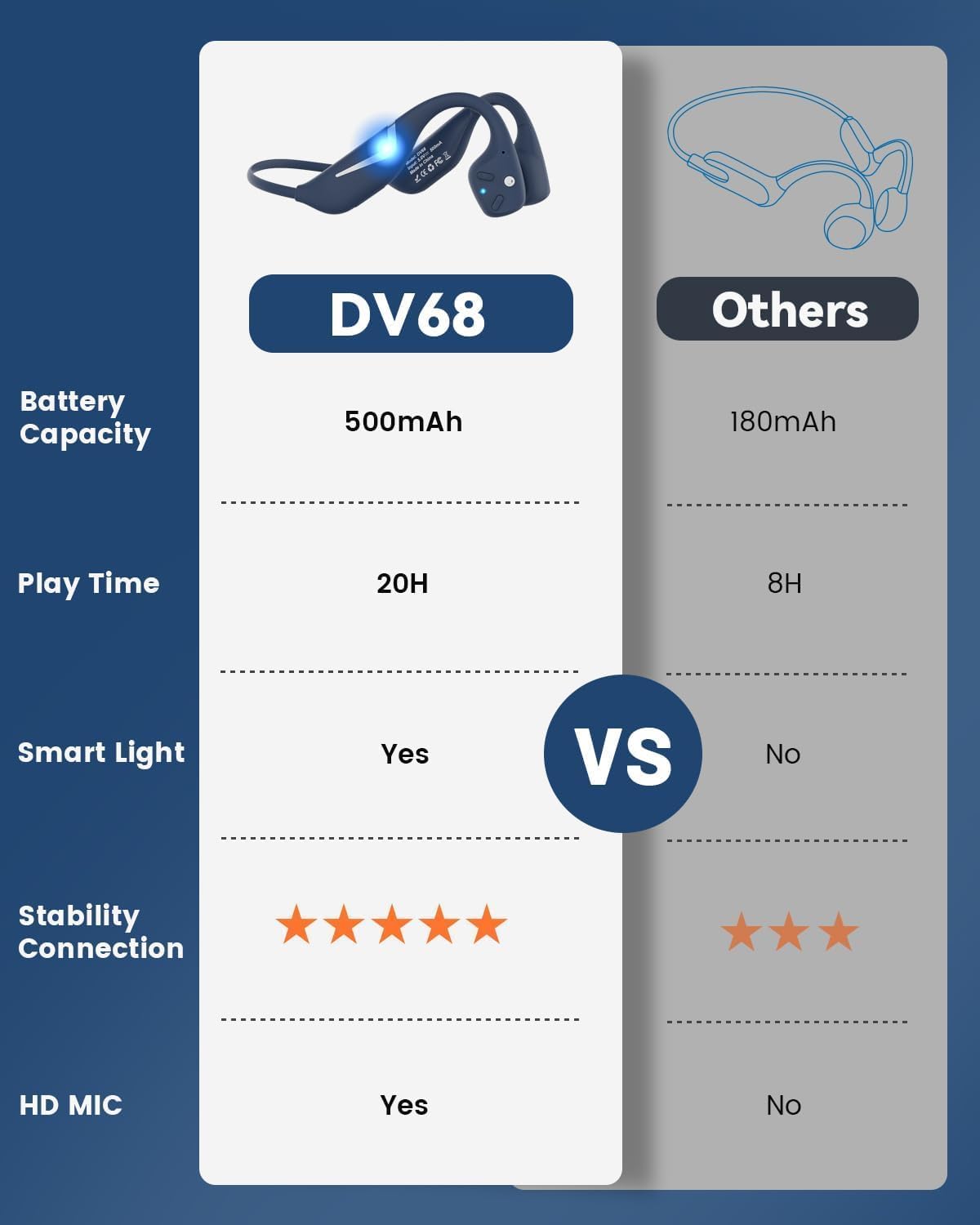
Figure 3.1: MONODEAL DV68 Bone Conduction Headphones, showing the overall design.

Abbildung 3.2: Explosionsdarstellung view illustrating the bone conduction transducer and built-in microphone.
3.1 Bedienelemente und Anschlüsse
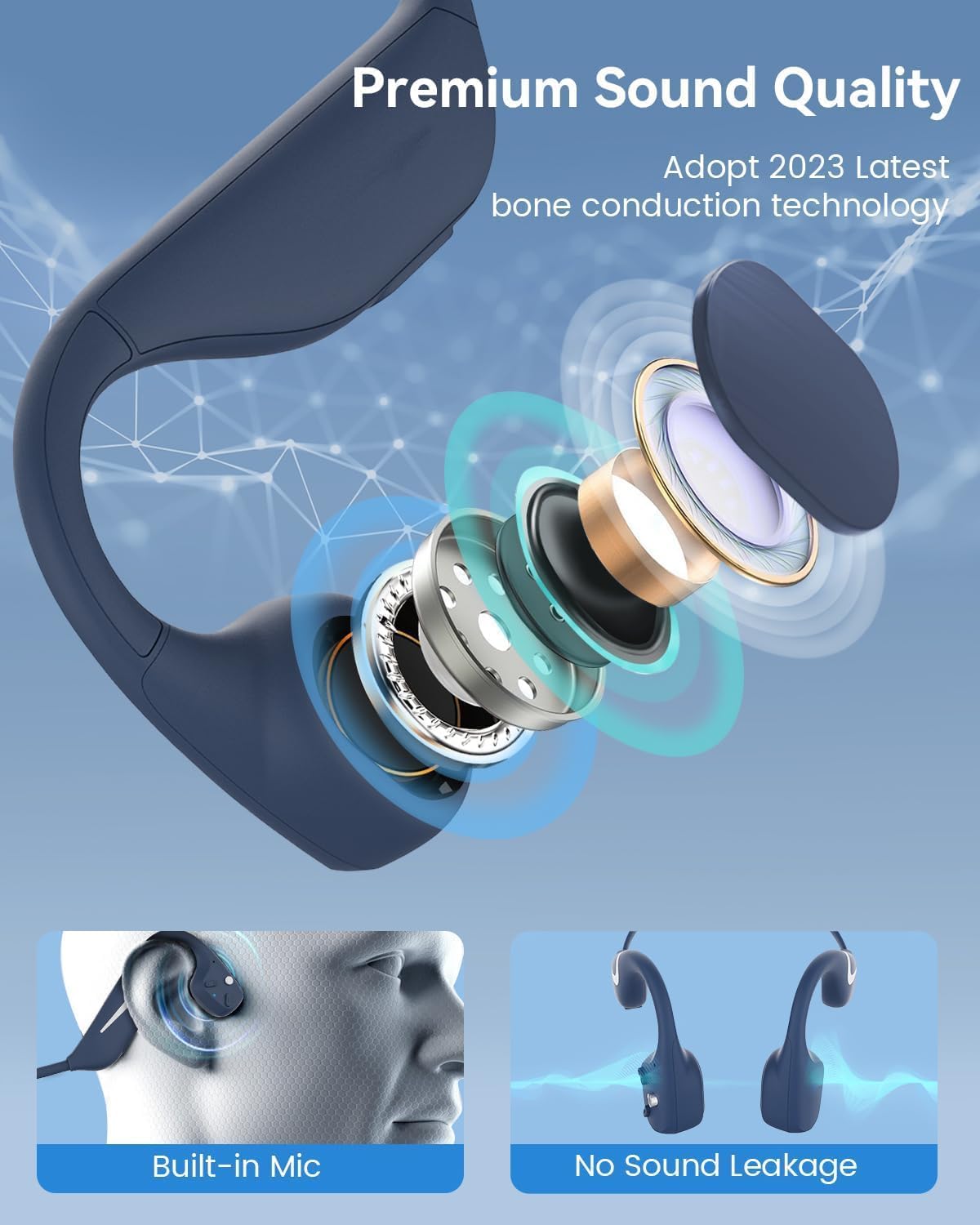
Abbildung 3.3: Seite view of the headphones highlighting the control buttons.

Abbildung 3.4: Nahaufnahme view of the magnetic charging port.
The headphones feature physical buttons for power, volume, and playback control. The magnetic charging port is located on one of the ear pieces for convenient charging.
4. Spezifikationen
| Besonderheit | Spezifikation |
|---|---|
| Modellnummer | DV68 |
| Bluetooth-Version | 5.3 |
| Batteriekapazität | 500 mAh |
| Spielzeit | Bis zu 20 Stunden |
| Wasserbeständigkeit | IP67 (Sweat, rain, and splash resistant) |
| Gewicht | 34 Gramm |
| Frequenzbereich | 20 Hz – 20,000 Hz |
| Konnektivitätstechnologie | Kabellos (Bluetooth) |
| Audiotreibertyp | Knochenleitung |
| Besondere Merkmale | Smart LED Light, Built-in Microphone, Multipoint Pairing |

Abbildung 4.1: Überview of key features including Open-Ear design, IP67 Waterproofing, 500mAh Battery, Bluetooth V5.3, Lightweight, HD Microphone, Multipoint Pairing, and RGB Light.
5. Einrichtung
5.1 Aufladen der Kopfhörer
Laden Sie Ihre Kopfhörer vor dem ersten Gebrauch vollständig auf.
- Verbinden Sie das magnetische Ladekabel mit dem Ladeanschluss der Kopfhörer.
- Verbinden Sie das andere Ende des Kabels mit einem USB-Netzteil (nicht im Lieferumfang enthalten) oder einem USB-Anschluss Ihres Computers.
- Die LED-Anzeige signalisiert den Ladestatus. Eine vollständige Ladung dauert in der Regel etwa 2 Stunden.

Figure 5.1: Illustration of 20-hour battery life and quick charge feature (10 minutes charging for 2 hours playtime).
5.2 Bluetooth-Kopplung
So verbinden Sie Ihre Kopfhörer mit einem Gerät:
- Stellen Sie sicher, dass die Kopfhörer ausgeschaltet sind.
- Halten Sie die Ein-/Aus-Taste gedrückt, bis die LED-Anzeige rot und blau blinkt und damit den Kopplungsmodus signalisiert.
- Aktivieren Sie auf Ihrem Gerät (Smartphone, Tablet, Computer) Bluetooth und suchen Sie nach verfügbaren Geräten.
- Select "MONODEAL DV68" from the list of found devices.
- Sobald die Verbindung hergestellt ist, leuchtet die LED-Anzeige entweder durchgehend blau oder blinkt langsam blau.
The headphones support multipoint pairing, allowing connection to two devices simultaneously. Refer to your device's Bluetooth settings for managing multiple connections.
6. Bedienungsanleitung
6.1 Ein-/Ausschalten
- Einschalten: Halten Sie die Einschalttaste 3 Sekunden lang gedrückt.
- Ausschalten: Halten Sie die Einschalttaste 5 Sekunden lang gedrückt.
6.2 Musikwiedergabe
- Abspielen/Pause: Drücken Sie einmal die Multifunktionstaste.
- Nächster Titel: Die Lautstärketaste + 2 Sekunden lang gedrückt halten.
- Vorheriges Lied: Die Lautstärketaste - 2 Sekunden lang gedrückt halten.
- Lautstärke erhöhen: Drücken Sie die Lautstärketaste +.
- Lautstärke runter: Drücken Sie die Lautstärketaste -.
6.3 Anrufmanagement
- Anruf annehmen/beenden: Drücken Sie einmal die Multifunktionstaste.
- Anruf ablehnen: Halten Sie die Multifunktionstaste 2 Sekunden lang gedrückt.
- Sprachassistent: Drücken Sie die Multifunktionstaste zweimal.
6.4 Smart LED Light
The headphones feature a smart LED light for enhanced visibility during nighttime activities.
- Licht ein-/ausschalten: Refer to the specific button combination in your quick start guide (usually a dedicated light button or a long press of a volume button).
- The light can cycle through different colors (e.g., blue, green, red) to increase your safety and visibility.

Figure 6.1: A runner demonstrating the smart LED light feature for night safety.
7. Wartung
7.1 Reinigung
To maintain hygiene and product longevity:
- After sweating or intense workouts, gently wipe the headphones with a damp Tuch oder Feuchttuch.
- Vermeiden Sie die Verwendung aggressiver Chemikalien oder Scheuermittel.
7.2 Speicherung
- Bewahren Sie die Kopfhörer an einem kühlen, trockenen Ort auf, fern von direkter Sonneneinstrahlung und extremen Temperaturen.
- When not in use, it is recommended to store them in their original packaging or a protective case.
7.3 Wasserbeständigkeit
The MONODEAL DV68 headphones are IP67 rated, meaning they are resistant to sweat, rain, and splashes. However, they are Nicht geeignet zum Schwimmen oder Eintauchen in Wasser.

Figure 7.1: A person exercising with the headphones, demonstrating their IP67 water resistance against sweat and rain. Note: Not for swimming.
8. Fehlerbehebung
Sollten Sie Probleme mit Ihren Kopfhörern haben, beachten Sie bitte die folgenden gängigen Lösungsansätze:
- Kein Strom:
Stellen Sie sicher, dass die Kopfhörer vollständig aufgeladen sind. Schließen Sie sie an das Ladekabel und eine Stromquelle an. - Kopplung fehlgeschlagen:
Make sure the headphones are in pairing mode (LED flashing red and blue). Turn off Bluetooth on other nearby devices that may have previously connected. Try restarting both the headphones and your device. - Kein Ton/Geringe Lautstärke:
Check the volume levels on both the headphones and your connected device. Ensure the headphones are properly positioned on your cheekbones. If using earplugs, ensure they are correctly inserted. - Intermittierende Verbindung:
Ensure your device is within the Bluetooth range (up to 15 meters) and there are no significant obstacles between the headphones and your device. Avoid strong electromagnetic interference. - Schlechte Anrufqualität:
Ensure the microphone is not obstructed. Move to an area with better network reception for your phone.
9. Garantie und Support
9.1 Garantieinformationen
MONODEAL provides a 2 Jahr Garantie for the DV68 Bone Conduction Headphones from the date of purchase. This warranty covers manufacturing defects and ensures the product meets its specified performance. Please retain your proof of purchase for warranty claims.
9.2 Kundendienst
For further assistance, technical support, or warranty inquiries, please contact MONODEAL customer service through the retailer where you purchased the product or visit the official MONODEAL webWebsite für Kontaktinformationen.