
Einführung
The TTArtisan 500mm F6.3 Telephoto Lens is designed for capturing distant subjects with exceptional clarity. This manual provides essential information for the proper setup, operation, and maintenance of your lens to ensure optimal performance and longevity.
This lens features 2 ED glass elements to reduce chromatic aberration, a manual focus system, and an aperture range from F6.3 to F32. It is equipped with a tripod mount ring and accepts 82mm filters.
Lieferumfang
- Linsenkörper
- Frontlinsenkappe
- Hintere Kappe
- Gegenlichtblende
- Bedienungsanleitung
- Garantiekarte
Aufstellen
1. Anbringen des Objektivs an Ihrer Kamera
- Stellen Sie sicher, dass Ihre Kamera ausgeschaltet ist.
- Remove the rear lens cap from the TTArtisan 500mm F6.3 lens and the body cap from your Nikon F-Mount camera.
- Align the mounting index mark on the lens with the corresponding mark on your camera body.
- Setzen Sie das Objektiv in die Kamerafassung ein und drehen Sie es im Uhrzeigersinn, bis es hörbar einrastet.
2. Attaching the Tripod Mount Ring
The lens comes with a built-in tripod mount ring for stable support, especially given its size and weight. This ring allows you to rotate the camera for portrait or landscape orientation without detaching the lens from the tripod.

Image: The TTArtisan 500mm F6.3 lens securely attached to a camera and mounted on a tripod using its integrated tripod mount ring.
3. Anbringen der Gegenlichtblende
The metal lens hood helps to prevent flare and ghosting by blocking stray light from entering the lens. Align the hood with the front of the lens and twist it gently until it locks into place.

Image: A metal lens hood, designed to reduce lens flare and protect the front element.
Wichtiger Sicherheitshinweis

Image: A warning against holding the lens solely by the tripod mount ring, as loose screws could cause the lens to fall.
WARNING: Do not hold the lens directly by the tripod mount ring when carrying or moving the camera and lens assembly. Always support the main lens body to prevent accidental detachment due to loose screws or unexpected movement.
Bedienungsanleitung
1. Manueller Fokus
This is a manual focus lens. To achieve sharp images, rotate the focus ring until your subject appears clear in the viewfinder or on your camera's LCD screen. Many modern cameras offer focus peaking or magnification aids to assist with manual focusing.

Image: The focus gear ring, used for precise manual focusing.
2. Aperture Adjustment
The lens features an aperture ring with settings from F6.3 to F32. Rotate this ring to select your desired aperture. A wider aperture (smaller f-number like F6.3) allows more light and creates a shallower depth of field, while a narrower aperture (larger f-number like F32) allows less light and provides a greater depth of field.
3. Verwendung der Stativhalterung
For optimal stability, especially with a 500mm telephoto lens, always use a sturdy tripod. The tripod mount ring on the lens allows for better balance and prevents strain on your camera's lens mount.
4. Kompatibilität
This lens is compatible with Nikon F-Mount SLR Cameras including models such as Df, D5, D6, D850, D810A, D810, D780, D750, and D610.
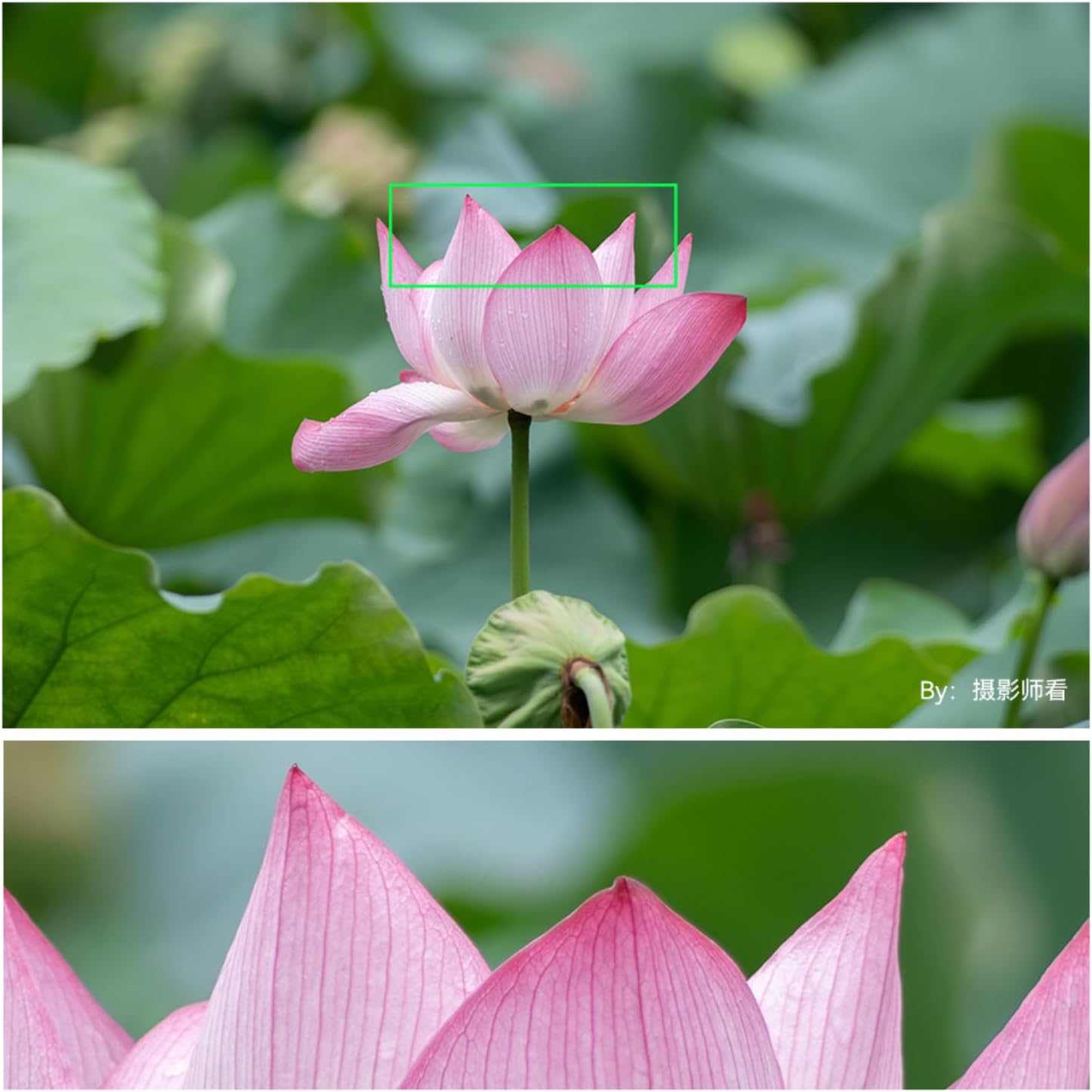
Image: List of compatible camera models for various mounts, including Nikon F-mount.
5. Sample Fotografie
Observe the capabilities of the TTArtisan 500mm F6.3 lens in various scenarios, from distant wildlife to celestial bodies.
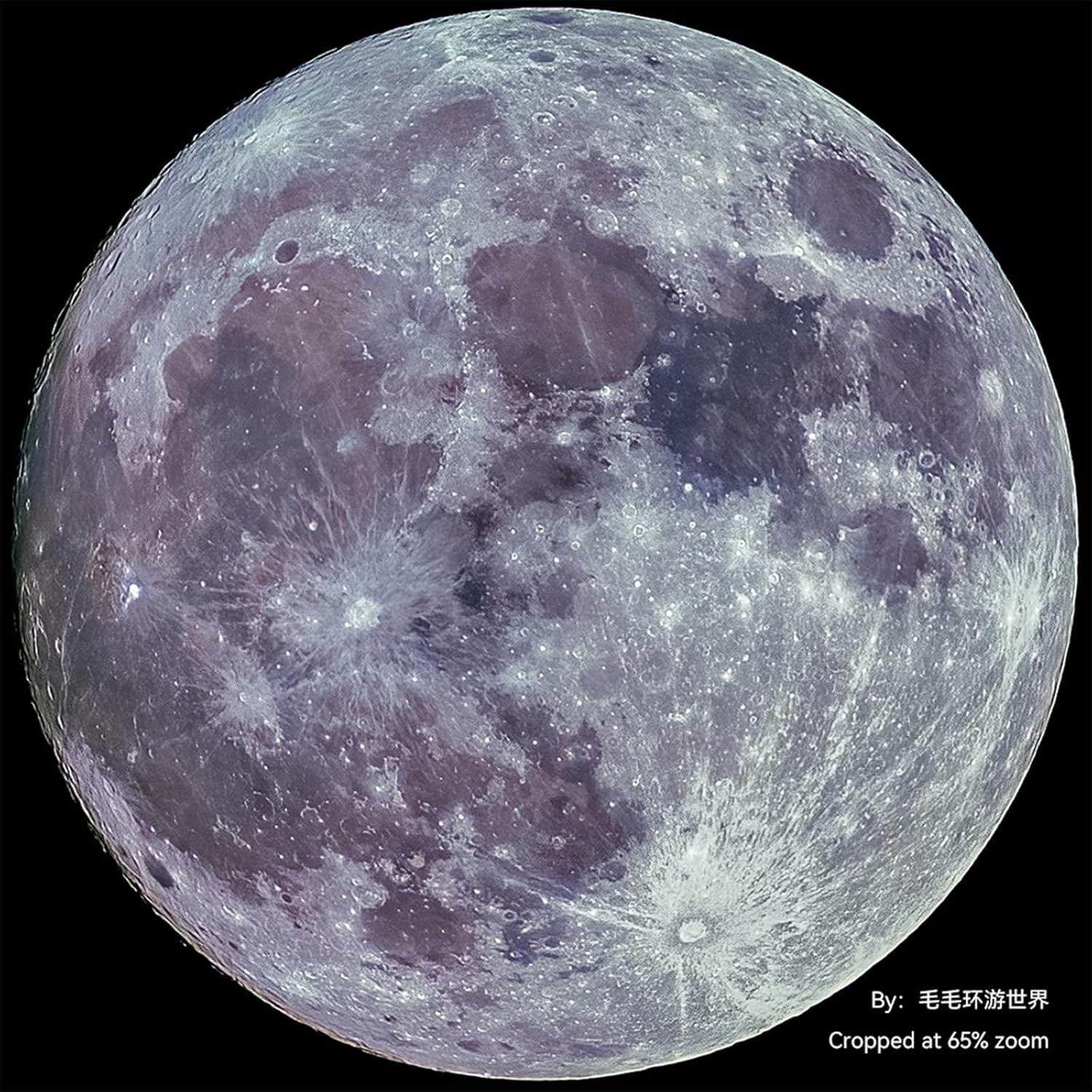
Image: A detailed shot of the moon, demonstrating the lens's reach and clarity for astrophotography.

Image: An airplane captured mid-flight, illustrating the lens's effectiveness for distant subjects.
6. Produktvideos
Watch these official videos for a visual guide on the TTArtisan 500mm F6.3 lens.
Video: Ein überview of the TTArtisan 500mm f/6.3 lens, showcasing seine Eigenschaften und Verwendung.
Video: A demonstration of the TTArtisan 500mm f6.3 telephoto lens in action.
Wartung
1. Reinigung der Linse
- Use a soft, lint-free cloth or a lens brush to remove dust from the lens surfaces.
- For smudges or fingerprints, apply a small amount of lens cleaning solution to a microfiber cloth and gently wipe the lens in a circular motion.
- Never use abrasive materials or harsh chemicals on the lens elements.
2. Speicherung
- Bringen Sie immer die vorderen und hinteren Objektivdeckel an, wenn das Objektiv nicht benutzt wird.
- Bewahren Sie das Objektiv an einem kühlen, trockenen Ort, fern von direkter Sonneneinstrahlung und extremen Temperaturen auf.
- Bei längerer Lagerung empfiehlt sich die Verwendung eines Entfeuchtungsschranks oder von Silicagel-Päckchen, um Schimmelbildung zu verhindern.
Fehlerbehebung
1. Unscharfe Bilder
- Fokus prüfen: Ensure the lens is properly focused manually. Use your camera's focus aids if available.
- Kamerawackeln: At 500mm, even slight camera movement can cause blur. Use a sturdy tripod and a remote shutter release or timer.
- Verschlusszeit: Use a sufficiently fast shutter speed to freeze motion and minimize camera shake. A general rule is 1/focal length (e.g., 1/500s or faster for a 500mm lens).
- Öffnung: While F6.3 is wide, ensure it's appropriate for your subject's depth.
2. Lens Not Mounting Securely
- Ensure the lens and camera mount are clean and free of debris.
- Align the index marks correctly and rotate until a distinct click is heard.
3. Dust or Spots on Images
- Clean the front and rear elements of the lens as described in the Maintenance section.
- If spots persist, the issue might be dust on your camera's sensor. Refer to your camera manual for sensor cleaning procedures or consult a professional.
Technische Daten
| Besonderheit | Detail |
|---|---|
| Marke | TTARTISAN |
| Modellname | TTArtisan 500mm f6.3 |
| Brennweite | 500 mm |
| Objektivtyp | Telephoto, Prime |
| Kompatible Halterungen | Nikon F |
| Fokustyp | Manueller Fokus |
| Maximale Blendenöffnung | F6.3 |
| Minimale Blende | F32 |
| Anzahl der Membranblätter | 12 |
| Filtergröße | 82 mm |
| Optisches Design | 8 Elements in 5 Groups (including 2 ED glass elements) |
| Naheinstellgrenze | 3.3 m |
| Realwinkel von View | 5 Grad |
| Bildstabilisierung | Keine Bildstabilisierung |
| Wasserbeständigkeit | Nicht wasserfest |
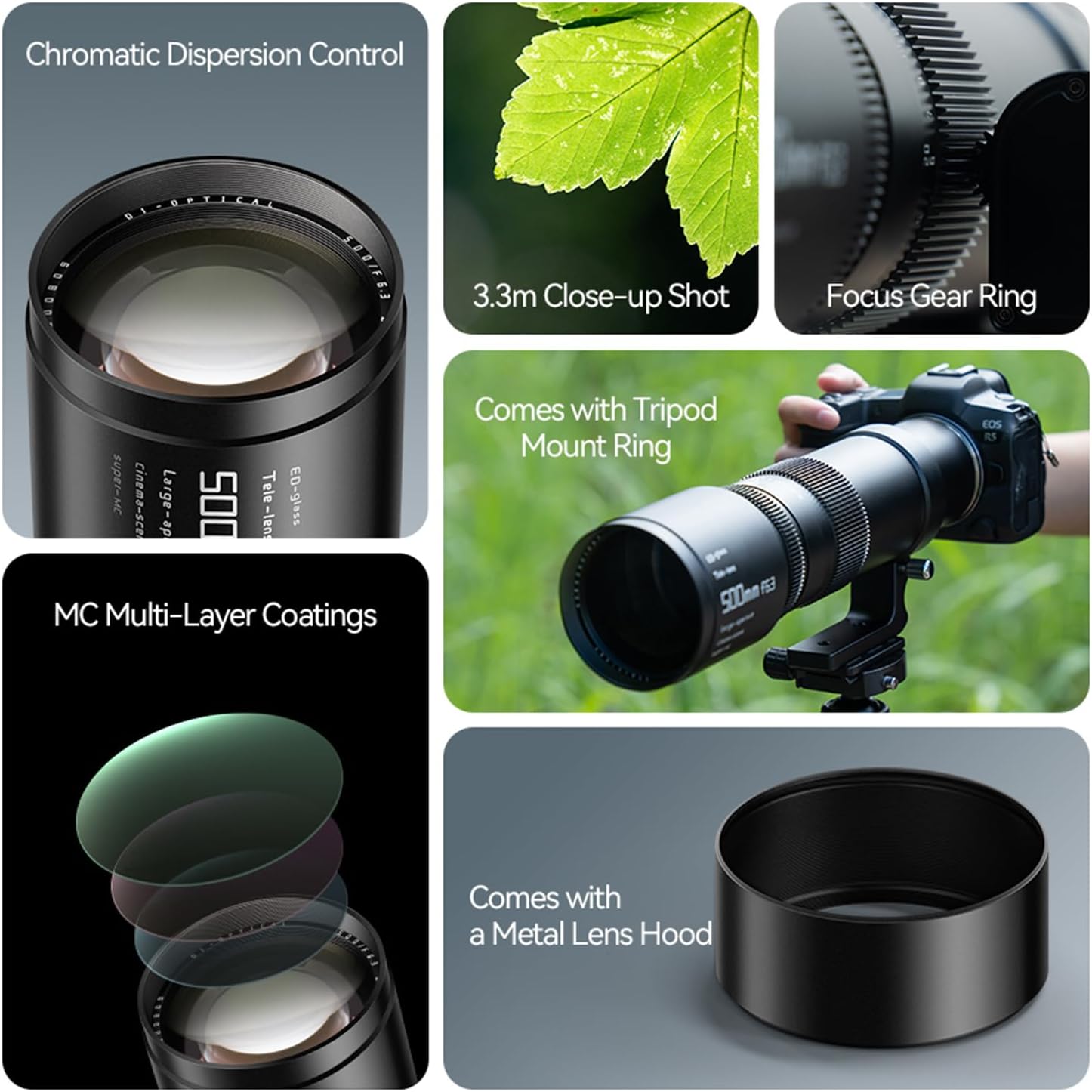
Image: Product diagram showing lens dimensions and key features like filter size and focal length.
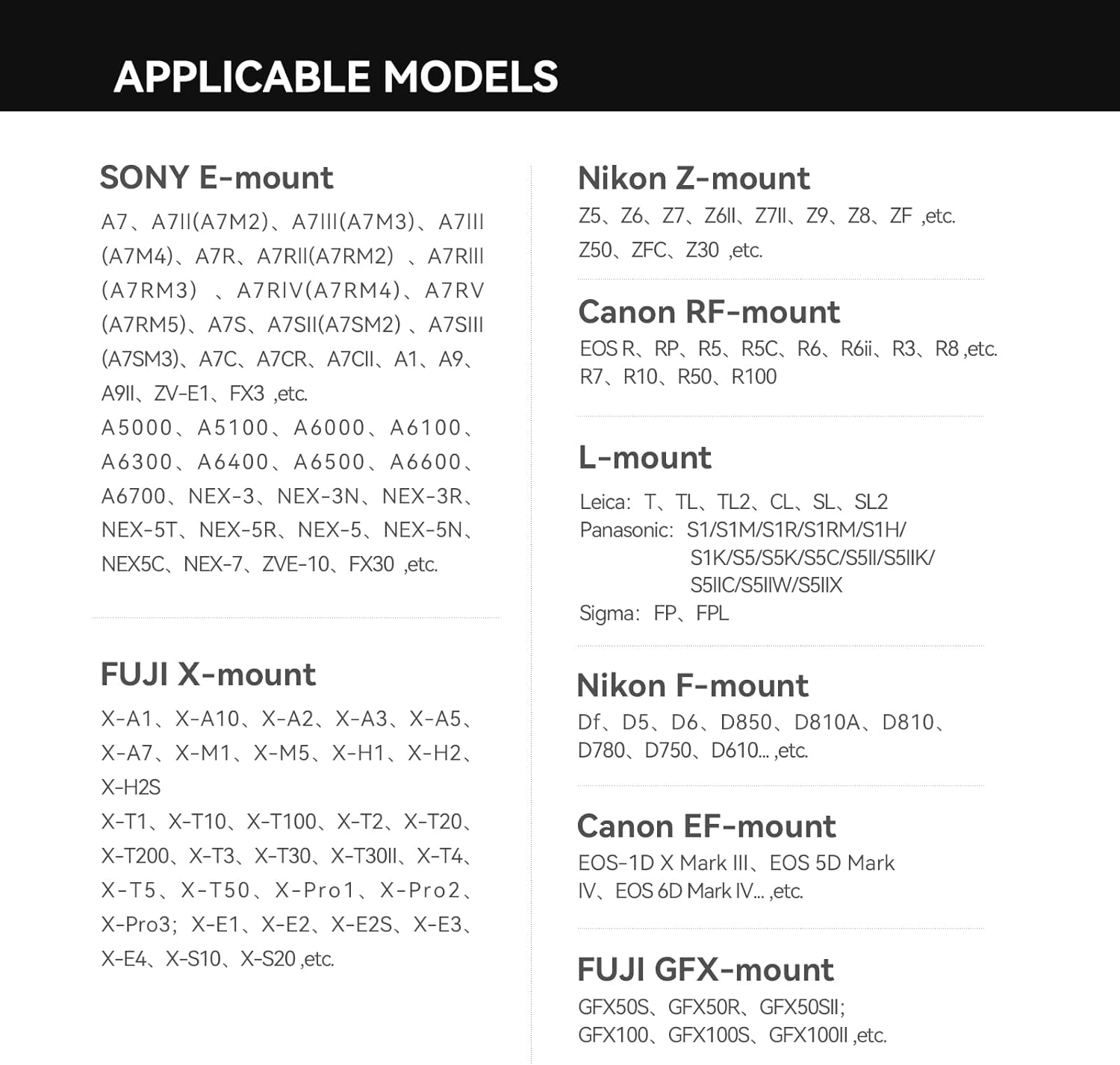
Image: Optical design diagram of the lens, showing the arrangement of elements including ED glass.
Garantieinformationen
The TTArtisan 500mm F6.3 Telephoto Lens comes with a 1 Jahr Garantie from the date of purchase. This warranty covers manufacturing defects and ensures quality assurance.
For additional protection, extended plans may be available:
- 3-Jahres-Schutzplan: Erhältlich gegen eine einmalige Zahlung von 48.99 $.
- Rundumschutz: A monthly renewal policy for $16.99, covering eligible past and future purchases.
Bitte bewahren Sie Ihren Kaufbeleg und Ihre Garantiekarte für eventuelle Reklamationen auf.
Unterstützung
For further assistance, product inquiries, or technical support, please contact TTArtisan directly.
You can visit the official TTArtisan store for more information and support resources: TTArtisan Official Store
Manufacturer: TTArtisan