
Einführung
This manual provides detailed instructions for the assembly, operation, and maintenance of your FLEXISPOT E6 MAX Bamboo 72x30 Inch Dual Motor 3-Stage Heavy Duty Standing Desk. Please read this manual thoroughly before use to ensure proper function and safety.
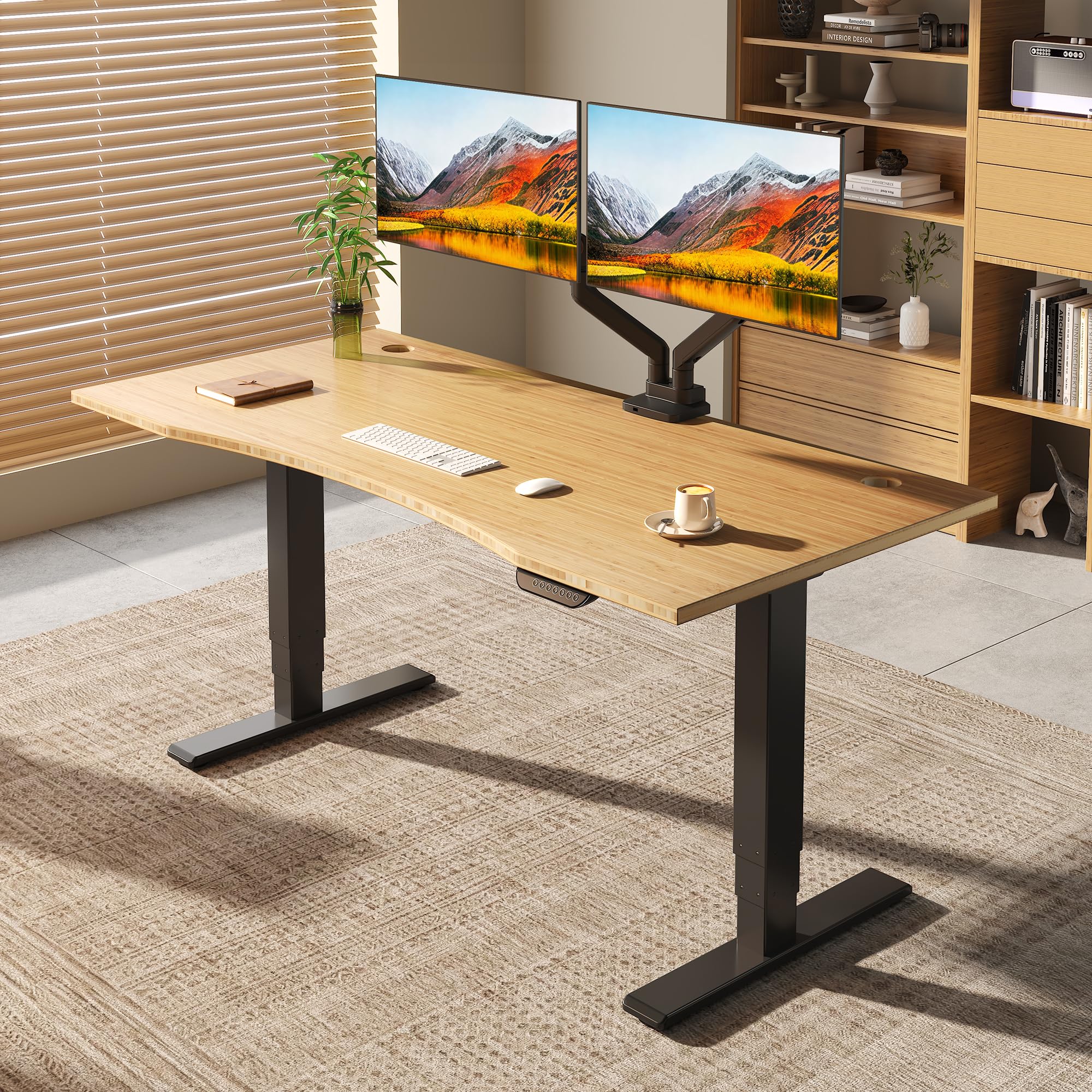
The FLEXISPOT E6 MAX standing desk, featuring a bamboo top and black frame, is designed for a modern home office environment.
Sicherheitshinweise
WARNUNG:
- This desk is height-adjustable. Always use the controls with caution to prevent injury.
- Das zulässige Höchstgewicht von 330 Pfund darf nicht überschritten werden.
- Ensure the desk is properly assembled and anchored to the floor to prevent tipping.
- Halten Sie Kinder und Haustiere während der Höhenverstellung vom Schreibtisch fern.
Packungsinhalt
Verify that all components are present before beginning assembly. The package includes the desk frame, bamboo desktop, and the following accessories:
- Set of Wheels (4 units)
- Kabelmanager
- Klettverschlüsse
- Alle benötigten Montagewerkzeuge

Complimentary accessories included with the FLEXISPOT E6 MAX desk, such as wheels, a cable manager, and velcro straps.
Montageanleitung
Assembly instructions are included with the product. All necessary tools for assembly are provided. Please follow the step-by-step guide provided in the separate assembly manual for detailed instructions. Ensure all screws are tightened securely before use.
This video demonstrates the assembly process for a FlexiSpot desk, providing visual guidance for installation.
Einrichtung und Bedienung
Höhenverstellung
The FLEXISPOT E6 MAX features a dual-motor, three-stage leg design, allowing for continuous height adjustment from 24.4 inches to 50 inches. This broad range accommodates various user heights, from children to extra-tall adults.

Detail of the three-stage leg, showing continuous height adjustment from 24.4 inches to 50 inches.
Bedienfeld und Speichervoreinstellungen
The intuitive digital control panel includes up/down buttons and four height memory settings. You can preset your preferred sitting and standing heights for quick and efficient adjustments.
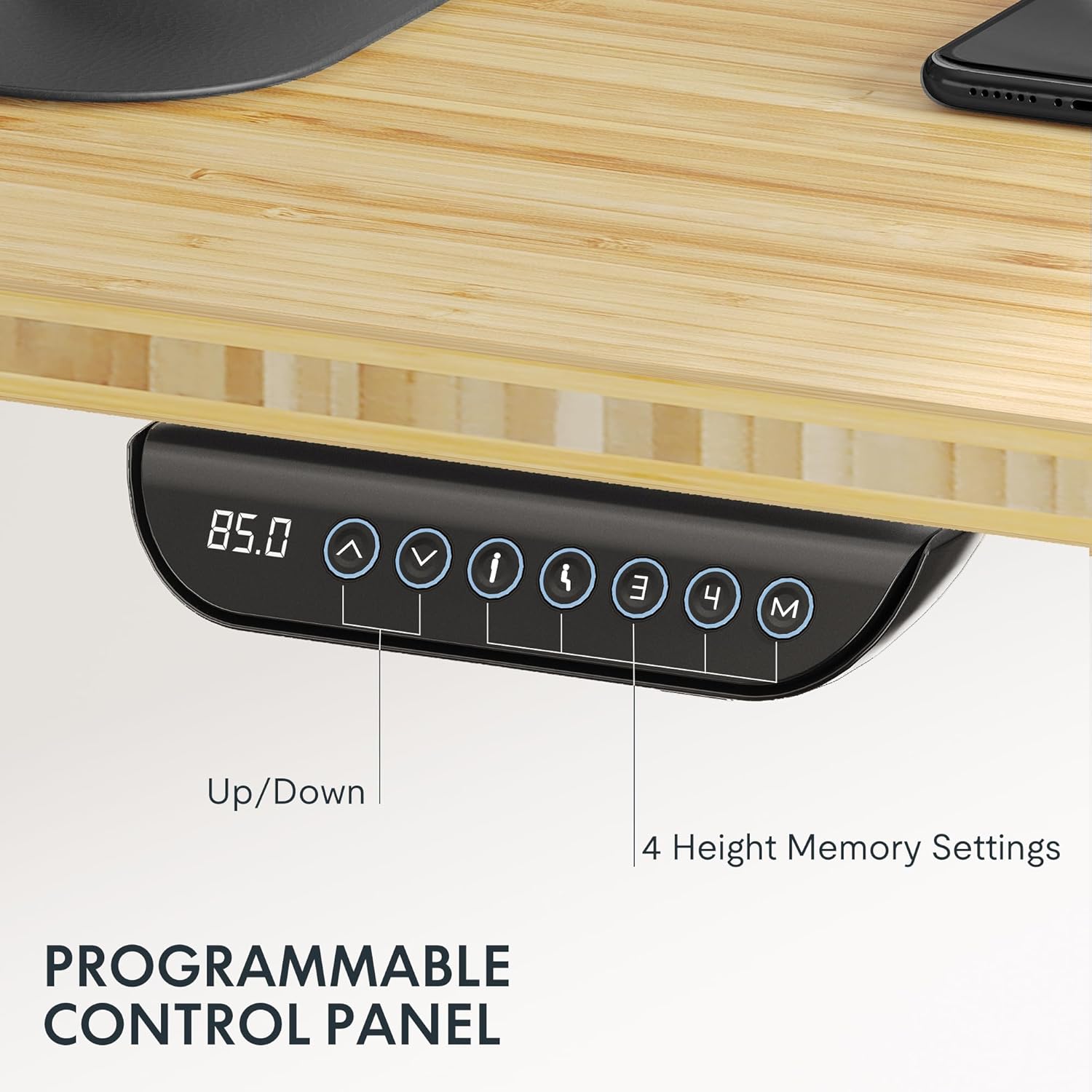
The programmable control panel features blue backlighting, up/down controls, and four memory buttons for personalized height settings.
Antikollisionsfunktion
The desk includes a built-in anti-collision system to prevent accidents. This feature automatically stops and reverses the desk's movement if it encounters an obstruction during height adjustment, protecting users, children, and pets.

The anti-collision feature ensures safety by stopping desk movement upon detecting an obstruction.
Stability and Quiet Operation
The desk's strong steel structure and dual motors ensure smooth and steady movement, even at its highest level, with minimal wobble. The quiet dual motors operate at less than 50dB, allowing for adjustments without disturbing your surroundings.

Intern view of the powerful dual motor, highlighting its quiet and stable operation.
Dieses Video bietet ein Overview of the E6 MAX product features, including its stable and quiet operation.
Wartung
To maintain your FLEXISPOT E6 MAX desk, regularly wipe the bamboo desktop with a soft, damp cloth. Avoid harsh chemicals that may damage the finish. Periodically check all screws and connections to ensure they remain tight. Keep the motor and electrical components free from dust and moisture.
Fehlerbehebung
Sollten Sie Probleme mit Ihrem Schreibtisch haben, beachten Sie bitte die folgenden allgemeinen Tipps zur Fehlerbehebung:
- Schreibtisch bewegt sich nicht: Überprüfen Sie alle Stromanschlüsse. Stellen Sie sicher, dass das Netzkabel sowohl am Schreibtisch als auch an der Wandsteckdose fest eingesteckt ist.
- Ungleichmäßige Bewegung: Ensure the desk is on a level surface. Check for any obstructions under the desk or in the leg mechanisms.
- Fehlercodes: Consult the separate assembly manual for specific error code interpretations and solutions.
If problems persist, please contact FLEXISPOT customer support.
Technische Daten
| Besonderheit | Detail |
|---|---|
| Marke | FLEXISPOT |
| Modellname | FLEXISPOT E6 MAX |
| Desktop-Material | Bambus |
| Rahmenmaterial | Metall |
| Farbe (Aktuelle Variante) | Black Frame + Curved Bamboo Top |
| Größe (Aktuelle Variante) | 72"x30" Bamboo One-Piece |
| Produktabmessungen (T x B x H) | 47.5"T x 29.5"B x 23.6"H |
| Höhenverstellbereich | 24.4" - 50" |
| Hebemechanismus | Electric/Dual Motor |
| Maximale Gewichtskapazität | 330 Pfund |
| Geräuschpegel | Unter 50 dB |
| Bedienfeld | Programmable with 4 Memory Settings |
| Besondere Merkmale | Anti-collision system, Cable Management, Wheels |
| Montage erforderlich | Ja (Werkzeuge inklusive) |
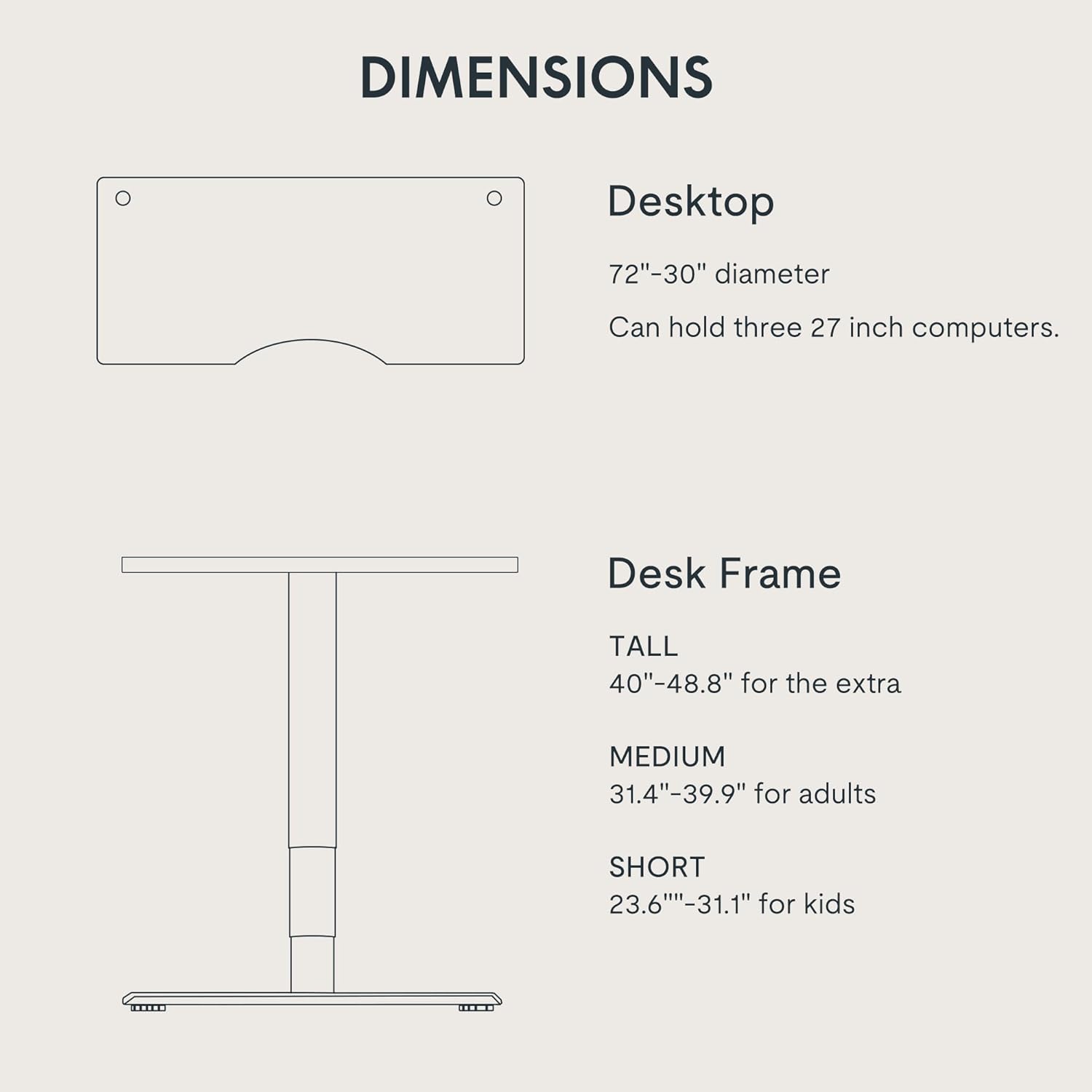
Detailed dimensions of the FLEXISPOT E6 MAX desk, showing desktop size and adjustable frame heights.
Garantie und Support
Your FLEXISPOT E6 MAX desk comes with a comprehensive warranty:
- 10-jährige Abdeckung: Desk frame and motor.
- 2 Jahre Schutz: Control panel and electronics.
For any assistance, warranty claims, or further inquiries, please contact FLEXISPOT customer support directly. Refer to your purchase documentation for specific contact details.
This video highlights the key features and benefits of the FLEXISPOT E6 series, including its quality and design.