
FLEXISPOT QS1M-1675-IE
FLEXISPOT Lite Electric Standing Desk User Manual
Model: QS1M-1675-IE
Einführung
Thank you for choosing the FLEXISPOT Lite Electric Standing Desk. This manual provides essential information for the safe and efficient assembly, operation, and maintenance of your new desk. Please read this manual thoroughly before use and retain it for future reference.
The FLEXISPOT Lite Electric Standing Desk is designed to promote a healthier working environment by allowing seamless transitions between sitting and standing positions. Its robust construction and intuitive controls ensure a comfortable and productive workspace.
Sicherheitshinweise
- Vor der Montage sicherstellen, dass alle Komponenten vorhanden und unbeschädigt sind. Nicht verwenden, wenn Teile fehlen oder beschädigt sind.
- Um Verletzungen zu vermeiden, sollten Kinder und Haustiere während des Betriebs vom Schreibtisch ferngehalten werden.
- Halten Sie während der Höhenverstellung Ihre Hände und andere Gegenstände von den beweglichen Teilen des Schreibtischgestells fern.
- Ensure the power cord is properly connected and not damaged. Do not operate the desk with a damaged cord or plug.
- Do not overload the desk. Refer to the specifications section for maximum weight capacity.
- Um Stabilität zu gewährleisten, stellen Sie den Schreibtisch nur auf eine ebene Fläche.
- Vor der Reinigung oder Durchführung von Wartungsarbeiten die Stromzufuhr unterbrechen.
Packungsinhalt
Bitte überprüfen Sie, ob alle folgenden Komponenten in Ihrem Paket enthalten sind:
- Desktop (160 x 75 cm, White+Maple)
- Desk Legs/Frame (Alloy Steel)
- Elektromotor und Steuerkasten
- Bedienfeld
- Netzteil und Kabel
- Getränkehalter
- Aufbewahrungshaken
- Cable Management Accessories (Cable ties, Bundle Clamp)
- Montagezubehör (Schrauben, Inbusschlüssel usw.)
- Bedienungsanleitung
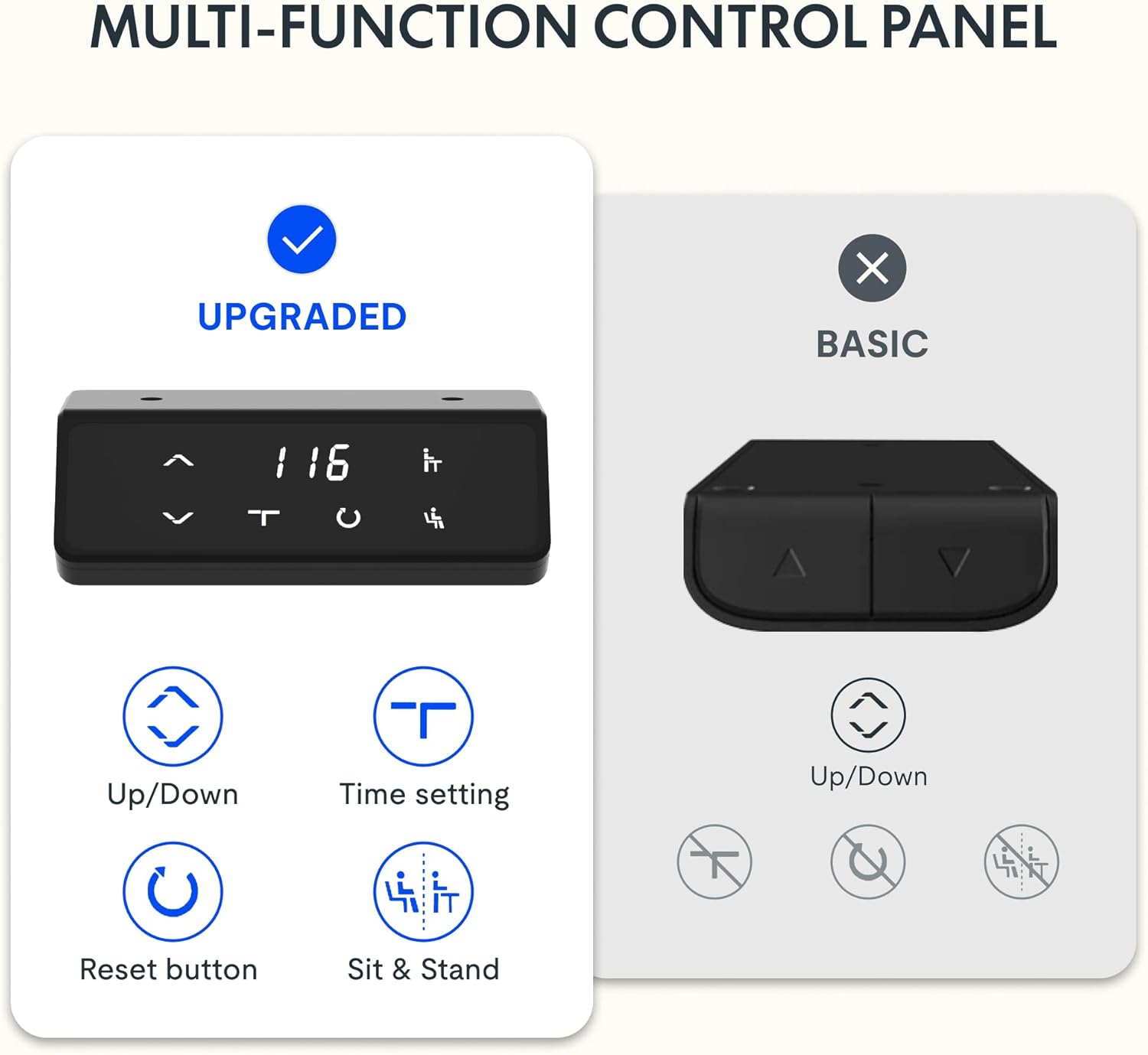
Bild 1: Überview of desk components, including the desktop, frame, and control panel, ready for assembly.
Einrichtung und Montage
Follow these steps to assemble your FLEXISPOT Lite Electric Standing Desk. It is recommended to have two people for assembly, especially when handling the desktop.
- Komponenten auspacken: Carefully remove all parts from the packaging and lay them out on a clean, soft surface to prevent scratches. Refer to the "Package Contents" section to ensure all parts are present.
- Attach Lifting Columns to Feet: Secure the lifting columns to the desk feet using the provided screws and tools. Ensure they are firmly attached.
- Querträger verbinden: Attach the crossbar between the two lifting columns. This forms the main frame of the desk.
- Schaltkasten und Motor einbauen: Mount the control box and motor onto the designated areas of the desk frame. Connect the motor cables to the control box.
- Desktop anbinden: Carefully place the desktop upside down on a soft surface. Position the assembled frame onto the desktop, aligning the pre-drilled holes. Secure the frame to the desktop using the provided screws.
- Systemsteuerung installieren: Mount the control panel to the underside of the desktop in an easily accessible location. Connect its cable to the control box.
- Zubehör anbringen: Install the cup holder and storage hook to the desired locations on the desktop edge.
- Kabelmanagement: Use the provided cable management accessories to organize and secure all cables, including the power cord.
- Position Desk: With assistance, carefully flip the desk upright and place it in its desired location. Ensure it is on a stable, level surface.
- Strom anschließen: Plug the power adapter into the control box, then plug the power cord into a wall outlet.
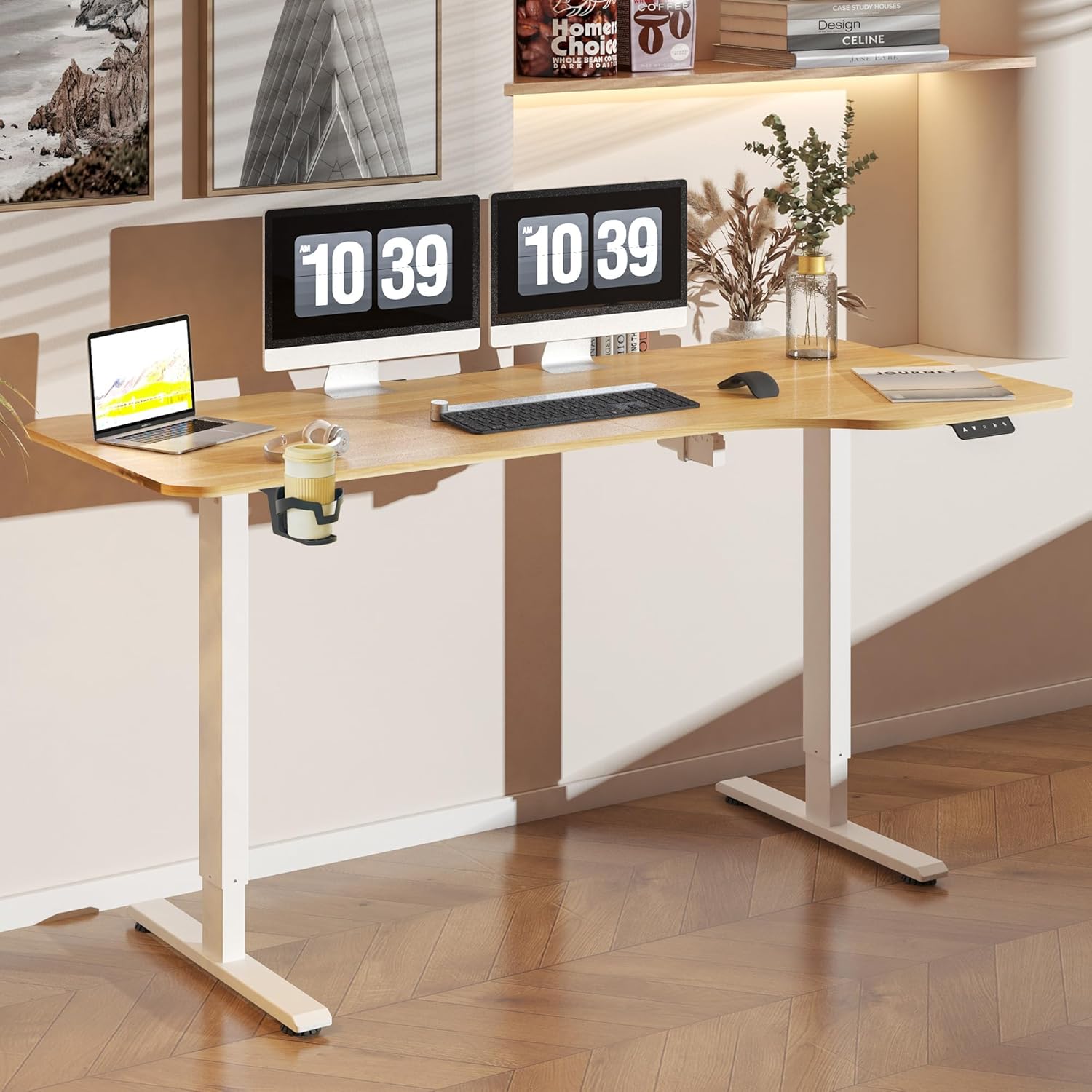
Bild 2: The FLEXISPOT Lite Electric Standing Desk fully assembled and set up in a modern home office environment.
Bedienungsanleitung
Systemsteuerung überview

Bild 3: Detaillierte view of the desk's control panel, showing buttons for Up/Down adjustment, Time Setting, Reset, and Sit & Stand memory presets.
Your FLEXISPOT Lite Electric Standing Desk features an intuitive control panel for easy height adjustment and memory functions.
- Up/Down Buttons (⌃ / ⌄): Press and hold these buttons to manually adjust the desk height upwards or downwards. Release the button to stop at the desired height.
- Speichervoreinstellungen: The control panel allows you to save and recall preferred height settings.
- Adjust the desk to your desired height (e.g., a comfortable sitting or standing position) using the Up/Down buttons.
- Press and hold the 'Sit & Stand' button (person icon) for approximately 3-5 seconds until the display flashes or beeps, indicating the height is saved.
- To recall a saved height, simply press the 'Sit & Stand' button. The desk will automatically move to the last saved height. (If your model supports multiple presets, consult the full product manual for specific instructions on saving and recalling each position.)
- Reset-Taste (R): If the desk encounters an error or does not respond correctly, a reset may be required.
- Press and hold the 'R' button (often indicated by a circle icon or 'Reset' text).
- The desk will move to its lowest position, then slightly rise. Release the button once this sequence is complete. The desk is now reset.
- Time Setting (T): This button, often labeled with a clock icon, may be used to set a timer for sit/stand reminders, if available on your model. Consult the full product manual for detailed instructions on using this feature.

Bild 4: The FLEXISPOT Lite Electric Standing Desk in use, highlighting the accessible placement of the control panel for easy height adjustments.
Merkmale
Höhenverstellbereich
The desk offers a wide range of height adjustment to accommodate various user preferences and activities, from a minimum of 71 cm to a maximum of 117 cm.

Bild 5: Visual representation of the desk's height adjustment capabilities, illustrating the minimum and maximum heights.
Integriertes Zubehör
- Getränkehalter: A convenient cup holder is included to keep your beverages secure and prevent spills on your workspace.
- Aufbewahrungshaken: A practical hook is provided for hanging headphones, bags, or other items, helping to keep your desktop clear and organized.

Bild 6: Detaillierte view of the integrated cup holder and storage hook, designed for convenience and organization.
Kabelmanagement
The desk includes features to help manage and organize your cables, ensuring a tidy and safe workspace.
- Cable Management Tray/Clips: Utilize the provided cable management solutions to route and secure power cords and peripheral cables.
- Bundle Clamp/Grommet: The desktop features a grommet hole and clamp for neatly passing cables through the desk surface.

Bild 7: Examples of the desk's cable management features, including a cable routing system and a desktop grommet for organized wiring.
Wartung
- Reinigung: Wischen Sie die Schreibtischoberfläche und den Rahmen mit einem weichen, fusselfreien Tuch ab.amp Verwenden Sie kein scheuerndes Reinigungsmittel oder aggressive Chemikalien, die die Oberfläche beschädigen könnten.
- Inspektion: Überprüfen Sie regelmäßig alle Schrauben und Verbindungen auf festen Sitz. Ziehen Sie sie gegebenenfalls nach.
- Kabelmanagement: Achten Sie darauf, dass die Kabel nicht eingeklemmt oder verheddert werden, insbesondere bei Höhenverstellungen.
- Motorpflege: The electric motor is designed for maintenance-free operation. Do not attempt to open or service the motor or control box.
Fehlerbehebung
| Problem | Mögliche Ursache | Lösung |
|---|---|---|
| Der Schreibtisch bewegt sich nicht. | Netzkabel nicht angeschlossen; Motorkabel lose; Überlastung. | Check power connections. Ensure motor cables are securely plugged in. Reduce weight on the desk. Perform a reset. |
| Der Schreibtisch wackelt ungleichmäßig oder macht ungewöhnliche Geräusche. | Lose Verbindungen; Blockierung; ungleichmäßige Belastung. | Check all assembly screws. Ensure no objects are obstructing the lifting columns. Distribute weight evenly on the desktop. Perform a reset. |
| Im Bedienfeld wird ein Fehlercode angezeigt. | Spezifischer Systemfehler. | Refer to the specific error code in the full product manual (if available) or contact customer support. Often, a reset can resolve minor errors. |
| Speichervoreinstellungen funktionieren nicht. | Presets not saved correctly; system glitch. | Re-save your desired height presets. Perform a reset if the issue persists. |
Technische Daten
| Besonderheit | Detail |
|---|---|
| Modellnummer | QS1M-1675-IE |
| Desktopgröße | 160 x 75 cm |
| Desktop-Material | Holz |
| Rahmenmaterial | Legierter Stahl |
| Farbe | White+Maple |
| Mindesthöhe | 71 cm |
| Maximale Höhe | 117 cm |
| Maximale Gewichtskapazität | 150 Pfund (ca. 68 kg) |
| Motorgeräuschpegel | Weniger als 50 dB |
| Montage erforderlich | Ja |
Garantie und Support
FLEXISPOT stands behind the quality of its products. Your FLEXISPOT Lite Electric Standing Desk comes with the following warranty:
- 5 Jahr Garantie: Applies to the desk frame.
- 3 Jahr Garantie: Applies to controllers and motors.
For warranty claims, technical support, or any questions regarding your product, please contact FLEXISPOT customer service. Please have your model number (QS1M-1675-IE) and proof of purchase ready.

Bild 8: Official FLEXISPOT warranty details, outlining coverage for the desk frame, controllers, and motors.
Ask a question about this manual
Ask about setup, troubleshooting, compatibility, parts, safety, or missing instructions. Manuals+ will review the question and use this page’s manual context to help answer it.